Beacon Reports icon

Beacon Reports

Certified Partner Plugin
Maintained by LMS Hosting Services
26 hand-written, audited SQL reports for Moodle across People, Progress, Assessment, Engagement, Compliance and Operations. Click-to-filter, CSV and branded PDF, saved views and scheduled email.
Price option: Pro $50 USD one-time
By buying, you accept the seller's Terms of Sale

Supports Moodle 4.4-5.1 See all versions
Reviewed annually for quality
Latest release: 2 weeks ago
Installations: 1
Downloads (last 90 days): 1

Frankenstyle name: local_beacon
Local plugins

Description

Reporting That Cannot Lie To You

26 hand-written, audited SQL reports for Moodle across People, Progress, Assessment, Engagement, Compliance and Operations. Click-to-filter, CSV and branded PDF, saved views and scheduled email. Completion rates never exceed 100%. For admins and RTOs.

Local plugin · v1.7.7 · Moodle™ 4.4 – 5.1 · PHP 8.2+ · Paid — $50 USD (one-off)

Beacon is a curated reporting and analytics suite for Moodle - 26 hand-written, audited SQL reports across People, Progress, Assessment, Engagement, Compliance and Operations. Every report answers a real question an administrator or RTO actually asks. A grain-aware query engine prevents the row-multiplication problem that makes core Moodle's report builder silently produce wrong percentages, so your completion rates never exceed 100 percent.

Why This Beats The Core Report Builder

Most Moodle reporting runs JOIN-heavy queries that multiply rows silently. A learner with three quiz attempts appears three times, inflating completion rates past 100 percent with no warning. Beacon's grain-aware engine knows whether your question is about people, learner-and-course pairs, or course-level rollups, and writes the SQL accordingly. Row-multiplication is architecturally impossible, and role isolation is enforced inside the SQL itself, not just in the interface.

Key Features

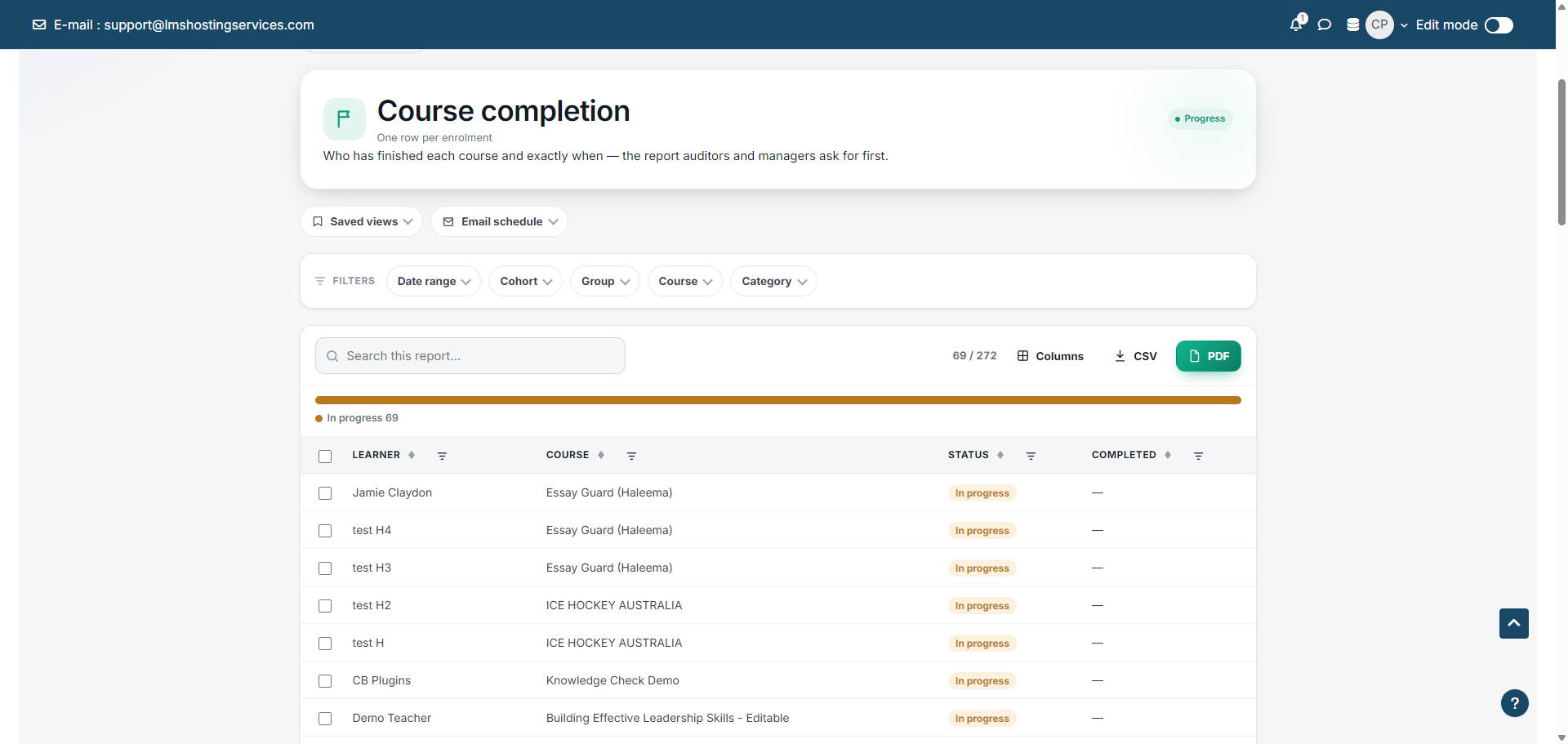
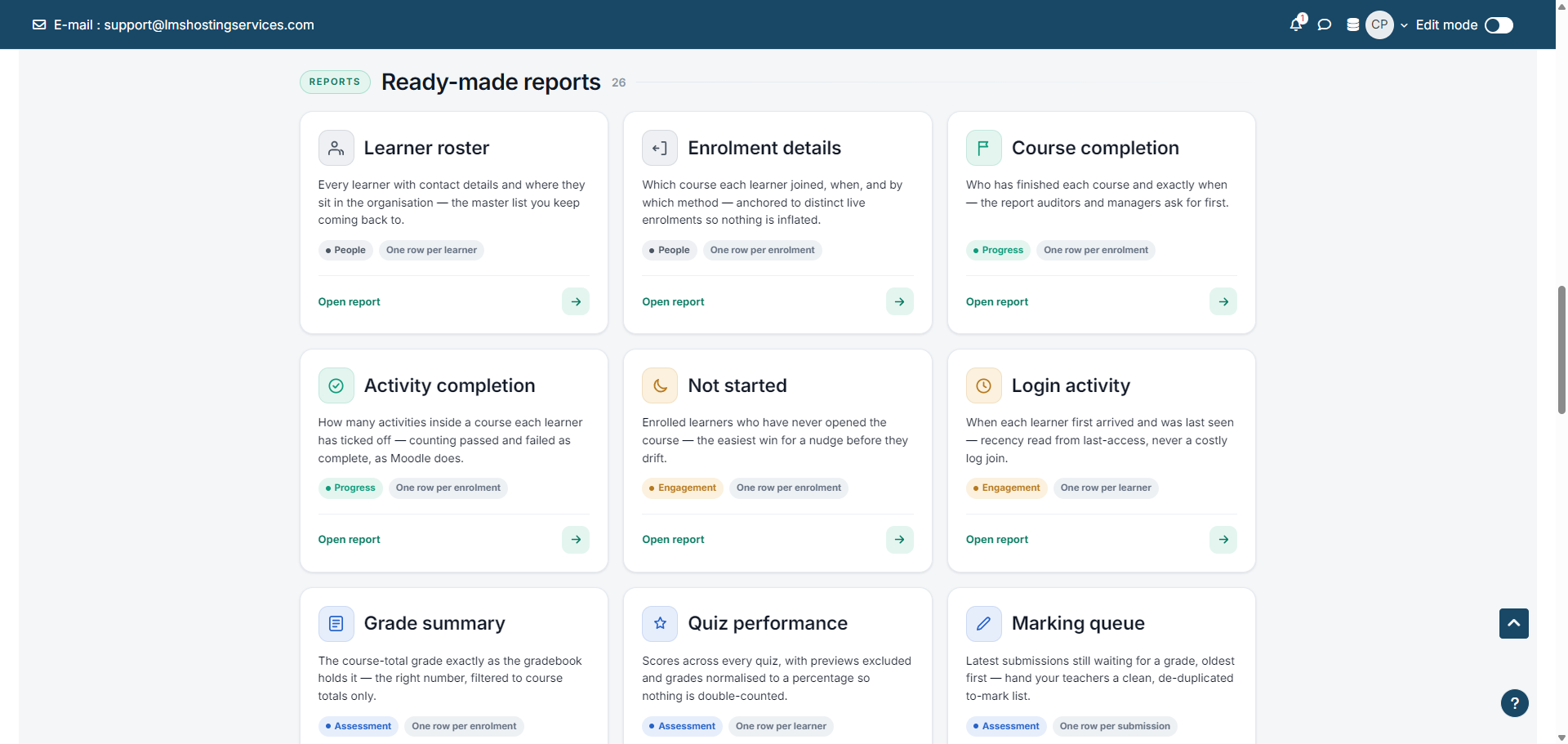
  • 26 audited reports — hand-written SQL across People, Progress, Assessment, Engagement, Compliance and Operations, each designed for a specific question.
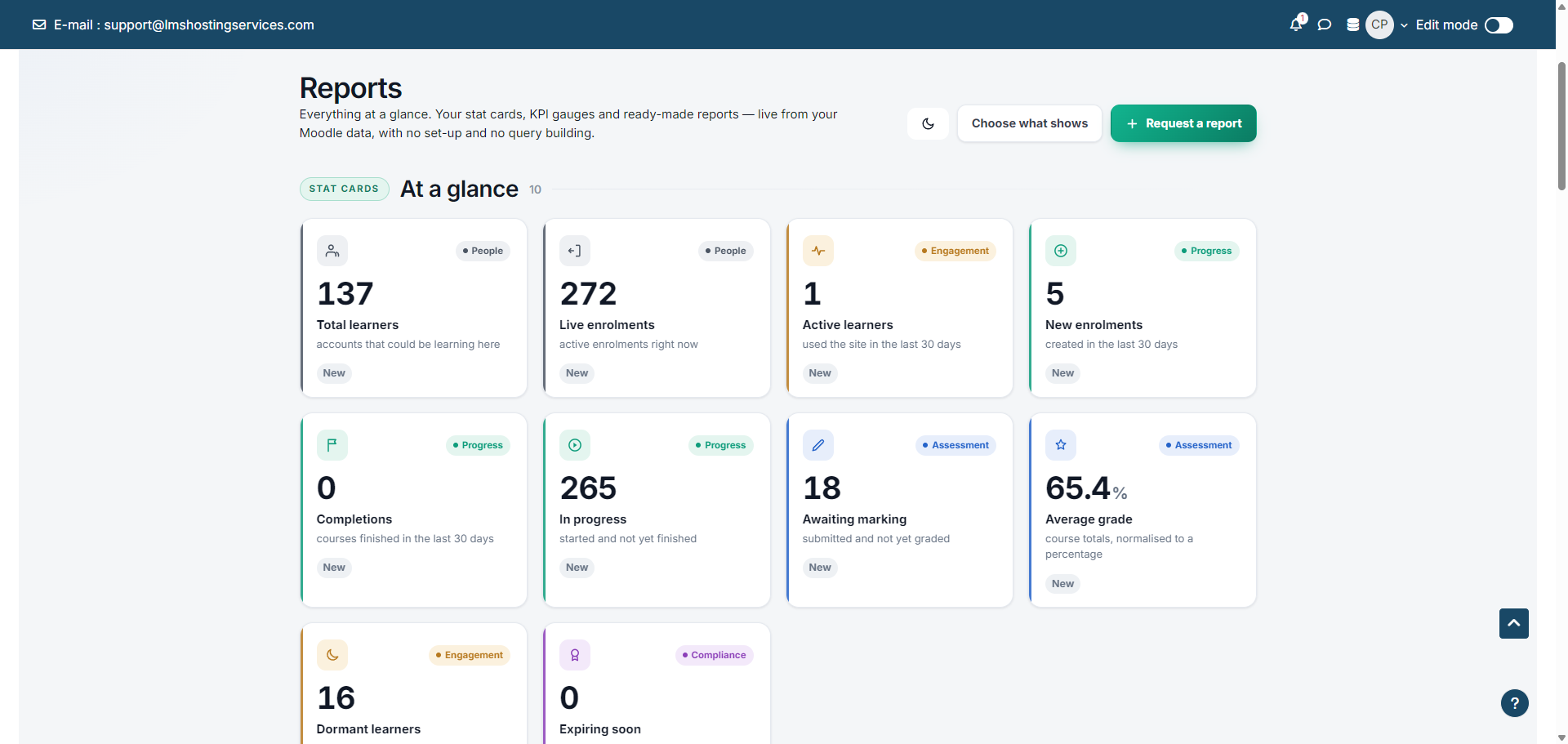
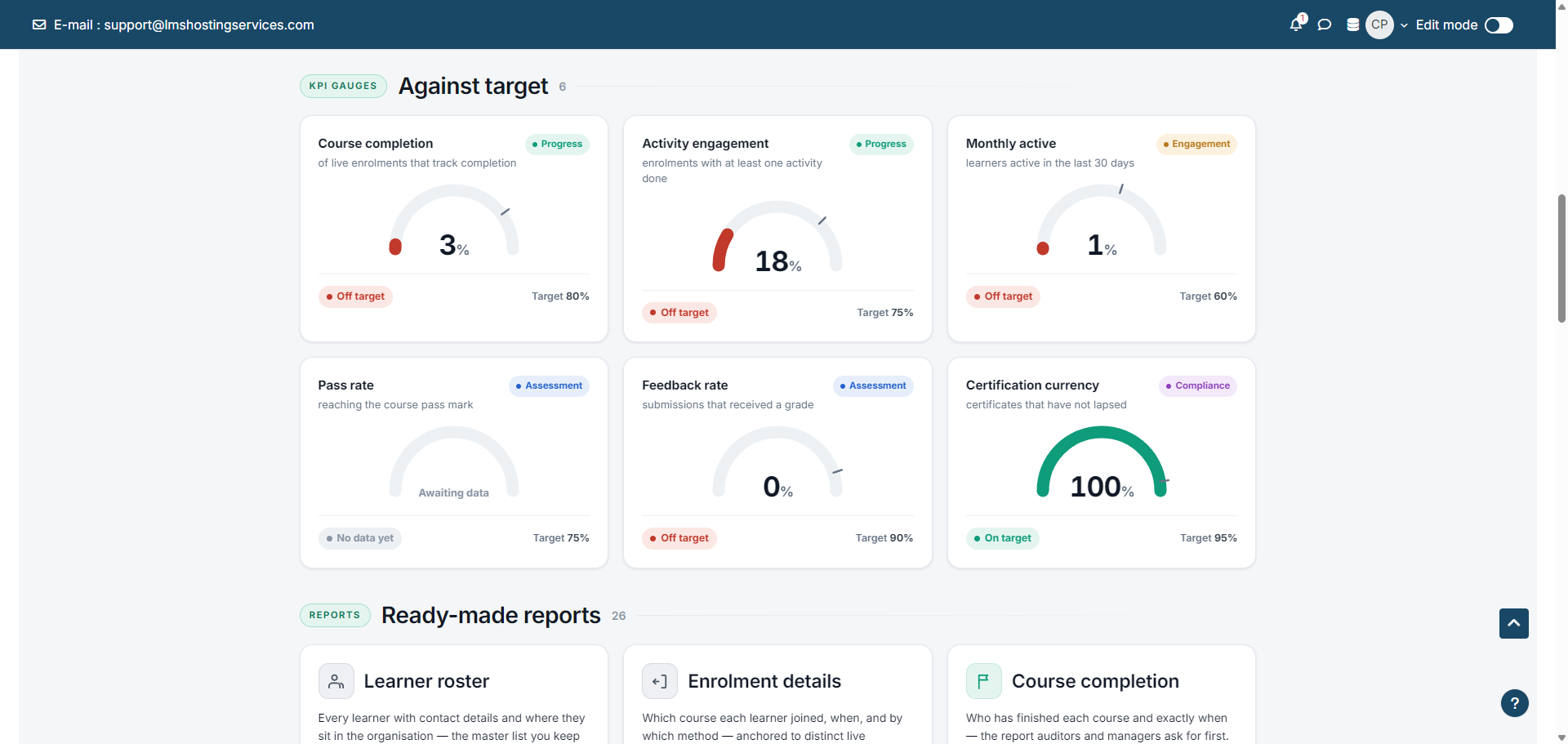
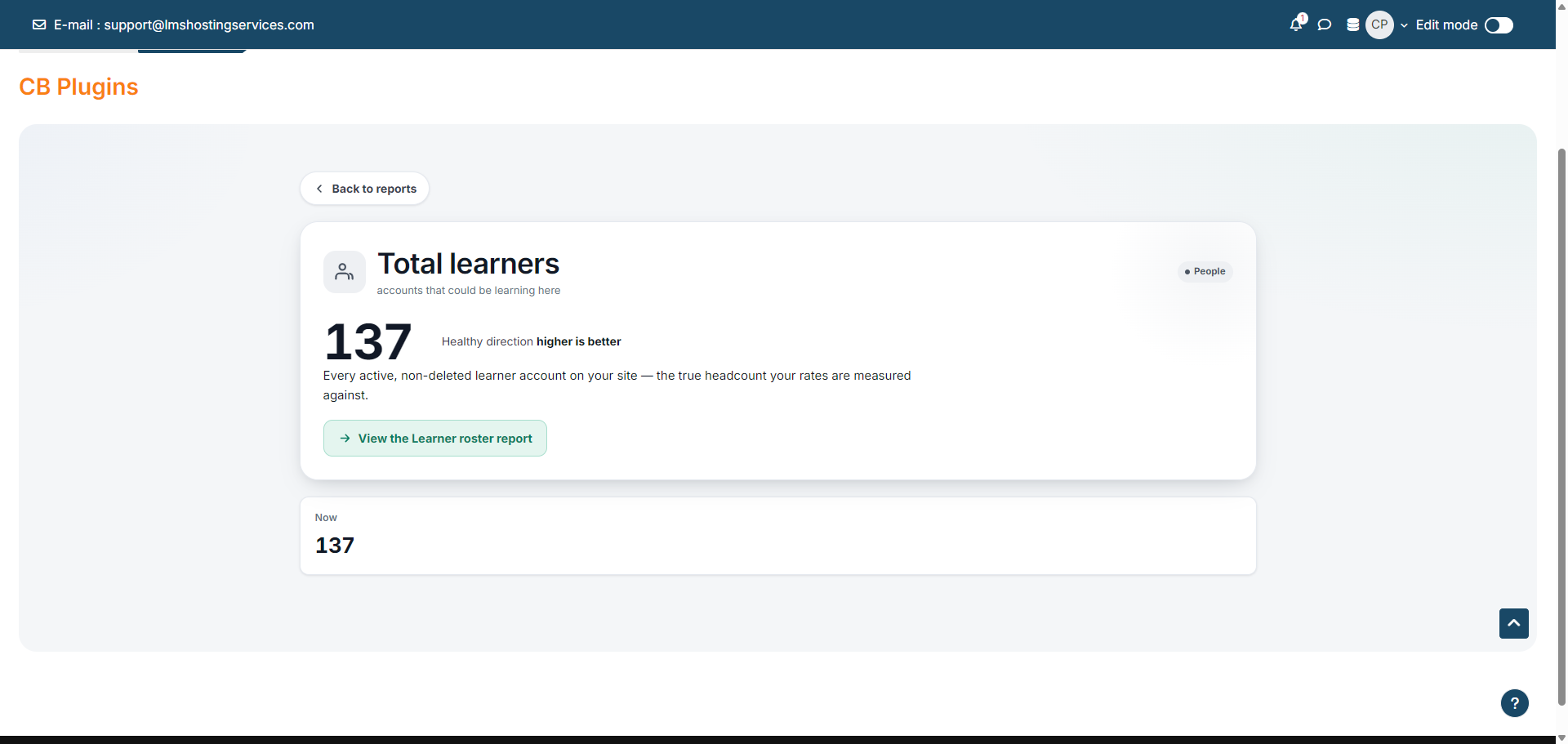
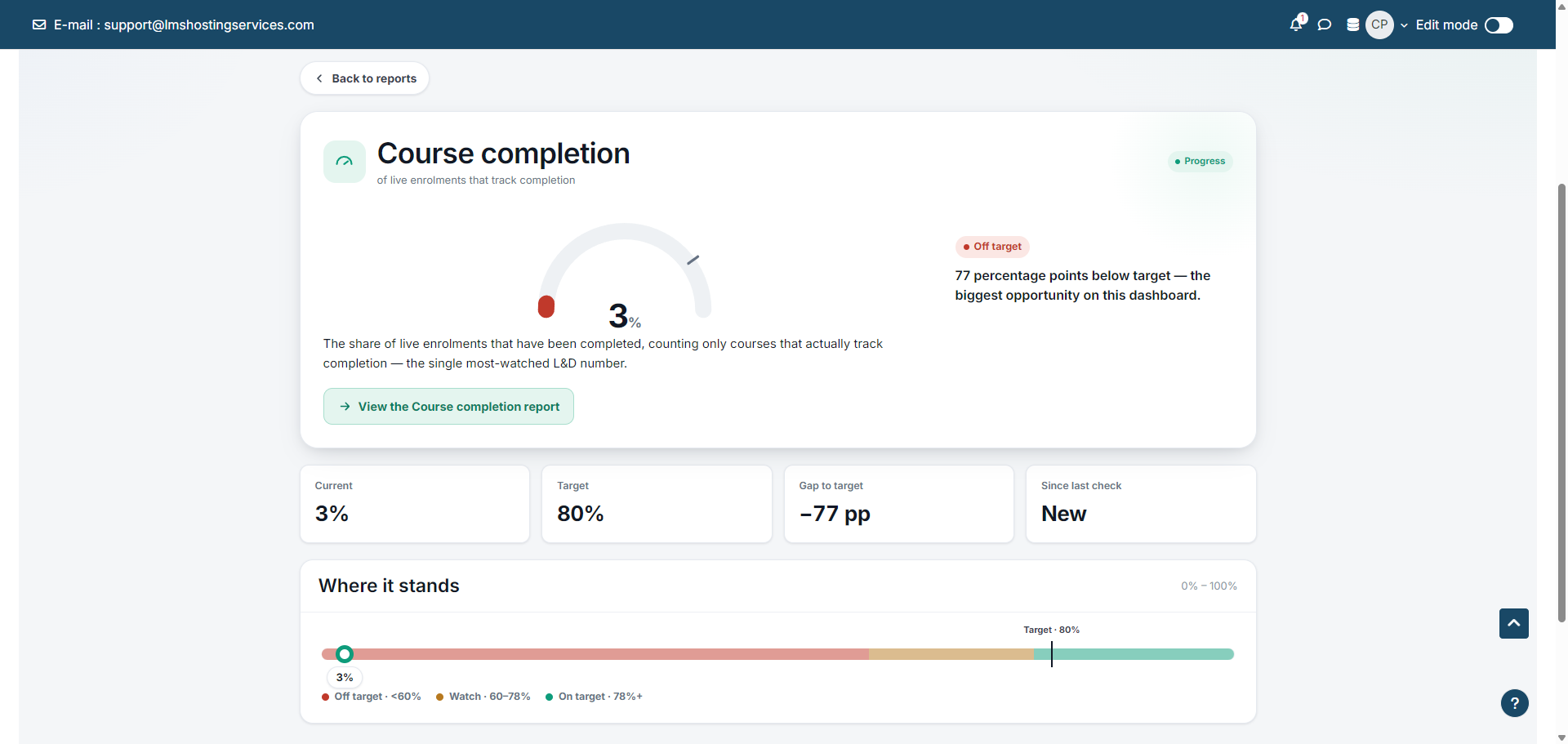
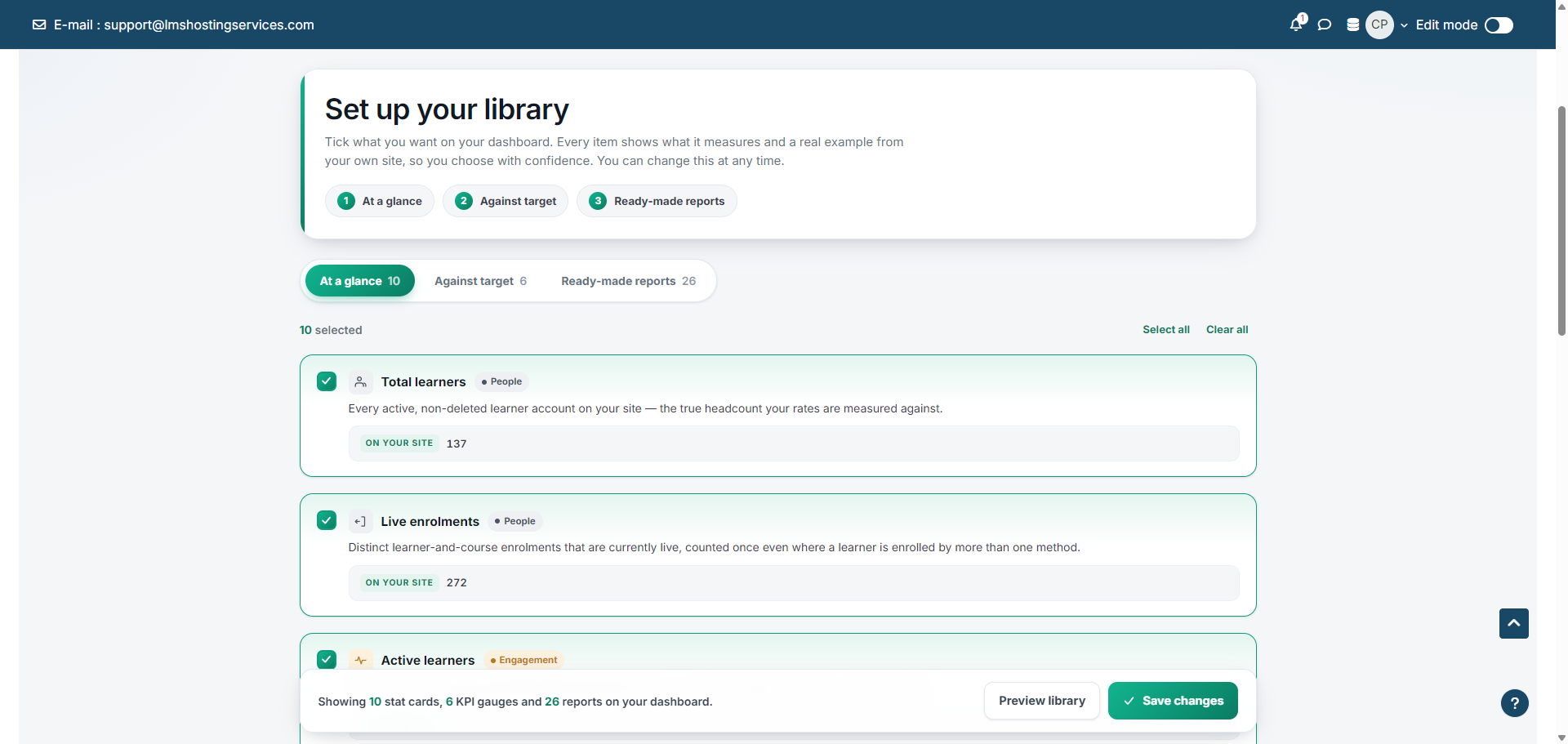
  • Live dashboard — 10 stat cards and 6 KPI gauges served from a precomputed hourly cache for instant loads.
  • Server-side filter engine — active-filter chips show exactly what is applied, and any value is click-to-filter straight from a column.
  • Export anywhere — one-click CSV export and a branded PDF download for reports and dashboards.
  • Saved views — store a report with its filters and reopen it in one click.
  • Scheduled delivery — email reports on a daily, weekly or monthly schedule through your site's existing SMTP.
  • Role-aware in SQL — teachers are hard-locked to their own courses and learners to their own data inside the WHERE clause, with per-user cache keys that prevent cross-user data bleed.
  • Grain-aware engine — choose learner, enrolment or course grain, and fan-out data is rolled up correctly so counts and percentages are always right.

Who It Is For

  • Moodle administrators who need trustworthy numbers without building SQL.
  • RTOs and TAFEs reporting on progress, completion and compliance.
  • Universities and corporate L and D teams that schedule regular reporting to stakeholders.

Requirements And Compatibility

  • Moodle 4.4 to 5.1.
  • PHP 8.2 or later.
  • Uses your site's existing SMTP for scheduled email. No AI account or credits required.

Getting Started

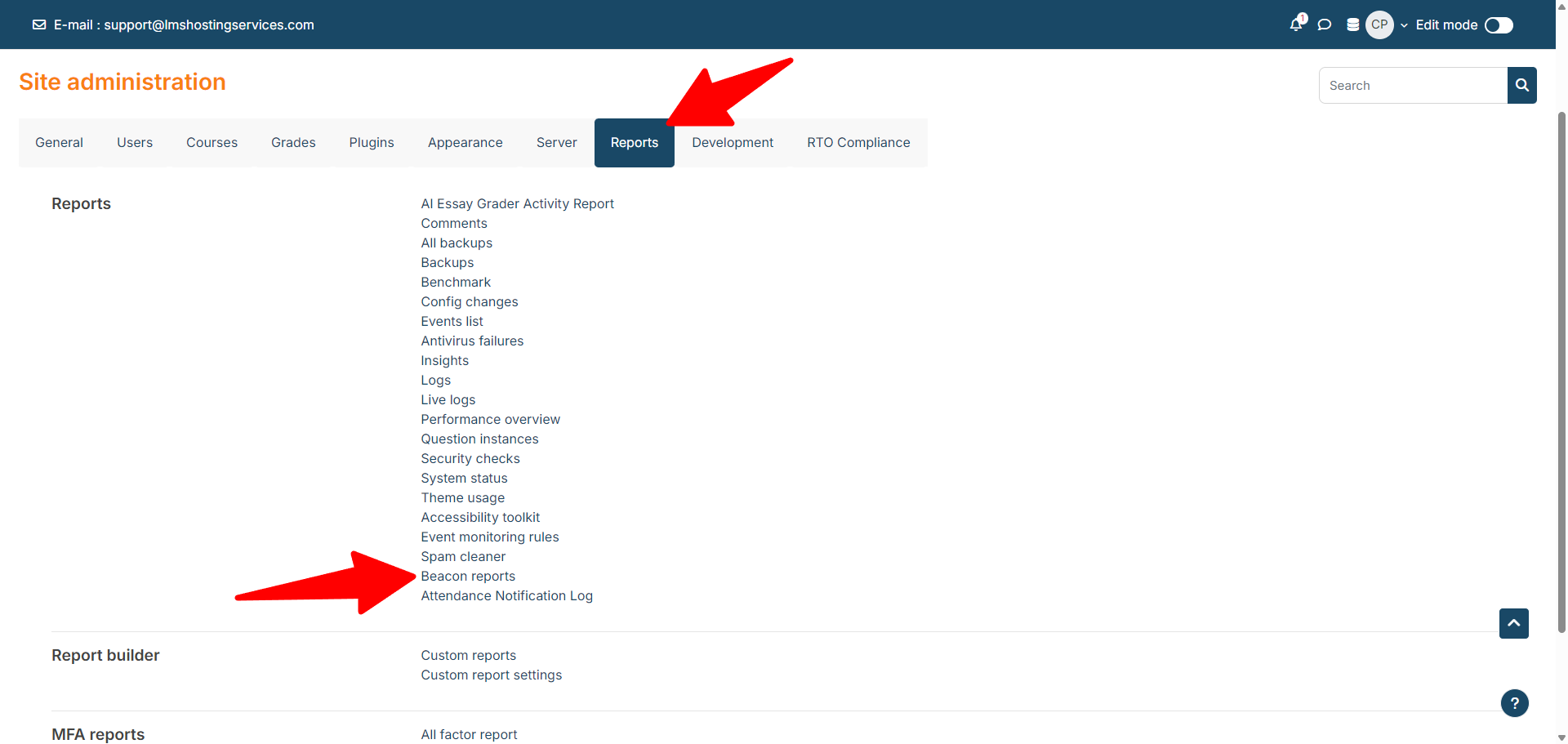
Install via Site administration > Plugins > Install plugins, then open Beacon from the navigation and browse the report library by category.

Documentation And Support

Full documentation is at lms-labs.com/docs/beacon. Support is at support@lmshostingservices.com.

Pricing

One-off purchase at 50 USD. Includes all 26 reports, the dashboard, scheduling and all plugin updates. No AI credits required.

Get reporting you can hand to an auditor without checking the maths.


Set up once — every LMS Labs plugin just works

One account, one set of credentials, one AI-credit balance across the whole suite.

  1. Install the AI Dashboard Quick Links block — one dashboard block listing every LMS Labs plugin on your site, with one-click settings, update notices and your credit balance. Quick Links docs
  2. Add AI Central Config — enter your LMS Labs Site ID and API key once; every AI-powered plugin on the site connects automatically. Central Config docs
  3. Top up AI credits — buy once at lms-labs.com/pricing; the balance attaches to your Site ID and every AI-powered plugin shares it.

Installation, screenshots, configuration reference, FAQ & changelog: Beacon — Reports & Analytics documentation · full plugin catalogue

Check out our other software:

AI Form Creation - smartformai.app

CRM for Training Companies - trainlycrm.com

Contributors

Awards

Privacy friendly
Automated testing support