C Blue
Lead maintainer

A Moodle local plugin that helps course editors work with blocks in two ways:
No personal data is stored. Both features are only active for users who can edit blocks (moodle/block:edit), and only while editing mode is turned on.
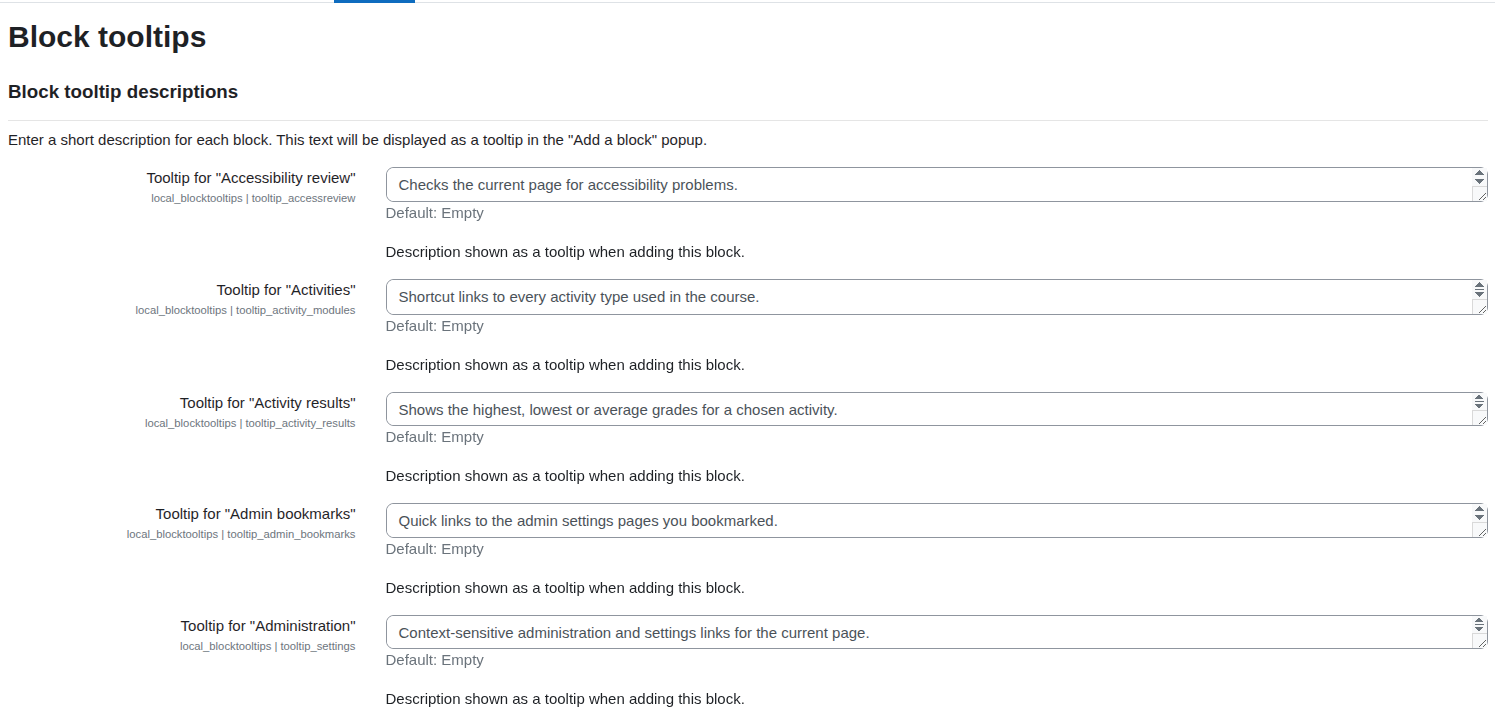
role="img", aria-label, keyboard focusable) is added next to each block entry in the Add a block popup.PARAM_TEXT) and rendered as Bootstrap tooltips.block_positions flag, and empty-content detection)./my, dashboards or profiles each user has their own blocks, so a single "what a student sees" answer is not meaningful.Admin settings — one description field per installed block:

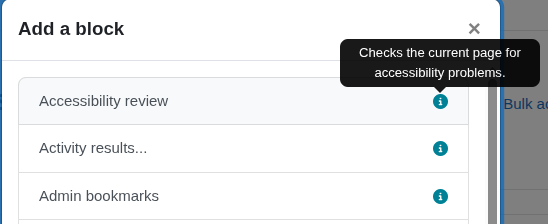
Tooltip shown next to a block in the "Add a block" popup:

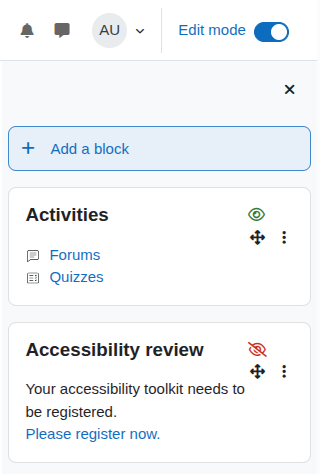
Student visibility indicator on course blocks (visible vs hidden):

2024100700) or later.This plugin is maintained on per-version branches, matching Moodle's own branch naming:
| Branch | Moodle |
|---|---|
MOODLE_405_STABLE |
4.5 |
MOODLE_500_STABLE |
5.0 |
MOODLE_501_STABLE |
5.1 |
Copy the plugin into the local/blocktooltips directory of your Moodle site:
<moodleroot>/local/blocktooltips
Log in as an administrator and go to Site administration to trigger the upgrade, or run the CLI upgrade:
php admin/cli/upgrade.php
Purge caches if needed (php admin/cli/purge_caches.php).
Go to Site administration ' Plugins ' Local plugins ' Block tooltips.
The settings page lists every installed block (sorted alphabetically by its translated name) with a text area. Enter a short description for each block you want to document. Leave a field empty to show no tooltip for that block.
This plugin does not store any personal data. It implements the Moodle Privacy API null_provider.
The plugin passes the official Moodle validators with no errors or warnings:
phpcs --standard=moodle local/blocktooltips/        # via local_codechecker
php local/moodlecheck/cli/moodlecheck.php --path=local/blocktooltips
