Parent/Child Manager icon

Parent/Child Manager

Premium Certified Partner
Parent/Child Manager is a Moodle local plugin designed to facilitate the association between students and their parents (or mentors).
Price option: Free

Supports Moodle 4.1-5.2 See all versions
Latest release: 3 months ago
Installations: 32
Downloads (last 90 days): 180

Frankenstyle name: local_parentmanager
Local plugins

Description

This plugin is provided by Moodle's Premium Partner E-Learning touch'

Description

Parent/Child Manager is a Moodle local plugin designed to facilitate the association between students and their parents (or mentors). It automates two actions:

  1. Role Assignment: Assigns a specific role (e.g., "Parent") to the user in the student's user context.
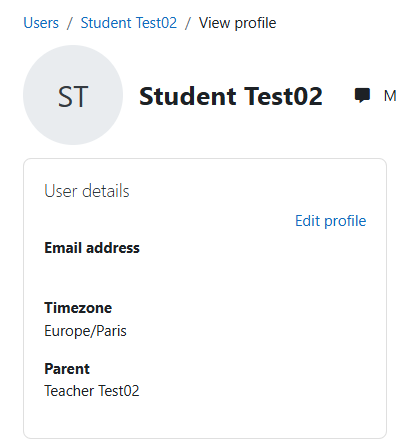
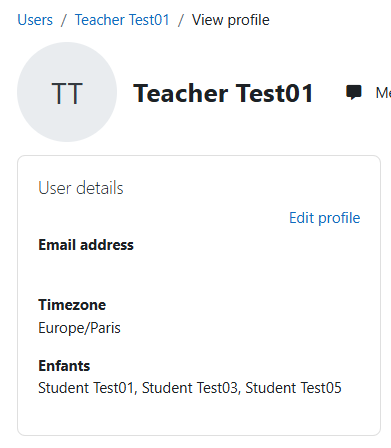
  2. Profile Update: Updates custom profile fields (parent_email and enfant_email) with the full names of the associated users for easy reference.
Features
  • Role creation: Parent role automatically created if doesn't yet exist - Special thanks to Mossaab Mohamed ali (https://github.com/mussaab)
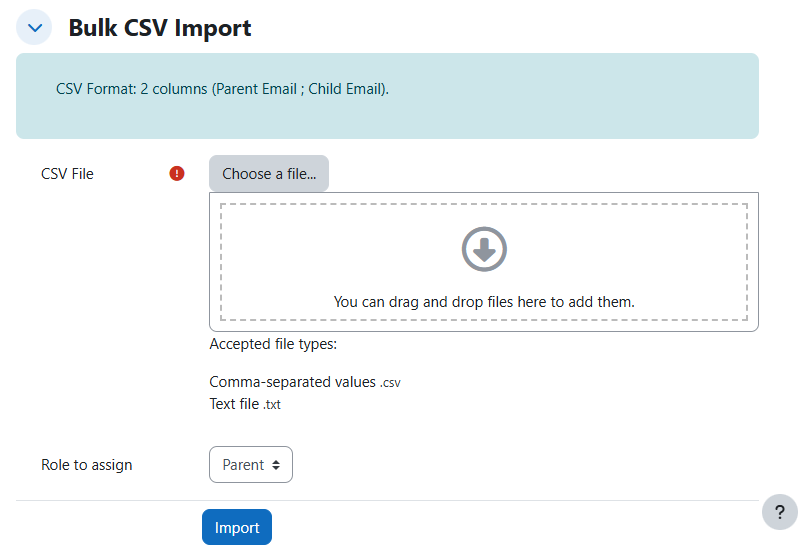
  • CSV Import: Bulk association using a simple CSV file (Parent Email; Child Email).
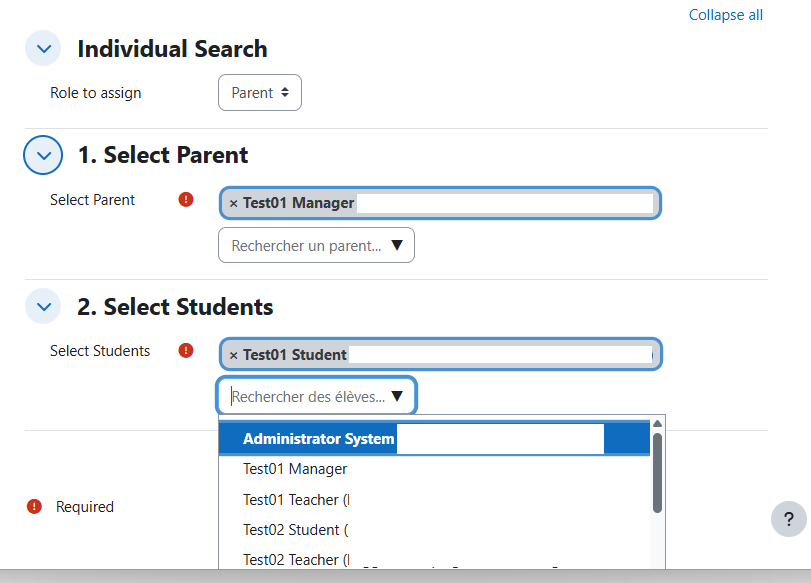
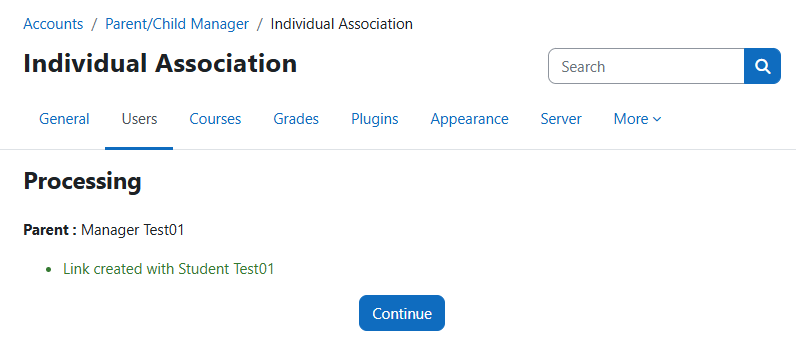
  • Manual Association: Search for a specific parent and select one or multiple students to assign.
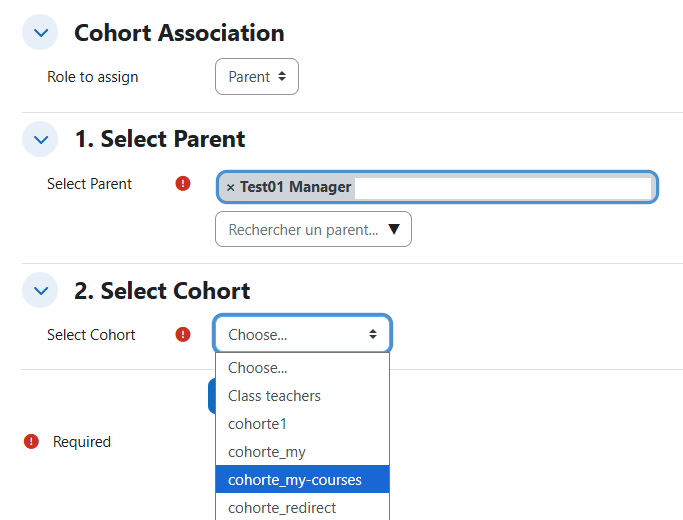
  • Cohort Association: Select a parent and assign an entire cohort of students in one click.
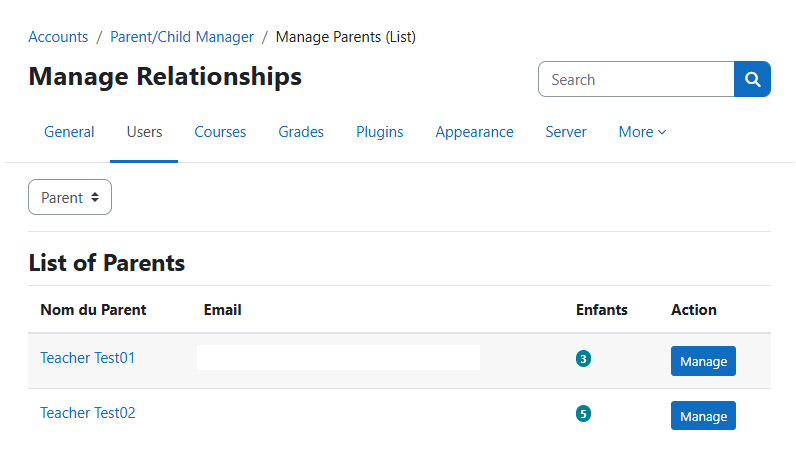
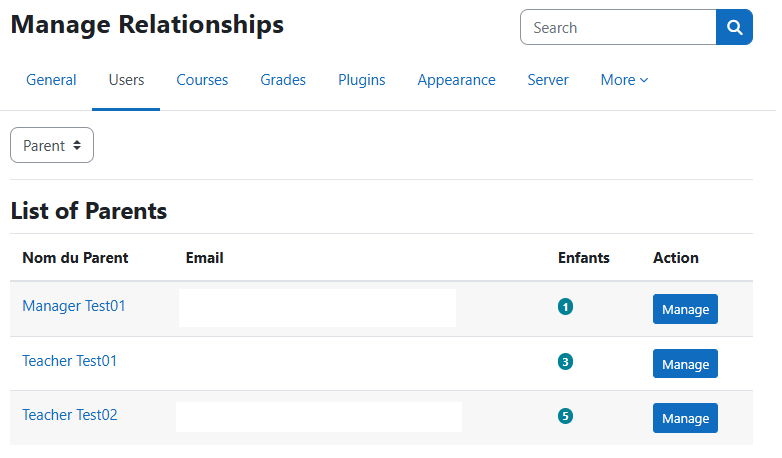
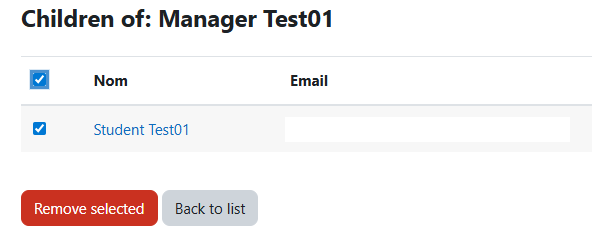
  • Management Dashboard: View all parents, see their assigned children, and remove associations (unassign role + clear profile fields).
  • Smart Updates: Profile fields are updated in "Append" mode (names are added to the list, not overwritten).
  • GDPR Compliance: Implements Moodle's Privacy API (Null provider).
Prerequisites

Before using the plugin, you must configure Moodle:

  1. Create Profile Fields:
    • Go to Site administration > Users > Accounts > User profile fields.
    • Create two Text area fields.
    • Shortname 1: parent_email
    • Shortname 2: enfant_email
Installation
  1. Download the plugin folder.
  2. Place the parentmanager folder into the local/ directory of your Moodle installation.
  3. Go to Site administration > Notifications to trigger the installation.
Usage

Access the plugin via: Site administration > Accounts > Parent/Child Manager.

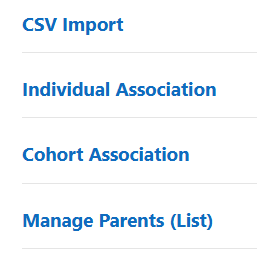
  1. CSV Import: Upload a file with format parent@email.com;child@email.com. Headers are ignored.
  2. Individual Association: Search for a parent, then search for students to link.
  3. Cohort Association: Select a parent, then select a cohort to link all its members.
  4. Manage Parents: View the list of active parents. Click on a parent to view or remove specific children.


Other plugins made by ELT

Contributors

Awards

Privacy friendly
Early bird 5.2