Adrian Perez Rodriguez
Lead maintainer


The Rocket.Chat plugin is an integration between Moodle that allows users to push students from Moodle into channels on Rocket.Chat. These channels correspond to their groups in Moodle.
Important information:
Please uninstall the actual plugin and reinstall with the newest version. Before the pre-build webservice (now removed!) could be used by default from All users if the user had the moodle/webservice:createtoken capability.Course
integration pageCourse integration pageuser_enrolment_updated Moodle eventuser_group_enrolment_updated Moodle eventlocal directory of your Moodle instance: git clone
https://github.com/adpe/moodle-local_rocketchat.git
local/rocketchatFor more information, visit documentation for installing contributed modules and plugins.
Note - you need a running Rocket.Chat server that you can point the plugin to. If you aren't sure how to do this, checkout the documentation on Rocket.Chat.
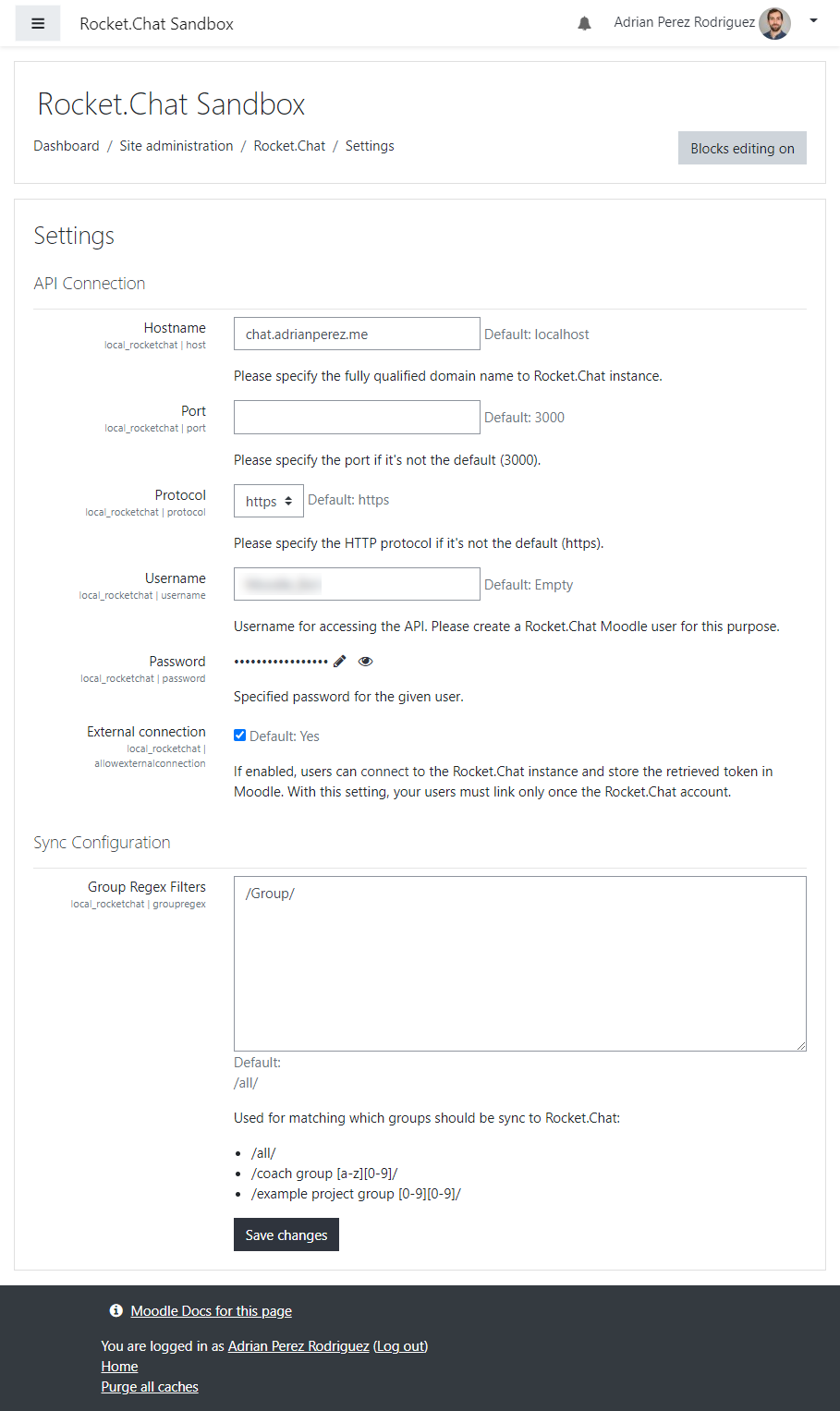
A new Site Adminstration section has been added under Rocket.Chat. The settings page allows administrators to enter the host, port, username and password for the Rocket.Chat connection. To get these settings you need to create a user on Rocket.Chat with whatever credentials you want and paste them into Moodle.
The regex block allows you to add group regex filters. When a sync between Moodle and Rocket.Chat happens, channels are created for each group that matches your regex expression. You can have multiple expressions on new lines. If you don't want any groups, don't add any regex expressions.
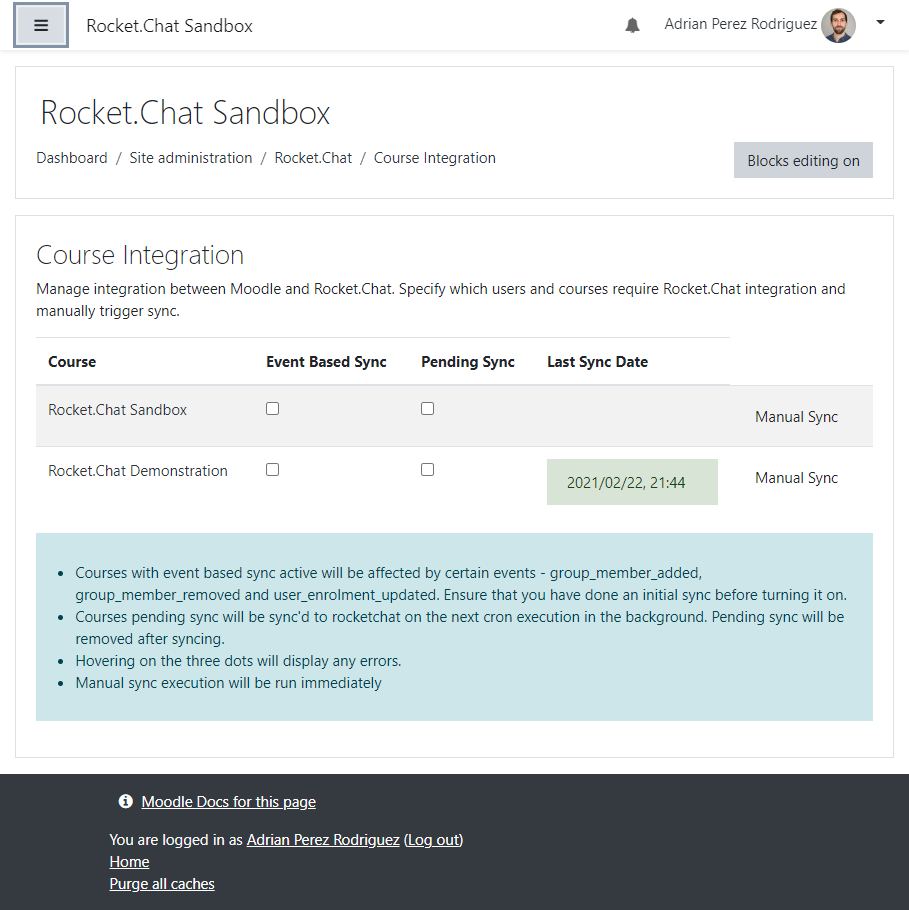
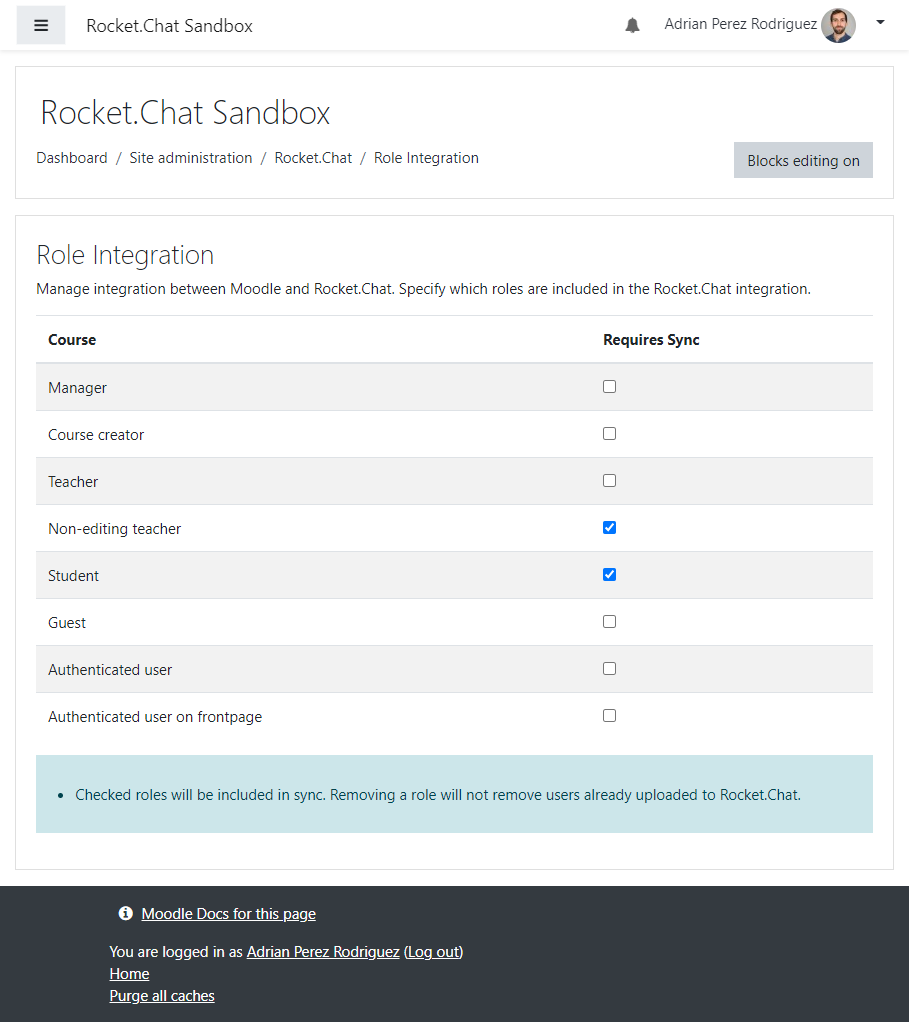
There are two tables that help control what data is pushed to Rocket.Chat.

