jlsimon
Lead maintainer

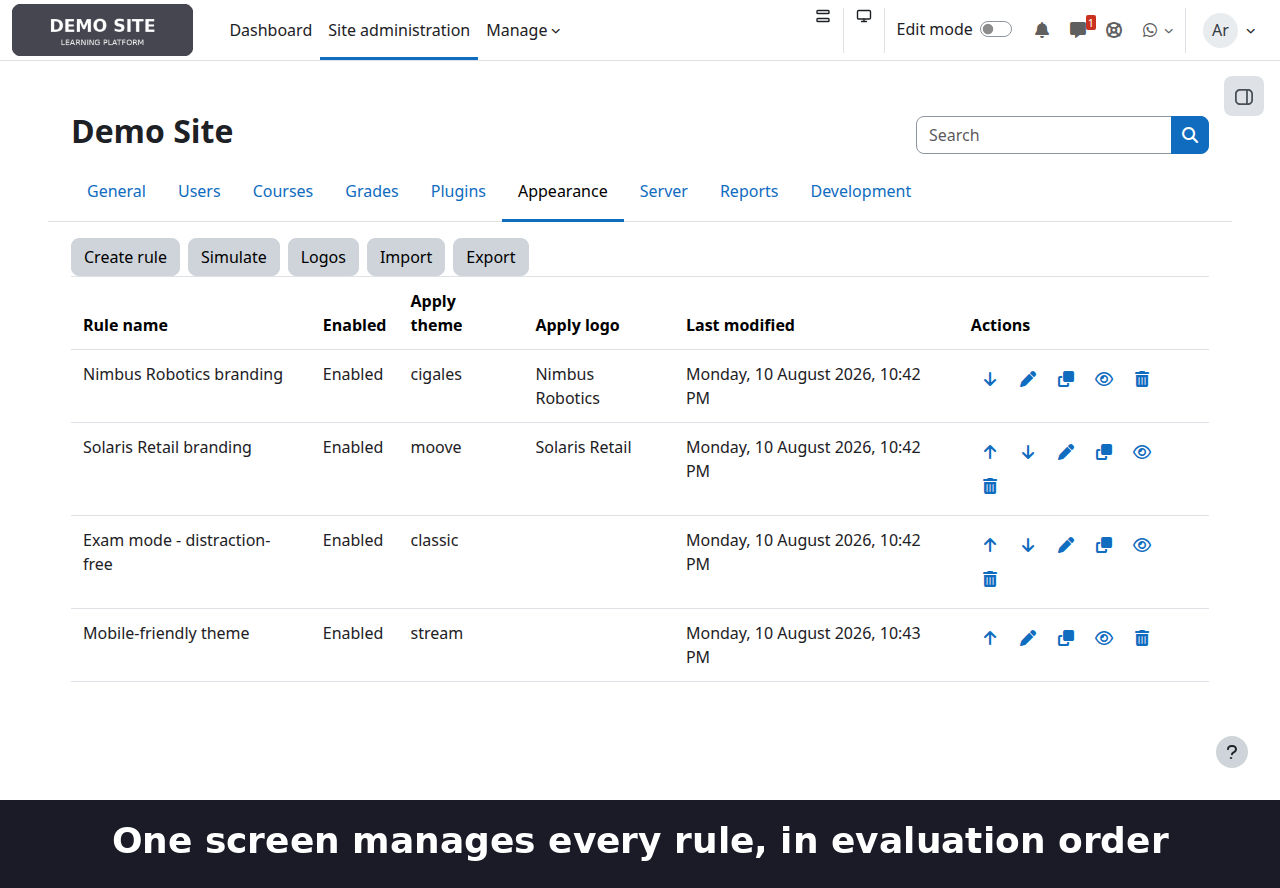
Give every learner the right look, automatically — a different theme and logo per client company, a distraction-free skin during exams, a lighter theme on phones — all from admin-configured rules. No code, no per-course setup, no editing config.php.
What it does
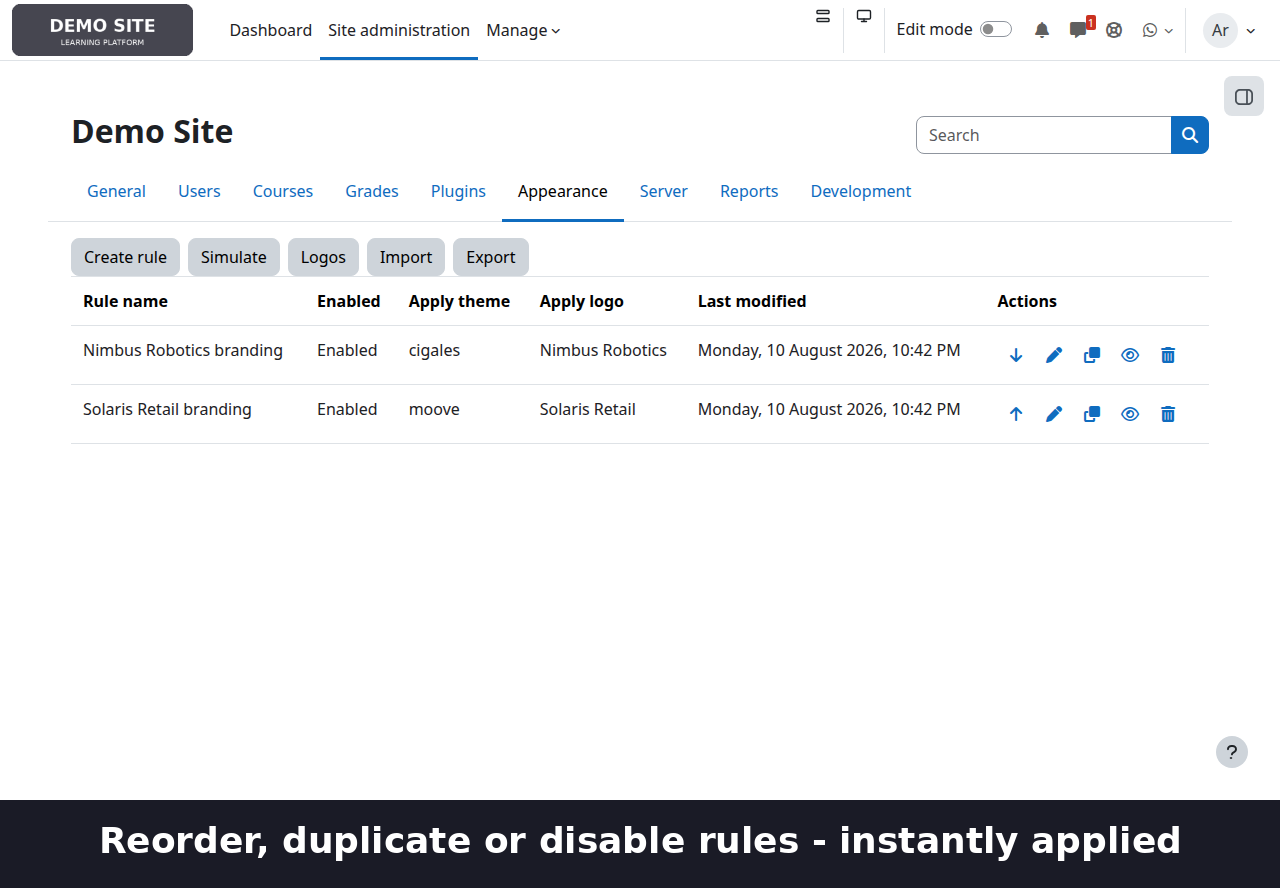
Theme Rules dynamically selects the theme and/or navbar logo shown to a user, based on conditions evaluated server-side before Moodle renders the page — who they are, what course, category, cohort or group they're in, a course tag, a profile field, or the type of device they're browsing from. Rules are ordered; the first enabled rule that matches wins. If nothing matches, Moodle's normal theme selection applies exactly as if the plugin weren't installed — it never gets in the way when it has nothing to say.
Three real examples:
- Multi-tenant branding.
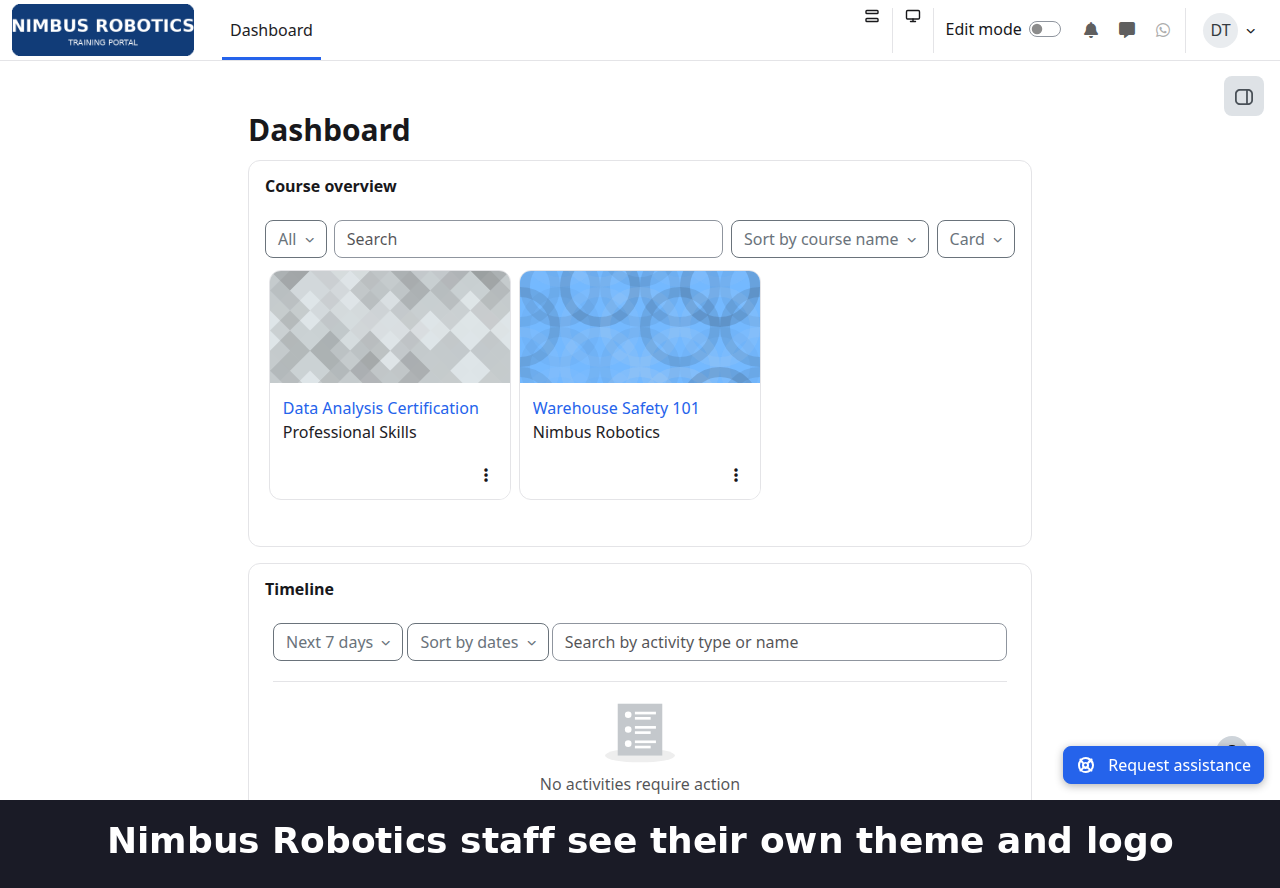
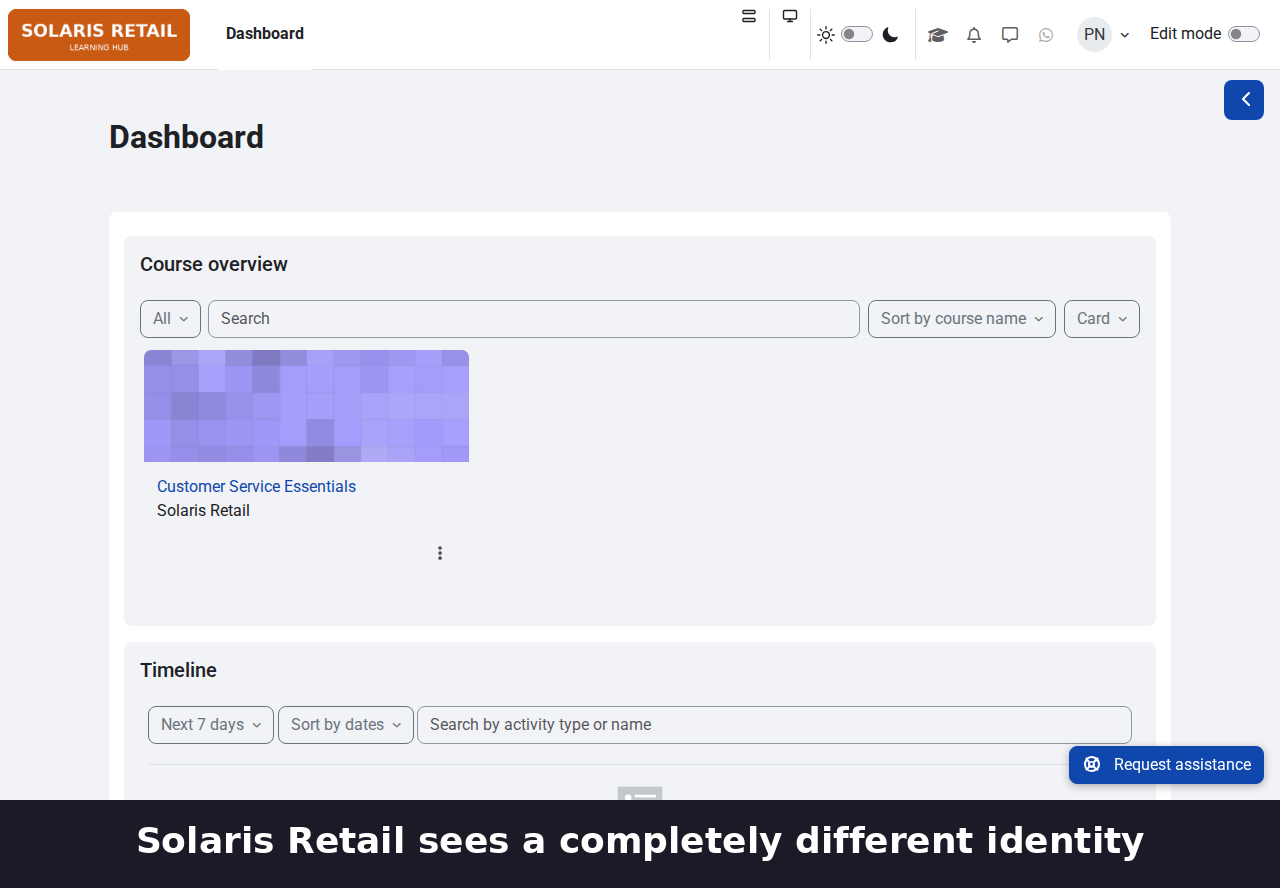
Two client companies sharing one Moodle instance, each seeing their own theme and logo wherever they go on the site — driven by cohort membership, not per-course configuration.
- Exam mode.
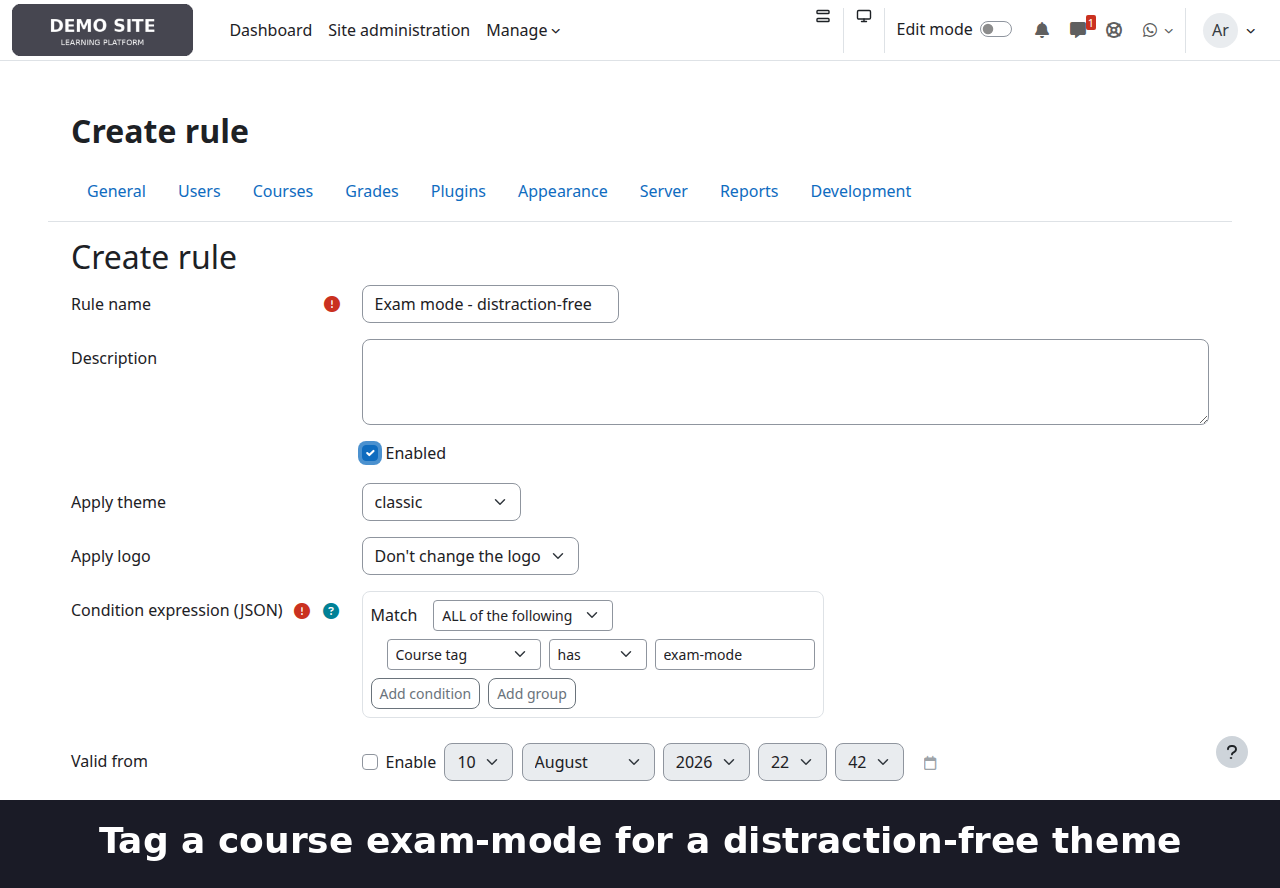
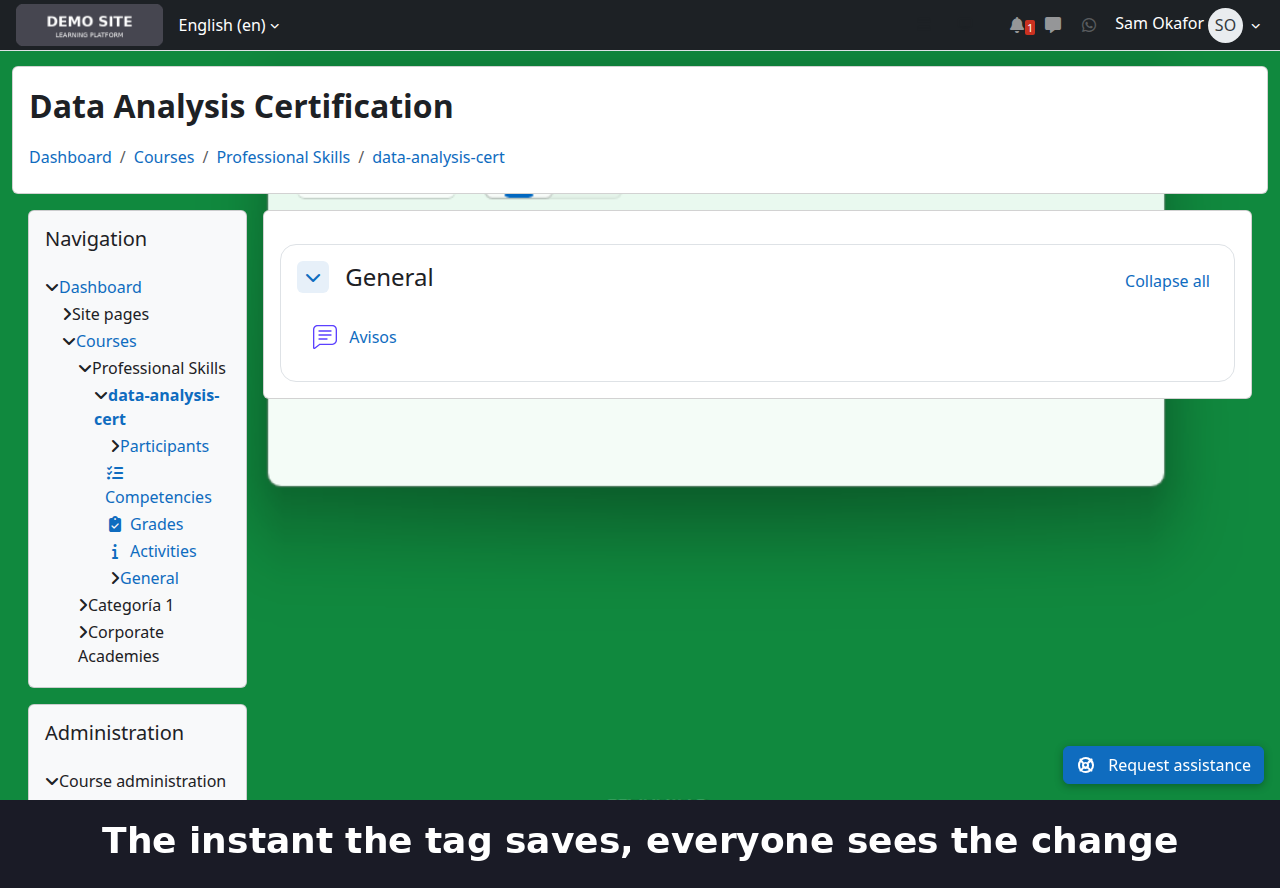
Any course tagged `exam-mode` automatically switches to a plain, distraction-free theme. No per-course setup: tag the course when the exam window opens, untag it when it closes.
- Device-adaptive themes.
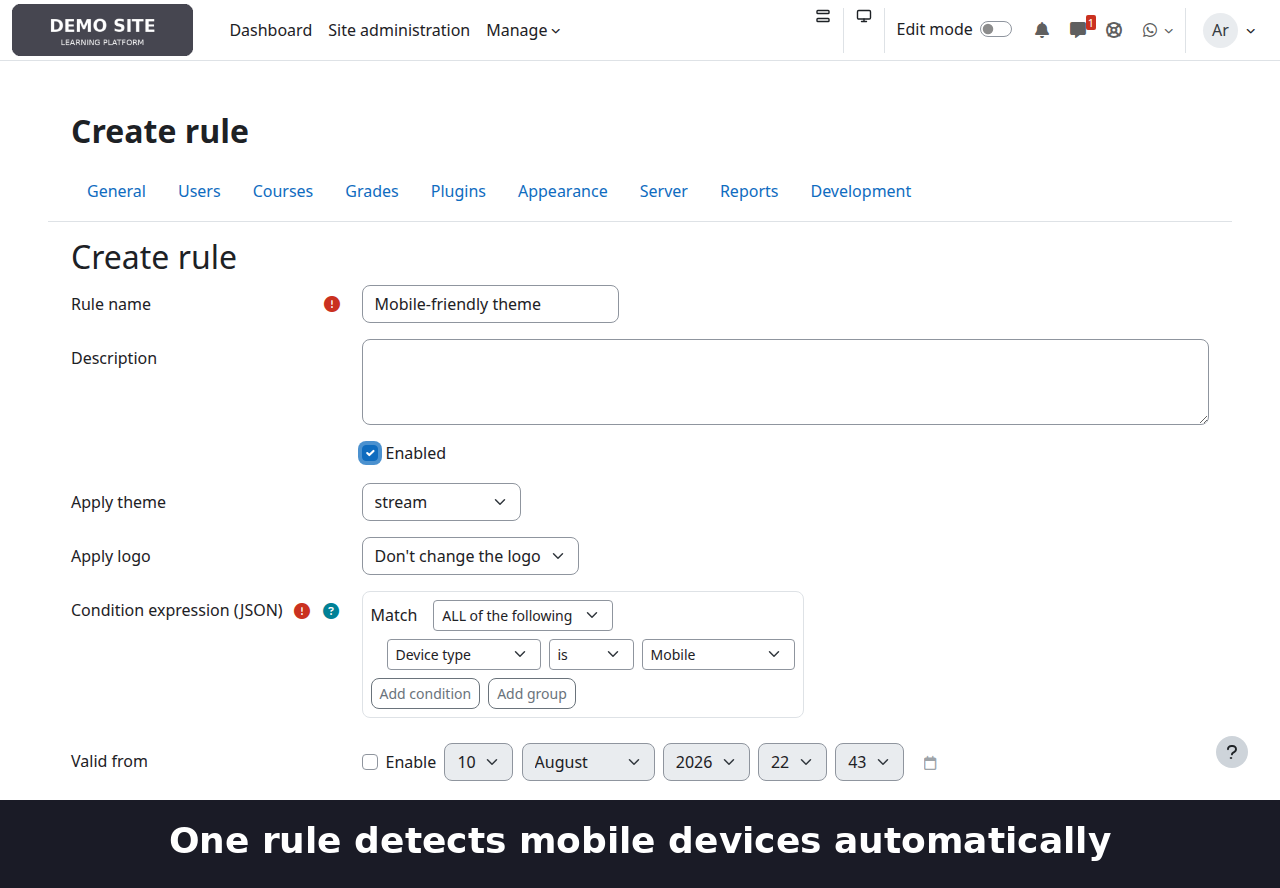
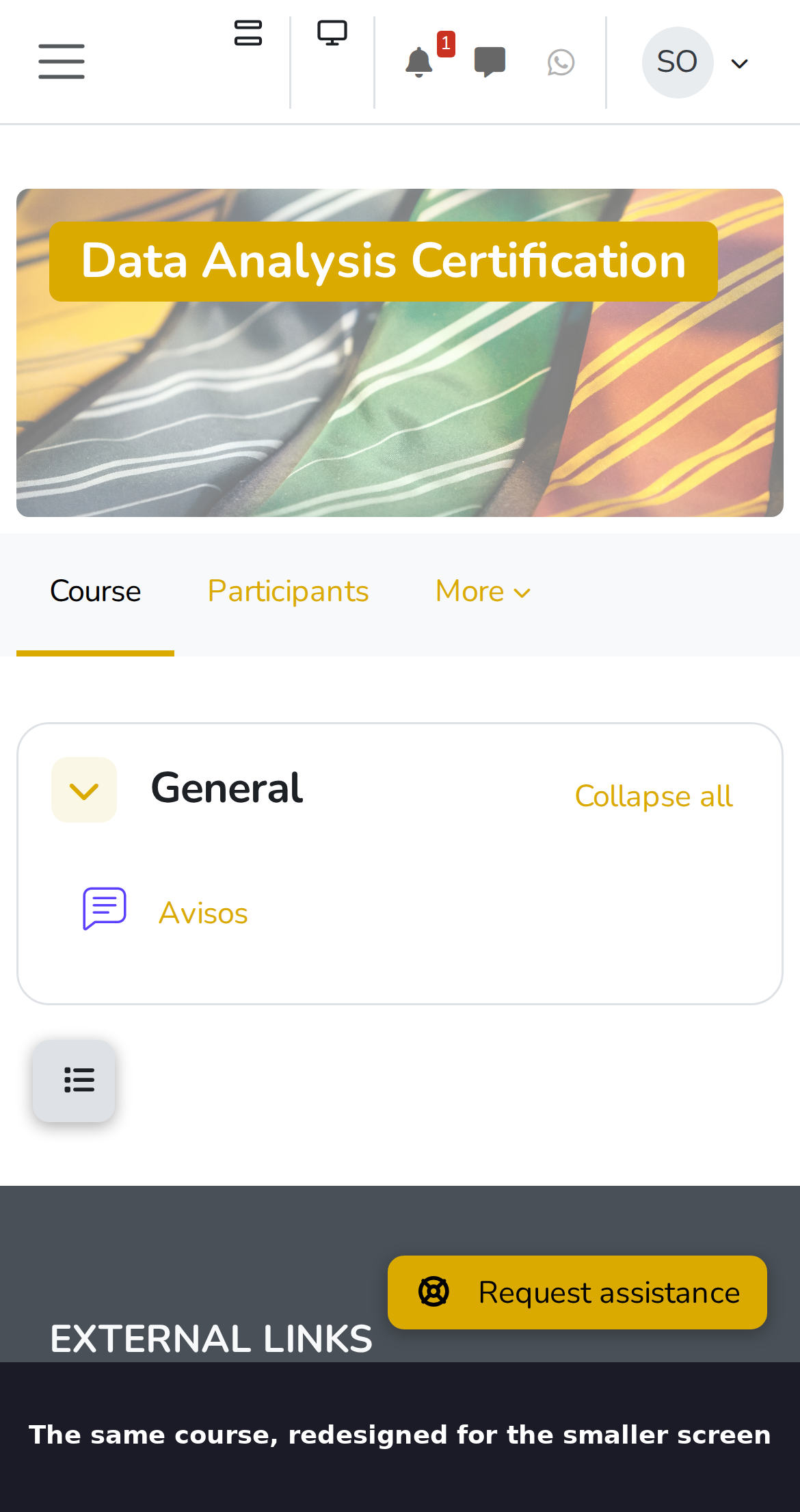
A lighter, mobile-first theme for phones, the usual one everywhere else, based on real device detection.
- Visual rule builder.
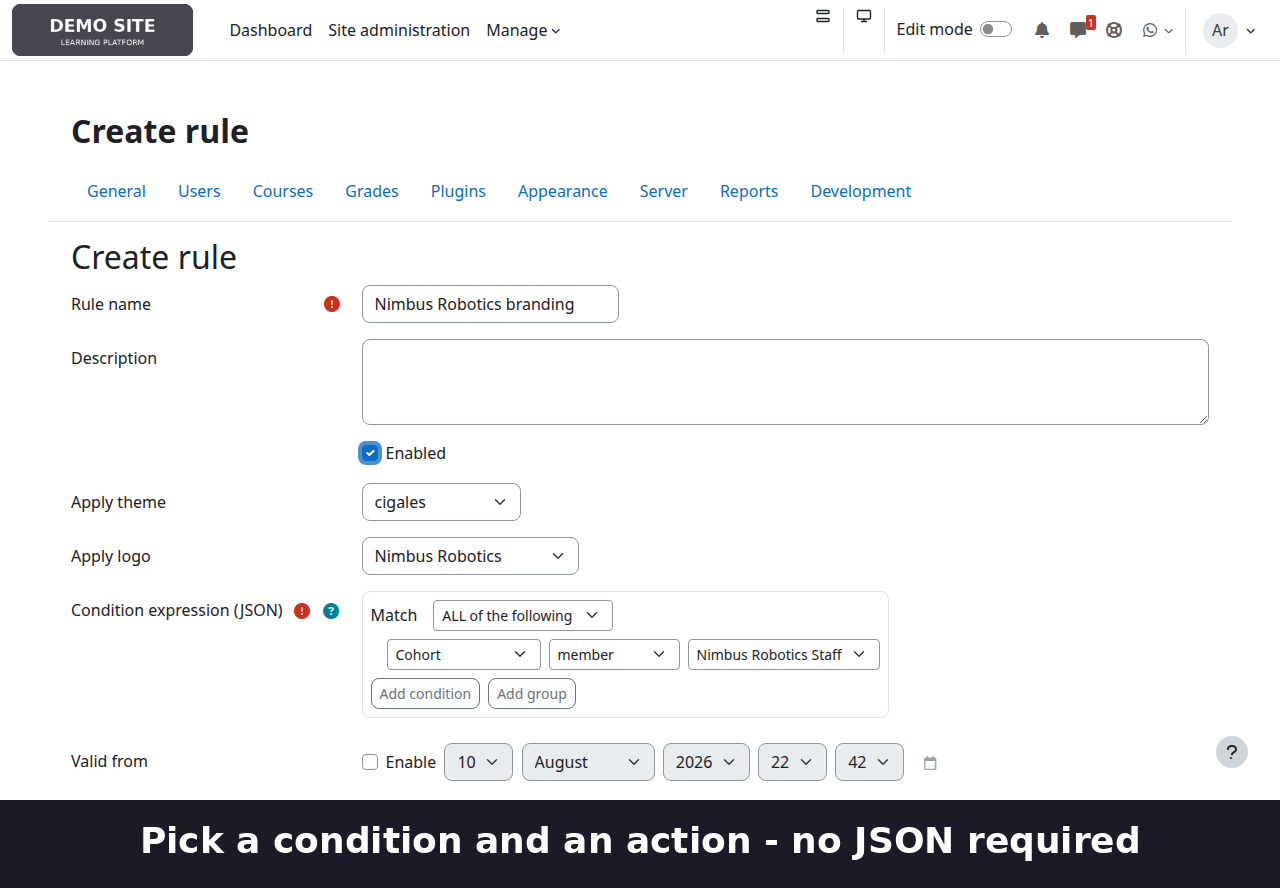
Pick a condition and an action from a form with entity-search pickers for users, courses and groups — no JSON to hand-write, though the underlying expression is still plain JSON for anyone who wants it.
- Eight condition types.
User, course, course category (with optional subcategories), cohort, course group, course tag, device type (desktop/mobile/tablet/legacy), and standard or custom user profile fields.
- Nested logic.
Combine conditions with AND/OR groups, nested up to 10 levels deep, up to 100 nodes per rule — "category X (including subcategories) AND (cohort A OR cohort B)" takes a few clicks, not hand-indented JSON.
- Two independent actions.
Apply a theme, a logo, or both, from a single rule. The logo library supports uploading, previewing, renaming and replacing logo images, applied via a CSS override so it works even where Moodle's own logo-selection mechanism doesn't reach.
- Simulator.
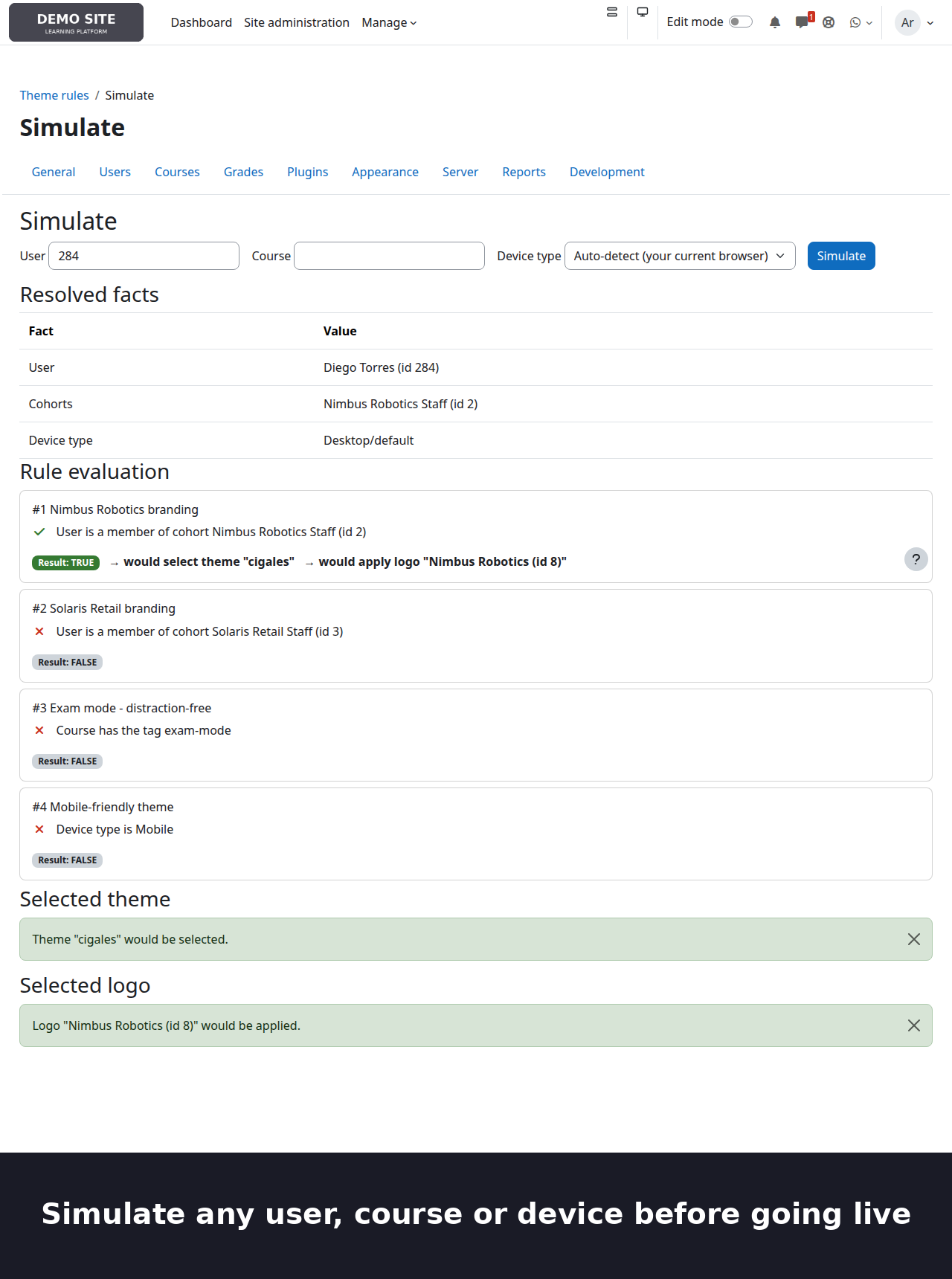
Check exactly what a given user/course/device combination would resolve to — with a full per-condition trace showing why each rule matched or didn't — without logging in as anyone or touching real traffic.
- Import / export.
Move a rule set between sites as a single JSON file. Imported rules always arrive disabled, so bringing a configuration into a new site never silently changes what real users see.
- In-app quick reference
plus a full bilingual (English/Spanish) illustrated user guide with real screenshots, walking through all three use cases above end to end.
- Safe by design.
A rule pointing at an uninstalled theme or a deleted logo is skipped, falling through to the next matching rule — never a fatal error. Caching-aware (invalidated automatically on every save/enable/disable/reorder/delete), with Moodle event logging and a privacy API provider (only an admin's own audit-trail user id is stored — no personal data about site users is collected or processed by this plugin).
Requirements
- Moodle 4.5 LTS or later (developed and tested against 5.2.1+).
- A Boost-compatible theme for any theme a rule targets.
- No additional PHP extensions, no third-party dependencies, no build step at install time.
Documentation
A full bilingual illustrated walkthrough — three real use cases with real screenshots — is available at:
- English: https://jlsimon.github.io/moodle-local_themerules/user_guide.html
- Español: https://jlsimon.github.io/moodle-local_themerules/user_guide.es.html Source, issue tracker and full README at https://github.com/jlsimon/moodle-local_themerules.