WhatsApp helper icon

WhatsApp helper

Maintained by jlsimon
Prepares WhatsApp messages for a course's students, building ready-to-send wa.me links from templates — no copying phone numbers or retyping messages by hand.
Price option: Free

Supports Moodle 4.1-5.2 See all versions
Latest release: 3 weeks ago
Installations: 0
Downloads (last 90 days): 37

Frankenstyle name: local_whatsapphelper
Local plugins

Description

Prepare WhatsApp messages for your students without copying phone numbers or retyping the same message one by one.

In many countries, WhatsApp is the instant-messaging channel students actually use — making it the most effective way for a teacher to get an important notice across. This plugin makes that possible without the cost or complexity of the WhatsApp Business API: teachers send messages from their own phone, comfortably and tightly integrated with Moodle.

This plugin is not affiliated with, endorsed by, or in any way officially connected with WhatsApp LLC or Meta Platforms, Inc. It only builds standard wa.me / whatsapp://send links (the same mechanism used by a mailto: link for email); the actual sending always happens inside the official WhatsApp Web or desktop app, which the teacher must have set up separately.

Why WhatsApp instead of Moodle's messaging or local_mail?

WhatsApp is often the channel students actually read, but reaching a class one by one means copying each phone number by hand and retyping the same message over and over — and doing it through the WhatsApp Business API means paying for it and setting up infrastructure most teachers and small institutions don't have. This plugin removes the copy-pasting and lets a teacher use their own personal phone for it, at no extra cost and no external service to configure.

It is a preparation tool, not a sending channel of its own: it builds the link with the student's number and the message already filled in from a template; the teacher still presses "send" themselves, inside WhatsApp.

How you use it

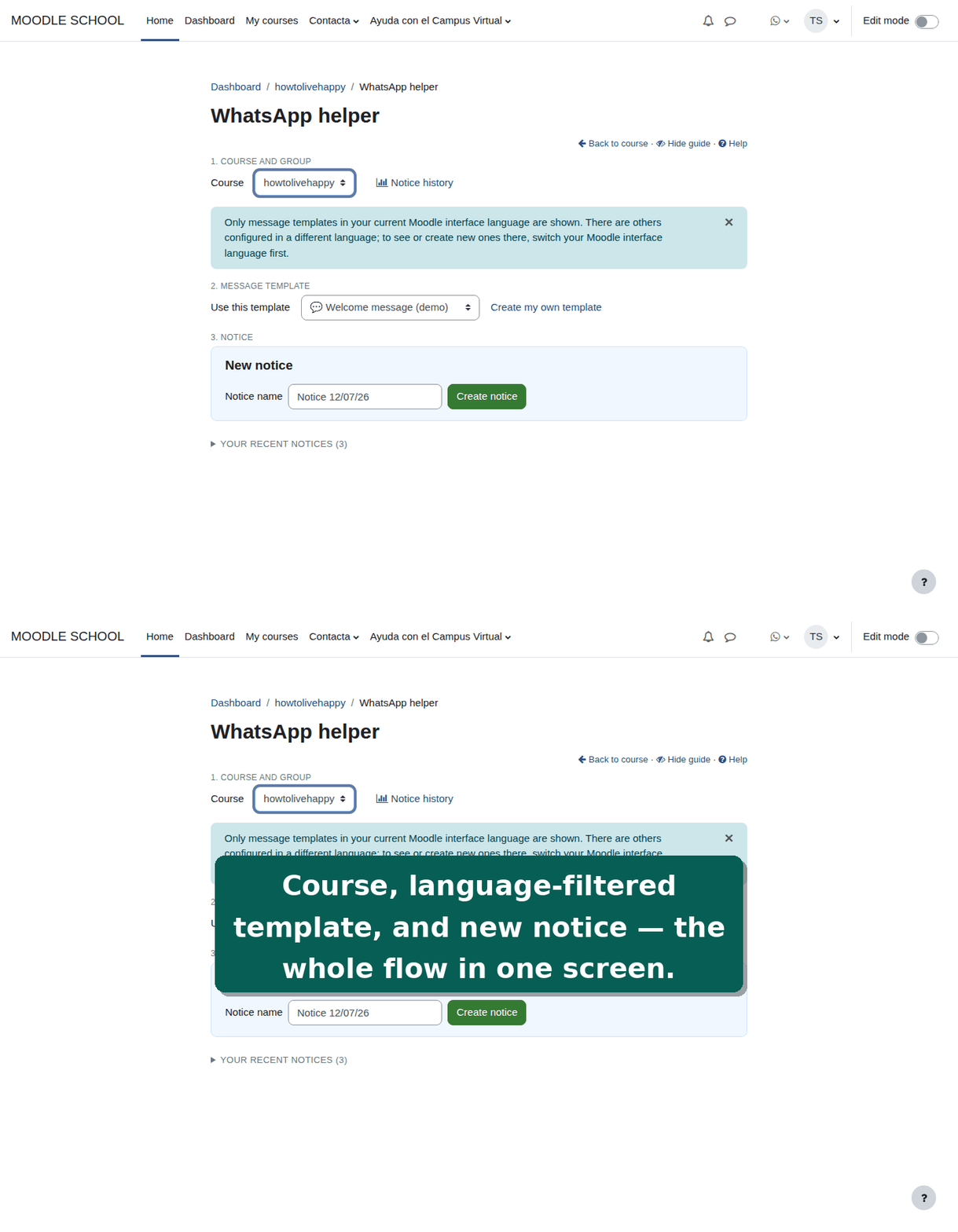
  1. Pick a course and, if it has groups, a group (or "All groups").
  2. Pick a message template (a site-wide one, or one of your own).
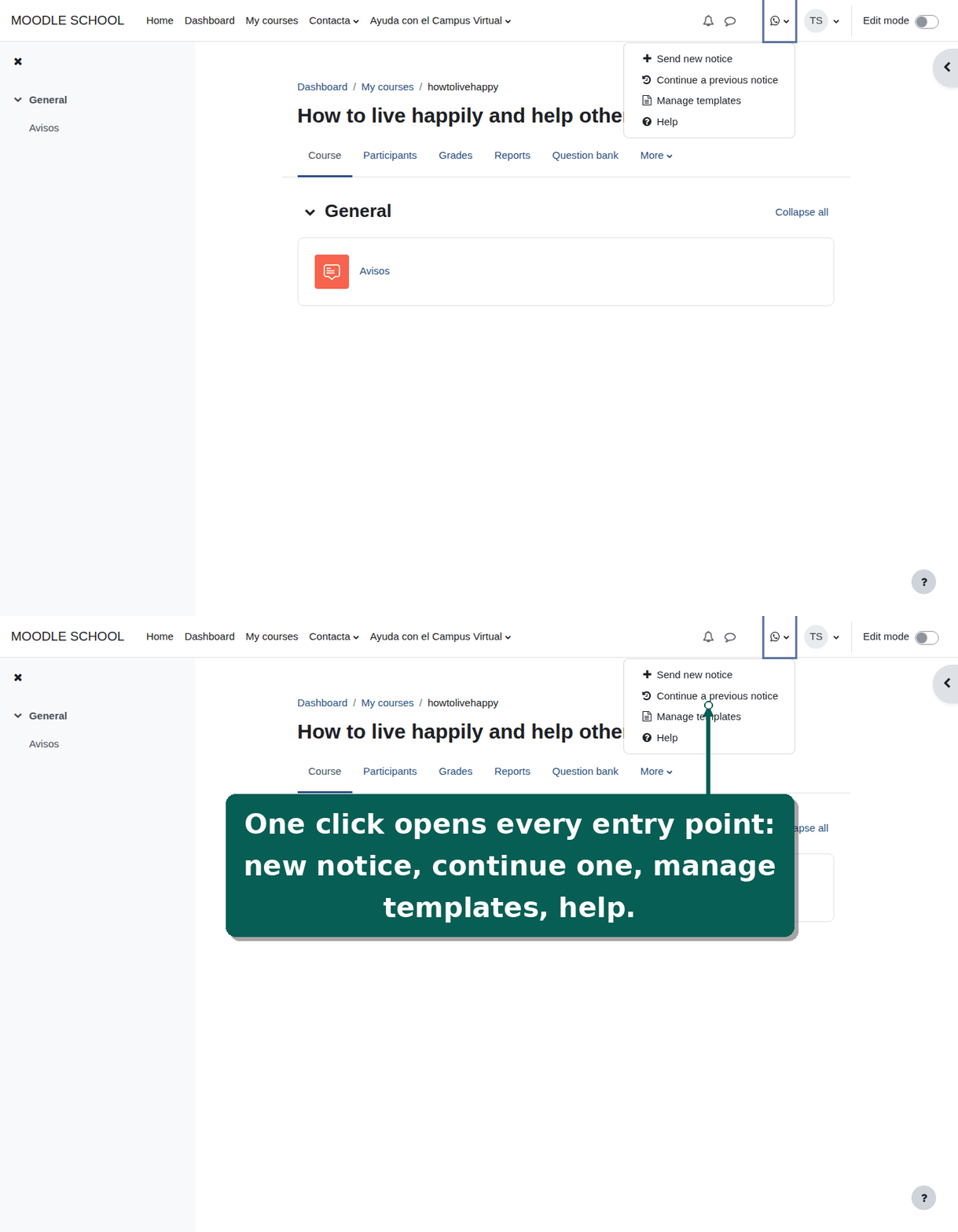
  3. Create a new notice ("aviso") or continue a recent one of yours: a notice is a named batch of sends (e.g. "Start of term", "Exam reminder"), so you can repeat the same communication several times during the course without mixing up who was already contacted in a previous batch.
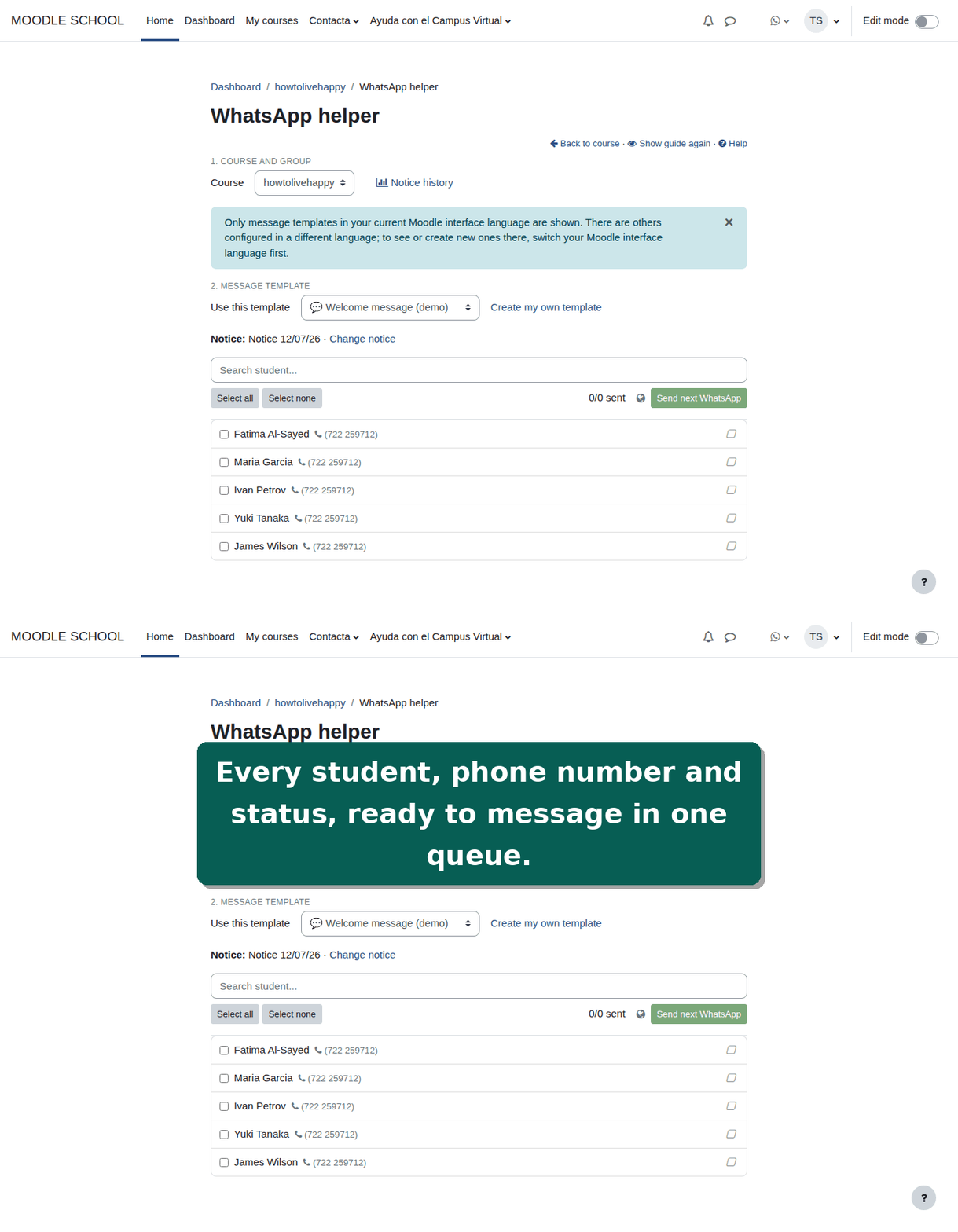
  4. Select students and press "Send next WhatsApp": it opens WhatsApp with the message ready for the next student in the queue, skipping those already sent, and marks each one as sent as you go. You can later mark a student as received (and back) by clicking their status icon.

Features

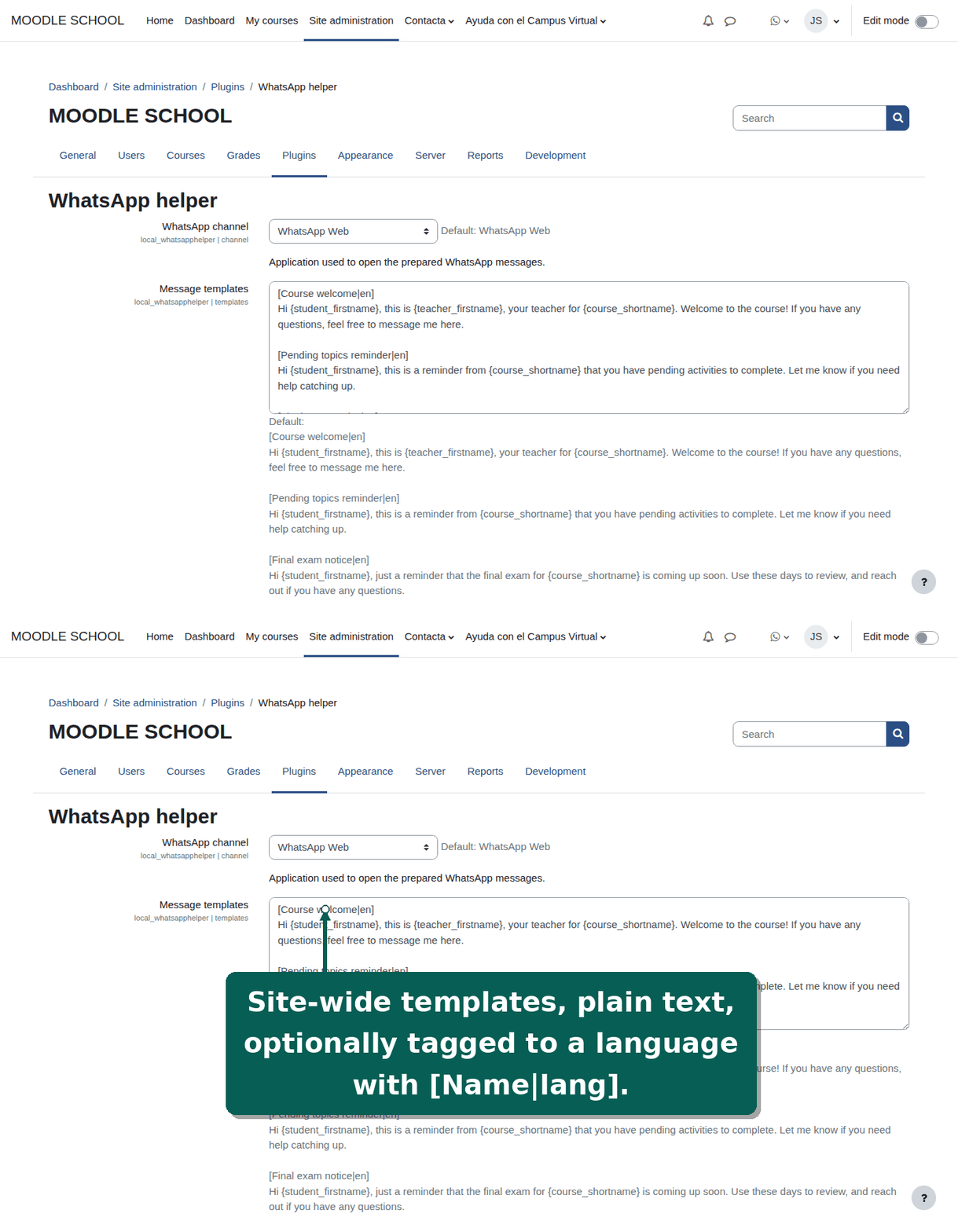
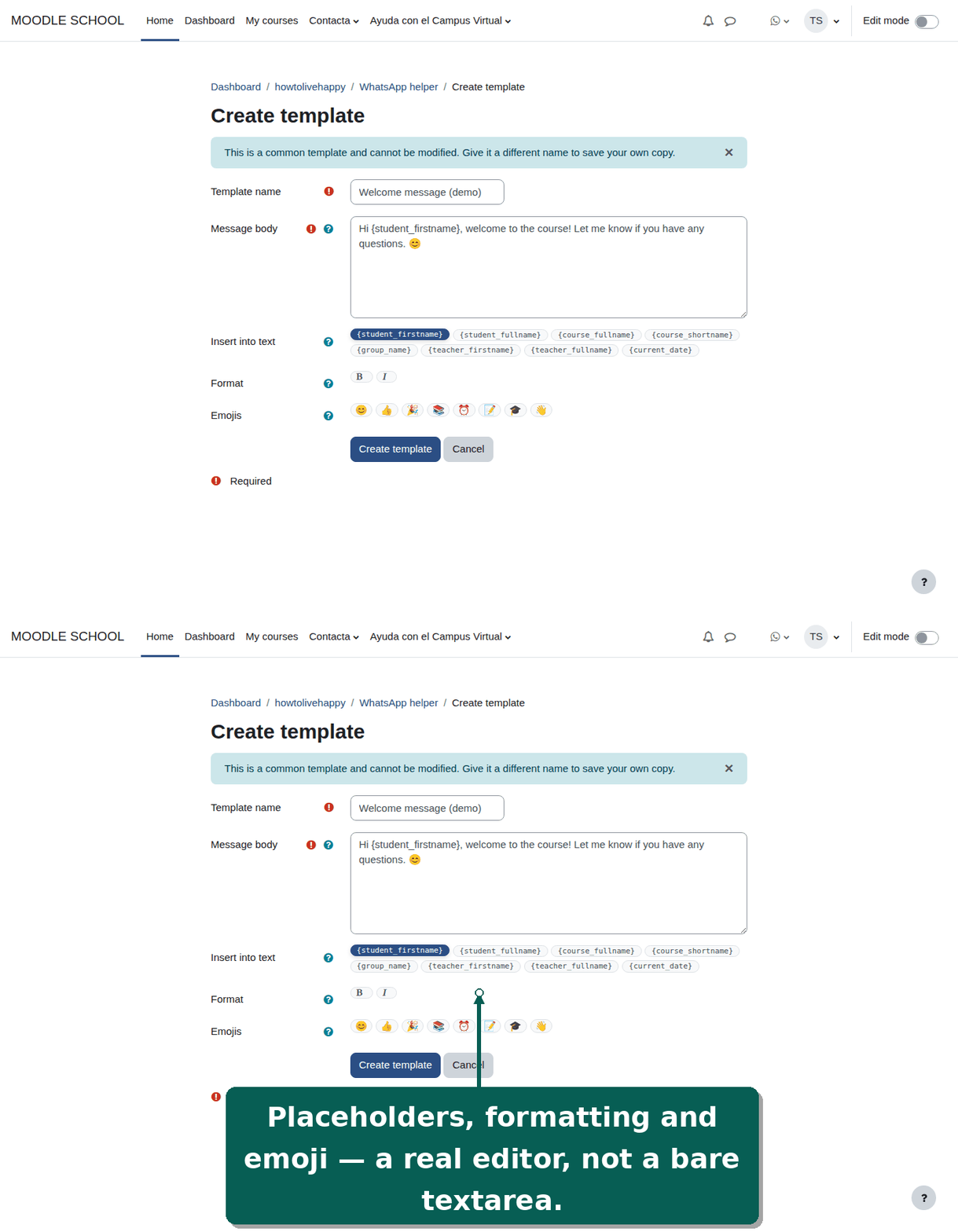
  • Templates: common ones configured by the site administrator, plus personal ones each teacher can create from any of the common ones. Placeholders ({student_firstname}, {course_shortname}, {group_name}, {current_date}, etc.) are substituted automatically.
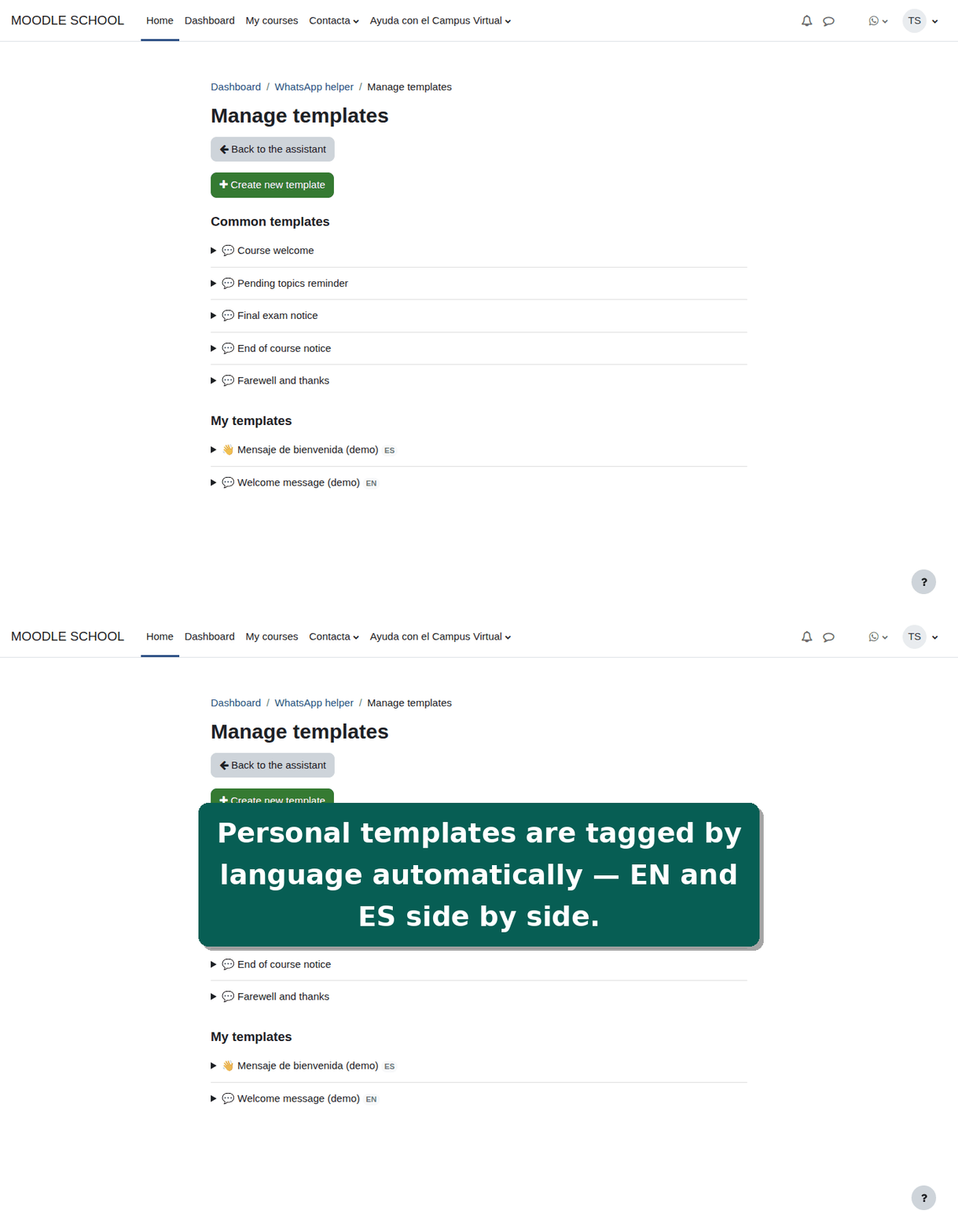
  • Language-tagged templates: optionally restrict a template to one language by adding |language_code to its name (e.g. [Course welcome|en]); only templates matching the teacher's current interface language, plus untagged ones, are offered when preparing a send. Personal templates are tagged automatically with whatever language the teacher was using when they last saved them — no separate picker to manage.
  • Notices ("avisos"): named, resumable batches of sends, private to each teacher — you only see and continue your own, and the "Notice history" report is likewise personal, not shared between teachers of the same course.
  • Per-student delivery status: not sent ' sent (automatic, on "Send next") ' received (manual, click to cycle) ' back to not sent if you need to resend.
  • Phone numbers are read from the student's Moodle profile (phone 1 or 2). An optional site setting can auto-complete a configured national number length with a default country prefix; left empty (the default), numbers are used exactly as stored.
  • Channel setting: the site administrator chooses whether links open WhatsApp Web or the WhatsApp desktop app, site-wide.
  • Capability-based access: anyone granted the local/whatsapphelper:use capability can use the tool, however that role was assigned — course enrolment, or a role assigned at category or system level (e.g. a course coordinator who supervises courses without being enrolled in each one).
  • Reports: per-notice history for each teacher, plus a site-wide aggregated report (by course) for users with the manager capability.
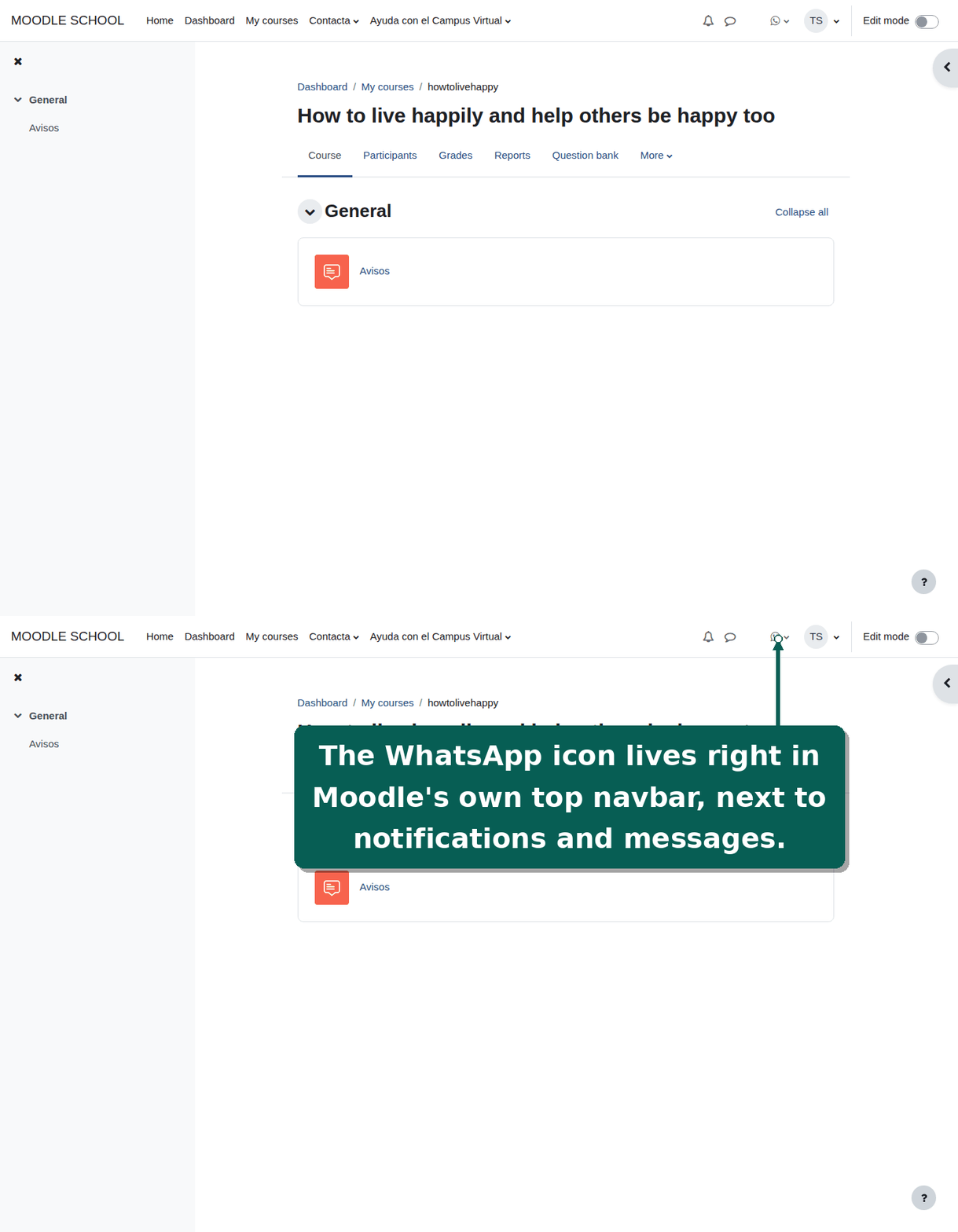
  • Navbar icon, always visible next to the mail envelope icon, shown disabled with an explanatory tooltip when there is nothing to do yet (no access anywhere, or access but no students to message). Above 100 accessible courses the course picker is replaced by "open it from that course's own menu instead", so the list never becomes unusably long.
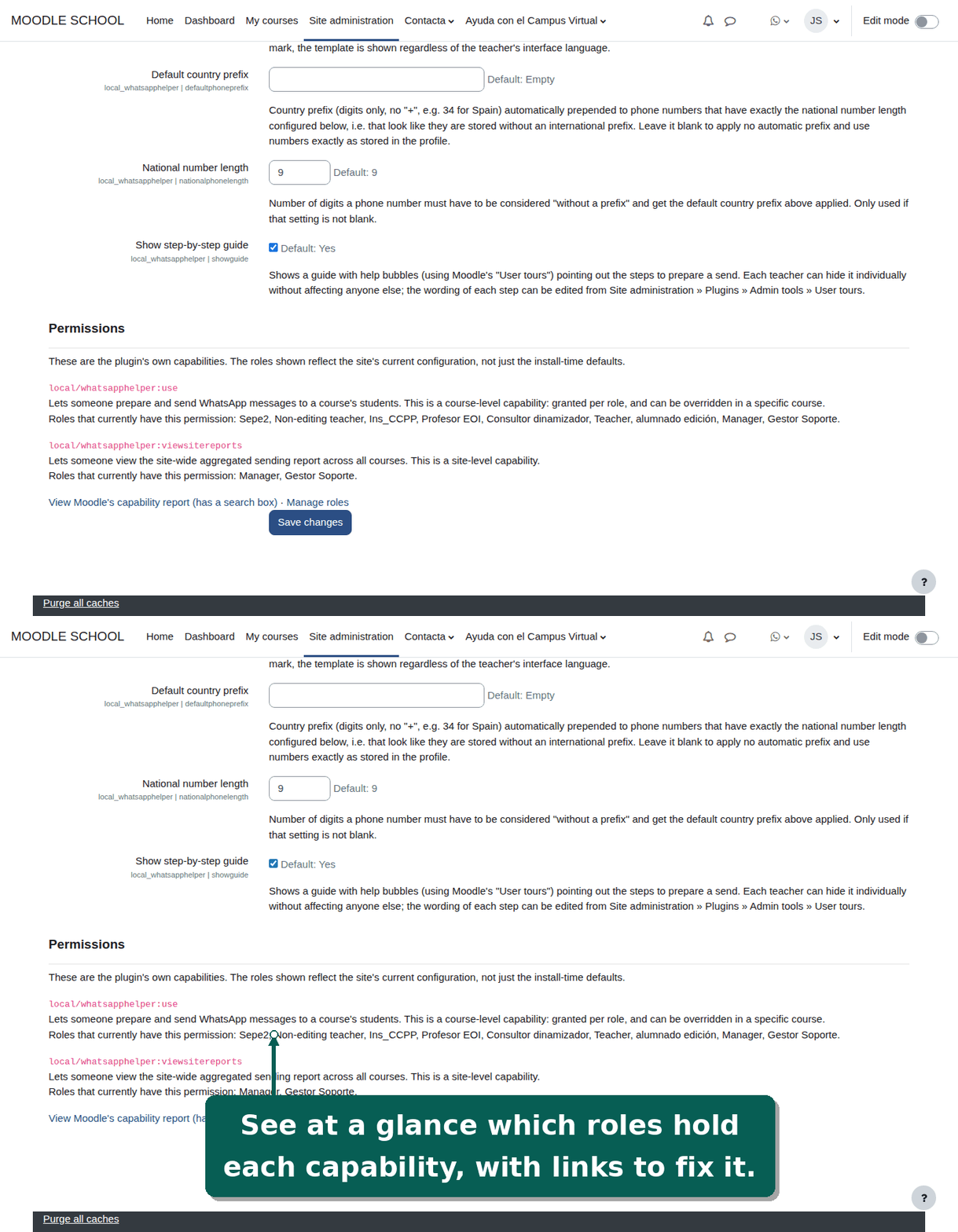
  • Permissions overview in the plugin's own settings page: see at a glance which roles currently have each of its two capabilities, with links to Moodle's own capability report and role management screens.
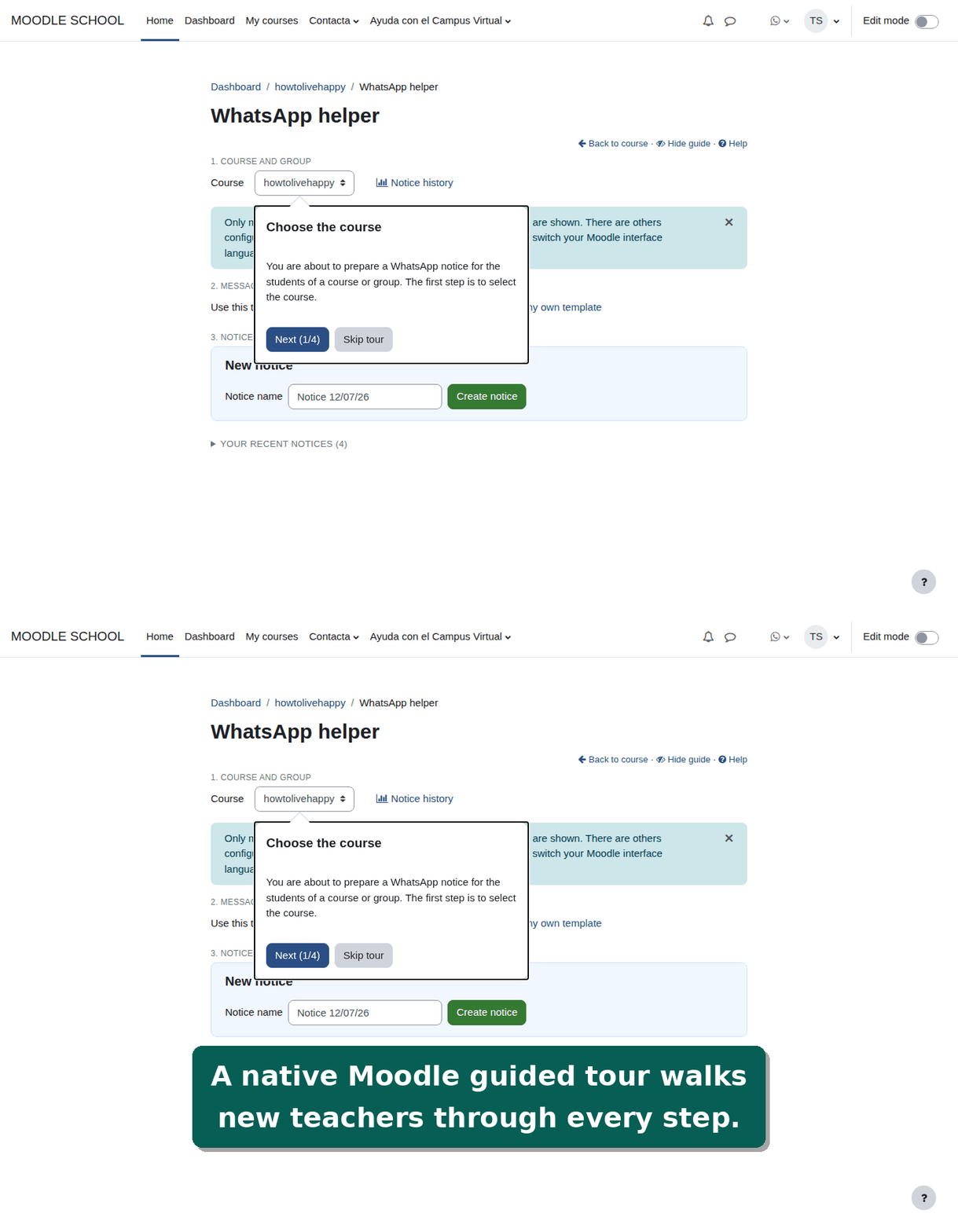
  • Guided step-by-step tour (Moodle User tours) plus a static, keyboard/screen-reader-friendly help page.
  • Privacy (GDPR): full core_privacy provider (export + deletion).

Contributors

Awards

Privacy friendly
Automated testing support