eLeDia GmbH
Lead maintainer

LeitnerFlow brings structured spaced-repetition learning to Moodle. The plugin turns questions from the Moodle question bank into virtual flashcards and organises them with the well-known Leitner box system.
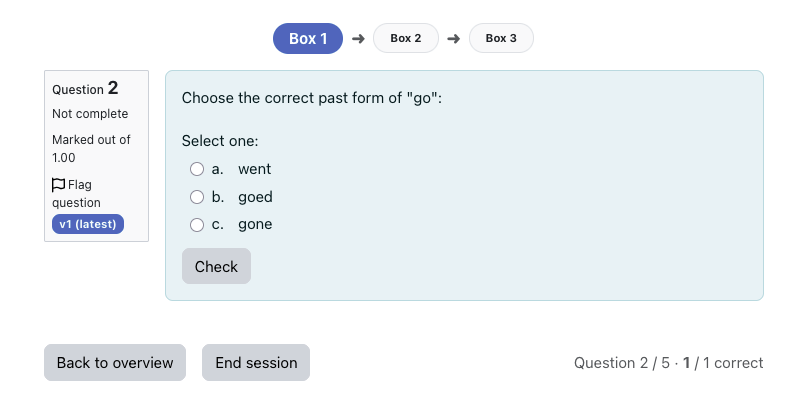
Learners practise in short, focused sessions. Correctly answered cards move forward through the boxes, while incorrectly answered cards can be reset, moved back or left unchanged, depending on the activity settings. This helps learners spend more time on difficult content and less time on questions they already know well.
LeitnerFlow is especially useful for revision, exam preparation, vocabulary practice, terminology training, factual knowledge, formulas, definitions and recurring self-assessment.
A teacher creates a LeitnerFlow activity in a course and selects one or more question categories from the Moodle question bank. Each selected question becomes a card in the Leitner system and starts in the first box.
During a learning session, learners answer a configurable number of questions. Cards in lower boxes are prioritised, so learners automatically return to content that still needs practice. Once a card has been answered correctly often enough, it is marked as learned.
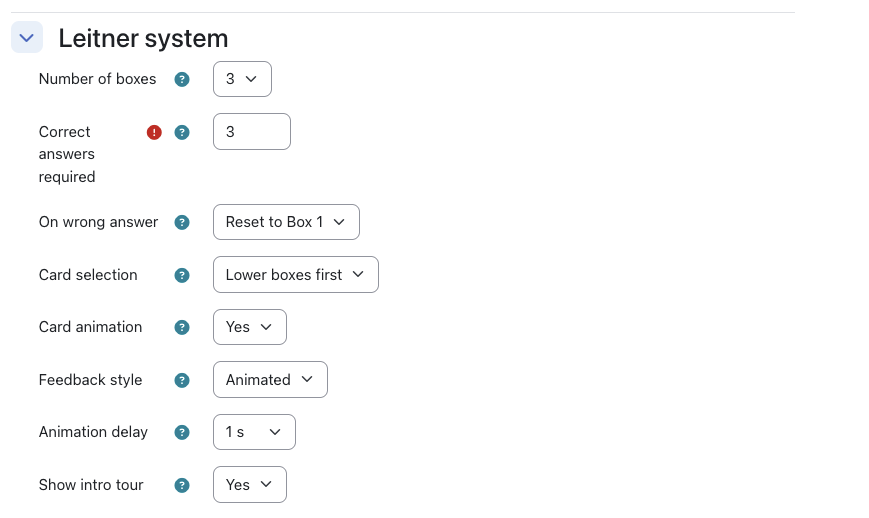
Teachers can configure how many boxes are used, how many questions appear in each session, when a card is considered learned and what happens after an incorrect answer.
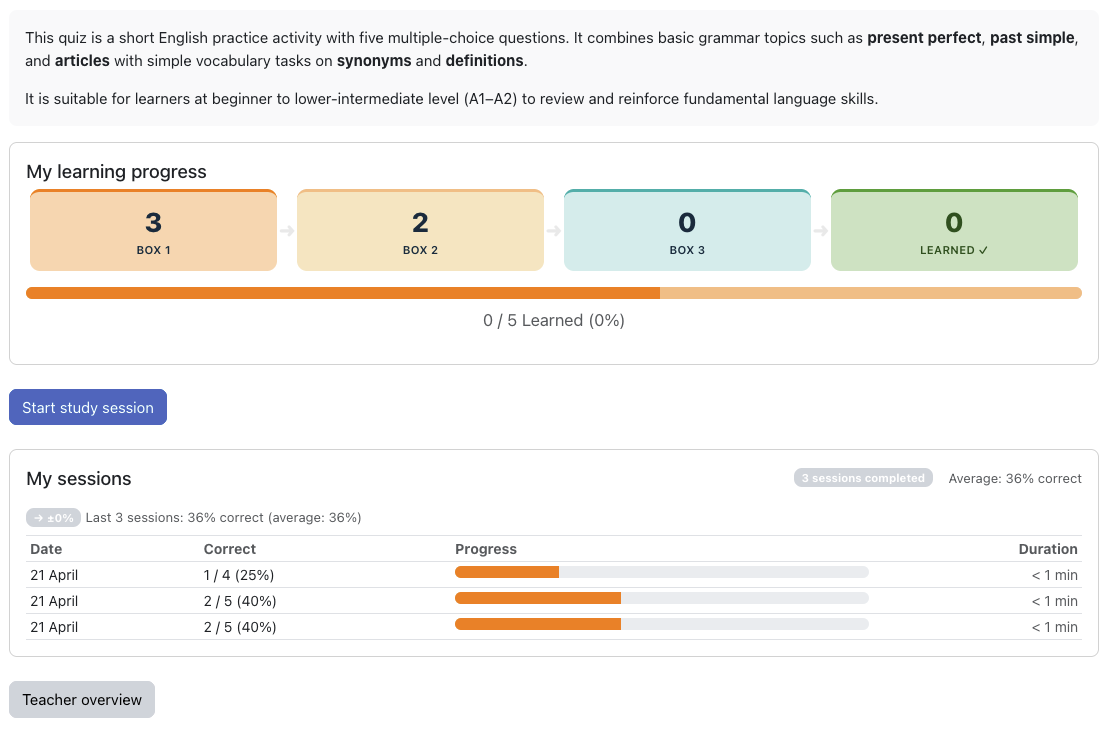
LeitnerFlow gives learners a clear overview of their progress and helps them focus on the questions that matter most.
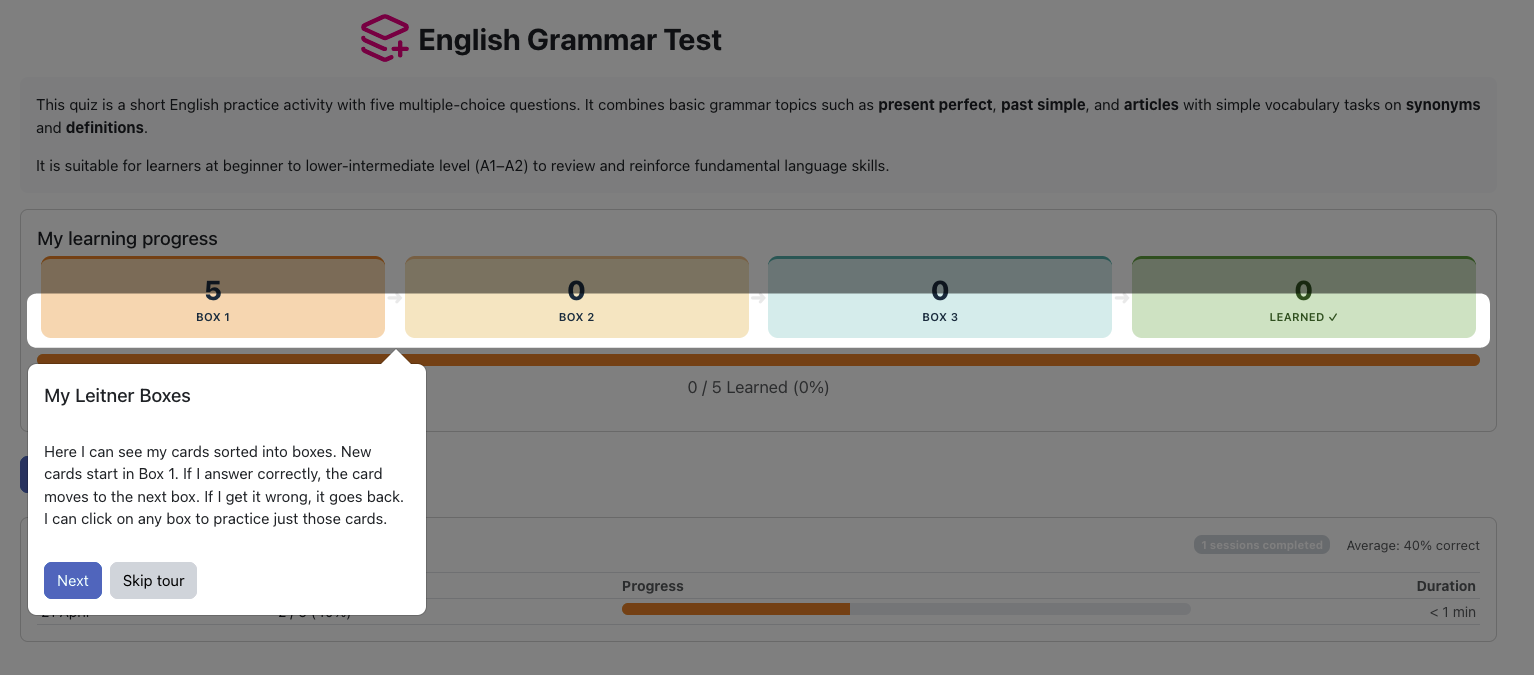
Learners can see how their cards are distributed across the Leitner boxes, complete focused practice sessions and review their session history. Visual progress indicators, optional card animations and a guided first-visit introduction make the activity easy to understand and motivating to use.
Learners can also select individual boxes for targeted practice. This is useful when they want to focus on difficult questions, review weaker areas or prepare for an upcoming test.
LeitnerFlow allows teachers to reuse existing Moodle question bank content for structured practice, not only for assessment.
Teachers can select multiple question categories, define the session size, configure the number of Leitner boxes and choose how strict the system should be when learners answer incorrectly. The plugin also includes reporting tools so teachers can monitor participation, learning progress and session activity.
Optional grade integration makes it possible to grade learners based on the percentage of learned cards.
immediatefeedback question behaviourLeitnerFlow does not require an external service, subscription, API key or third-party platform.
LeitnerFlow is suitable for many learning scenarios where repeated practice and long-term retention are important.
Examples include:
Because LeitnerFlow uses the Moodle question bank, teachers can continue working with familiar Moodle question types and existing question categories.
After setup, learners see a dashboard with their current progress and can begin practising immediately.
LeitnerFlow stores the user-specific learning data required to provide the activity. This includes card progress, Leitner box positions, session information and learning progress for each participant.
The plugin implements the Moodle Privacy API so that user data can be exported and deleted through Moodle’s standard privacy tools. LeitnerFlow does not send learner data to an external service.
Yes. LeitnerFlow uses questions from the Moodle question bank. Teachers can select one or more existing question categories when creating the activity.
Yes. Teachers can configure the number of boxes, questions per session, the threshold for learned cards, the question pool behaviour and the strategy for incorrect answers.
Teachers can choose between three behaviours: reset the card to Box 1, move it one box back or keep it in the current box.
Yes. Learners can click individual Leitner boxes to practise cards from specific stages of the learning process.
Yes. Grade integration is optional. If enabled, grading can be based on the percentage of learned cards.
No. LeitnerFlow runs inside Moodle and does not require an external service, subscription, API key or third-party platform.
LeitnerFlow supports the Moodle Privacy API, including export and deletion of user data through Moodle’s standard privacy tools.
