Mattan Dor
Lead maintainer
The AI Revolution in Learning is Here – Try it for FREE! 🚀
Meet STREAM: The smart video platform that transforms lectures into interactive learning experiences, with zero extra effort.
What makes it a game-changer?
- In-Class AI Agent: Students can ask questions about the lecture and get instant answers in real-time.
⏱ Zero Effort for Lecturers: Just teach as usual. No manual uploads, no complex setups.
🌍 Auto-Transcripts & Captions: Instant translation into 98 languages.
🔍 Search Inside the Video: Type a keyword and jump directly to the exact second it was spoken.
Stop wasting time on manual notes and endless scrubbing through videos.
' Get instant access & start your free trial (No commitment):
https://stream-platform.cloud/campaign/?utm_source=moodle&utm_campaign=free_trial
The Stream assignment activity enables students to submit video assignments directly through the Stream video platform. Instead of uploading large files into Moodle, videos are managed by Stream while Moodle stores the submission and grading information.
This activity provides a seamless workflow for video-based assignments, allowing students to either upload a new video or select one from their existing videos in Stream. Teachers can review submissions, watch videos, and provide grades and feedback directly within Moodle.
Video submissions via Stream
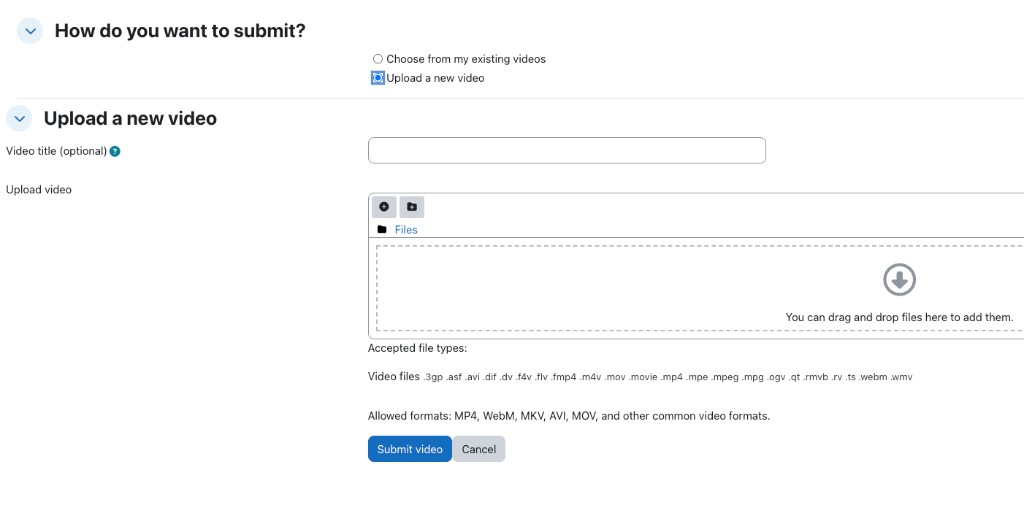
Students can submit assignments using one of two methods:
Upload a new video file to Stream.
Select an existing video from their personal Stream library.
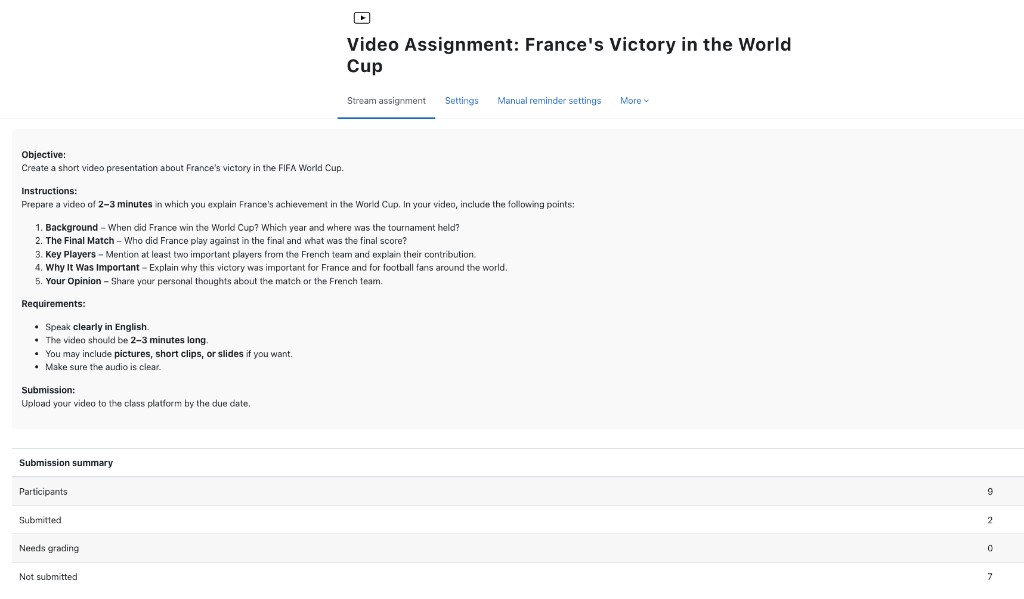
Assignment-style submission summary
The activity view page displays a summary similar to the standard Moodle assignment, including:
Participants
Submitted
Needs grading
Not submitted
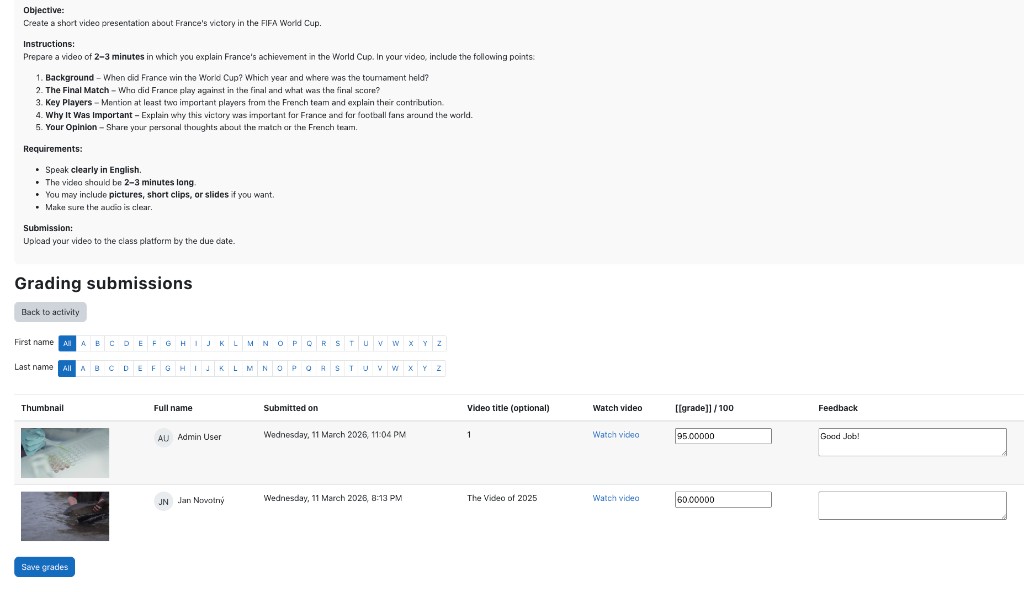
Integrated grading interface
Teachers can grade submissions through a dedicated grading page that includes:
Student names
Video thumbnails
Video titles
Quick access to watch the submitted video
Grade entry (for example, out of 100)
Feedback comments
Stream video player integration
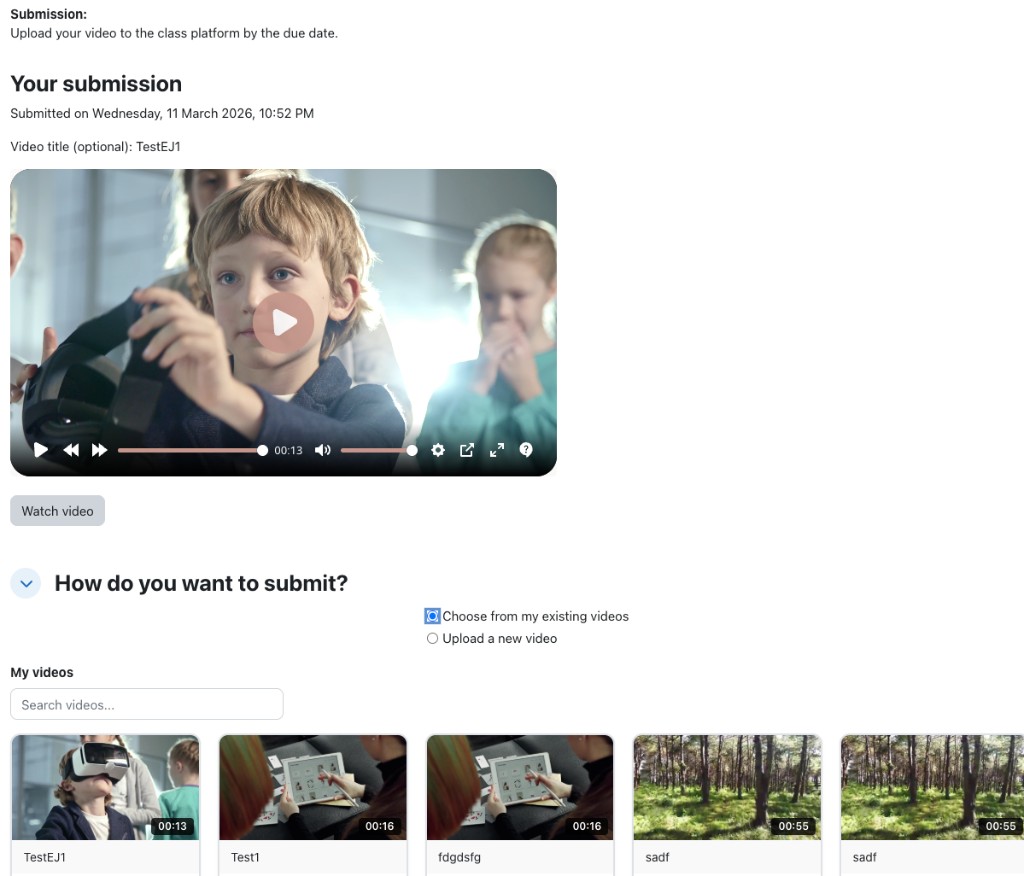
Submitted videos appear within Moodle using an embedded Stream player.
If the video is still processing, the system displays a processing message and automatically checks every 30 seconds until the video is ready.
Personal video library access
When choosing an existing video, students can browse their "My videos" library from Stream in a searchable grid that includes thumbnails and video duration.
Efficient storage and privacy
Moodle stores only the submission and grading data, while video files and metadata remain securely hosted on the Stream platform.
Moodle 3.4 or later
The local_stream plugin installed and configured with:
Stream platform URL
API key
Install and configure the local_stream plugin (set the Stream URL and API key in Site administration).
Copy the plugin folder streamassign into the Moodle mod/ directory.
Visit Site administration ' Notifications to complete the installation.
(Optional) Run npx grunt amd from the Moodle root directory to build the JavaScript AMD modules for production environments.
The Stream assignment activity uses the Stream platform configuration defined in the local_stream plugin.
No additional API configuration is required at the activity level.
When creating the activity, teachers can configure standard assignment settings such as:
Activity name
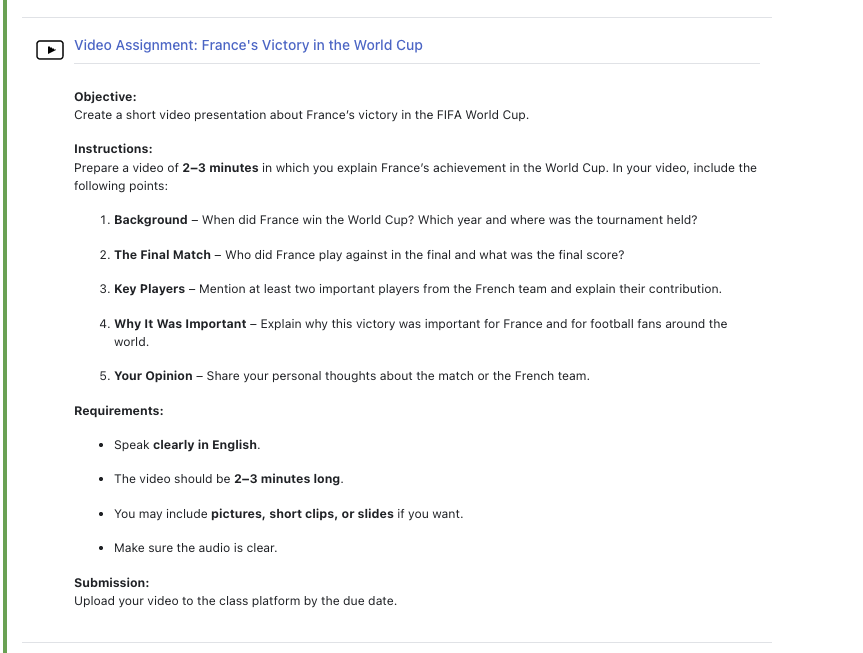
Description and instructions
Availability dates
Grading method and maximum grade
The activity description supports the standard Moodle editor and can include sections such as objectives, instructions, requirements, and submission guidelines.
Teachers can add the activity through:
Add an activity or resource ' Stream assignment
Once created, teachers can:
View a submission summary
Access the grading page
Watch submitted videos
Provide grades and feedback
The grading interface supports pagination and optional filtering by student initials for courses with large numbers of participants.
Students open the assignment activity and follow the submission instructions provided by the teacher.
To submit a video, they can:
Upload a new video file to Stream.
Select an existing video from their personal Stream video library.
After submission, the activity page displays the student's submitted video. If the video is still processing, the system automatically refreshes the status until the video becomes available for viewing.
Students may update their submission by submitting a new video before the assignment deadline.
This plugin is released under the GNU General Public License v3 or later (GPL v3).
Copyright © 2025 CentricApp LTD
Development Team – dev@centricapp.co
