Dominique Palumbo
Lead maintainer

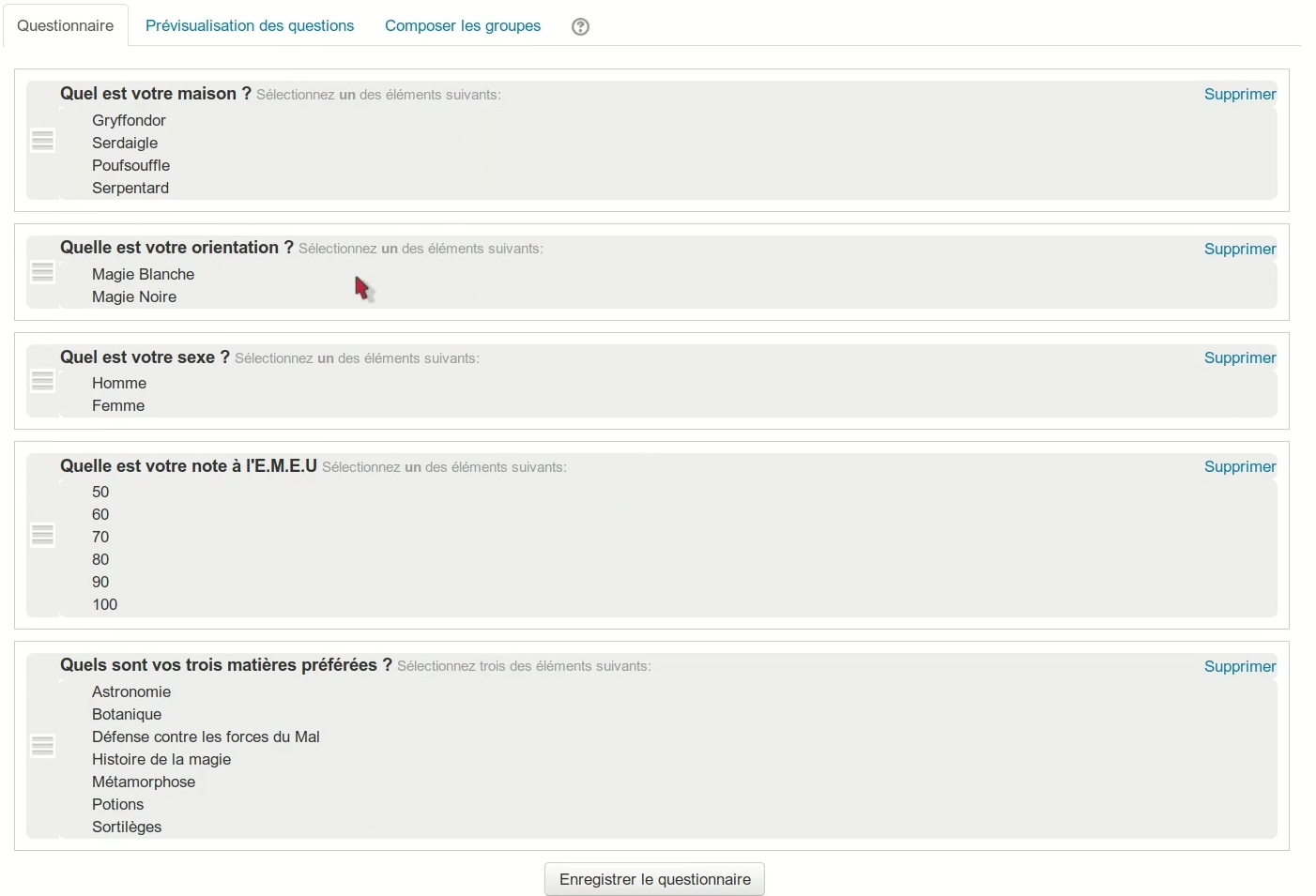
The first tab, Questionnaire, enables you to create the questions for students.
Preview questions, the second tab, presents the questionnaire for students to answer.
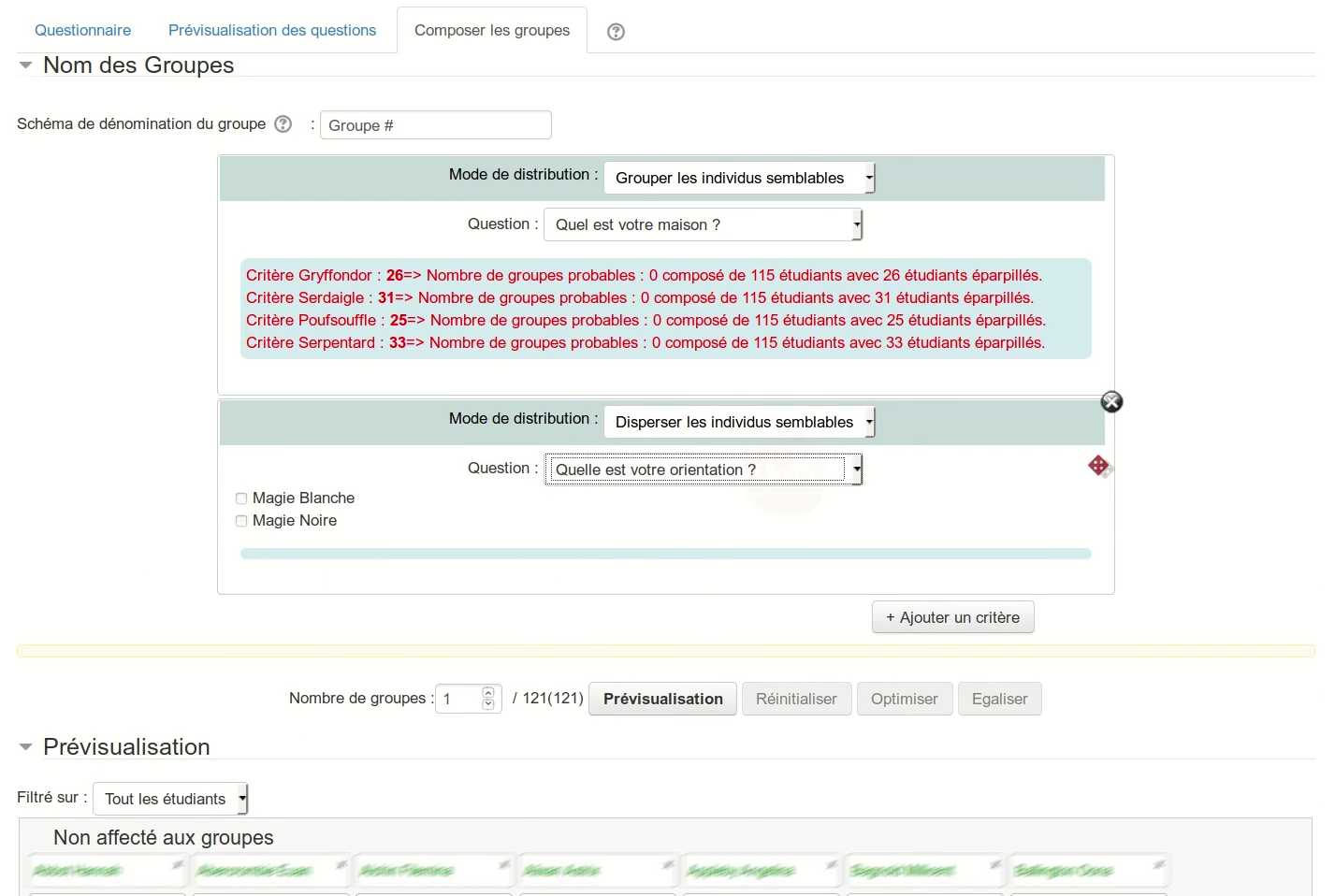
The last tab, Groups creation, enables you to launch the groups creation.
The groups creation takes place in two steps. The first one is a simulation.
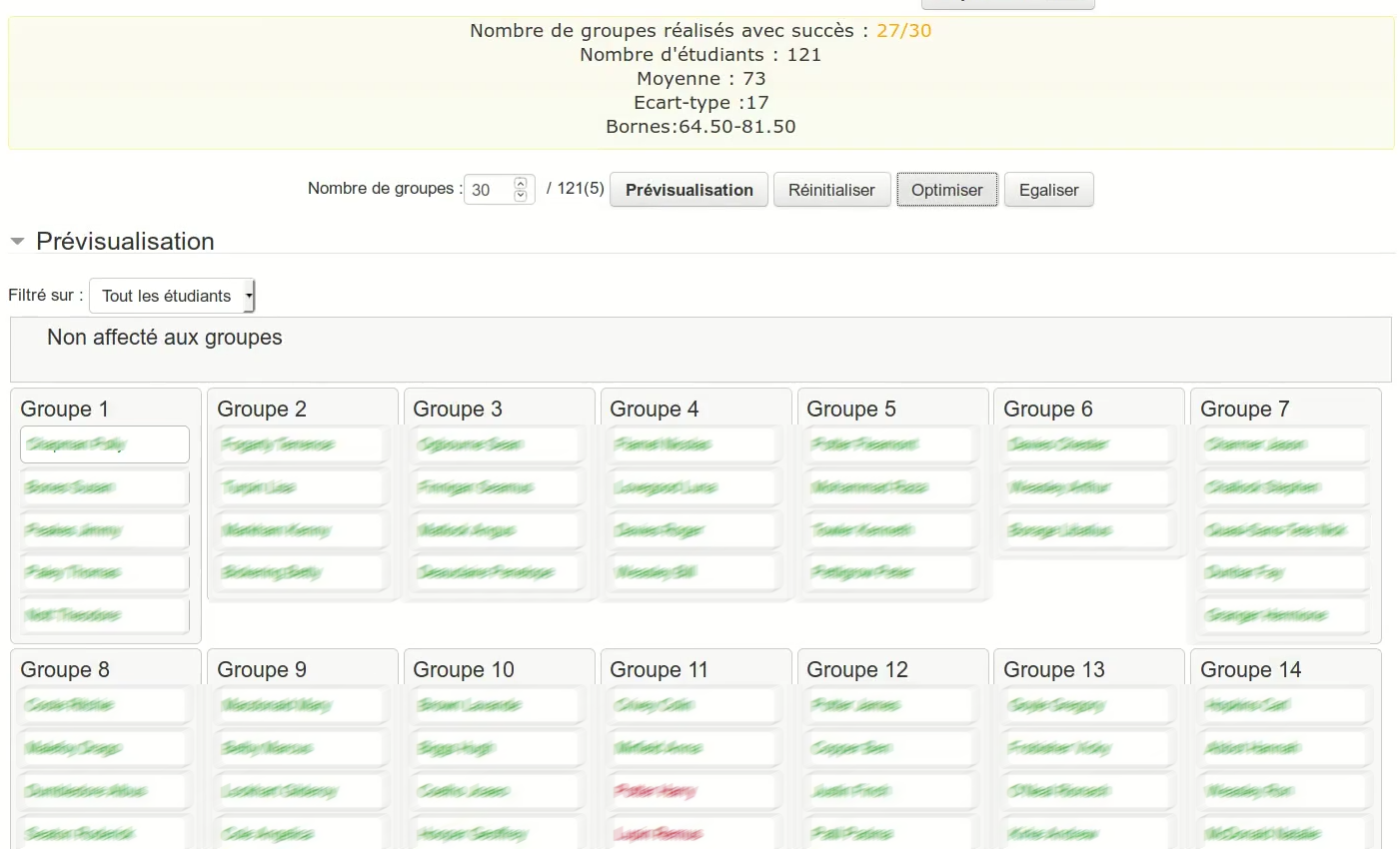
During simulation, it is possible to modify criterias to reorder them and to move students manually from one group to another.
On the next step; the groups are actually created in Moodle.
Do not forget to click the button "Create Groups in Moodle" to finalize the group creation.
There are 4 operators to create groupes.
There are four basic operators to create the groups.
| Group similar individuals | = Form groups whose members are similar to defined criteria. Creation of homogeneous groups. Applied to discrete values, with no obligation whatsoever numerical. |
| Disperse similar individuals | = Distribute qualifying students across groups. Applied to discrete values, with no obligation whatsoever numerical. |
| Avoid minorities | = Divide students so that at least two students sharing a criterion are in the same group (especially for minorities). Applied to discrete values, with no obligation whatsoever numerical. |
| Balancing Level | = Create groups that are \"right\", whose total forces are similar in all groups (usually based on academic results). Applied to numerical values (continuous and discrete). |
When you preview a group distribution, you may click on a student block to see its informations and answers in a tooltip.
If one student does not have to enter in the group distribution, you may
click on the X in regard of its name to remove him from the group
preview.
Team up is a Moodle plugin fork from Teambuilder plug-in (https://moodle.org/plugins/mod_teambuilder) developped by UNSW and maintained by Adam Olley but with an algorithm like the one use in GROUPENG 1.3.
It's developped by the UCLouvain belgian university since 2019 by the Team that organized the french Moodle Moot 2018.
The main contributors are Bruno Schoumaker, Philippe Bocquier, Patrick
Gérin, Andreia Lemaître, Séverine Gossiaux, Marie Demoulin and Isabelle
Motte.
Documentation in french : https://docs.moodle.org/4x/fr/TeamUp

