Activity configuration
- Select "360° feedback" from the activity chooser.
- Tick "Anonymous" if you want to anonymise user responses after users have finalised their feedback to their peers.
- Choose which type of course participants will be participating in the activity.
- Save and display
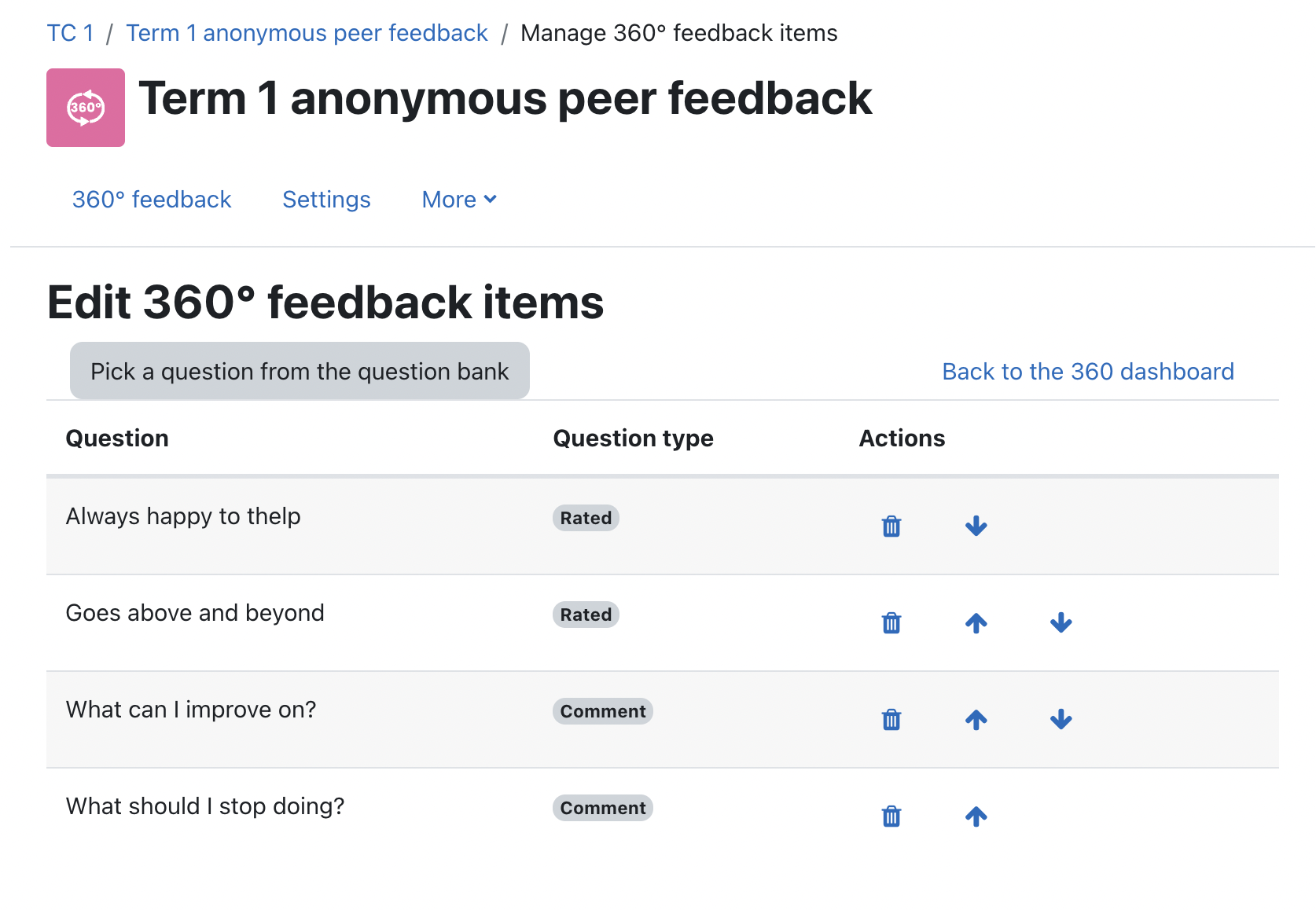
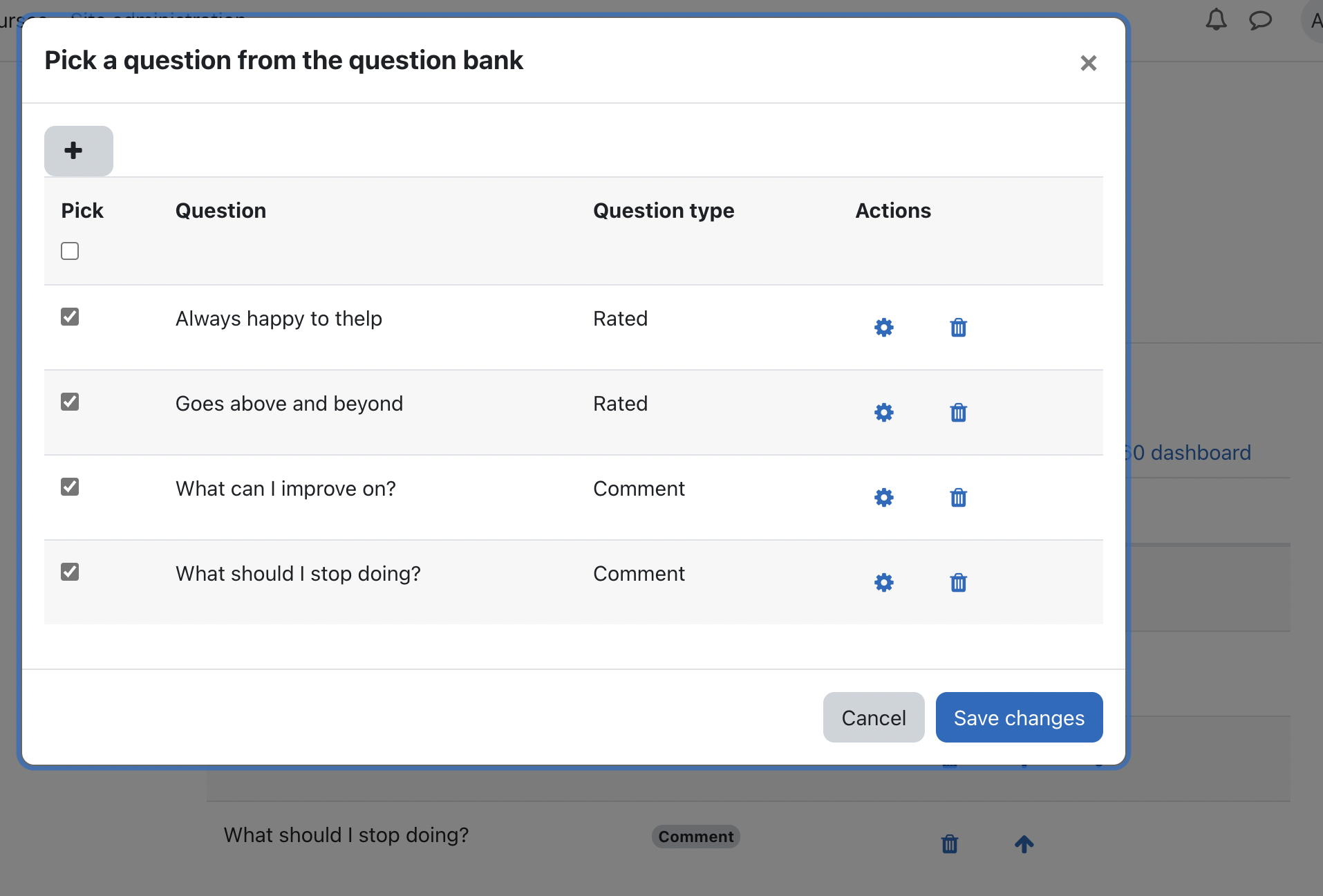
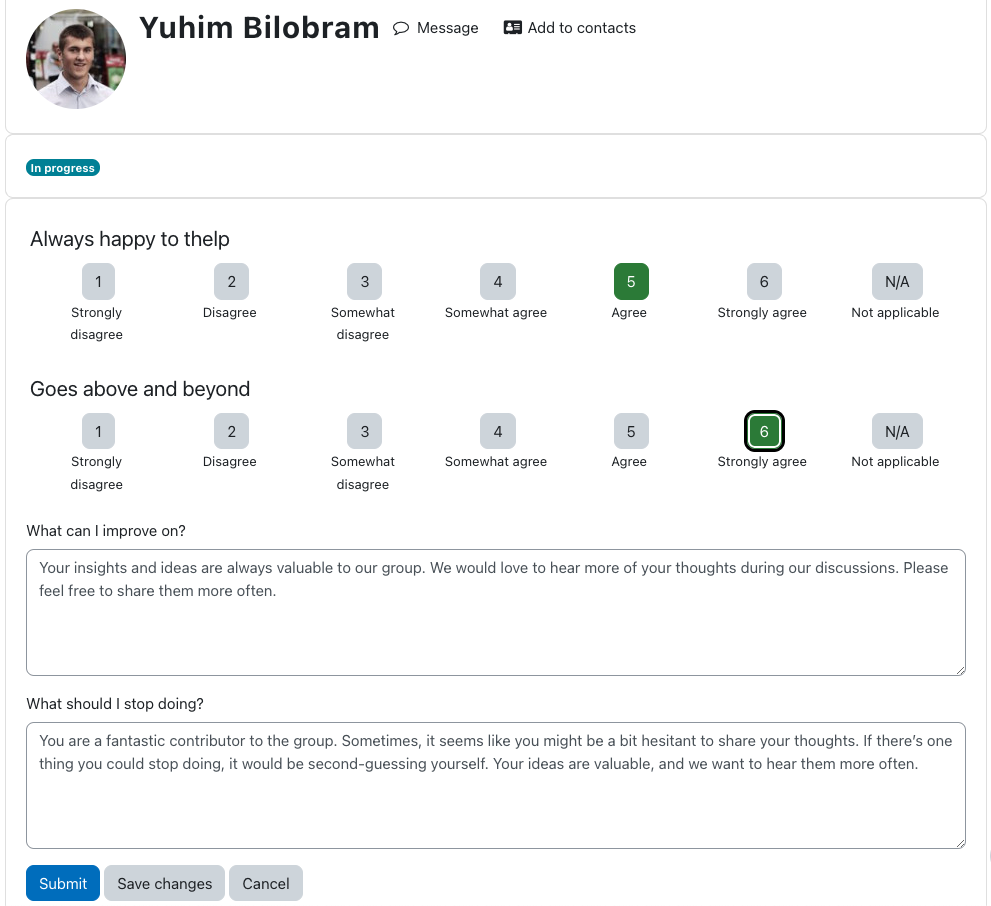
- Click on "Edit 360° feedback items" to add/select questions for the questionnaire. There are two main question types: Rated questions and Comments. Rated questions get averaged, while Comments are... well, comments.
- After setting up the questionnaire, make the 360° feedback activity available.
Providing peer feedback
- On the course page, click on the 360° feedback activity.
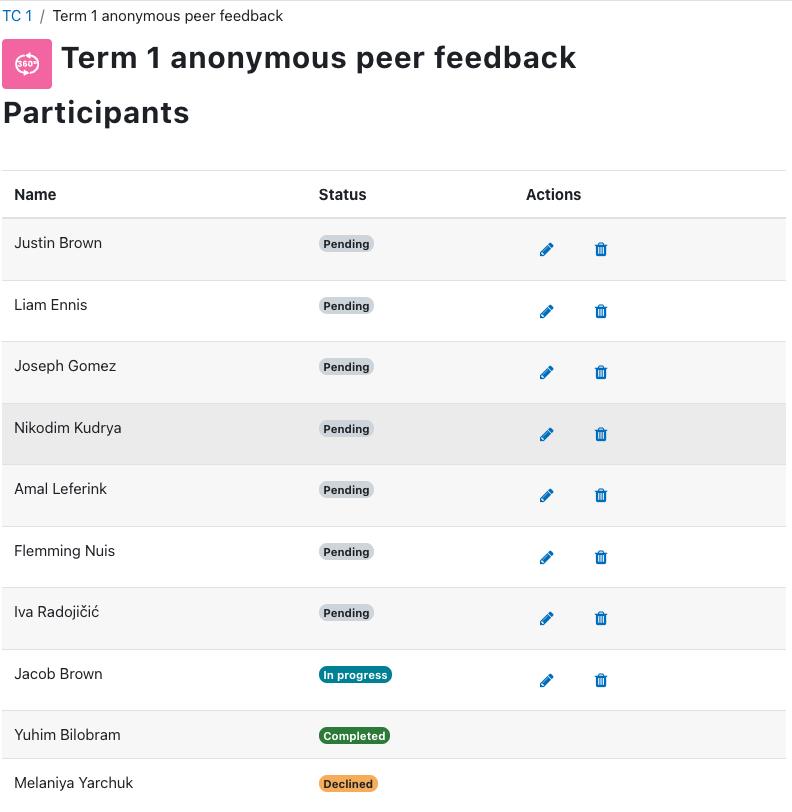
- Select a user to whom you will provide feedback.
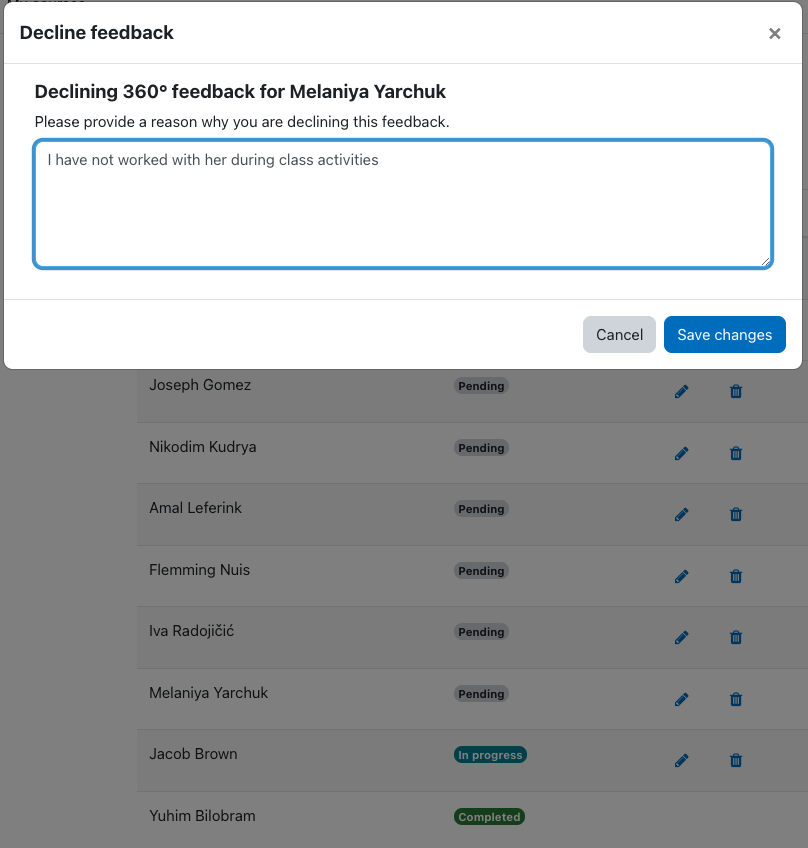
- Click on the appropriate action icon for that user. Click on the pencil icon to start providing feedback for that user. Click on the trash icon to decline and provide feedback for that user.
- If you're done giving feedback to a user for an anonymous 360° feedback activity, clicking on "Submit" will finalise your feedback for that user and anonymise your responses. Clicking on "Save changes" will preserve your responses, so you can continue filling out the questionnaire should you need to navigate away from the questionnaire page temporarily.
Viewing reports
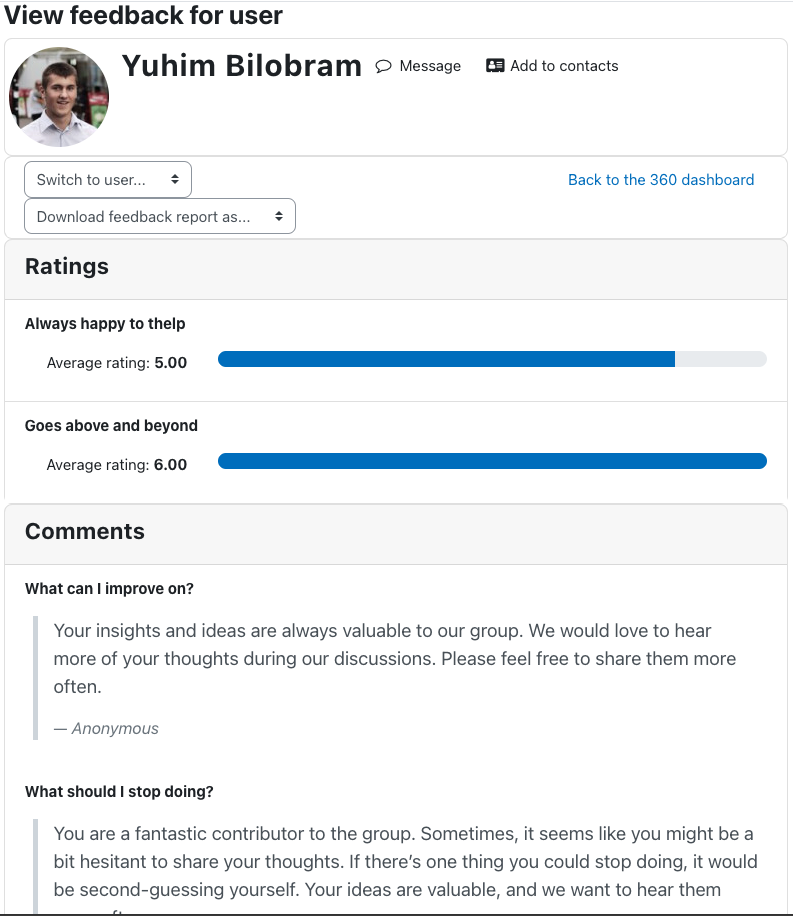
If you're a manager/teacher for a course, you can view the feedback given to a specified user. To do so,
- On the course page, click on the 360° feedback activity.
- Click on the magnifier icon for a user to view the feedback for that user.
- Rated questions will be averaged.
- Responses to comments will be listed for each comment question. If the feedback is non-anonymous, the name of the participant who commented will be shown together with the comment.
Slides
Issue reporting
Please report bugs/suggestions to https://github.com/junpataleta/moodle-mod_threesixo/issues.
Support the development of this plugin!
If you find my plugin helpful, please consider supporting it!
Your support will help ensure that the plugin continues to:
- Stay current with the latest Moodle releases
- Receive regular bug fixes
- Improve its accessibility
- Receive exciting new features
Thanks, and enjoy!