LearnPlug Video Tracker Starter icon

LearnPlug Video Tracker Starter

Maintained by NCard
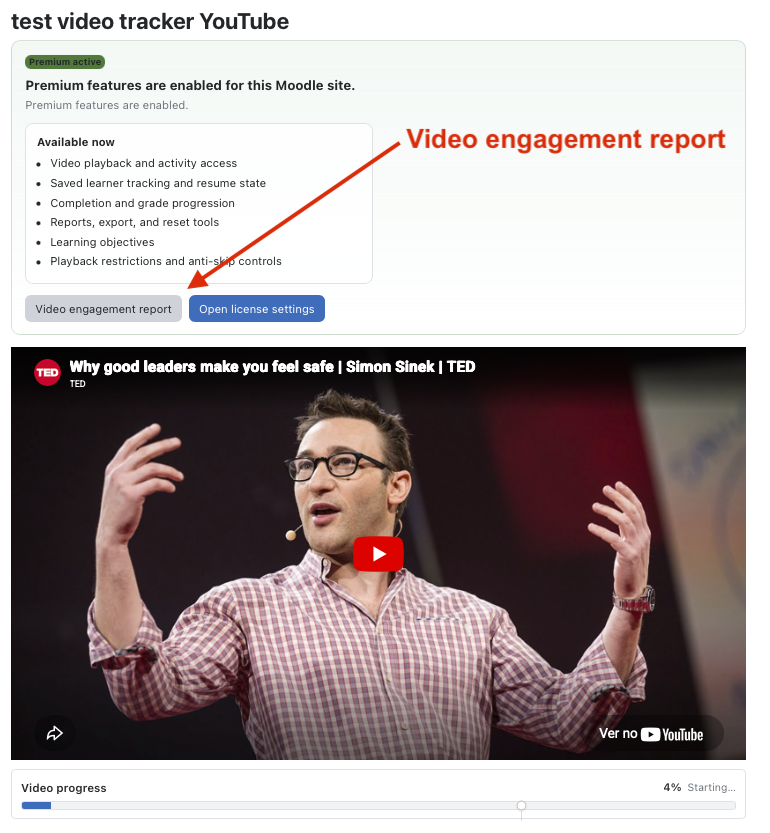
LearnPlug VideoTracker Starter - tracks video activities in Moodle using uploaded videos, YouTube, Vimeo, direct video links. It records learner progress, supports resume playback, activity completion, gradebook integration, and teacher engagement reports.
Price option: LearnPlug VideoTracker Starter $19 USD one-time
By buying, you accept the seller's Terms of Sale

Supports Moodle 4.0-5.2 See all versions
Reviewed annually for quality
Latest release: 1 day ago
Installations: 16
Downloads (last 90 days): 1458

Frankenstyle name: mod_videotracker
Activities

Description

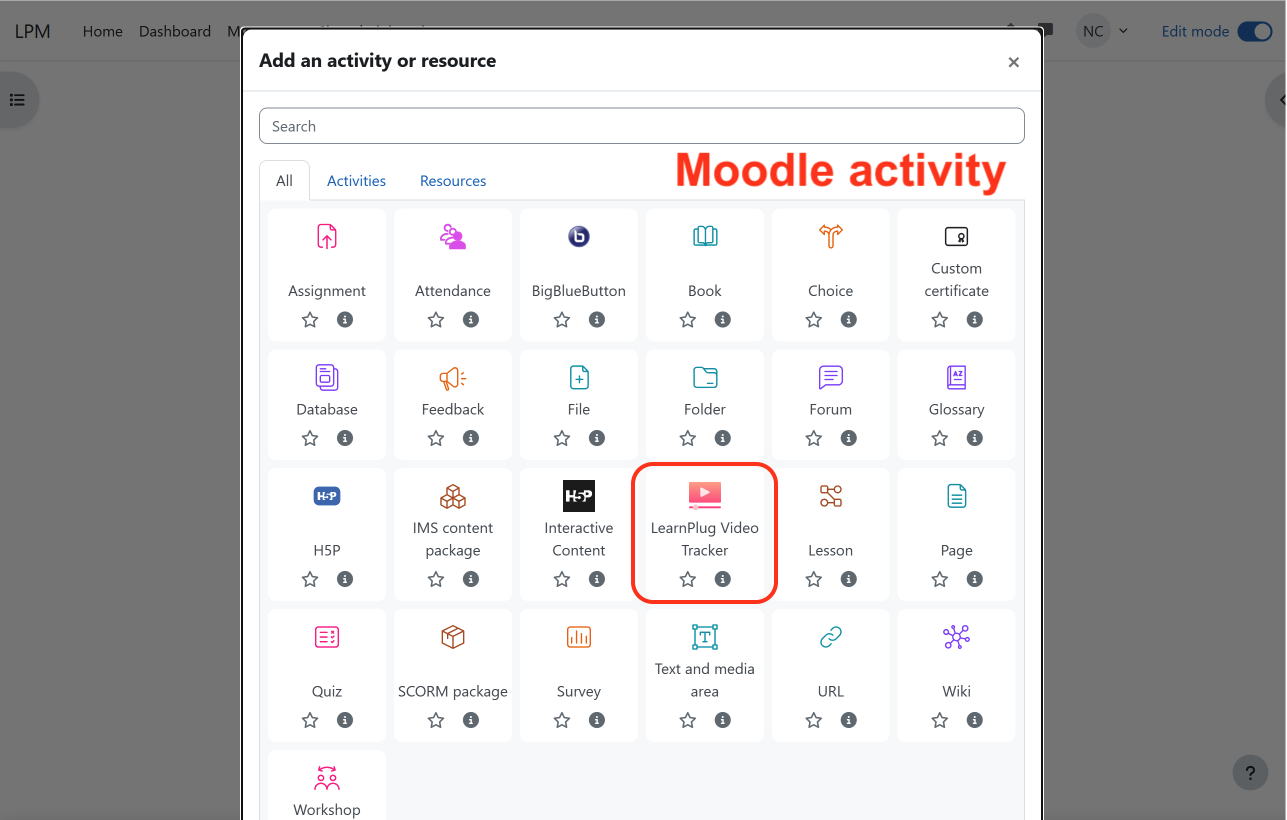
LearnPlug VideoTracker
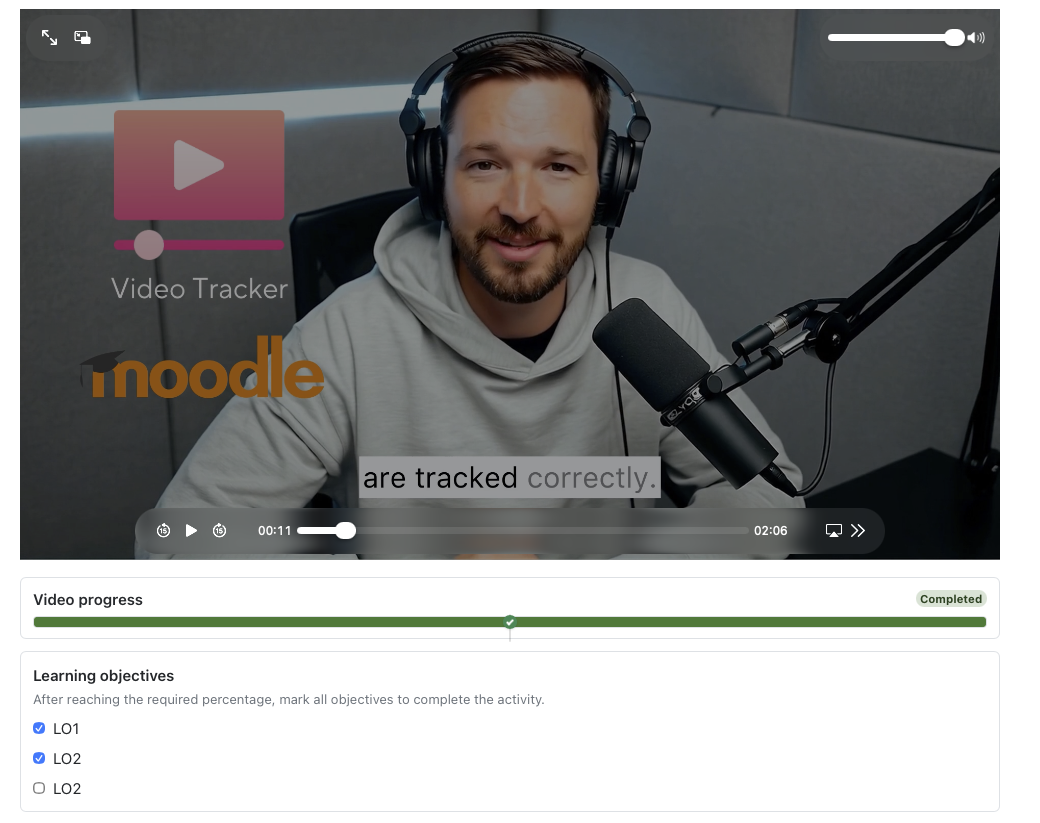
Learplug VideoTracker Starter is a Moodle activity that lets teachers add video-based learning to a course while giving learners a reliable way to resume playback and see their progress. It provides essential video engagement tracking at an affordable one-time price. Upgrade to Video Tracker Pro for advanced analytics, exports, additional features, ongoing updates, and priority support.

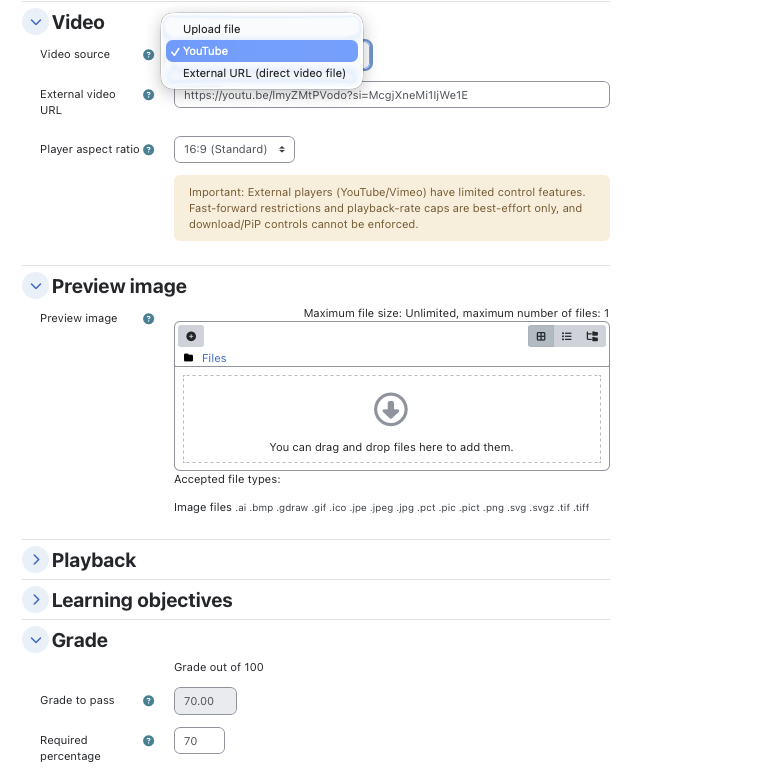
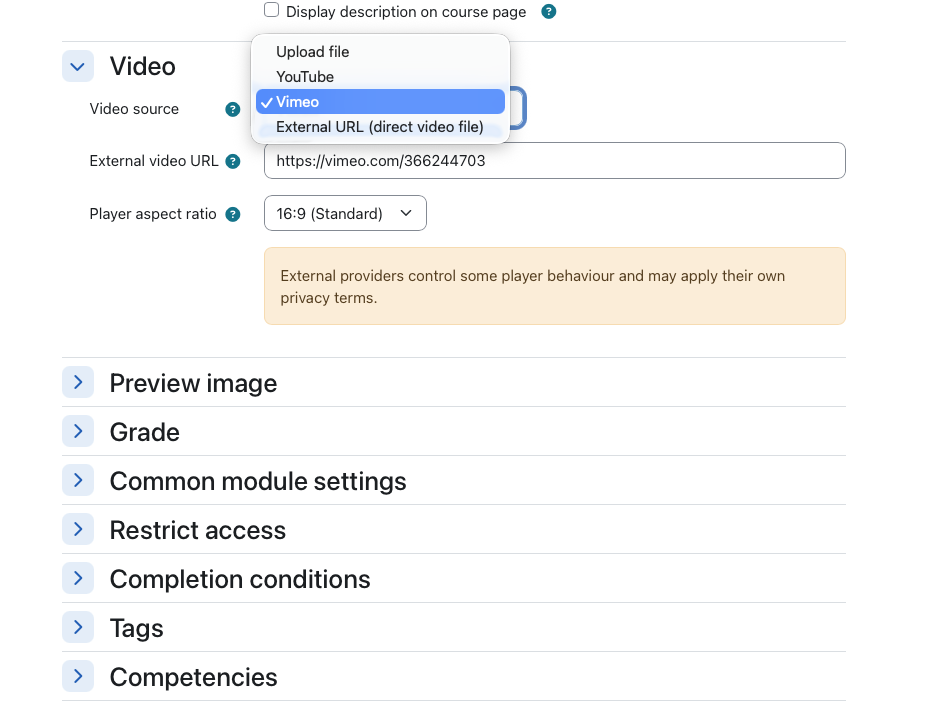
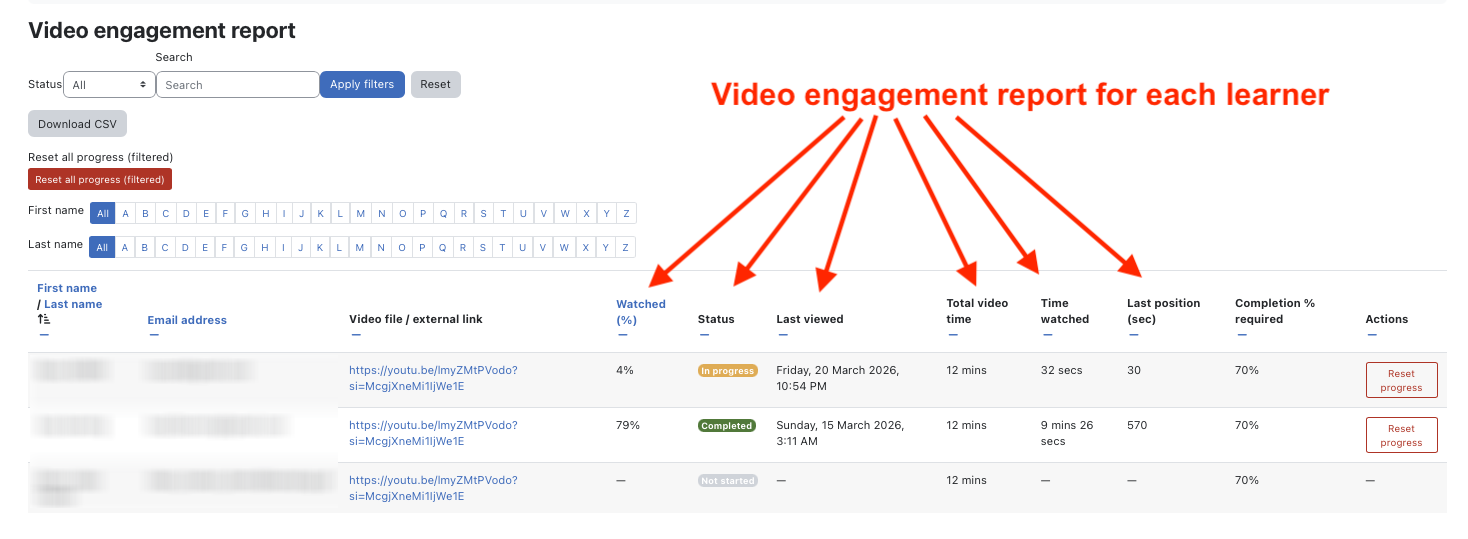
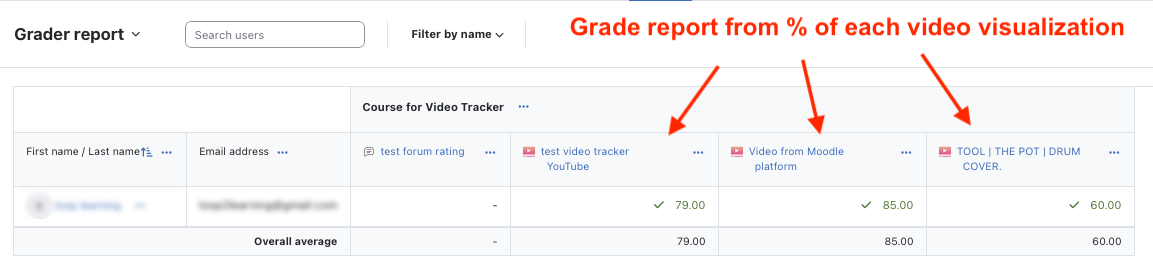
Teachers can use a video uploaded to Moodle, a YouTube video, a public or unlisted Vimeo video, or a direct HTML5 video URL. The activity records each learner's watched percentage and last position, sends the resulting percentage to the Moodle gradebook, and can complete the activity when a configured viewing threshold is reached.

Key features for Learnplug VideoTracker Starter

  • Moodle-hosted video uploads 
  • YouTube embeds
  •  Vimeo embeds
  •  Direct HTML5 video URLs
  • Optional poster image and configurable player ratio 
  • Per-learner watched percentage and resume position 
  • Percentage-based activity completion
  • Moodle gradebook integration
  • Teacher engagement report with status, search, and group filters
  • Individual and filtered bulk progress reset
  • Administrator gradebook diagnostics and recovery links
  • Moodle backup and restore
  • Moodle Privacy API support
  • Moodle App integration

Common use cases 
LearnPlug VideoTracker can be used for training videos, recorded lessons, demonstrations, onboarding material, compliance content, flipped-classroom preparation, and other activities where teachers need visibility into learner viewing progress. 

Privacy and external video providers 
Uploaded videos and tracking data remain in Moodle. If a teacher selects YouTube, Vimeo, or another external URL, the learner's browser connects to that provider. Site administrators should include applicable external providers in their privacy documentation.

LearnPlug VideoTracker Profissional 
For the Pro license - https://loop2learning.pt/video-tracker-moodle-plugin/
Documentation: https://loop2learning.pt/videotracker_documentation/

Key Features for LearnPlug VideoTracker Pro

  • Upload video, YouTube, Vimeo, and direct HTML5 video support
  • Per-learner viewing progress and resume playback
  • Percentage-based completion and Moodle gradebook integration
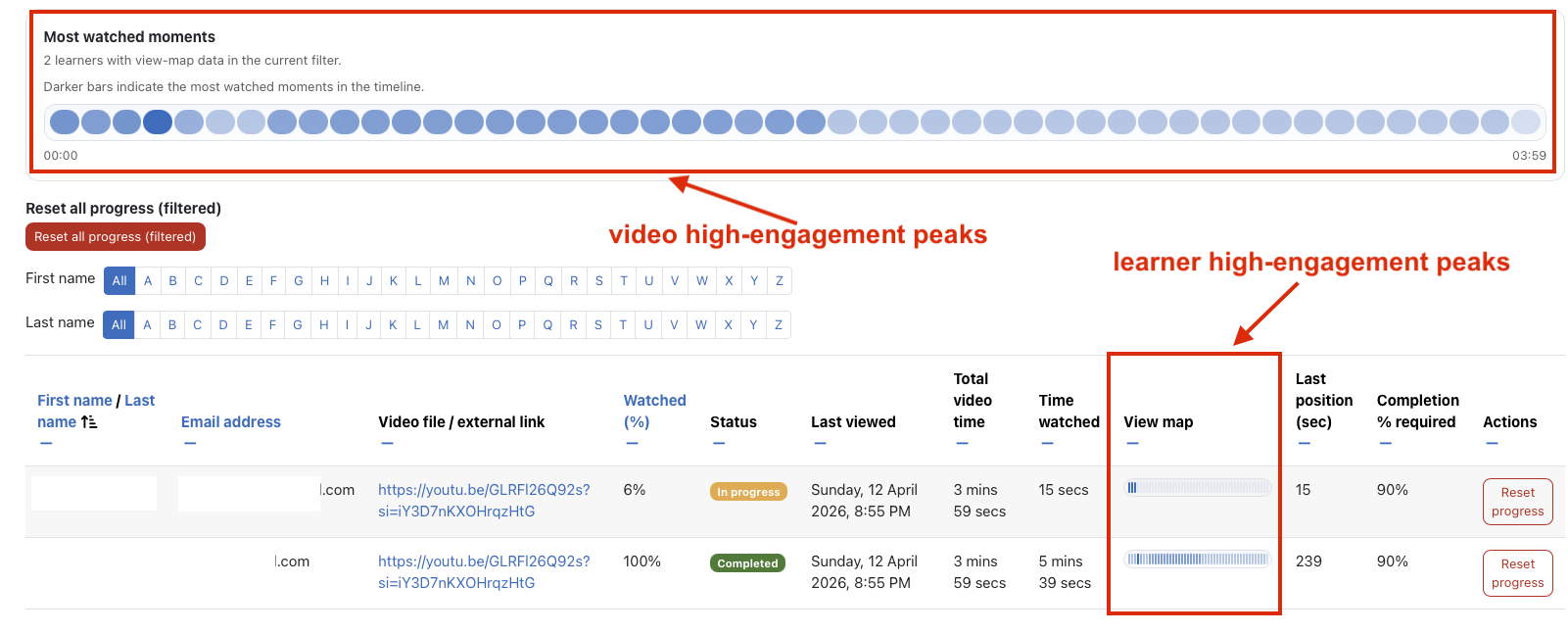
  • Advanced engagement reports and CSV export
  • Most-watched timeline analysis
  • Learning objectives and learner confirmation
  • Anti-skip option and playback-speed controls
  • Download, picture-in-picture, and context-menu restrictions
  • AI-powered subtitle transcription and translation
  • Timed WebVTT output
  • Manual WebVTT upload and replacement
  • Individual and bulk progress reset
  • Moodle App, Privacy API, backup, and restore support
  • Licence management, protected updates, and administrator notifications
  • Commercial updates and customer support

Support Questions and issue reports can be submitted through the public project discussions:
Check our wiki: https://github.com/n-cardoso/moodle-mod_videotracker/wiki 
Discussion URL: https://github.com/n-cardoso/moodle-mod_videotracker/discussions
GITHUB URL: https://github.com/n-cardoso/moodle-mod_videotracker

Contributors

Awards

Privacy friendly
Early bird 5.2