Andrew Lyons
Javascript upgrade to YUI3

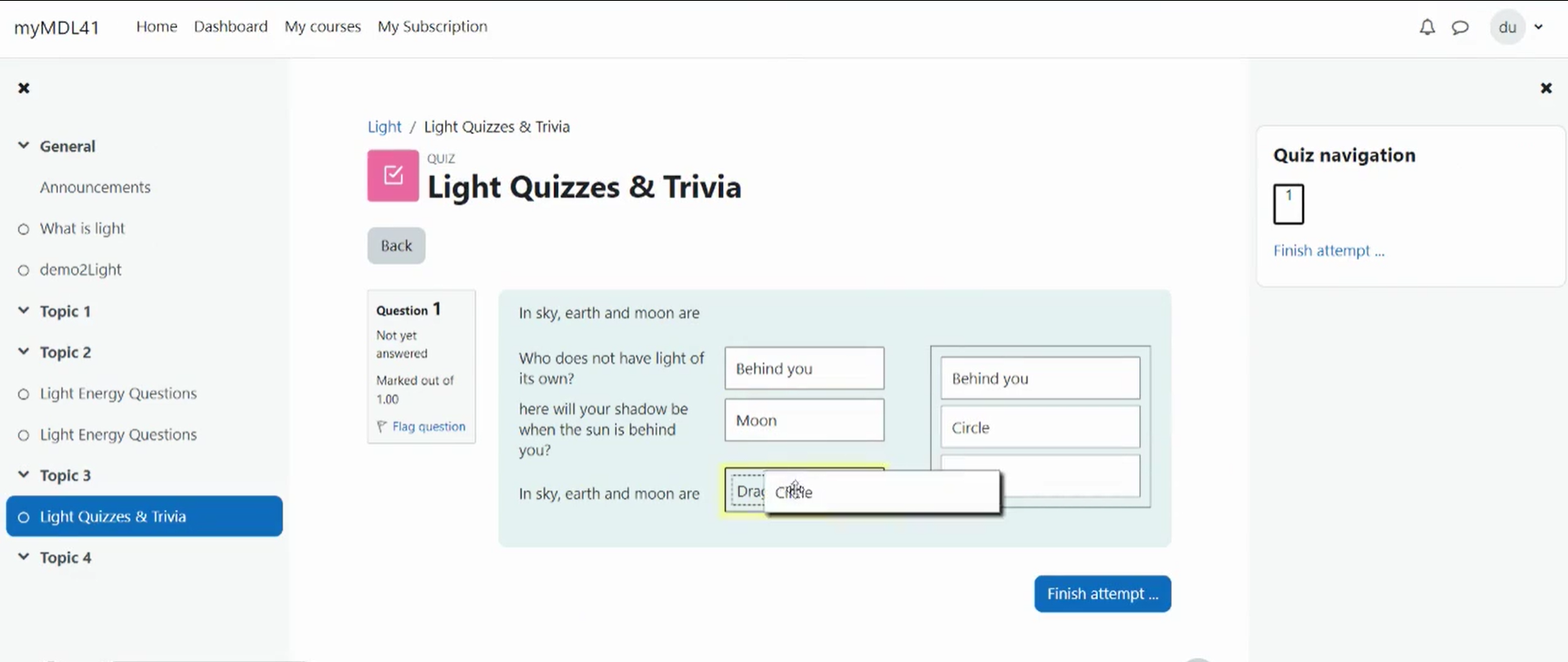
Matching questions in Moodle are created by supplying several questions and their correct answers. Enhance the matching questions of the quiz by adding a drag-and-drop interface. Hence promotion a fun and relaxing learning environment.
For further details on this plugin kindly read the documentation available : https://dualcube.com/docs/drag-and-drop-matching/
Automatic Answer Space Generator - No need to break a sweat as a predefined space is created whenever the matching quiz appears.
Mutiple Option as Answers - Students need to simply select the correct answer from the option list. This helps create a better learning environment and saves time.
Enhanced user interface - The drag-and-drop interface is extremely simple to use, as students simply 'drag' and 'drop' the correct answer.
Automatic Grading - After responding to the quiz, the student will automatically receive a grade based on their input.
Try out this easy to use solution if you want to make learing activities fun.

