Pimenko team
Lead maintainer

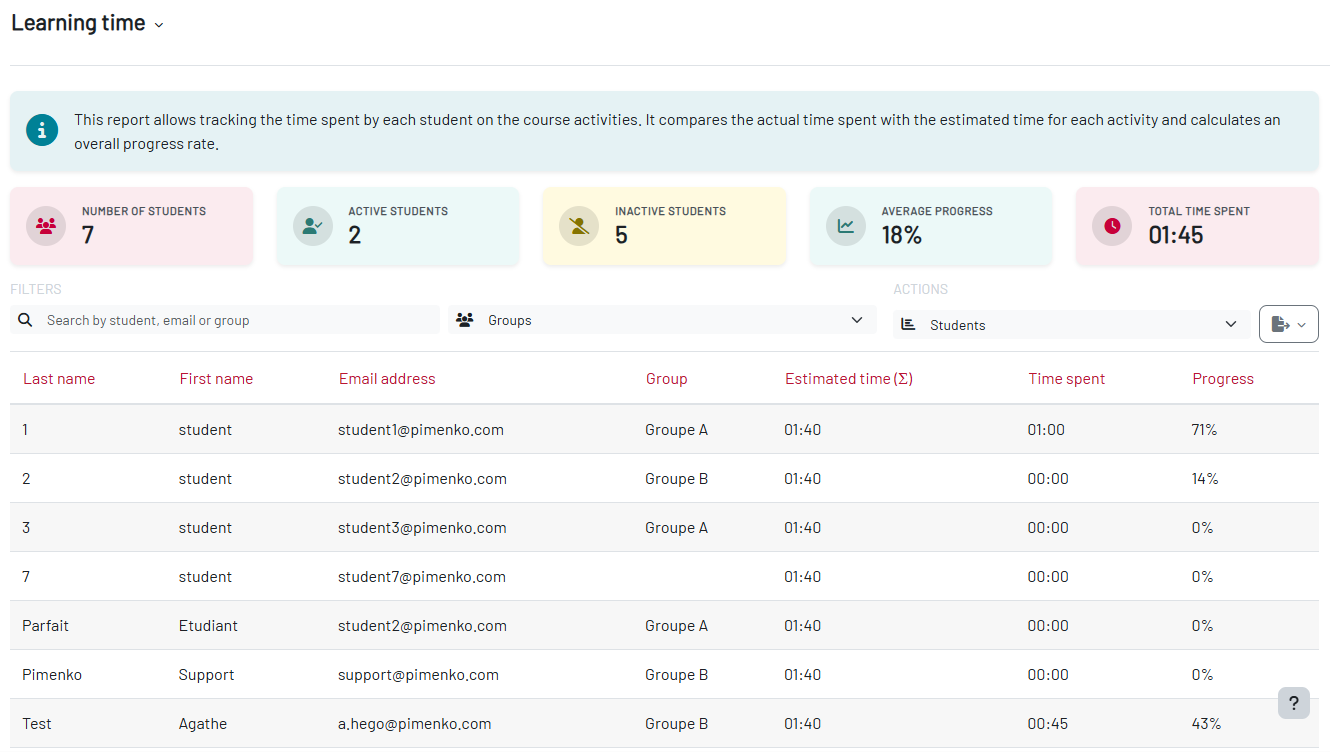
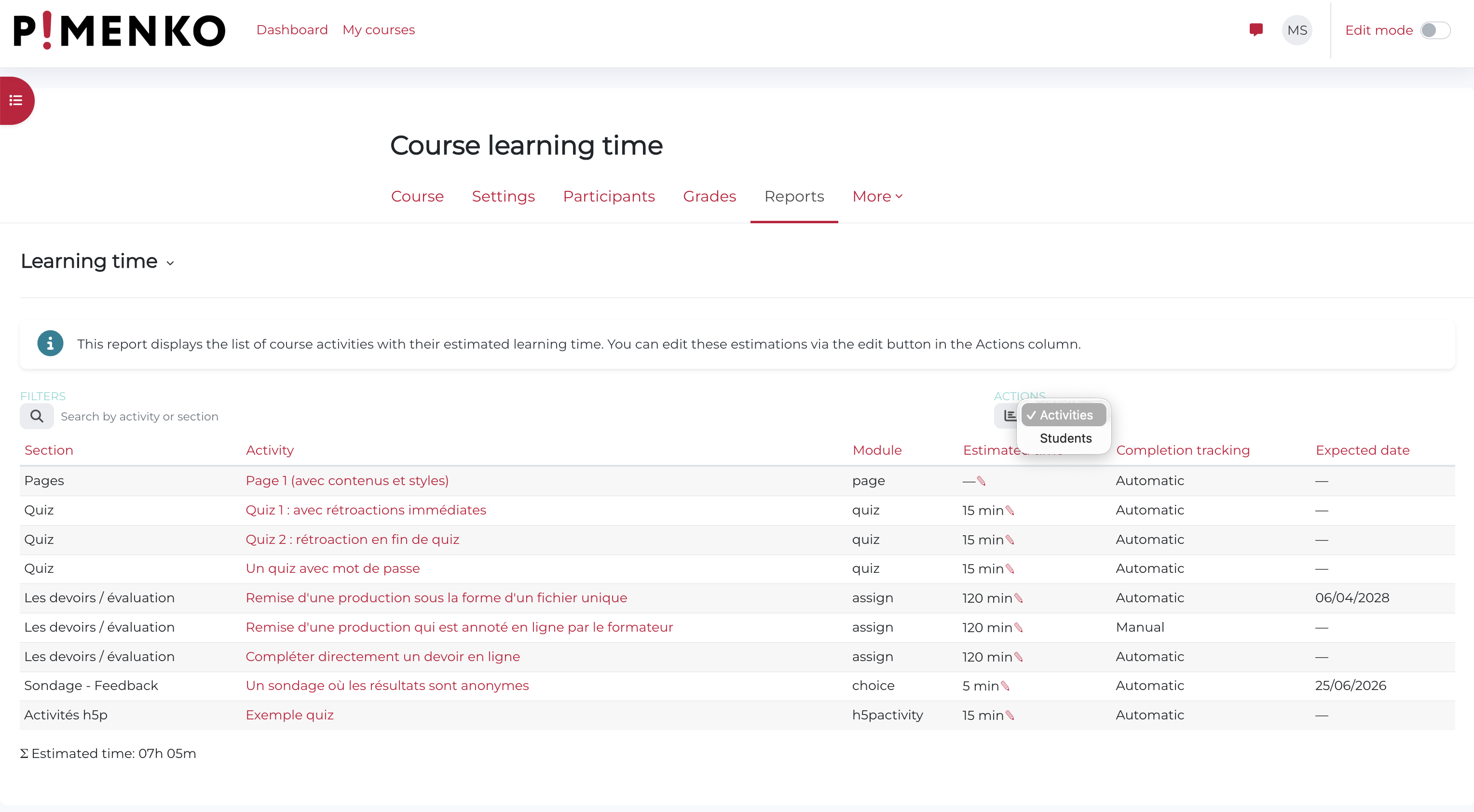
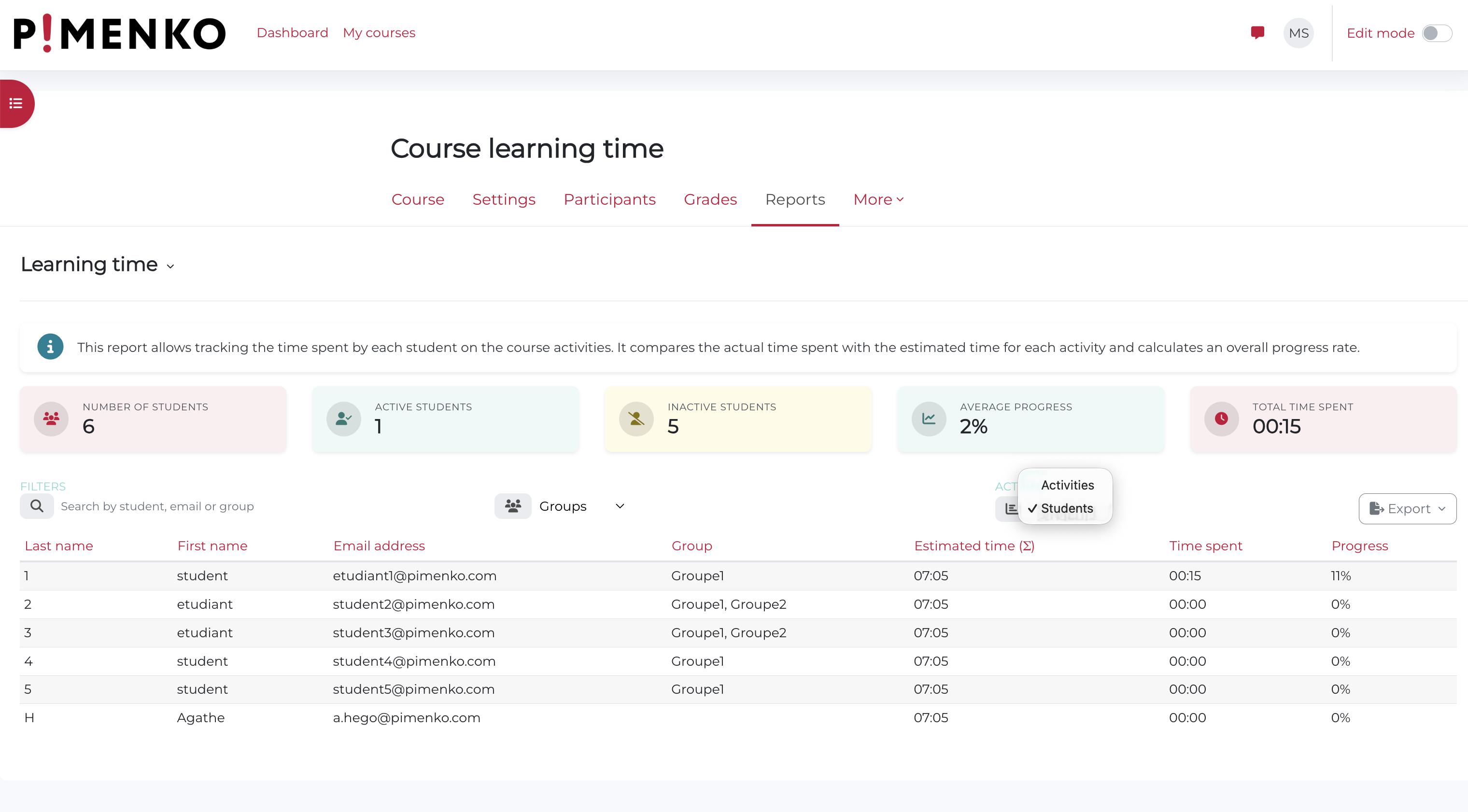
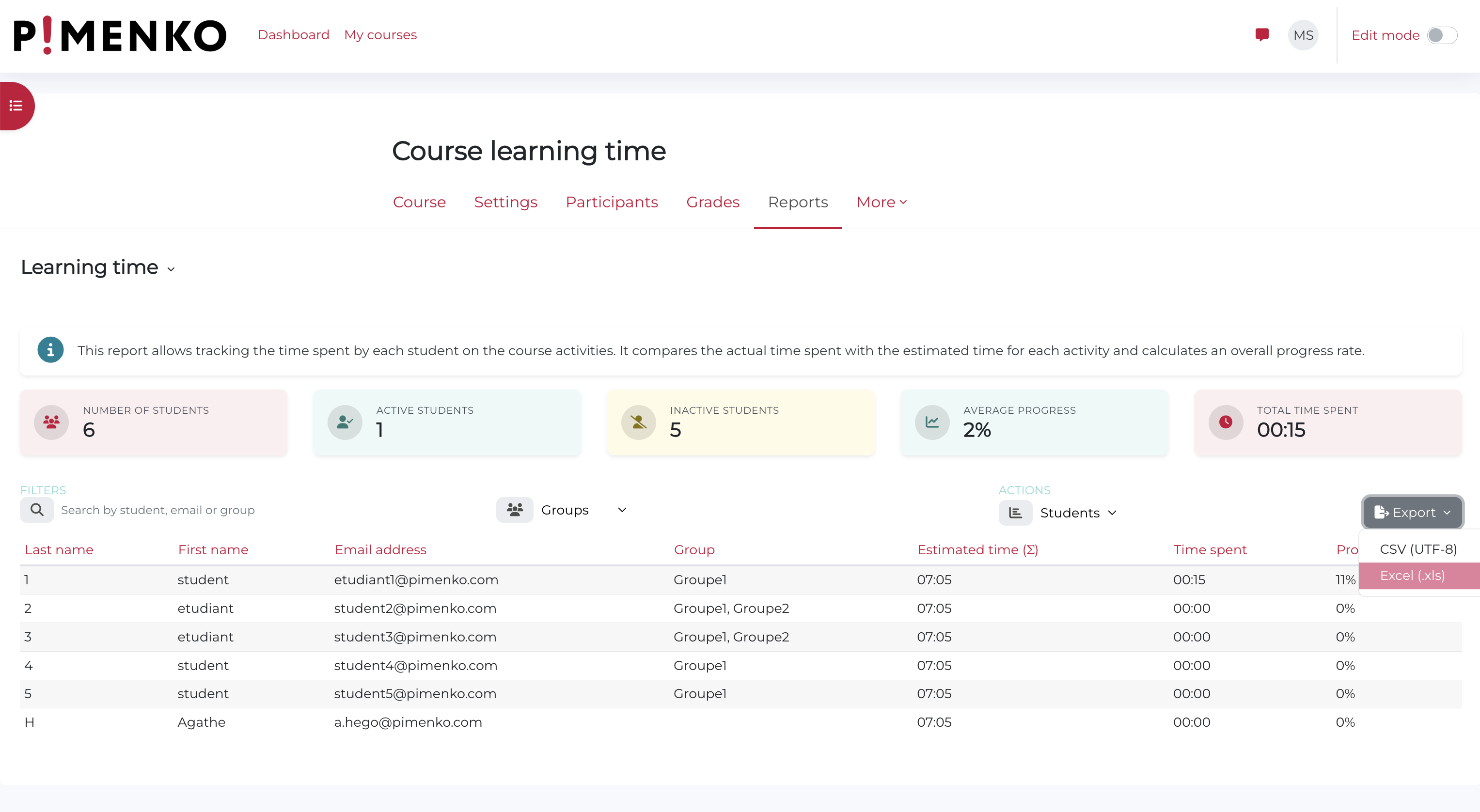
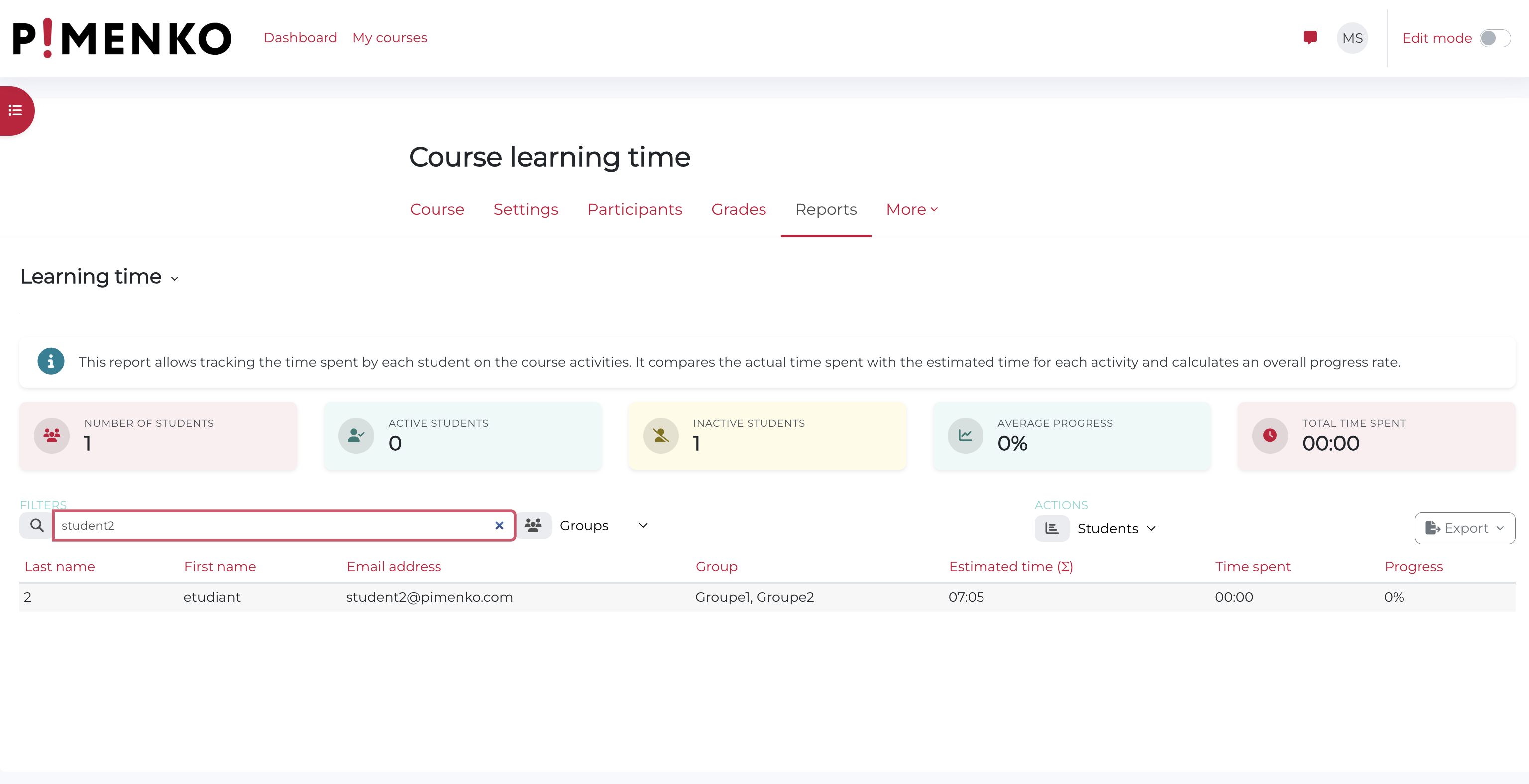
Unlike time-tracking tools that measure screen time, LearningTime records study time based on actual activity completion — giving you unbiased, pedagogically sound data ready for audit and reporting.
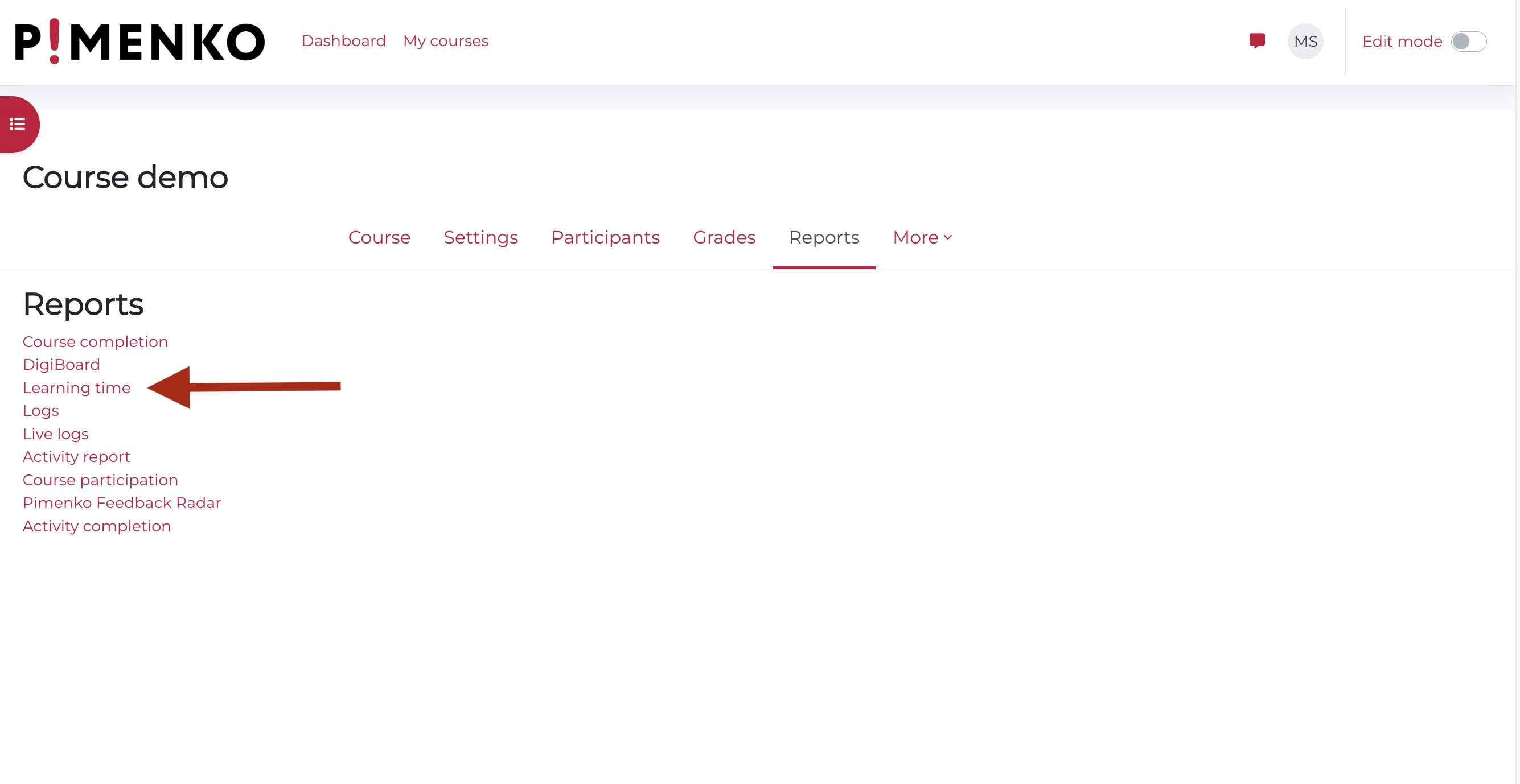
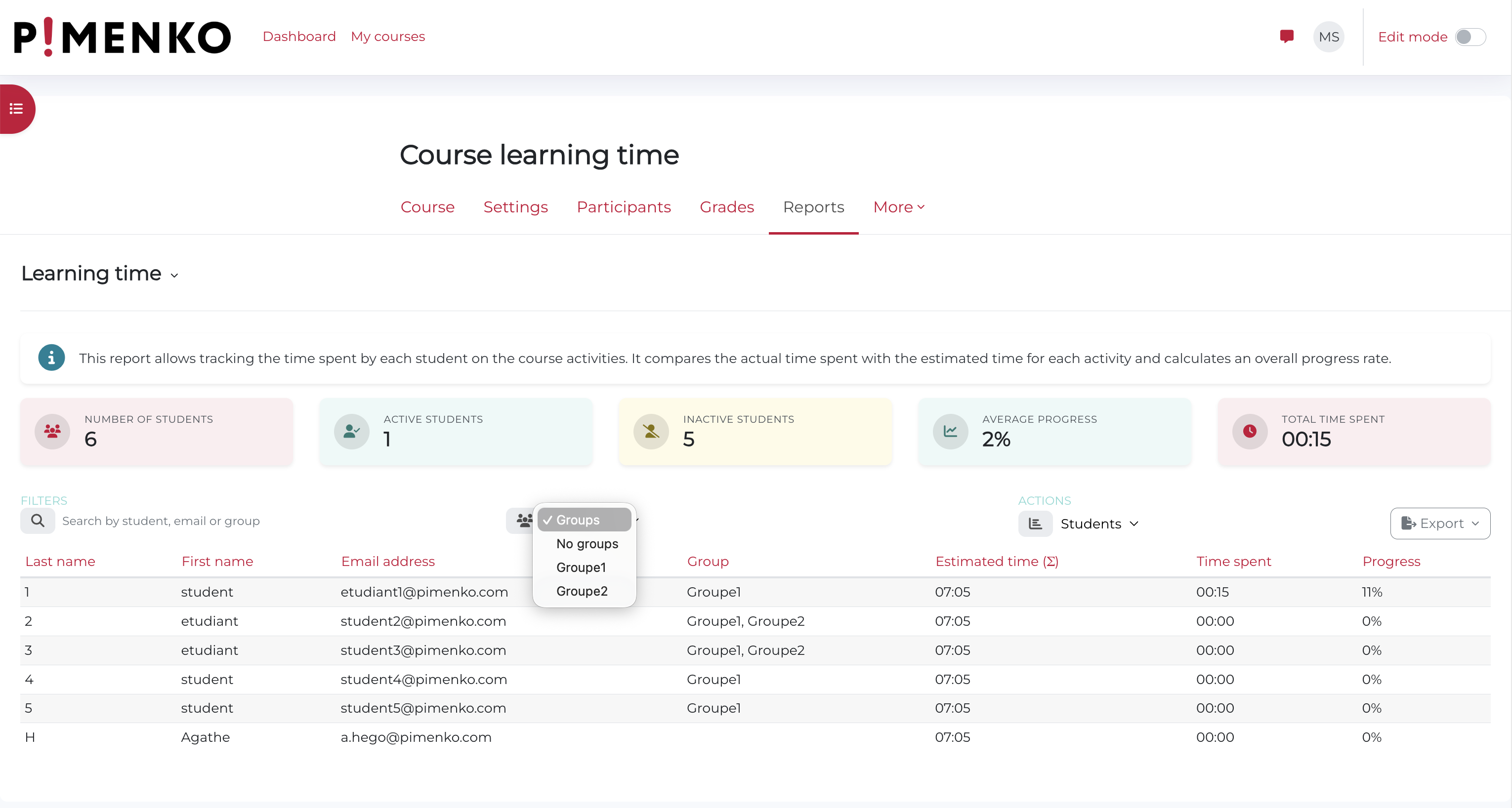
For teachers and course designers, assign an estimated duration to each activity once — LearningTime automatically records it when a learner completes the activity. Track progress and study time by course, group or individual learner from a single report, directly from the course Reports tab.
For training organisations and institutions, LearningTime generates the study time evidence you need for Qualiopi audits, CPF declarations and OPCO reporting — without manual tracking or external tools.
How is LearningTime different from other time-tracking plugins?
Most time-tracking tools measure screen time — including inactive sessions where a tab is left open. LearningTime records time based on actual activity completion only, using the estimated duration set by the teacher. The result is unbiased, reliable data you can defend in an audit.
Does the plugin require activity completion to be enabled in the course?
Yes. LearningTime relies on Moodle's activity completion feature. Only activities with completion criteria configured will appear in the report and have their estimated time recorded.
Can I filter the report by learner group?
Yes. If groups are configured in the course, a filter lets you display only the participants from a specific group. Non-editing teachers automatically see only their own group.
Who provides support?
Support is provided by Pimenko, a certified Moodle Partner based in Lyon, France. Requests are handled via our issue tracker.