Sébastien Viallemonteil
Lead maintainer
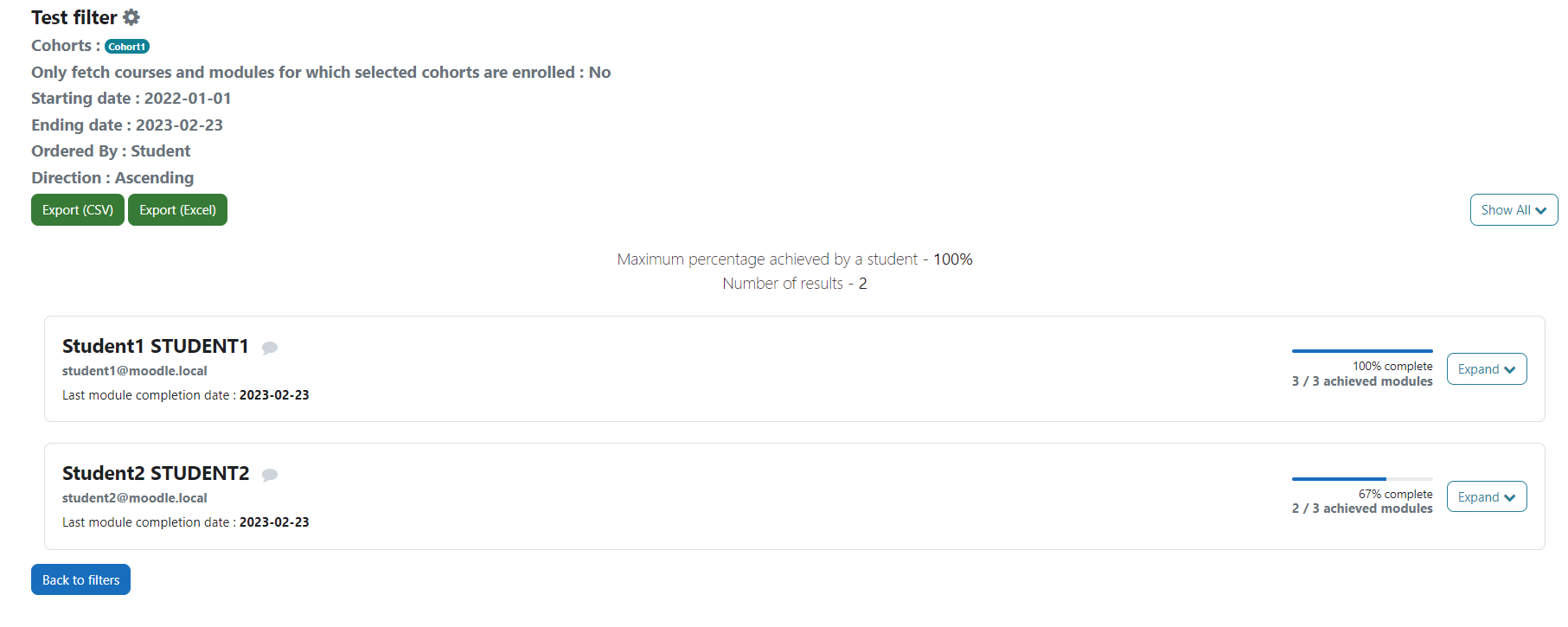
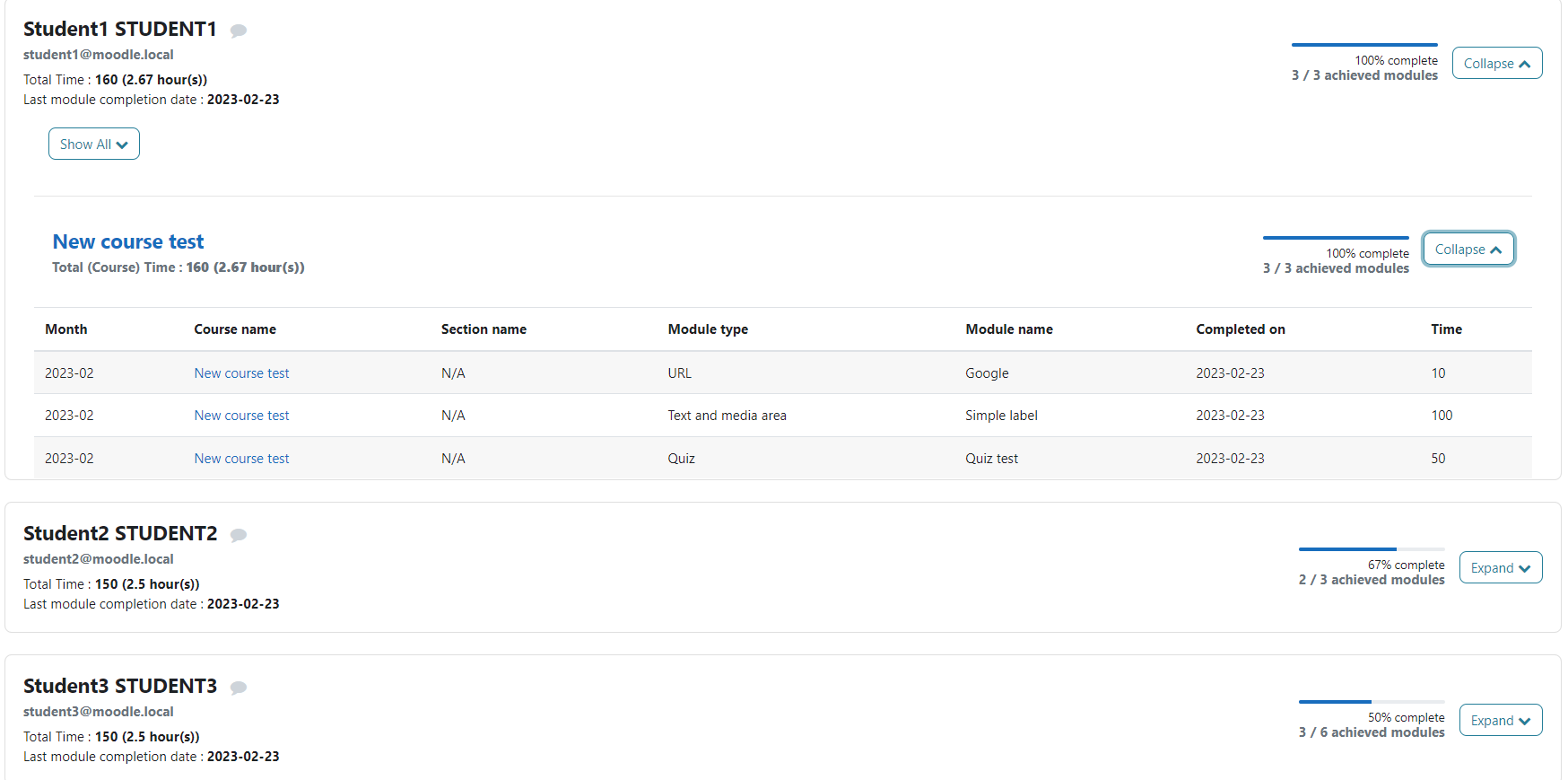
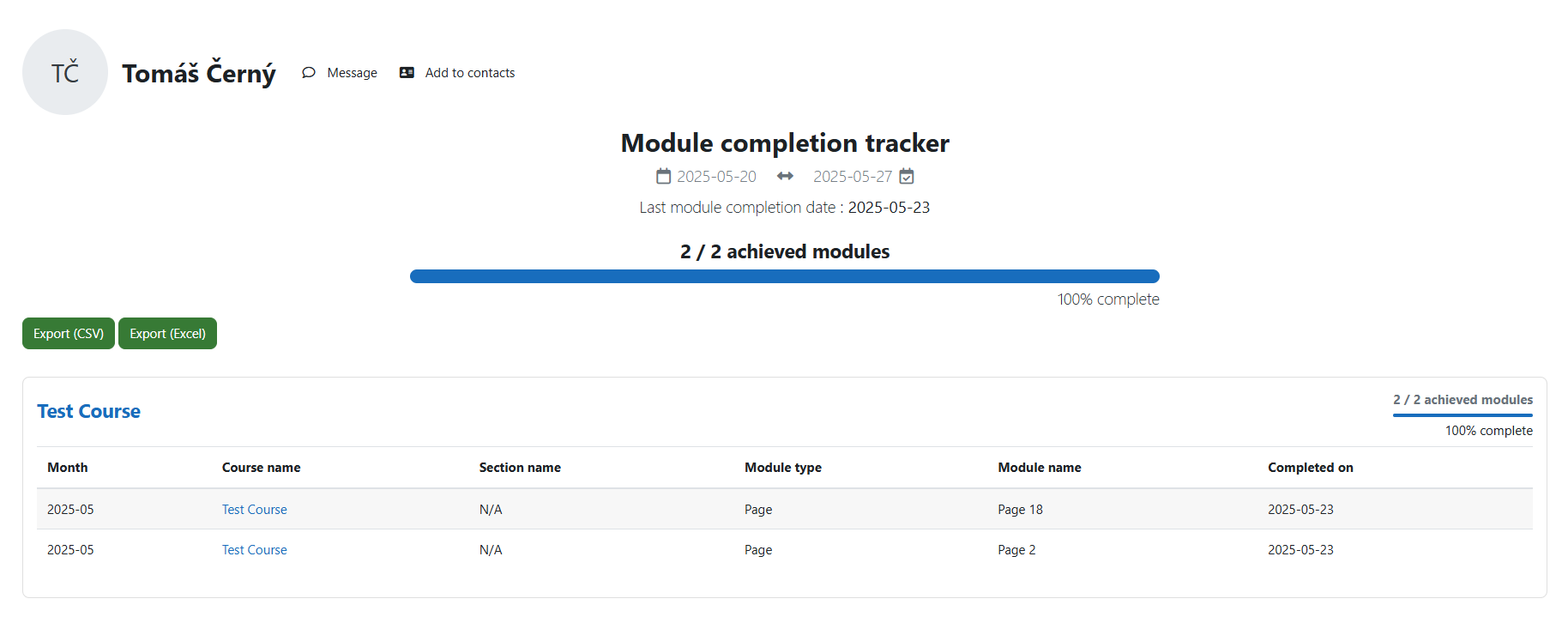
The report_modulecompletion plugin is an essential tool for Moodle users who want to monitor the progress of their students. This plugin is designed to track the progression of students in all of their courses for a given period. The plugin is particularly useful for teachers and other educators who need to keep track of student progress and identify areas where students may be struggling.
Installation & Configuration
You can install this plugin like any other Moodle plugin although you must have Moodle 4 or above to use this plugin. Even though it was created (and was working) prior to Moodle 4 we only decided to support v4 and above to avoid too much maintenance.
Either download the package from the Moodle plugins repository page or from the Github page of the plugin.
Once installed, you will have to choose which modules/activities you would like to track on your platform; by default, all modules will be checked. Keep in mind that you will need to come back to the settings page and check any module/activity you might install in the future and want to track.
In order to be accessible by whomever needs access, administrators should create a new specific role with the following capabilities :
report/modulecompletion:viewmoodle/site:configview (don’t worry, that won't give access to the whole administration)moodle/cohort:view so they can access the list of cohorts when they are creating filters (read only access)moodle/user:viewdetails so they can access the list of users when they are creating filters (read only access)Users with access will then be able to use the plugin via Site administration > Reports > Tracking module completion (under "Module reports" category)
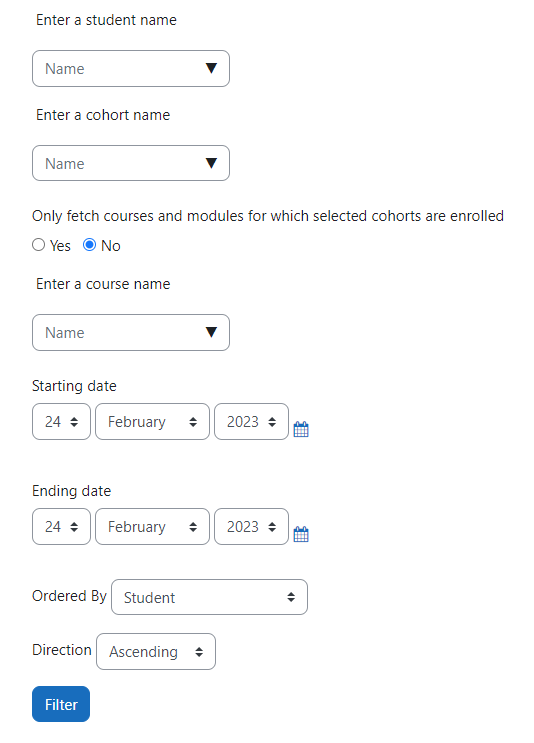
The entry point is through filters. They will allow you, as the name intends, to filter your results. You might want to follow specific students or a whole cohort or even track progression for a specific course. You can save, and duplicate your filters. You also can make a quick filter that you can save afterwards, or not.
Here are all the filters explained:
Combining filters
If you decide to combine filters, more specifically students, cohorts and courses, you might have less results that what you were expecting. If you select students via the students and cohorts, they will combine fine. However if you add courses filter, you will restrict your results to only the selected courses, meaning that selected students who are not enrolled in selected courses will not appear in the results.
Important notes
Exports: you can exports your results in either in CSV or XLSX (Excel) if you need to deeper analyze students results with other tools. Note that it will take as much time to generate exports file as it take to load the results in Moodle.
This plugin is compatible with the local_metadata plugin: https://moodle.org/plugins/local_metadata?lang=en_us
Even though the plugin has never been released in a stable state, we use it on a daily bases as it covers our needs. We need to keep track of the time spent on each module for our students, especially for those with financial aid. local_metadata allows us to affect time (in minutes) to each module. It took some time but every module that needed to have a hypothetical time now has it.
If you decide to use the metadata plugin (or that you are already using it), you will be able to combine it with this plugin, at least for modules metadata.
For administrators: Once the metadata plugin is installed, go to Site administration > Reports > Settings (under "Module reports"), you will have to check Use metadata plugin. Then go back to Reports, and click on Metadata settings (under "Module reports"). On this page, you shall be able to select which module metadata you wish to display in your reports. You will also be able to specify which of these metadata are numerical so you can perform conversion on them as it is explained in the settings description. We use it to convert our "time" metadata, which is by default in minutes, to hours. In the end, the conversion will be applied to each student and to each course. Modules will still display the unconverted value.
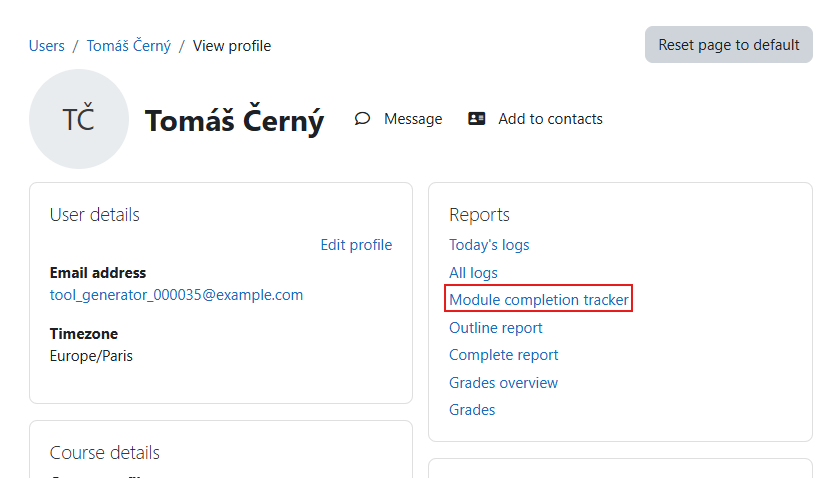
report/modulecompletion:view capability. This can be granted in two contexts:local_metadata plugin installed and you have checked Use metadata plugin in the settings, you can either decide to show/hide metadata on user’s specific tracking page by checking the Show metadata in user profile checkbox on the settings page.

If you wish to contribute, you can report bugs on the issue tracker and make pull requests.
