David Mudrák
Original author

This Moodle add-on produces various site and course report charts. The code has been designed in a way that makes adding more reports easy.
For producing the graphs, Charts API module is used. The code is using modern Moodle development techniques and patterns, such as using LESS for producing CSS files and Shifter to compose the Javascript modules.
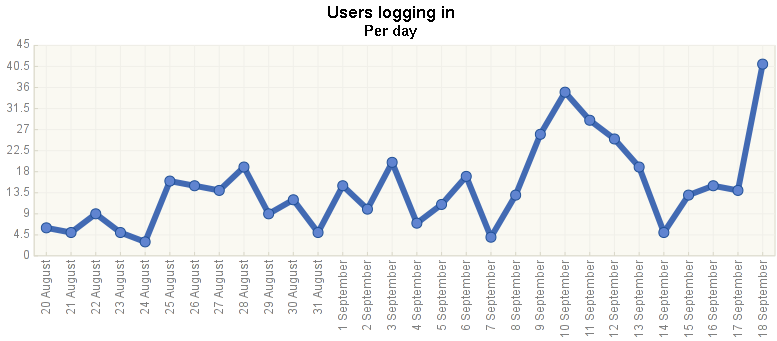
Users logging in - per day chart displays the number of unique registered users (not visits) who accessed the site per day during the last month.
User countries chart displays the countries the users are coming from, based on their user profile field.
User preferred languages chart displays the UI languages the users have selected as preferred ones in their profiles.
Number of courses per category reports the number of courses in each course category, both recursively (including subcategories) and own courses only.
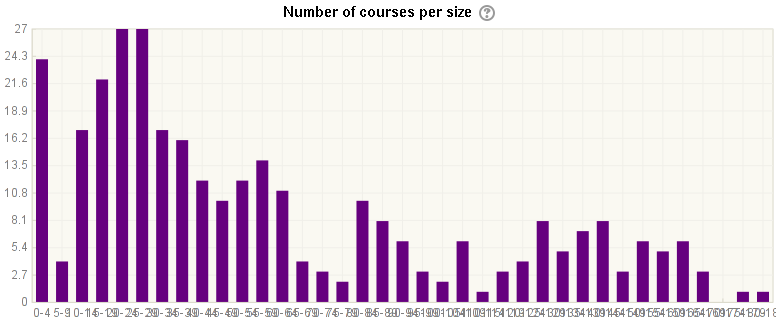
Number of courses per size displays the distribution graph of number of activities per course. That is, how many courses are there with 0-4 activities, 5-9 activities, 10-14 activities etc.
Enrolled users chart displays the progress of user enrolments into the course based on estimated historical figures.
This add-on is currently maintained by DualCube. It was written by David Mudrák david@moodle.com, @mudrd8mz.

