Tiny Font Color icon

Tiny Font Color

Maintained by Luca Bösch, Stephan Robotta
The Tiny Font Color provides two toolbar buttons and menu entries to set different text and background colors.
Price option: Free

Supports Moodle 4.1-5.2 See all versions
Latest release: 2 weeks ago
Installations: 6445
Downloads (last 90 days): 1475

Frankenstyle name: tiny_fontcolor
TinyMCE

Description

Overview
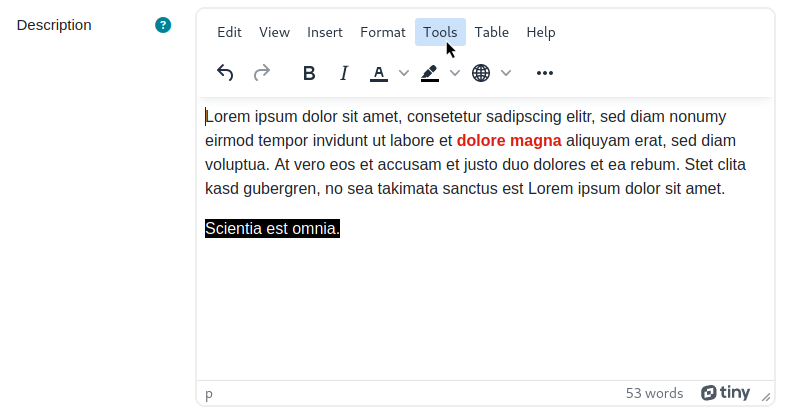
The plugin provides two buttons in the TinyMCE editor to set a text- and a background color. Colors can be defined by the site admin, so that the user may be limited to the predefined colors. In addtion the color picker can be enabled or disabled. Settings are separate for text color and background color.
 
How to install
  • Unzip the plugin in the Moodle .../lib/editor/tiny/plugins/fontcolor/ directory.
  • As a Moodle Admin go to Site Administration -> Plugins -> Text Editors -> TinyMCE editor -> Tiny text color/text background color settings and add a view color names and color codes for at least on of the setting "Available text colors" or "Available text background colors".
  • Optional enable/disable the color picker for text color or background color.

If no colors are available and the color picker is disabled then the menu item and button in the TinyMCE editor will not appear. This is valid for both, the text color setting and the background color setting.

The color name can be an arbitrary string e.g. Red or Dark Green or whatever you name your color. The name can be also the "corporate name" e.g. that is used in any style guides of the corporate identity at your institution.

Contributors

Awards

Automated testing support
Privacy friendly
Early bird 4.2
Early bird 4.3
Early bird 4.4
Early bird 4.5
Early bird 5.0
Early bird 5.1
Early bird 5.2