Justin Hunt
Lead maintainer
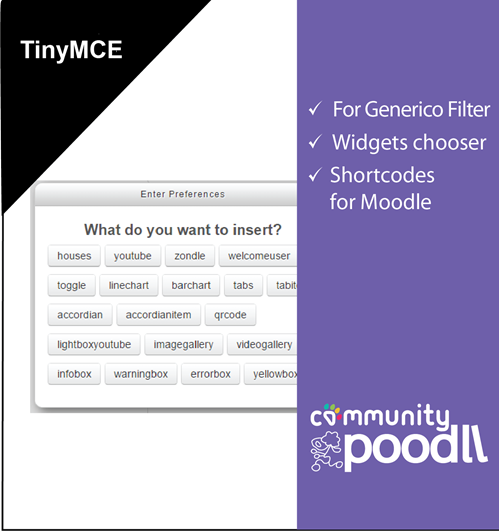
The Generico Widgets icon on the TinyMCE toolbar works with the Generico filter to provide a simple way to insert Generico filter strings into Moodle. Instead of typing filter strings by hand, teachers pick a widget from a dialog, fill in a short settings form, and a correctly formed filter string is inserted into the text.
Tiny Generico supports templates from both generations of the Generico filter:
Either filter (or both) can be installed. The widget picker lists whichever templates are available, in labelled groups when both filters contribute.
Look for the Generico Widgets icon on the text editor toolbar (it is also available from the editor menu). Clicking it opens a dialog listing the Generico widgets available on your site. Choose the widget you need and, if it has variables, a settings form appears — pre-filled with the template's defaults and showing any instructions the template author provided. Click Insert and the finished filter string is placed in the editor. When the page is viewed, the filter replaces it with the rendered widget.
Only relevant widgets are offered: templates from filters that are not active in the current context are skipped, hidden Generico templates are not shown, and Generico Two templates honour their own per-context restrictions.
This plugin is for Moodle's TinyMCE editor and requires Moodle 4.3 or greater. At least one of the Generico filters must be installed and enabled (Generico Two itself requires Moodle 4.5 or greater). Tiny Generico is free and needs no external services or API credentials.
You can install directly from this page if the "Install" button appears at the page top right.
If using zip, first download and unzip the file, and place the "generico" folder in your Moodle's /lib/editor/tiny/plugins folder. Or use git directly from the /lib/editor/tiny/plugins folder, ie
git clone https://github.com/justinhunt/moodle-tiny_generico.git generico
Then visit your site admin's notifications page. The plugin installer will walk you through the installation process. There are no plugin settings — the widget list comes entirely from the Generico filters' template configuration.