Adam Jenkins
Lead maintainer

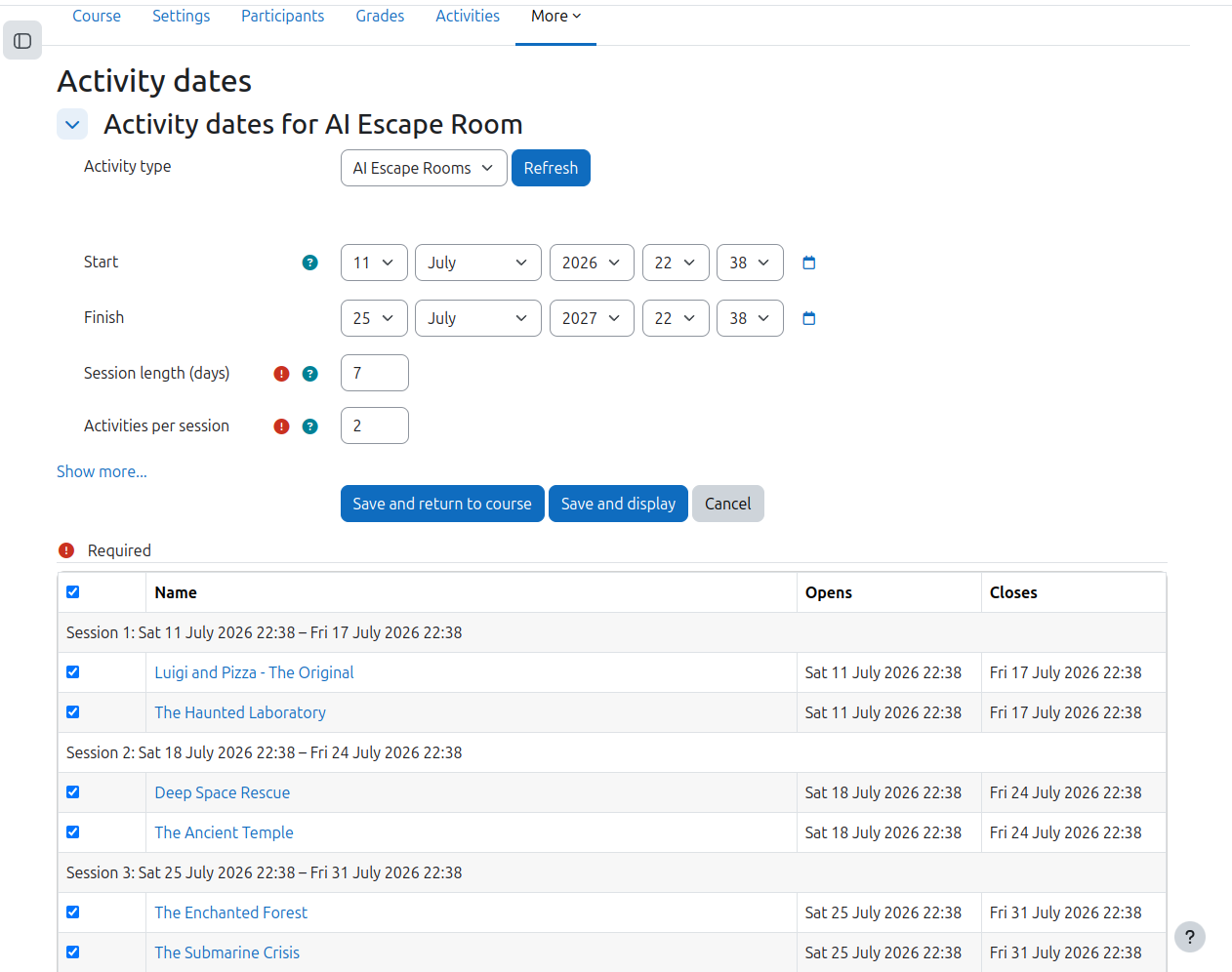
Activity dates is a Moodle admin tool for teachers and managers who need to spread a course's activities across a series of timed sessions without editing every activity by hand. From the course administration menu, you pick an eligible activity type - quizzes, choices, feedback, SCORM packages, or any other module whose instance table has timeopen/timeclose columns - then set a schedule start and finish date, a session length in days, and the number of activities per session. The tool chunks the course's activities of that type into sessions in course order and previews the result in a table: each session's date window, every activity's current open and close dates, and checkboxes to control exactly which activities are scheduled.
Saving writes each selected activity's own open and close dates directly, refreshes its calendar events, and makes it visible. Because the dates land in each module's native fields, students see standard "Opens/Closes" information on the course page with no availability restrictions involved. Optionally, activities can stay available after their session finishes, and unselected activities can be hidden from the course and/or have their dates reset. Site-wide defaults for the scheduling form are configurable, and the plugin stores no personal data (GDPR null provider). It was inspired by Marcus Green's Driprelease.

