
Cohort greeting
Premium Certified Partner
Maintained by
Benjamin Wolf
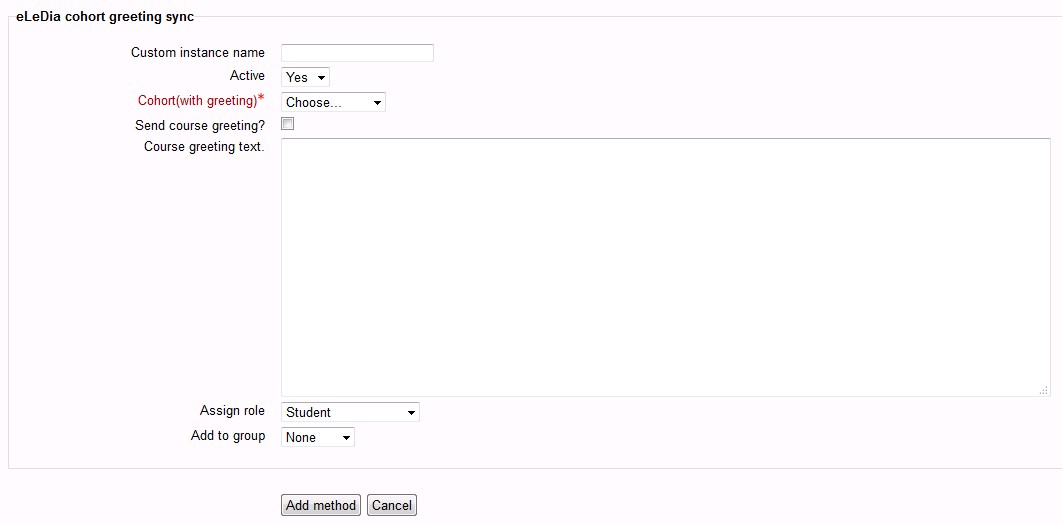
This plugin is based on the core enrolment cohort.
Within this plugin we add a course greeting to the plugin similar to the self enrol plugin.
Comments
Comments are no longer open for new posts. Existing comments remain available to read.
The rest of Moodle has a search option if they have a pulldown menu. You can type a part of the text and the correct cohort pops up.
However if you really need it you could ask for commercial support at info@eledia.de.
In short: When you have the enrolment instance in your course configured with your cohort, the user you add to your cohort will be enrolled and emailed.
Moodle really knows how to grind my gears sometimes.
Furthermore, on the plugins overview page (Site administration / ► Plugins / ► Plugins overview), the cohort greeting is listed as disabled:
cohort greeting 0.3 (2016060700) Disabled
enrol_elediacohortgreeting 2016060700
How do I enable it?
The setttings page shows:
Default Role = Student
External unenrol action = Unenrol user from the course
I will update the name string so they wont get mistaken any more in the future.
\