
Offline Quiz
Maintained by
AMC Academic Moodle Cooperation
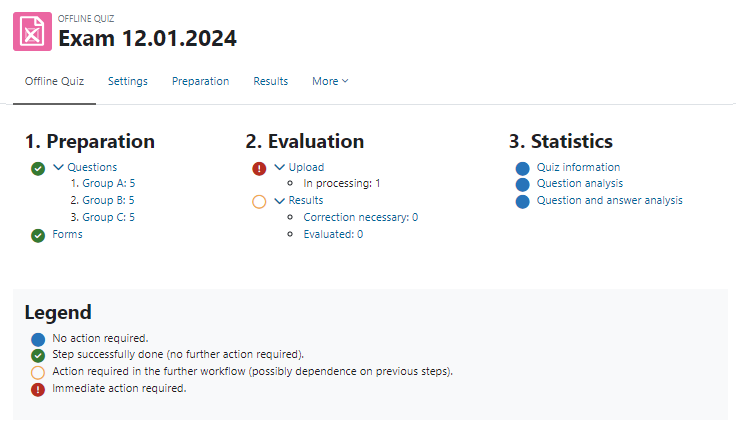
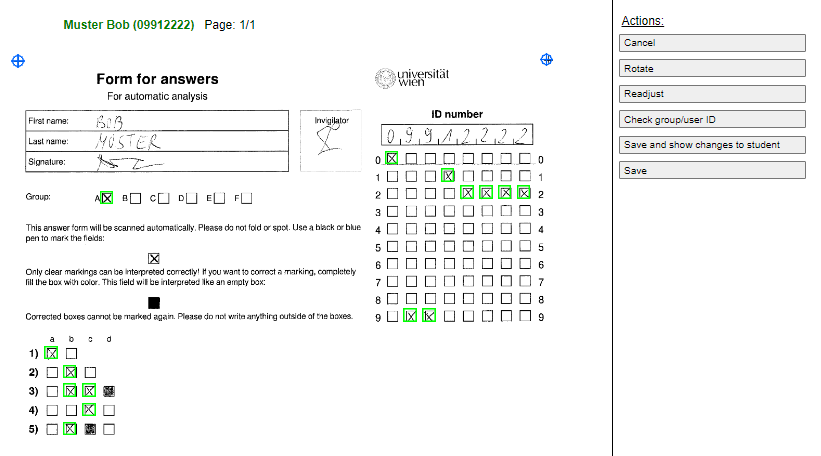
The Offline Quiz activity allows the creation of multiple choice tests with questions from the question bank of a Moodle course, which are handed out to students in printed form. After completion, the answer forms are scanned and can be automatically evaluated online directly in Moodle.
Comments
Comments are no longer open for new posts. Existing comments remain available to read.
Any plans to upgrade the plugin to Moodle 3.8?
Ricardo
is it possible to import responses in PDF?. I have the message Image type not supported
Thank you so much
on most moodle instances for universities or schools the students have their matriculation number or studentid in their profile field "idnumber" which is only changable by an administrator by default.
In our case filling this value is done automatically.
You can either set it as an admin manually or find another way to have any identifcation number in the users table for each participant that the participant has to know before the test.
The b[5]cd=idnumber would mean that the plugin will look into the table "users" and look for the field "idnumber" (right part of the equation). In there it searches for a[5]cd (left part of the equation) and replace the [5] with the number that the participant has crossed on the answer sheet, which is exactly 5 digits long.
So if a user would have crossed 04711 it will search for "b04711cd" in the idnumber field.
Hope this helps.
I tried the two admin settings show in the instructions. First was a[7]=username which gives me a username in the moodle user table column but i still have no ID number for the mark sheet.
Then I tried b[5]cd=idnumber. Tihs gave me the same result as the default setting.
SO, I'm stuck! Everything else seems to work okay - I've generated papers and mark sheets athen scanned and uploaded the sheet. This has been processed but cannot be marked as there is no ID number.
PLease advise, thank you
normally it is the column "idnumber" which can be set by an admin and/or with automated scripts.
I can't work out how to generate an id number for the learner to write onto the answer sheet. Please advise, thanks
the evaluation is done via scheduled tasks (also called cron)
have you set up your moodle instance to run cron? https://docs.moodle.org/37/en/Cron
When uploading my answer sheets I receive a message "3 answer form(s) is/are pending evaluation", and it stays there I never receive an email and it never show in the results.
I'm on Moodle 3.7 and also use the 3.7 plugin
The plugin, in version 3.4.2, worked perfectly when installed on Moodle version 3.4.
After upgrading to Moodle 3.5, I updated the plugin to version 3.5.4 and after this update the plugin has stopped working (it does not correctly recognize scanned pages).
In an another Moodle installation (development) I installed versions M3.6 and M3.7 with the plugin in their respective versions and could not make it work, as it has the same problems of not recognizing the scanned pages.
My current situation is as follows: I have Moodle version 3.5.2 with the plugin installed on version 3.4.2 working perfectly.
Any idea what might be going on?
Ricardo
thanks for trying out our plugin.
the plugin uses a bar code at the bottom right to identify the page number, which is only evaluated, if there is more than one page.
We didn't have any big problems with the multi page feature yet and it is tested quite well, even though not many people use it.
Have you tried using a different white value of your paper?
Have you tried using a higher DPI for the scans?
greetings
Thomas
I have a difficulty with a long offline quiz of about 100 questions, so my answer form is printed on 2 pages.
Offline Quiz corrects easily the first page, but I have a lot of errors with the second. In most cases, I have to identify it manually as the second page.
I have not find how different pages of the same answer form are differentiated.
How can I have a best result?
Have I to create 2 different offline quizzes?