AMC Academic Moodle Cooperation
Lead maintainer

With the latest development and improvements of moodle core functionality, this block should be considered as deprecated and will be no longer maintained.
WARNING: This plugin is deprecated. The last maintained version of the Plugin will be for Moodle 3.9. After 3.9 we won’t maintain the plugin any further.
The reason behind that is that now you can achieve similar functionality using the core Course Overview Block and its new filtering capabilities.
For further information on how to use moodle core features check the course overview functionality and the filter options.
If you are eager to keep this block alive you are welcome to adopt it: https://docs.moodle.org/dev/Plugins_adoption_programme
Please get in touch with us, if you want to take it over and maintain it from Moodle 3.9 onwards.
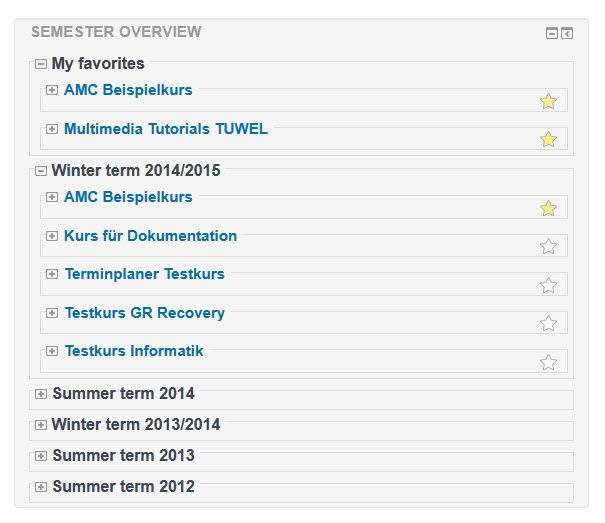
In the Semsort block (blocks/semester_sortierung), courses are grouped by their starting dates in a semester view on the MyMoodle page.
The Semsort block also displays all MyMoodle information regarding the course activities of the individual courses.
The module will also feature a "My favourites" area, for which courses from different semesters can be selected and they will then be listed at the top of the favourites area.
Use the Semsort module to display the winter and summer semesters with all your courses, and the favourites area for quick access.
Copy the module code directly to the "blocks/semester_sortierung" directory. Open the messages page in the administration are to automatically start the installation.
As an administrator you can set the default values instance-wide on the settings page for administrators in the Semsort block:


