
Site news
Maintained by
Jan Eberhardt
Display site news in full scale at my startpage.
Comments
Comments are no longer open for new posts. Existing comments remain available to read.
1. Install is OK, the plugin is available.
2. Try to add site news block to my sites (3.8.2 and 3.8.3) but it raised Exception - Call to undefined function forum_get_course_forum() and I cannot access the website as user. Fortunately I am still logged in as admin so I can uninstall the plugin. After uninstall, the sites are accessible.
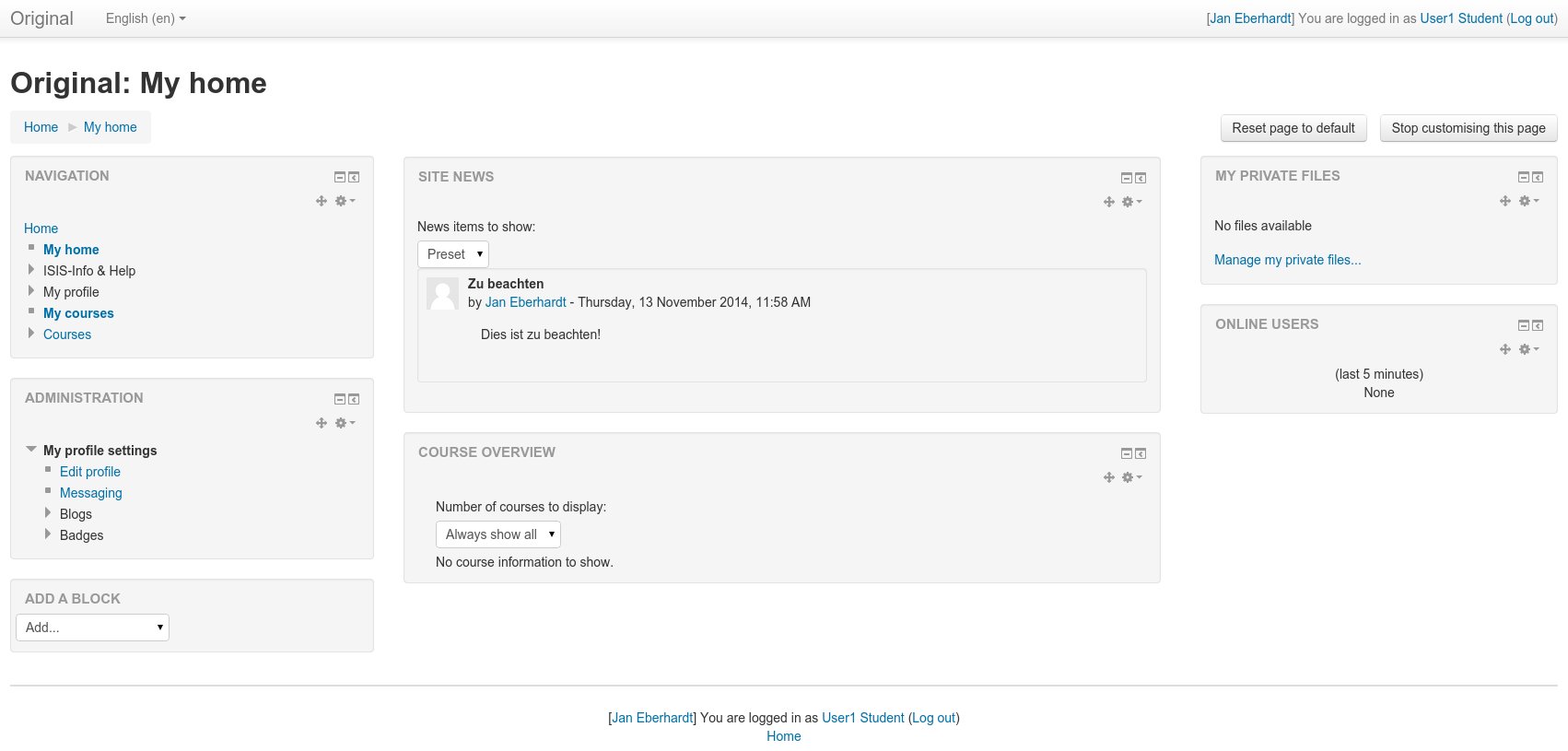
The screenshots help and I now see the block appearing on "My home". Works as expected and ready for release.
In fact, there is no such site. But I'm working for that site and this plugin will be used there. Because of that, it's more likely to find support on that site than one will find on any other (except the GIT repo site, which I didn't wanted to mention again).
If that doesn't fit the need of a website URL I'll delete the link.
I did change the problem with the ending ?> tags and resolved some warnings because of my comment style. What I won't change are the "issues" with the white spacing. I won't stop using tabs. It's much easier to remove an indent, when it's done with them. Because of that, there will always be tabs and white spaces in some lines of my code.
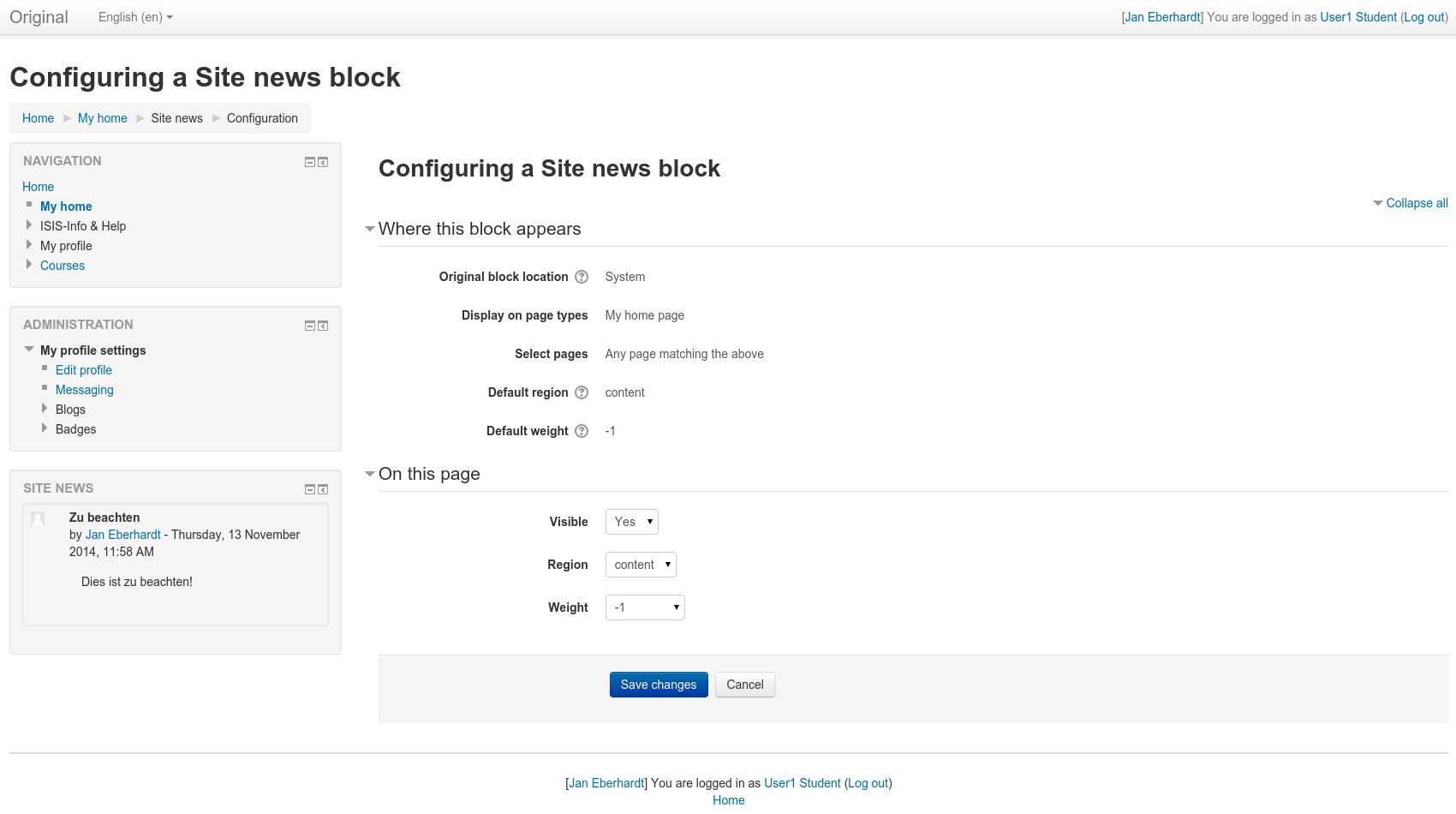
But as you suggested I changed the description in the README. I have done it step-by-step with a new Moodle and got the expected result. I don't know, why it shouldn't work for you. When you already have an instance of the block at your "My home page" the result may differ. I made a screenshot of what the settings should look like. I will upload screenshot of the block itself later.
Please note, that if one opens the block settings the block will be shown on the left (even if the settings say "content" region). This behaviour comes from Moodle itself, and I can't change it (I appreciate any suggestions on that topic).
There is no version of the moodlecheck plugin for Moodle 2.7.x. Therefore I skipped that one as well.
https://moodle.org/plugins/view.php?plugin=local_codechecker
https://moodle.org/plugins/view.php?plugin=local_moodlecheck
There are some coding issues with whitespaces and trailing ?> tags that should be removed.
For your instructions in your README, step 2 has a misspelling "konfiguration", should be "configuration".
Also, step 3 can be clarified and maybe broken into sub-bullet lists?
Also, I followed the instructions, but the content of the Site news block is not displayed in the center of any Moodle pages. I am using Moodle 2.7.3 and running the Clean theme.
Is there a screenshot of what I should be seeing? Also the "Website URL" doesn't lead a particular useful documentation site to learn about more this plugin.