
Compatibility Test
Maintained by
Jeremy FitzPatrick, Chris Clark
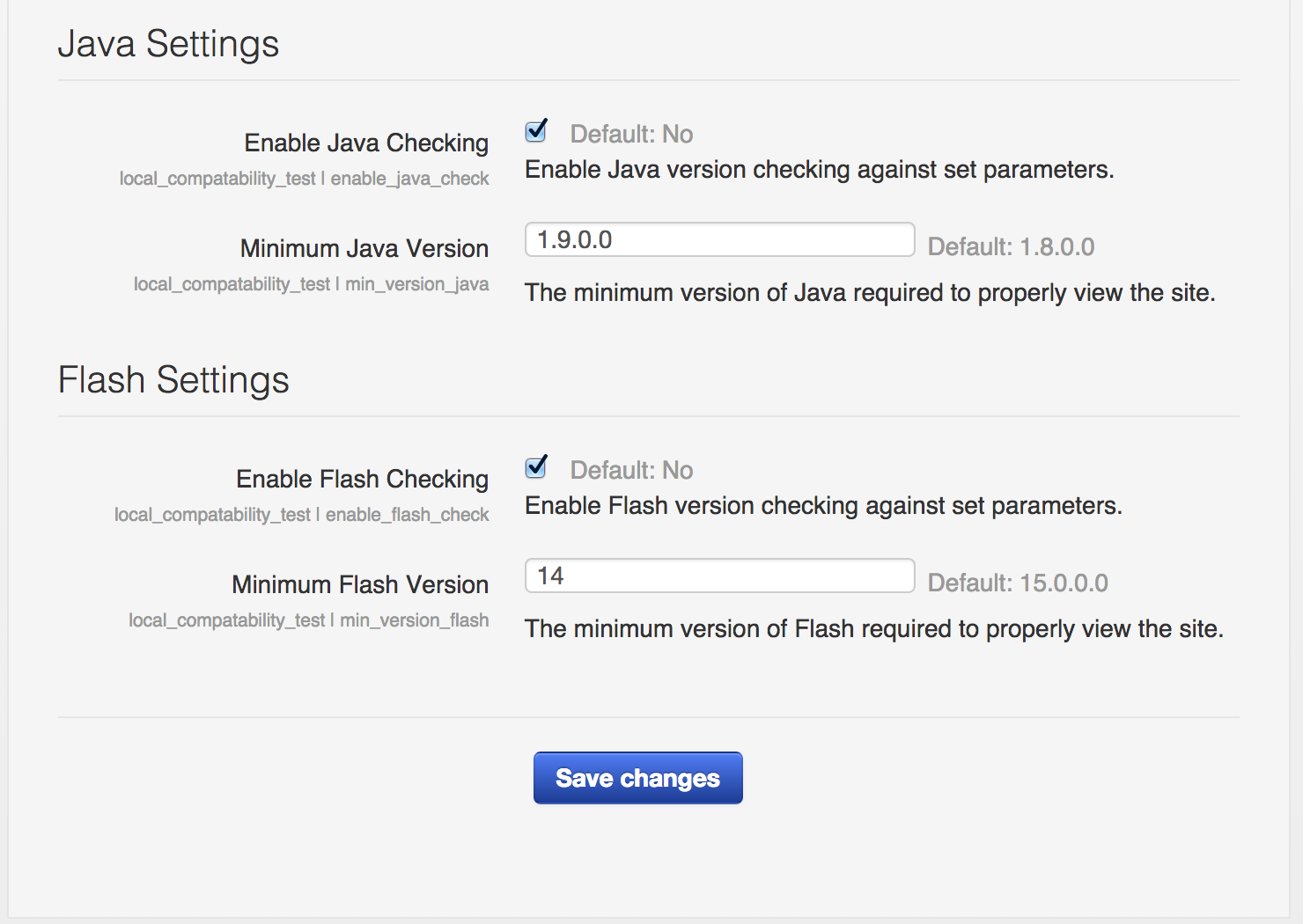
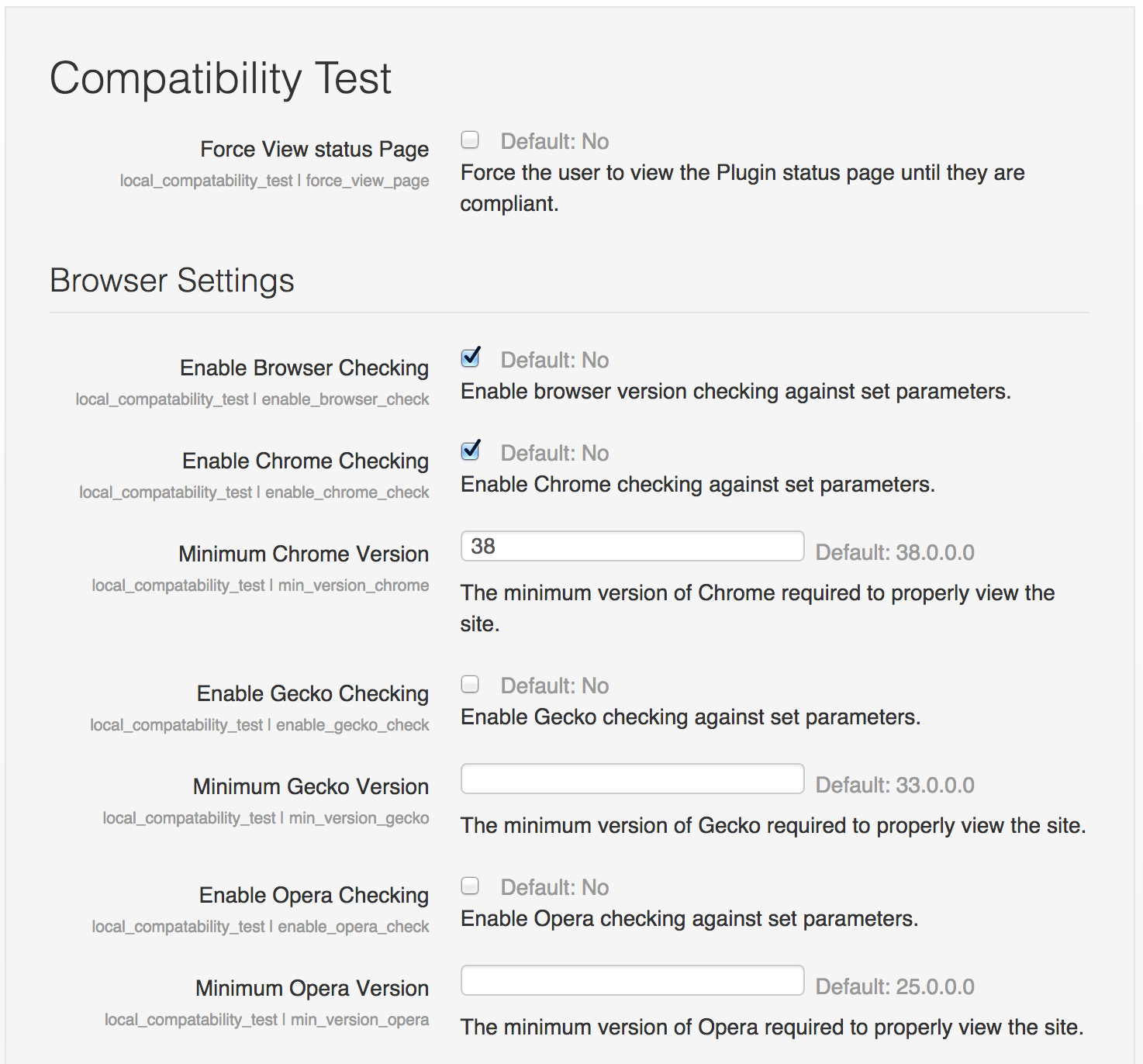
This local plug-in provides the functionality to check the users browser (Chrome, Firefox, Opera, Safari), Flash, Java, Quicktime and/or Silverlight version against a pre-set minimum version and notify the user that they are not meeting the sites minimum requirements.



Comments
Comments are no longer open for new posts. Existing comments remain available to read.
Thank you for your reply. I have all check boxes checked in the setup and login to our site but never get the compat page. I have created a link to it in a HTML bolck and when I click on the link it does work but doesnt give the correct information about the browsers??
Do you see the banner that appears with the following message:
"Your browser and/or plugins are not up to date. Click here for more information."
If not then there may be an issue with the compatibility you're trying to check for.
If it's not appearing and you believe it should be, can you double check what settings you're testing compatibility for and try again.
To force the redirect when a user does not satisfy the criteria you need to enable the setting:
Force View Status Page
This will not redirect site administrators, but will affect other users as soon as they access any page of the site other than the login page.
I am going to approve the plugin now to give you a chance to gather further feedback from the community. With the hope you will fix raised issues soon, you are cleared to land. Welcome to the Plugins directory!
Also note, the way of injecting your JS into pages could be slightly improved using the in-built page API instead of hacking over $CFG->additionalhtmlhead IMHO.
Some screenshots that would give users an idea how results are reported by your plugin would definitely help in this case.
For now, I am going to mark this plugin as needing more work until we get these issues resolved. Thanks for your patience with the review and approval process.