oEmbed Filter
Versions
Current version
3.8.0 (Build - 2019112600) (2019112600)
3.8.0 (Build - 2019112600)
Plugin type: Filters
Frankenstyle component name: filter_oembed
Version build number: 2019112600
Version release name: 3.8.0 (Build - 2019112600)
Maturity: Stable
Supported Moodle versions: 3.8, 3.9
Repository URL (Git): https://github.com/PoetOS/moodle-filter_oembed
Repository branch: MOODLE_38_STABLE
Repository tag: 3.8.0
Issue/bug tracker URL: https://tracker.moodle.org/issues/?jql=project%20%3D%20CONTRIB%20AND%20component%20%3D%20%22Filter%3A+Oembed%22
Release Notes
Release 3.8.0 (Build 2019112600)
Updated subplugin declaration file to new subplugins.json structure.
(see CHANGES.TXT in release 3.3 for earlier changes.)
3.3.2 (Build - 2018120300) (2017051202)
3.3.2 (Build - 2018120300)
Plugin type: Filters
Frankenstyle component name: filter_oembed
Version build number: 2017051202
Version release name: 3.3.2 (Build - 2018120300)
Maturity: Stable
Supported Moodle versions: 3.3, 3.4, 3.5, 3.6, 3.7
Repository URL (Git): https://github.com/PoetOS/moodle-filter_oembed
Repository branch: MOODLE_33_STABLE
Repository tag: 3.3.2
Issue/bug tracker URL: https://tracker.moodle.org/issues/?jql=project%20%3D%20CONTRIB%20AND%20component%20%3D%20%22Filter%3A+Oembed%22
Release Notes
Release 3.3.2 (Build - 2018120300)
Verified 3.6 compatibility.
Added an exception handler to ignore malformed regex expressions that the plugin has no control over.
Removed Office Mix tests as Office Mix has been discontinued.
Updated Behat tests to access site administration in the new way.
Updated Travis file to test multiple installs.
Release 3.3.1 (Build - 2018051500)
Fixed a unit test issue for Vimeo.
An extra check to deal with potential malformed provider endpoint URL.
For release 3.3.0, an xpath change was required in the Behat tests in order to get Behat to pass due to changes in Moodle's output.
For release 3.2, the plugin was rewritten to utilize the oembed provider definitions from http://oembed.com/providers.json.
The previous provider definitions that were hardcoded, but not present in the oembed provider list, were added as "local"
definitions to avoid regression errors.
Release 3.2.0.0 (Alpha)
Change highlights:
- Oembed providers defintions are downloaded from http://oembed.com/providers.json and stored in the Moodle database, rather than
code. - Oembed defintions are refreshed nightly with new additions and deletions.
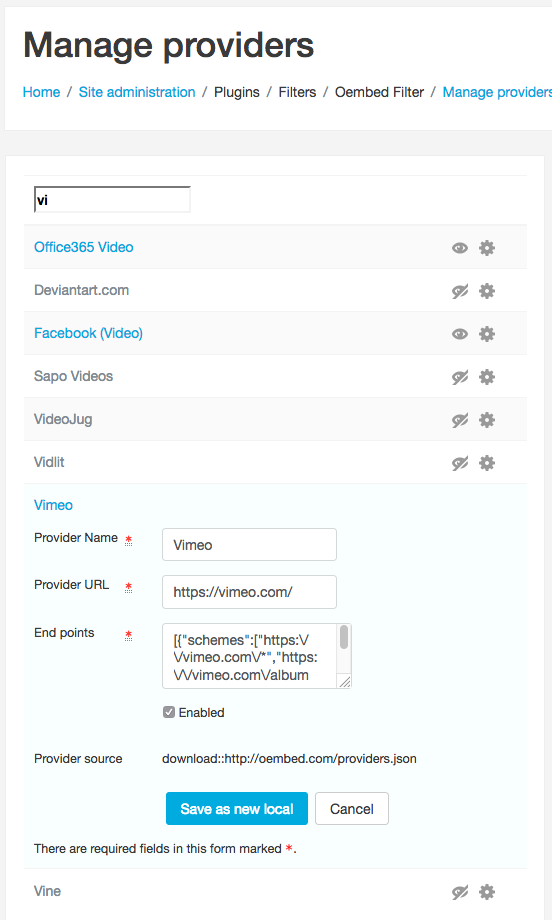
- Management screen allows for administrators to save provider defintions as local overrides not refreshed by oembed.com.
- Two types of tags can be used for filtering. The one desired can be configured.
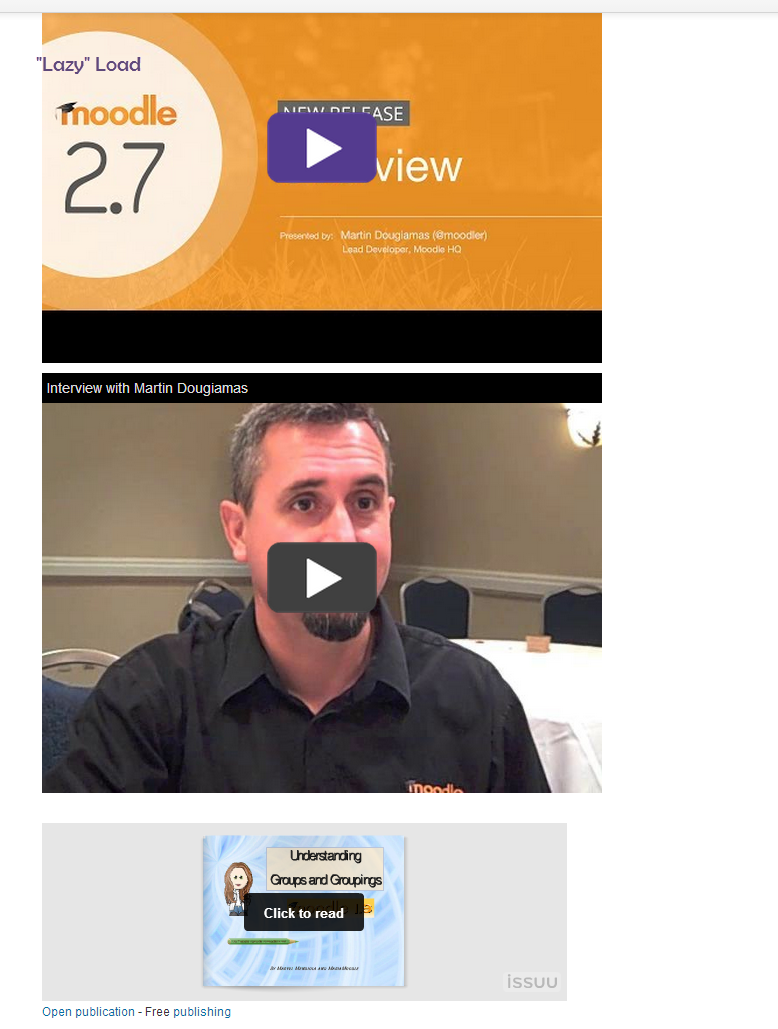
- Lazy loading can be turned on or off; default is on. This can improve site performance.
- Provider management screen allows enable/disable, and edit as local as well as providing all of the provider information.
- A subplugin system is in place to allow providers not stored at oembed.com to define oembed information. Some of the existing
Microsoft providers have been rewritten as these.
3.3.1 (Build - 2018051500) (2017051201)
3.3.1 (Build - 2018051500)
Plugin type: Filters
Frankenstyle component name: filter_oembed
Version build number: 2017051201
Version release name: 3.3.1 (Build - 2018051500)
Maturity: Stable
Supported Moodle versions: 3.3, 3.4, 3.5
Repository URL (Git): https://github.com/PoetOS/moodle-filter_oembed
Repository branch: MOODLE_33_STABLE
Repository tag: 3.3.1
Issue/bug tracker URL: https://tracker.moodle.org/issues/?jql=project%20%3D%20CONTRIB%20AND%20component%20%3D%20%22Filter%3A+Oembed%22
Release Notes
Release 3.3.1 (Build - 2018051500)
Fixed a unit test issue for Vimeo.
An extra check to deal with potential malformed provider endpoint URL.
For release 3.3.0, an xpath change was required in the Behat tests in order to get Behat to pass due to changes in Moodle's output.
For release 3.2, the plugin was rewritten to utilize the oembed provider definitions from http://oembed.com/providers.json.
The previous provider definitions that were hardcoded, but not present in the oembed provider list, were added as "local"
definitions to avoid regression errors.
Release 3.2.0.0 (Alpha)
Change highlights:
- Oembed providers defintions are downloaded from http://oembed.com/providers.json and stored in the Moodle database, rather than
code. - Oembed defintions are refreshed nightly with new additions and deletions.
- Management screen allows for administrators to save provider defintions as local overrides not refreshed by oembed.com.
- Two types of tags can be used for filtering. The one desired can be configured.
- Lazy loading can be turned on or off; default is on. This can improve site performance.
- Provider management screen allows enable/disable, and edit as local as well as providing all of the provider information.
- A subplugin system is in place to allow providers not stored at oembed.com to define oembed information. Some of the existing
Microsoft providers have been rewritten as these.
3.3.0 (Build - 2017051500) (2017051200)
3.3.0 (Build - 2017051500)
Plugin type: Filters
Frankenstyle component name: filter_oembed
Version build number: 2017051200
Version release name: 3.3.0 (Build - 2017051500)
Maturity: Stable
Supported Moodle versions: 3.3
Repository URL (Git): https://github.com/POETGroup/moodle-filter_oembed
Repository branch: MOODLE_33_STABLE
Repository tag: 3.3.0
Issue/bug tracker URL: https://tracker.moodle.org/issues/?jql=project%20%3D%20CONTRIB%20AND%20component%20%3D%20%22Filter%3A+Oembed%22
Release Notes
For release 3.3.0, an xpath change was required in the Behat tests in order to get Behat to pass due to changes in Moodle's output.
For release 3.2, the plugin was rewritten to utilize the oembed provider definitions from http://oembed.com/providers.json.
The previous provider definitions that were hardcoded, but not present in the oembed provider list, were added as "local"
definitions to avoid regression errors.
Release 3.2.0.0 (Alpha)
Change highlights:
- Oembed providers defintions are downloaded from http://oembed.com/providers.json and stored in the Moodle database, rather than
code. - Oembed defintions are refreshed nightly with new additions and deletions.
- Management screen allows for administrators to save provider defintions as local overrides not refreshed by oembed.com.
- Two types of tags can be used for filtering. The one desired can be configured.
- Lazy loading can be turned on or off; default is on. This can improve site performance.
- Provider management screen allows enable/disable, and edit as local as well as providing all of the provider information.
- A subplugin system is in place to allow providers not stored at oembed.com to define oembed information. Some of the existing
Microsoft providers have been rewritten as these.
3.2.0.0 (2016111100)
3.2.0.0
Plugin type: Filters
Frankenstyle component name: filter_oembed
Version build number: 2016111100
Version release name: 3.2.0.0
Maturity: Stable
Supported Moodle versions: 3.2
Repository URL (Git): https://github.com/POETGroup/moodle-filter_oembed
Repository branch: MOODLE_32_STABLE
Repository tag: 3.2.0.0
Issue/bug tracker URL: https://tracker.moodle.org/issues/?jql=project%20%3D%20CONTRIB%20AND%20component%20%3D%20%22Filter%3A+Oembed%22
Release Notes
For release 3.2, the plugin was rewritten to utilize the oembed provider definitions from http://oembed.com/providers.json.
The previous provider definitions that were hardcoded, but not present in the oembed provider list, were added as "local"
definitions to avoid regression errors.
Release 3.2.0.0 (Alpha)
Change highlights:
- Oembed providers defintions are downloaded from http://oembed.com/providers.json and stored in the Moodle database, rather than
code. - Oembed defintions are refreshed nightly with new additions and deletions.
- Management screen allows for administrators to save provider defintions as local overrides not refreshed by oembed.com.
- Two types of tags can be used for filtering. The one desired can be configured.
- Lazy loading can be turned on or off; default is on. This can improve site performance.
- Provider management screen allows enable/disable, and edit as local as well as providing all of the provider information.
- A subplugin system is in place to allow providers not stored at oembed.com to define oembed information. Some of the existing
Microsoft providers have been rewritten as these.
30.0.0.10 (2015111910)
30.0.0.10
Plugin type: Filters
Frankenstyle component name: filter_oembed
Version build number: 2015111910
Version release name: 30.0.0.10
Maturity: Stable
Supported Moodle versions: 3.0
Repository URL (Git): https://github.com/Microsoft/moodle-filter_oembed
Repository branch:
Repository tag: v30.0.0.10
Issue/bug tracker URL: https://tracker.moodle.org/issues/?jql=project%20%3D%20CONTRIB%20AND%20component%20%3D%20%22Filter%3A+Oembed%22
Description:
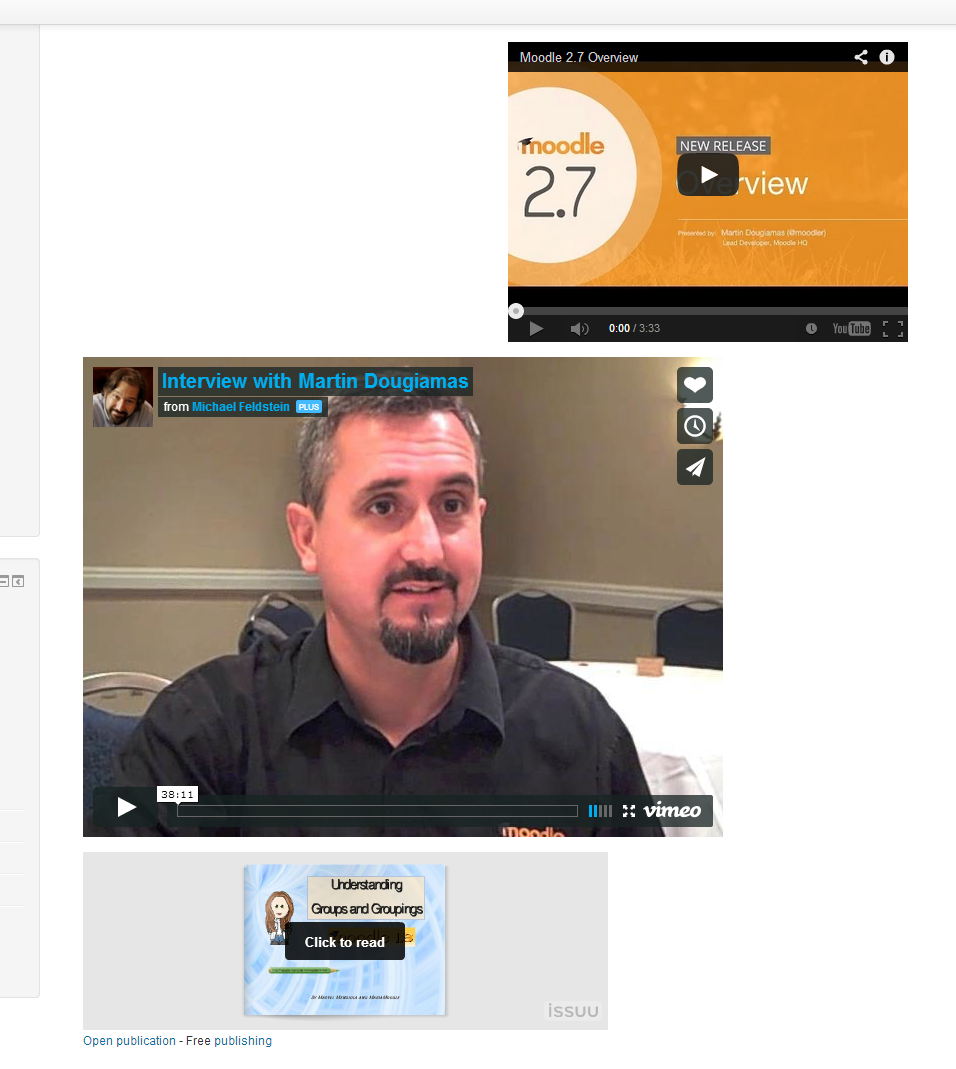
This is a text filter for Moodle that converts urls from many different media sites into embeded content.
Embed code is retrieved from the original site so should work even if the site changes embed format.
Installation:
Download the source files. (zip file is available under download section)
Unzip the package
Copy the "oembed" folder to moodle/filter on the Moodle server.
Login as an admin on the Moodle site and install the filter.
To use:
By default the oembed filter is enabled for all content. You can change this under Plugins > Filters.
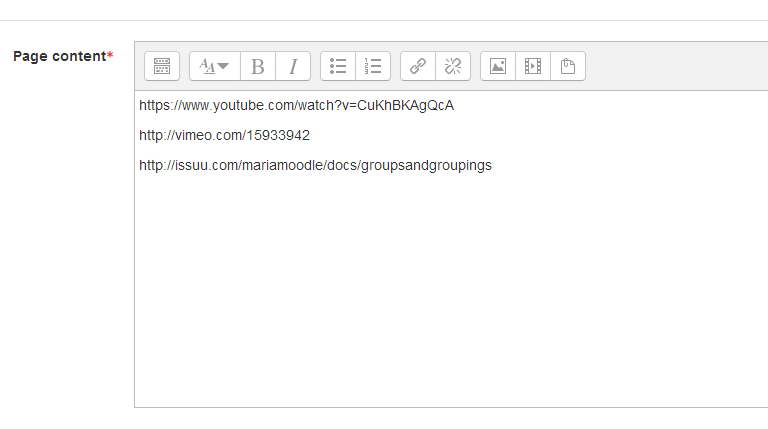
When inserting a media link url into a discussion, create a hyperlink and insert the url as the target.
When the discussion is posted the url will be changed into the embed content.
N.B. if you enable the "Convert URLs into links and images" filter ahead of this then it is easier for users to embed media.
3.1.0.1 (2016062001)
3.1.0.1
Plugin type: Filters
Frankenstyle component name: filter_oembed
Version build number: 2016062001
Version release name: 3.1.0.1
Maturity: Stable
Supported Moodle versions: 3.1
Repository URL (Git): https://github.com/Microsoft/moodle-filter_oembed
Repository branch:
Repository tag: v3.1.0.1
Issue/bug tracker URL: https://tracker.moodle.org/issues/?jql=project%20%3D%20CONTRIB%20AND%20component%20%3D%20%22Filter%3A+Oembed%22
Description:
This is a text filter for Moodle that converts urls from many different media sites into embeded content.
Embed code is retrieved from the original site so should work even if the site changes embed format.
Installation:
Download the source files. (zip file is available under download section)
Unzip the package
Copy the "oembed" folder to moodle/filter on the Moodle server.
Login as an admin on the Moodle site and install the filter.
To use:
By default the oembed filter is enabled for all content. You can change this under Plugins > Filters.
When inserting a media link url into a discussion, create a hyperlink and insert the url as the target.
When the discussion is posted the url will be changed into the embed content.
N.B. if you enable the "Convert URLs into links and images" filter ahead of this then it is easier for users to embed media.
29.0.0.10 (2015060110)
29.0.0.10
Plugin type: Filters
Frankenstyle component name: filter_oembed
Version build number: 2015060110
Version release name: 29.0.0.10
Maturity: Stable
Supported Moodle versions: 2.9
Repository URL (Git): https://github.com/Microsoft/moodle-filter_oembed
Repository branch:
Repository tag: v29.0.0.10
Issue/bug tracker URL: https://tracker.moodle.org/issues/?jql=project%20%3D%20CONTRIB%20AND%20component%20%3D%20%22Filter%3A+Oembed%22
Description:
This is a text filter for Moodle that converts urls from many different media sites into embeded content.
Embed code is retrieved from the original site so should work even if the site changes embed format.
Installation:
Download the source files. (zip file is available under download section)
Unzip the package
Copy the "oembed" folder to moodle/filter on the Moodle server.
Login as an admin on the Moodle site and install the filter.
To use:
By default the oembed filter is enabled for all content. You can change this under Plugins > Filters.
When inserting a media link url into a discussion, create a hyperlink and insert the url as the target.
When the discussion is posted the url will be changed into the embed content.
N.B. if you enable the "Convert URLs into links and images" filter ahead of this then it is easier for users to embed media.
28.0.0.11 (2015012711)
28.0.0.11
Plugin type: Filters
Frankenstyle component name: filter_oembed
Version build number: 2015012711
Version release name: 28.0.0.11
Maturity: Stable
Supported Moodle versions: 2.8
Repository URL (Git): https://github.com/Microsoft/moodle-filter_oembed
Repository branch:
Repository tag: v28.0.0.11
Issue/bug tracker URL: https://tracker.moodle.org/issues/?jql=project%20%3D%20CONTRIB%20AND%20component%20%3D%20%22Filter%3A+Oembed%22
Description:
This is a text filter for Moodle that converts urls from many different media sites into embeded content.
Embed code is retrieved from the original site so should work even if the site changes embed format.
Installation:
Download the source files. (zip file is available under download section)
Unzip the package
Copy the "oembed" folder to moodle/filter on the Moodle server.
Login as an admin on the Moodle site and install the filter.
To use:
By default the oembed filter is enabled for all content. You can change this under Plugins > Filters.
When inserting a media link url into a discussion, create a hyperlink and insert the url as the target.
When the discussion is posted the url will be changed into the embed content.
N.B. if you enable the "Convert URLs into links and images" filter ahead of this then it is easier for users to embed media.
27.0.0.12 (2015011613)
27.0.0.12
Plugin type: Filters
Frankenstyle component name: filter_oembed
Version build number: 2015011613
Version release name: 27.0.0.12
Maturity: Stable
Supported Moodle versions: 2.7
Repository URL (Git): https://github.com/Microsoft/moodle-filter_oembed
Repository branch:
Repository tag: v27.0.0.12
Issue/bug tracker URL: https://tracker.moodle.org/issues/?jql=project%20%3D%20CONTRIB%20AND%20component%20%3D%20%22Filter%3A+Oembed%22
Description:
This is a text filter for Moodle that converts urls from many different media sites into embeded content.
Embed code is retrieved from the original site so should work even if the site changes embed format.
Installation:
Download the source files. (zip file is available under download section)
Unzip the package
Copy the "oembed" folder to moodle/filter on the Moodle server.
Login as an admin on the Moodle site and install the filter.
To use:
By default the oembed filter is enabled for all content. You can change this under Plugins > Filters.
When inserting a media link url into a discussion, create a hyperlink and insert the url as the target.
When the discussion is posted the url will be changed into the embed content.
N.B. if you enable the "Convert URLs into links and images" filter ahead of this then it is easier for users to embed media.
27.0.0.11 (2015011612)
27.0.0.11
Plugin type: Filters
Frankenstyle component name: filter_oembed
Version build number: 2015011612
Version release name: 27.0.0.11
Maturity: Stable
Supported Moodle versions: 2.7
Repository URL (Git): https://github.com/Microsoft/moodle-filter_oembed
Repository branch:
Repository tag: v27.0.0.11
Issue/bug tracker URL: https://tracker.moodle.org/issues/?jql=project%20%3D%20CONTRIB%20AND%20component%20%3D%20%22Filter%3A+Oembed%22
Description:
This is a text filter for Moodle that converts urls from many different media sites into embeded content.
Embed code is retrieved from the original site so should work even if the site changes embed format.
Installation:
Download the source files. (zip file is available under download section)
Unzip the package
Copy the "oembed" folder to moodle/filter on the Moodle server.
Login as an admin on the Moodle site and install the filter.
To use:
By default the oembed filter is enabled for all content. You can change this under Plugins > Filters.
When inserting a media link url into a discussion, create a hyperlink and insert the url as the target.
When the discussion is posted the url will be changed into the embed content.
N.B. if you enable the "Convert URLs into links and images" filter ahead of this then it is easier for users to embed media.
28.0.0.10 (2015012710)
28.0.0.10
Plugin type: Filters
Frankenstyle component name: filter_oembed
Version build number: 2015012710
Version release name: 28.0.0.10
Maturity: Stable
Supported Moodle versions: 2.8
Repository URL (Git): https://github.com/Microsoft/moodle-filter_oembed
Repository branch:
Repository tag: v28.0.0.10
Issue/bug tracker URL: https://tracker.moodle.org/issues/?jql=project%20%3D%20CONTRIB%20AND%20component%20%3D%20%22Filter%3A+Oembed%22
Description:
This is a text filter for Moodle that converts urls from many different media sites into embeded content.
Embed code is retrieved from the original site so should work even if the site changes embed format.
Installation:
Download the source files. (zip file is available under download section)
Unzip the package
Copy the "oembed" folder to moodle/filter on the Moodle server.
Login as an admin on the Moodle site and install the filter.
To use:
By default the oembed filter is enabled for all content. You can change this under Plugins > Filters.
When inserting a media link url into a discussion, create a hyperlink and insert the url as the target.
When the discussion is posted the url will be changed into the embed content.
N.B. if you enable the "Convert URLs into links and images" filter ahead of this then it is easier for users to embed media.
29.0.0.9 (2015060109)
29.0.0.9
Plugin type: Filters
Frankenstyle component name: filter_oembed
Version build number: 2015060109
Version release name: 29.0.0.9
Maturity: Stable
Supported Moodle versions: 2.9
Repository URL (Git): https://github.com/Microsoft/moodle-filter_oembed
Repository branch:
Repository tag: v29.0.0.9
Issue/bug tracker URL: https://tracker.moodle.org/issues/?jql=project%20%3D%20CONTRIB%20AND%20component%20%3D%20%22Filter%3A+Oembed%22
Description:
This is a text filter for Moodle that converts urls from many different media sites into embeded content.
Embed code is retrieved from the original site so should work even if the site changes embed format.
Installation:
Download the source files. (zip file is available under download section)
Unzip the package
Copy the "oembed" folder to moodle/filter on the Moodle server.
Login as an admin on the Moodle site and install the filter.
To use:
By default the oembed filter is enabled for all content. You can change this under Plugins > Filters.
When inserting a media link url into a discussion, create a hyperlink and insert the url as the target.
When the discussion is posted the url will be changed into the embed content.
N.B. if you enable the "Convert URLs into links and images" filter ahead of this then it is easier for users to embed media.
30.0.0.9 (2015111909)
30.0.0.9
Plugin type: Filters
Frankenstyle component name: filter_oembed
Version build number: 2015111909
Version release name: 30.0.0.9
Maturity: Stable
Supported Moodle versions: 3.0
Repository URL (Git): https://github.com/Microsoft/moodle-filter_oembed
Repository branch:
Repository tag: v30.0.0.9
Issue/bug tracker URL: https://tracker.moodle.org/issues/?jql=project%20%3D%20CONTRIB%20AND%20component%20%3D%20%22Filter%3A+Oembed%22
Description:
This is a text filter for Moodle that converts urls from many different media sites into embeded content.
Embed code is retrieved from the original site so should work even if the site changes embed format.
Installation:
Download the source files. (zip file is available under download section)
Unzip the package
Copy the "oembed" folder to moodle/filter on the Moodle server.
Login as an admin on the Moodle site and install the filter.
To use:
By default the oembed filter is enabled for all content. You can change this under Plugins > Filters.
When inserting a media link url into a discussion, create a hyperlink and insert the url as the target.
When the discussion is posted the url will be changed into the embed content.
N.B. if you enable the "Convert URLs into links and images" filter ahead of this then it is easier for users to embed media.
30.0.0.8 (2015111908)
30.0.0.8
Plugin type: Filters
Frankenstyle component name: filter_oembed
Version build number: 2015111908
Version release name: 30.0.0.8
Maturity: Stable
Supported Moodle versions: 3.0
Repository URL (Git): https://github.com/Microsoft/moodle-filter_oembed
Repository branch:
Repository tag: v30.0.0.8
Issue/bug tracker URL: https://tracker.moodle.org/issues/?jql=project%20%3D%20CONTRIB%20AND%20component%20%3D%20%22Filter%3A+Oembed%22
Description:
This is a text filter for Moodle that converts urls from many different media sites into embeded content.
Embed code is retrieved from the original site so should work even if the site changes embed format.
Installation:
Download the source files. (zip file is available under download section)
Unzip the package
Copy the "oembed" folder to moodle/filter on the Moodle server.
Login as an admin on the Moodle site and install the filter.
To use:
By default the oembed filter is enabled for all content. You can change this under Plugins > Filters.
When inserting a media link url into a discussion, create a hyperlink and insert the url as the target.
When the discussion is posted the url will be changed into the embed content.
N.B. if you enable the "Convert URLs into links and images" filter ahead of this then it is easier for users to embed media.
29.0.0.8 (2015060108)
29.0.0.8
Plugin type: Filters
Frankenstyle component name: filter_oembed
Version build number: 2015060108
Version release name: 29.0.0.8
Maturity: Stable
Supported Moodle versions: 2.9
Repository URL (Git): https://github.com/Microsoft/moodle-filter_oembed
Repository branch:
Repository tag: v29.0.0.8
Issue/bug tracker URL: https://tracker.moodle.org/issues/?jql=project%20%3D%20CONTRIB%20AND%20component%20%3D%20%22Filter%3A+Oembed%22
Description:
This is a text filter for Moodle that converts urls from many different media sites into embeded content.
Embed code is retrieved from the original site so should work even if the site changes embed format.
Installation:
Download the source files. (zip file is available under download section)
Unzip the package
Copy the "oembed" folder to moodle/filter on the Moodle server.
Login as an admin on the Moodle site and install the filter.
To use:
By default the oembed filter is enabled for all content. You can change this under Plugins > Filters.
When inserting a media link url into a discussion, create a hyperlink and insert the url as the target.
When the discussion is posted the url will be changed into the embed content.
N.B. if you enable the "Convert URLs into links and images" filter ahead of this then it is easier for users to embed media.
28.0.0.9 (2015012709)
28.0.0.9
Plugin type: Filters
Frankenstyle component name: filter_oembed
Version build number: 2015012709
Version release name: 28.0.0.9
Maturity: Stable
Supported Moodle versions: 2.8
Repository URL (Git): https://github.com/Microsoft/moodle-filter_oembed
Repository branch:
Repository tag: v28.0.0.9
Issue/bug tracker URL: https://tracker.moodle.org/issues/?jql=project%20%3D%20CONTRIB%20AND%20component%20%3D%20%22Filter%3A+Oembed%22
Description:
This is a text filter for Moodle that converts urls from many different media sites into embeded content.
Embed code is retrieved from the original site so should work even if the site changes embed format.
Installation:
Download the source files. (zip file is available under download section)
Unzip the package
Copy the "oembed" folder to moodle/filter on the Moodle server.
Login as an admin on the Moodle site and install the filter.
To use:
By default the oembed filter is enabled for all content. You can change this under Plugins > Filters.
When inserting a media link url into a discussion, create a hyperlink and insert the url as the target.
When the discussion is posted the url will be changed into the embed content.
N.B. if you enable the "Convert URLs into links and images" filter ahead of this then it is easier for users to embed media.
27.0.0.10 (2015011611)
27.0.0.10
Plugin type: Filters
Frankenstyle component name: filter_oembed
Version build number: 2015011611
Version release name: 27.0.0.10
Maturity: Stable
Supported Moodle versions: 2.7
Repository URL (Git): https://github.com/Microsoft/moodle-filter_oembed
Repository branch:
Repository tag: v27.0.0.10
Issue/bug tracker URL: https://tracker.moodle.org/issues/?jql=project%20%3D%20CONTRIB%20AND%20component%20%3D%20%22Filter%3A+Oembed%22
Description:
This is a text filter for Moodle that converts urls from many different media sites into embeded content.
Embed code is retrieved from the original site so should work even if the site changes embed format.
Installation:
Download the source files. (zip file is available under download section)
Unzip the package
Copy the "oembed" folder to moodle/filter on the Moodle server.
Login as an admin on the Moodle site and install the filter.
To use:
By default the oembed filter is enabled for all content. You can change this under Plugins > Filters.
When inserting a media link url into a discussion, create a hyperlink and insert the url as the target.
When the discussion is posted the url will be changed into the embed content.
N.B. if you enable the "Convert URLs into links and images" filter ahead of this then it is easier for users to embed media.
30.0.0.7 (2015111907)
30.0.0.7
Plugin type: Filters
Frankenstyle component name: filter_oembed
Version build number: 2015111907
Version release name: 30.0.0.7
Maturity: Stable
Supported Moodle versions: 3.0
Repository URL (Git): https://github.com/Microsoft/moodle-filter_oembed
Repository branch:
Repository tag: v30.0.0.7
Issue/bug tracker URL: https://tracker.moodle.org/issues/?jql=project%20%3D%20CONTRIB%20AND%20component%20%3D%20%22Filter%3A+Oembed%22
Description:
This is a text filter for Moodle that converts urls from many different media sites into embeded content.
Embed code is retrieved from the original site so should work even if the site changes embed format.
Installation:
Download the source files. (zip file is available under download section)
Unzip the package
Copy the "oembed" folder to moodle/filter on the Moodle server.
Login as an admin on the Moodle site and install the filter.
To use:
By default the oembed filter is enabled for all content. You can change this under Plugins > Filters.
When inserting a media link url into a discussion, create a hyperlink and insert the url as the target.
When the discussion is posted the url will be changed into the embed content.
N.B. if you enable the "Convert URLs into links and images" filter ahead of this then it is easier for users to embed media.
29.0.0.7 (2015060107)
29.0.0.7
Plugin type: Filters
Frankenstyle component name: filter_oembed
Version build number: 2015060107
Version release name: 29.0.0.7
Maturity: Stable
Supported Moodle versions: 2.9
Repository URL (Git): https://github.com/Microsoft/moodle-filter_oembed
Repository branch:
Repository tag: v29.0.0.7
Issue/bug tracker URL: https://tracker.moodle.org/issues/?jql=project%20%3D%20CONTRIB%20AND%20component%20%3D%20%22Filter%3A+Oembed%22
Description:
This is a text filter for Moodle that converts urls from many different media sites into embeded content.
Embed code is retrieved from the original site so should work even if the site changes embed format.
Installation:
Download the source files. (zip file is available under download section)
Unzip the package
Copy the "oembed" folder to moodle/filter on the Moodle server.
Login as an admin on the Moodle site and install the filter.
To use:
By default the oembed filter is enabled for all content. You can change this under Plugins > Filters.
When inserting a media link url into a discussion, create a hyperlink and insert the url as the target.
When the discussion is posted the url will be changed into the embed content.
N.B. if you enable the "Convert URLs into links and images" filter ahead of this then it is easier for users to embed media.
28.0.0.8 (2015012708)
28.0.0.8
Plugin type: Filters
Frankenstyle component name: filter_oembed
Version build number: 2015012708
Version release name: 28.0.0.8
Maturity: Stable
Supported Moodle versions: 2.8
Repository URL (Git): https://github.com/Microsoft/moodle-filter_oembed
Repository branch:
Repository tag: v28.0.0.8
Issue/bug tracker URL: https://tracker.moodle.org/issues/?jql=project%20%3D%20CONTRIB%20AND%20component%20%3D%20%22Filter%3A+Oembed%22
Description:
This is a text filter for Moodle that converts urls from many different media sites into embeded content.
Embed code is retrieved from the original site so should work even if the site changes embed format.
Installation:
Download the source files. (zip file is available under download section)
Unzip the package
Copy the "oembed" folder to moodle/filter on the Moodle server.
Login as an admin on the Moodle site and install the filter.
To use:
By default the oembed filter is enabled for all content. You can change this under Plugins > Filters.
When inserting a media link url into a discussion, create a hyperlink and insert the url as the target.
When the discussion is posted the url will be changed into the embed content.
N.B. if you enable the "Convert URLs into links and images" filter ahead of this then it is easier for users to embed media.
27.0.0.9 (2015011610)
27.0.0.9
Plugin type: Filters
Frankenstyle component name: filter_oembed
Version build number: 2015011610
Version release name: 27.0.0.9
Maturity: Stable
Supported Moodle versions: 2.7
Repository URL (Git): https://github.com/Microsoft/moodle-filter_oembed
Repository branch:
Repository tag: v27.0.0.9
Issue/bug tracker URL: https://tracker.moodle.org/issues/?jql=project%20%3D%20CONTRIB%20AND%20component%20%3D%20%22Filter%3A+Oembed%22
Description:
This is a text filter for Moodle that converts urls from many different media sites into embeded content.
Embed code is retrieved from the original site so should work even if the site changes embed format.
Installation:
Download the source files. (zip file is available under download section)
Unzip the package
Copy the "oembed" folder to moodle/filter on the Moodle server.
Login as an admin on the Moodle site and install the filter.
To use:
By default the oembed filter is enabled for all content. You can change this under Plugins > Filters.
When inserting a media link url into a discussion, create a hyperlink and insert the url as the target.
When the discussion is posted the url will be changed into the embed content.
N.B. if you enable the "Convert URLs into links and images" filter ahead of this then it is easier for users to embed media.
30.0.0.6 (2015111906)
30.0.0.6
Plugin type: Filters
Frankenstyle component name: filter_oembed
Version build number: 2015111906
Version release name: 30.0.0.6
Maturity: Stable
Supported Moodle versions: 3.0
Repository URL (Git): https://github.com/Microsoft/moodle-filter_oembed
Repository branch:
Repository tag: v30.0.0.6
Issue/bug tracker URL: https://tracker.moodle.org/issues/?jql=project%20%3D%20CONTRIB%20AND%20component%20%3D%20%22Filter%3A+Oembed%22
Description:
This is a text filter for Moodle that converts urls from many different media sites into embeded content.
Embed code is retrieved from the original site so should work even if the site changes embed format.
Installation:
Download the source files. (zip file is available under download section)
Unzip the package
Copy the "oembed" folder to moodle/filter on the Moodle server.
Login as an admin on the Moodle site and install the filter.
To use:
By default the oembed filter is enabled for all content. You can change this under Plugins > Filters.
When inserting a media link url into a discussion, create a hyperlink and insert the url as the target.
When the discussion is posted the url will be changed into the embed content.
N.B. if you enable the "Convert URLs into links and images" filter ahead of this then it is easier for users to embed media.
29.0.0.6 (2015060106)
29.0.0.6
Plugin type: Filters
Frankenstyle component name: filter_oembed
Version build number: 2015060106
Version release name: 29.0.0.6
Maturity: Stable
Supported Moodle versions: 2.9
Repository URL (Git): https://github.com/Microsoft/moodle-filter_oembed
Repository branch:
Repository tag: v29.0.0.6
Issue/bug tracker URL: https://tracker.moodle.org/issues/?jql=project%20%3D%20CONTRIB%20AND%20component%20%3D%20%22Filter%3A+Oembed%22
Description:
This is a text filter for Moodle that converts urls from many different media sites into embeded content.
Embed code is retrieved from the original site so should work even if the site changes embed format.
Installation:
Download the source files. (zip file is available under download section)
Unzip the package
Copy the "oembed" folder to moodle/filter on the Moodle server.
Login as an admin on the Moodle site and install the filter.
To use:
By default the oembed filter is enabled for all content. You can change this under Plugins > Filters.
When inserting a media link url into a discussion, create a hyperlink and insert the url as the target.
When the discussion is posted the url will be changed into the embed content.
N.B. if you enable the "Convert URLs into links and images" filter ahead of this then it is easier for users to embed media.
28.0.0.7 (2015012707)
28.0.0.7
Plugin type: Filters
Frankenstyle component name: filter_oembed
Version build number: 2015012707
Version release name: 28.0.0.7
Maturity: Stable
Supported Moodle versions: 2.8
Repository URL (Git): https://github.com/Microsoft/moodle-filter_oembed
Repository branch:
Repository tag: v28.0.0.7
Issue/bug tracker URL: https://tracker.moodle.org/issues/?jql=project%20%3D%20CONTRIB%20AND%20component%20%3D%20%22Filter%3A+Oembed%22
Description:
This is a text filter for Moodle that converts urls from many different media sites into embeded content.
Embed code is retrieved from the original site so should work even if the site changes embed format.
Installation:
Download the source files. (zip file is available under download section)
Unzip the package
Copy the "oembed" folder to moodle/filter on the Moodle server.
Login as an admin on the Moodle site and install the filter.
To use:
By default the oembed filter is enabled for all content. You can change this under Plugins > Filters.
When inserting a media link url into a discussion, create a hyperlink and insert the url as the target.
When the discussion is posted the url will be changed into the embed content.
N.B. if you enable the "Convert URLs into links and images" filter ahead of this then it is easier for users to embed media.
27.0.0.8 (2015011609)
27.0.0.8
Plugin type: Filters
Frankenstyle component name: filter_oembed
Version build number: 2015011609
Version release name: 27.0.0.8
Maturity: Stable
Supported Moodle versions: 2.7
Repository URL (Git): https://github.com/Microsoft/moodle-filter_oembed
Repository branch:
Repository tag: v27.0.0.8
Issue/bug tracker URL: https://tracker.moodle.org/issues/?jql=project%20%3D%20CONTRIB%20AND%20component%20%3D%20%22Filter%3A+Oembed%22
Description:
This is a text filter for Moodle that converts urls from many different media sites into embeded content.
Embed code is retrieved from the original site so should work even if the site changes embed format.
Installation:
Download the source files. (zip file is available under download section)
Unzip the package
Copy the "oembed" folder to moodle/filter on the Moodle server.
Login as an admin on the Moodle site and install the filter.
To use:
By default the oembed filter is enabled for all content. You can change this under Plugins > Filters.
When inserting a media link url into a discussion, create a hyperlink and insert the url as the target.
When the discussion is posted the url will be changed into the embed content.
N.B. if you enable the "Convert URLs into links and images" filter ahead of this then it is easier for users to embed media.
30.0.0.4 (2015111904)
30.0.0.4
Plugin type: Filters
Frankenstyle component name: filter_oembed
Version build number: 2015111904
Version release name: 30.0.0.4
Maturity: Stable
Supported Moodle versions: 3.0
Repository URL (Git): https://github.com/Microsoft/moodle-filter_oembed
Repository branch:
Repository tag: v30.0.0.4
Issue/bug tracker URL: https://tracker.moodle.org/issues/?jql=project%20%3D%20CONTRIB%20AND%20component%20%3D%20%22Filter%3A+Oembed%22
Description:
This is a text filter for Moodle that converts urls from many different media sites into embeded content.
Embed code is retrieved from the original site so should work even if the site changes embed format.
Installation:
Download the source files. (zip file is available under download section)
Unzip the package
Copy the "oembed" folder to moodle/filter on the Moodle server.
Login as an admin on the Moodle site and install the filter.
To use:
By default the oembed filter is enabled for all content. You can change this under Plugins > Filters.
When inserting a media link url into a discussion, create a hyperlink and insert the url as the target.
When the discussion is posted the url will be changed into the embed content.
N.B. if you enable the "Convert URLs into links and images" filter ahead of this then it is easier for users to embed media.
29.0.0.4 (2015060104)
29.0.0.4
Plugin type: Filters
Frankenstyle component name: filter_oembed
Version build number: 2015060104
Version release name: 29.0.0.4
Maturity: Stable
Supported Moodle versions: 2.9
Repository URL (Git): https://github.com/Microsoft/moodle-filter_oembed
Repository branch:
Repository tag: v29.0.0.4
Issue/bug tracker URL: https://tracker.moodle.org/issues/?jql=project%20%3D%20CONTRIB%20AND%20component%20%3D%20%22Filter%3A+Oembed%22
Description:
This is a text filter for Moodle that converts urls from many different media sites into embeded content.
Embed code is retrieved from the original site so should work even if the site changes embed format.
Installation:
Download the source files. (zip file is available under download section)
Unzip the package
Copy the "oembed" folder to moodle/filter on the Moodle server.
Login as an admin on the Moodle site and install the filter.
To use:
By default the oembed filter is enabled for all content. You can change this under Plugins > Filters.
When inserting a media link url into a discussion, create a hyperlink and insert the url as the target.
When the discussion is posted the url will be changed into the embed content.
N.B. if you enable the "Convert URLs into links and images" filter ahead of this then it is easier for users to embed media.
28.0.0.5 (2015012705)
28.0.0.5
Plugin type: Filters
Frankenstyle component name: filter_oembed
Version build number: 2015012705
Version release name: 28.0.0.5
Maturity: Stable
Supported Moodle versions: 2.8
Repository URL (Git): https://github.com/Microsoft/moodle-filter_oembed
Repository branch:
Repository tag: v28.0.0.5
Issue/bug tracker URL: https://tracker.moodle.org/issues/?jql=project%20%3D%20CONTRIB%20AND%20component%20%3D%20%22Filter%3A+Oembed%22
Description:
This is a text filter for Moodle that converts urls from many different media sites into embeded content.
Embed code is retrieved from the original site so should work even if the site changes embed format.
Installation:
Download the source files. (zip file is available under download section)
Unzip the package
Copy the "oembed" folder to moodle/filter on the Moodle server.
Login as an admin on the Moodle site and install the filter.
To use:
By default the oembed filter is enabled for all content. You can change this under Plugins > Filters.
When inserting a media link url into a discussion, create a hyperlink and insert the url as the target.
When the discussion is posted the url will be changed into the embed content.
N.B. if you enable the "Convert URLs into links and images" filter ahead of this then it is easier for users to embed media.
27.0.0.6 (2015011607)
27.0.0.6
Plugin type: Filters
Frankenstyle component name: filter_oembed
Version build number: 2015011607
Version release name: 27.0.0.6
Maturity: Stable
Supported Moodle versions: 2.7
Repository URL (Git): https://github.com/Microsoft/moodle-filter_oembed
Repository branch:
Repository tag: v27.0.0.6
Issue/bug tracker URL: https://tracker.moodle.org/issues/?jql=project%20%3D%20CONTRIB%20AND%20component%20%3D%20%22Filter%3A+Oembed%22
Description:
This is a text filter for Moodle that converts urls from many different media sites into embeded content.
Embed code is retrieved from the original site so should work even if the site changes embed format.
Installation:
Download the source files. (zip file is available under download section)
Unzip the package
Copy the "oembed" folder to moodle/filter on the Moodle server.
Login as an admin on the Moodle site and install the filter.
To use:
By default the oembed filter is enabled for all content. You can change this under Plugins > Filters.
When inserting a media link url into a discussion, create a hyperlink and insert the url as the target.
When the discussion is posted the url will be changed into the embed content.
N.B. if you enable the "Convert URLs into links and images" filter ahead of this then it is easier for users to embed media.
30.0.0.3 (2015111903)
30.0.0.3
Plugin type: Filters
Frankenstyle component name: filter_oembed
Version build number: 2015111903
Version release name: 30.0.0.3
Maturity: Stable
Supported Moodle versions: 3.0
Repository URL (Git): https://github.com/Microsoft/moodle-filter_oembed
Repository branch:
Repository tag: v30.0.0.3
Issue/bug tracker URL: https://tracker.moodle.org/issues/?jql=project%20%3D%20CONTRIB%20AND%20component%20%3D%20%22Filter%3A+Oembed%22
Description:
This is a text filter for Moodle that converts urls from many different media sites into embeded content.
Embed code is retrieved from the original site so should work even if the site changes embed format.
Installation:
Download the source files. (zip file is available under download section)
Unzip the package
Copy the "oembed" folder to moodle/filter on the Moodle server.
Login as an admin on the Moodle site and install the filter.
To use:
By default the oembed filter is enabled for all content. You can change this under Plugins > Filters.
When inserting a media link url into a discussion, create a hyperlink and insert the url as the target.
When the discussion is posted the url will be changed into the embed content.
N.B. if you enable the "Convert URLs into links and images" filter ahead of this then it is easier for users to embed media.
29.0.0.3 (2015060103)
29.0.0.3
Plugin type: Filters
Frankenstyle component name: filter_oembed
Version build number: 2015060103
Version release name: 29.0.0.3
Maturity: Stable
Supported Moodle versions: 2.9
Repository URL (Git): https://github.com/Microsoft/moodle-filter_oembed
Repository branch:
Repository tag: v29.0.0.3
Issue/bug tracker URL: https://tracker.moodle.org/issues/?jql=project%20%3D%20CONTRIB%20AND%20component%20%3D%20%22Filter%3A+Oembed%22
Description:
This is a text filter for Moodle that converts urls from many different media sites into embeded content.
Embed code is retrieved from the original site so should work even if the site changes embed format.
Installation:
Download the source files. (zip file is available under download section)
Unzip the package
Copy the "oembed" folder to moodle/filter on the Moodle server.
Login as an admin on the Moodle site and install the filter.
To use:
By default the oembed filter is enabled for all content. You can change this under Plugins > Filters.
When inserting a media link url into a discussion, create a hyperlink and insert the url as the target.
When the discussion is posted the url will be changed into the embed content.
N.B. if you enable the "Convert URLs into links and images" filter ahead of this then it is easier for users to embed media.
28.0.0.4 (2015012704)
28.0.0.4
Plugin type: Filters
Frankenstyle component name: filter_oembed
Version build number: 2015012704
Version release name: 28.0.0.4
Maturity: Stable
Supported Moodle versions: 2.8
Repository URL (Git): https://github.com/Microsoft/moodle-filter_oembed
Repository branch:
Repository tag: v28.0.0.4
Issue/bug tracker URL: https://tracker.moodle.org/issues/?jql=project%20%3D%20CONTRIB%20AND%20component%20%3D%20%22Filter%3A+Oembed%22
Description:
This is a text filter for Moodle that converts urls from many different media sites into embeded content.
Embed code is retrieved from the original site so should work even if the site changes embed format.
Installation:
Download the source files. (zip file is available under download section)
Unzip the package
Copy the "oembed" folder to moodle/filter on the Moodle server.
Login as an admin on the Moodle site and install the filter.
To use:
By default the oembed filter is enabled for all content. You can change this under Plugins > Filters.
When inserting a media link url into a discussion, create a hyperlink and insert the url as the target.
When the discussion is posted the url will be changed into the embed content.
N.B. if you enable the "Convert URLs into links and images" filter ahead of this then it is easier for users to embed media.
27.0.0.5 (2015011606)
27.0.0.5
Plugin type: Filters
Frankenstyle component name: filter_oembed
Version build number: 2015011606
Version release name: 27.0.0.5
Maturity: Stable
Supported Moodle versions: 2.7
Repository URL (Git): https://github.com/Microsoft/moodle-filter_oembed
Repository branch:
Repository tag: v27.0.0.5
Issue/bug tracker URL: https://tracker.moodle.org/issues/?jql=project%20%3D%20CONTRIB%20AND%20component%20%3D%20%22Filter%3A+Oembed%22
Description:
This is a text filter for Moodle that converts urls from many different media sites into embeded content.
Embed code is retrieved from the original site so should work even if the site changes embed format.
Installation:
Download the source files. (zip file is available under download section)
Unzip the package
Copy the "oembed" folder to moodle/filter on the Moodle server.
Login as an admin on the Moodle site and install the filter.
To use:
By default the oembed filter is enabled for all content. You can change this under Plugins > Filters.
When inserting a media link url into a discussion, create a hyperlink and insert the url as the target.
When the discussion is posted the url will be changed into the embed content.
N.B. if you enable the "Convert URLs into links and images" filter ahead of this then it is easier for users to embed media.
30.0.0.1 (2015111901)
30.0.0.1
Plugin type: Filters
Frankenstyle component name: filter_oembed
Version build number: 2015111901
Version release name: 30.0.0.1
Maturity: Stable
Supported Moodle versions: 3.0
Repository URL (Git): https://github.com/MSOpenTech/moodle-filter_oembed
Repository branch:
Repository tag: v30.0.0.1
Issue/bug tracker URL: https://tracker.moodle.org/issues/?jql=project%20%3D%20CONTRIB%20AND%20component%20%3D%20%22Filter%3A+Oembed%22
Description:
This is a text filter for Moodle that converts urls from many different media sites into embeded content.
Embed code is retrieved from the original site so should work even if the site changes embed format.
Installation:
Download the source files. (zip file is available under download section)
Unzip the package
Copy the "oembed" folder to moodle/filter on the Moodle server.
Login as an admin on the Moodle site and install the filter.
To use:
By default the oembed filter is enabled for all content. You can change this under Plugins > Filters.
When inserting a media link url into a discussion, create a hyperlink and insert the url as the target.
When the discussion is posted the url will be changed into the embed content.
N.B. if you enable the "Convert URLs into links and images" filter ahead of this then it is easier for users to embed media.
29.0.0.1 (2015060101)
29.0.0.1
Plugin type: Filters
Frankenstyle component name: filter_oembed
Version build number: 2015060101
Version release name: 29.0.0.1
Maturity: Stable
Supported Moodle versions: 2.9
Repository URL (Git): https://github.com/MSOpenTech/moodle-filter_oembed
Repository branch:
Repository tag: v29.0.0.1
Issue/bug tracker URL: https://tracker.moodle.org/issues/?jql=project%20%3D%20CONTRIB%20AND%20component%20%3D%20%22Filter%3A+Oembed%22
Description:
This is a text filter for Moodle that converts urls from many different media sites into embeded content.
Embed code is retrieved from the original site so should work even if the site changes embed format.
Installation:
Download the source files. (zip file is available under download section)
Unzip the package
Copy the "oembed" folder to moodle/filter on the Moodle server.
Login as an admin on the Moodle site and install the filter.
To use:
By default the oembed filter is enabled for all content. You can change this under Plugins > Filters.
When inserting a media link url into a discussion, create a hyperlink and insert the url as the target.
When the discussion is posted the url will be changed into the embed content.
N.B. if you enable the "Convert URLs into links and images" filter ahead of this then it is easier for users to embed media.
28.0.0.2 (2015012702)
28.0.0.2
Plugin type: Filters
Frankenstyle component name: filter_oembed
Version build number: 2015012702
Version release name: 28.0.0.2
Maturity: Stable
Supported Moodle versions: 2.8
Repository URL (Git): https://github.com/MSOpenTech/moodle-filter_oembed
Repository branch:
Repository tag: v28.0.0.2
Issue/bug tracker URL: https://tracker.moodle.org/issues/?jql=project%20%3D%20CONTRIB%20AND%20component%20%3D%20%22Filter%3A+Oembed%22
Description:
This is a text filter for Moodle that converts urls from many different media sites into embeded content.
Embed code is retrieved from the original site so should work even if the site changes embed format.
Installation:
Download the source files. (zip file is available under download section)
Unzip the package
Copy the "oembed" folder to moodle/filter on the Moodle server.
Login as an admin on the Moodle site and install the filter.
To use:
By default the oembed filter is enabled for all content. You can change this under Plugins > Filters.
When inserting a media link url into a discussion, create a hyperlink and insert the url as the target.
When the discussion is posted the url will be changed into the embed content.
N.B. if you enable the "Convert URLs into links and images" filter ahead of this then it is easier for users to embed media.
27.0.0.3 (2015011604)
27.0.0.3
Plugin type: Filters
Frankenstyle component name: filter_oembed
Version build number: 2015011604
Version release name: 27.0.0.3
Maturity: Stable
Supported Moodle versions: 2.7
Repository URL (Git): https://github.com/MSOpenTech/moodle-filter_oembed
Repository branch:
Repository tag: v27.0.0.3
Issue/bug tracker URL: https://tracker.moodle.org/issues/?jql=project%20%3D%20CONTRIB%20AND%20component%20%3D%20%22Filter%3A+Oembed%22
Description:
This is a text filter for Moodle that converts urls from many different media sites into embeded content.
Embed code is retrieved from the original site so should work even if the site changes embed format.
Installation:
Download the source files. (zip file is available under download section)
Unzip the package
Copy the "oembed" folder to moodle/filter on the Moodle server.
Login as an admin on the Moodle site and install the filter.
To use:
By default the oembed filter is enabled for all content. You can change this under Plugins > Filters.
When inserting a media link url into a discussion, create a hyperlink and insert the url as the target.
When the discussion is posted the url will be changed into the embed content.
N.B. if you enable the "Convert URLs into links and images" filter ahead of this then it is easier for users to embed media.
29.0.0.0 (2015060100)
29.0.0.0
Plugin type: Filters
Frankenstyle component name: filter_oembed
Version build number: 2015060100
Version release name: 29.0.0.0
Maturity: Stable
Supported Moodle versions: 2.9
Repository URL (Git): https://github.com/MSOpenTech/moodle-filter_oembed
Repository branch:
Repository tag: v29.0.0.0
Issue/bug tracker URL: https://tracker.moodle.org/issues/?jql=project%20%3D%20CONTRIB%20AND%20component%20%3D%20%22Filter%3A+Oembed%22
Description:
This is a text filter for Moodle that converts urls from many different media sites into embeded content.
Embed code is retrieved from the original site so should work even if the site changes embed format.
Installation:
Download the source files. (zip file is available under download section)
Unzip the package
Copy the "oembed" folder to moodle/filter on the Moodle server.
Login as an admin on the Moodle site and install the filter.
To use:
By default the oembed filter is enabled for all content. You can change this under Plugins > Filters.
When inserting a media link url into a discussion, create a hyperlink and insert the url as the target.
When the discussion is posted the url will be changed into the embed content.
N.B. if you enable the "Convert URLs into links and images" filter ahead of this then it is easier for users to embed media.
28.0.0.1 (2015012701)
28.0.0.1
Plugin type: Filters
Frankenstyle component name: filter_oembed
Version build number: 2015012701
Version release name: 28.0.0.1
Maturity: Stable
Supported Moodle versions: 2.8
Repository URL (Git): https://github.com/MSOpenTech/moodle-filter_oembed
Repository branch: MOODLE_28_STABLE
Repository tag: v28.0.0.1
Issue/bug tracker URL: https://tracker.moodle.org/issues/?jql=project%20%3D%20CONTRIB%20AND%20component%20%3D%20%22Filter%3A+Oembed%22
Description:
This is a text filter for Moodle that converts urls from many different media sites into embeded content.
Embed code is retrieved from the original site so should work even if the site changes embed format.
Installation:
Download the source files. (zip file is available under download section)
Unzip the package
Copy the "oembed" folder to moodle/filter on the Moodle server.
Login as an admin on the Moodle site and install the filter.
To use:
By default the oembed filter is enabled for all content. You can change this under Plugins > Filters.
When inserting a media link url into a discussion, create a hyperlink and insert the url as the target.
When the discussion is posted the url will be changed into the embed content.
N.B. if you enable the "Convert URLs into links and images" filter ahead of this then it is easier for users to embed media.
27.0.0.2 (2015011603)
27.0.0.2
Plugin type: Filters
Frankenstyle component name: filter_oembed
Version build number: 2015011603
Version release name: 27.0.0.2
Maturity: Stable
Supported Moodle versions: 2.7
Repository URL (Git): https://github.com/MSOpenTech/moodle-filter_oembed
Repository branch: MOODLE_27_STABLE
Repository tag: v27.0.0.2
Issue/bug tracker URL: https://tracker.moodle.org/issues/?jql=project%20%3D%20CONTRIB%20AND%20component%20%3D%20%22Filter%3A+Oembed%22
Description:
This is a text filter for Moodle that converts urls from many different media sites into embeded content.
Embed code is retrieved from the original site so should work even if the site changes embed format.
Installation:
Download the source files. (zip file is available under download section)
Unzip the package
Copy the "oembed" folder to moodle/filter on the Moodle server.
Login as an admin on the Moodle site and install the filter.
To use:
By default the oembed filter is enabled for all content. You can change this under Plugins > Filters.
When inserting a media link url into a discussion, create a hyperlink and insert the url as the target.
When the discussion is posted the url will be changed into the embed content.
N.B. if you enable the "Convert URLs into links and images" filter ahead of this then it is easier for users to embed media.
1.0.0.0 (2014062400)
1.0.0.0
Plugin type: Filters
Frankenstyle component name: filter_oembed
Version build number: 2014062400
Version release name: 1.0.0.0
Maturity: Stable
Supported Moodle versions: 2.7, 2.8
Repository URL (Git): https://github.com/MSOpenTech/moodle-filter_oembed
Repository branch: MOODLE_27_STABLE
Repository tag: v1.0.0.0
Issue/bug tracker URL: https://tracker.moodle.org/issues/?jql=project%20%3D%20CONTRIB%20AND%20component%20%3D%20%22Filter%3A+Oembed%22
Description:
This is a text filter for Moodle that converts urls from many different media sites into embeded content.
Embed code is retrieved from the original site so should work even if the site changes embed format.
Installation:
Download the source files. (zip file is available under download section)
Unzip the package
Copy the "oembed" folder to moodle/filter on the Moodle server.
Login as an admin on the Moodle site and install the filter.
To use:
By default the oembed filter is enabled for all content. You can change this under Plugins > Filters.
When inserting a media link url into a discussion, create a hyperlink and insert the url as the target.
When the discussion is posted the url will be changed into the embed content.
N.B. if you enable the "Convert URLs into links and images" filter ahead of this then it is easier for users to embed media.