
Generico Icon
Maintained by
Justin Hunt
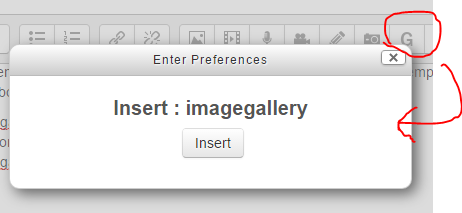
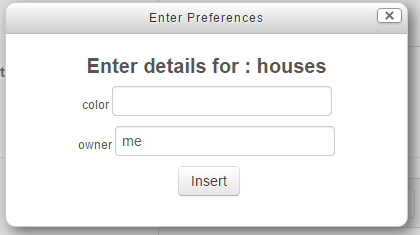
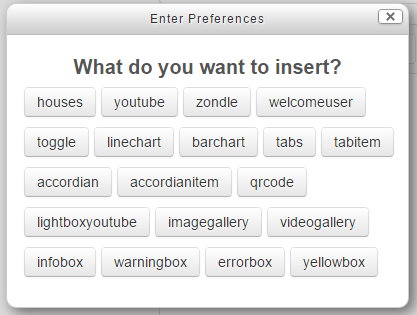
A companion for Poodll's Generico filter. It makes available a select button, and a form for each Generico filter template from a popup dialog.

Comments
Product ratings and reviews are coming to Moodle Marketplace. Until then, existing comments remain available to read, but new posts have been disabled.
As for the background image, i don't know. Please post questions in the forum linked to above. ie https://moodle.org/mod/forum/discuss.php?d=261896
I am trying to use it on the front page, it is not showing, I tried it also on the course level, but it did not show as well.
Any suggestions?
Thanks,
Using latest version 4.2 in Moodle 4.3 does not show the icon. Anything to do with it? Or that it needs an update?
Thanks,
https://github.com/justinhunt/moodle-tiny_generico
You can download a zip file to install from there, or use git if you prefer. I will upload it to Moodle.org in the next day or two. It might take some time to be approved (..or it might not).
Do you have any idea when this will be ready?. We are shifting back and forth between Atto and Tiny as it is now, but would love to be able to have the Generico Icon on the toolbar in Tiny
Help???
files = image, media, recordrtc, managefiles, generico
I have installed the "generico" filter plugin and "generico_atto_icon". Later, in the text editor, I also wrote "style3 = generico" in the text editing bar... but I am unable to see the G icon
I'm having the same problem that Zabelle has, but also only the "Welcome user" template was loaded. I have manually created the accordion template and is working fine., bit I would like to save time by having the G icon otion on my text editor.
For your information, I am ussing Generico and Generico atto icon plugins on Moodle 3.4 and I have selected the Atto text editor as default.
Please your help.
Thanks in advance.