Webcam snapshot icon

Webcam snapshot

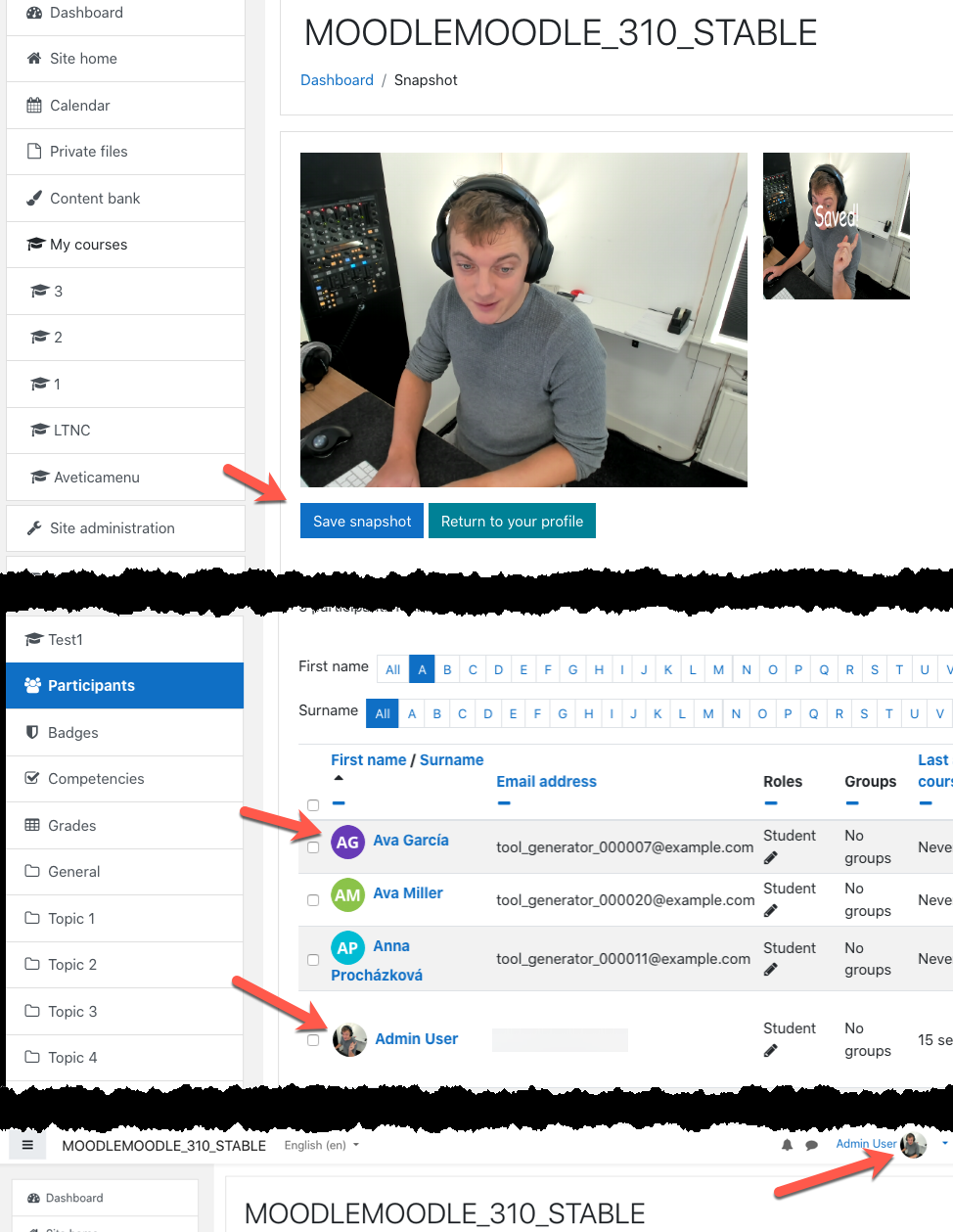
This block allows users to make a profile picture with their webcam.
Price option: Free

Supports Moodle 2.6-5.1 See all versions
Latest release: 3 months ago
Installations: 155
Downloads (last 90 days): 104

Frankenstyle name: block_mfavatar
Blocks

Comments

Comments are no longer open for new posts. Existing comments remain available to read.

@Vladimir Where do you see this error? Can you provide an error back trace?
hi, I see this error in Moodle v3.9. How to fix it? Thank you! "Exception - Class 'completion_info' not found "
Future development, would be a great add on to the atto text editor to allow students to take shots of work etc
Hi Kale, did you turn off "avatar_initials" in the global block configuration? This prevents avatars from being generated.
I love the automatically generated avatars, but I have a problem: even though Override user picture is unchecked in the settings, it replaced the profile picture I was using. Now when I try to delete the avatar or upload a new picture in my profile nothing happens. (Using Moodle 3.5 and plugin version 1.3.0)
Hi Ray,
Can you check the latest moodle35 version on github?
https://github.com/MoodleFreak/moodle-block_mfavatar
Deleted users shouldn't need a new avatar, they will be skipped now. If you confirm it works correctly I will update the plugin on moodle.org
Cheers,
Luuk
We seem to have an issue with this plugin with deleted users? Here's the log from the scheduled tasks that keeps failing...
Update user avatars
Execute scheduled task: Update user avatars (block_mfavatar\task\update_avatars)
... started 17:02:01. Current memory use 9.5MB.
... used 154 dbqueries
... used 1.1980068683624 seconds
Scheduled task failed: Update user avatars (block_mfavatar\task\update_avatars),Invalid user
Debug info:
SELECT id FROM {user} WHERE id = ? AND deleted = ?
[array (
0 => '6',
1 => 0,
)]
Backtrace:
* line 1522 of /lib/dml/moodle_database.php: call to moodle_database->get_record_select()
* line 6124 of /lib/accesslib.php: call to moodle_database->get_record()
* line 191 of /blocks/mfavatar/classes/avatargenerator.php: call to context_user::instance()
* line 140 of /blocks/mfavatar/classes/avatargenerator.php: call to block_mfavatar\avatargenerator->save()
* line 163 of /blocks/mfavatar/classes/avatargenerator.php: call to block_mfavatar\avatargenerator->set_avatar_single_user()
* line 57 of /blocks/mfavatar/classes/task/update_avatars.php: call to block_mfavatar\avatargenerator->set_avatar_for_all_users()
* line 105 of /lib/cronlib.php: call to block_mfavatar\task\update_avatars->execute()
* line 297 of /lib/cronlib.php: call to cron_run_inner_scheduled_task()
* line 91 of /admin/tool/task/schedule_task.php: call to cron_run_single_task()
Any assistance will be greatly appreciated!
Cheers,
Ray
Hi Luuk. That's great - many thanks! I understand now, and apologies also because my confusion was caused by the fact that I thought the download link at the top of this page was for the latest 3.5-compatible version of the plugin. However, that link is actually for the 1.1 release, and I realise now it's the 1.2 release that offers this functionality (hence my confusion after installing 1.1 and not seeing any settings related to automatic avatars). Everything works great now (although we do have an issue with non-latin character-based names producing avatars with no visible text; however that's probably beyond the scope of what you had in mind for this plugin)!
@Roland Sherwood I added a video to description of plugin. I hope this helps.
Hi. Thanks for making this plugin available. If possible, please could you provide more details of the automatic first and last name initials avatar creation (as shown in the third image above) functionality? After having installed the plugin I can't find any way to activate or make use of this functionality. Thanks.
@AdityaDubay Did you add the block to the My Moodle page? The capabilities looks correct.
Block is not visible to student sad
Block permission are:
Block: MoodleFreak Avatar
Add a avatar snapshot tool
block/mfavatar:addinstance - Inherit (Allow)
mfavatar:view
block/mfavatar:view - Inherit (Allow)
Block
Edit a block's settings
moodle/block:edit - Inherit (Not set)
View block
moodle/block:view - Inherit (Allow)
@sergio This is done by default moodle behavior, using user profile image. The uploaded file will be added to moodledata folder and stored in the DB in the *files* table.
Hi! Can you tell me the directory where the picture are saved and how to change it? Thank you!
Also tested with success on version 2.9.1