User Restore
Maintained by
Sebsoft BV, Rogier van Dongen
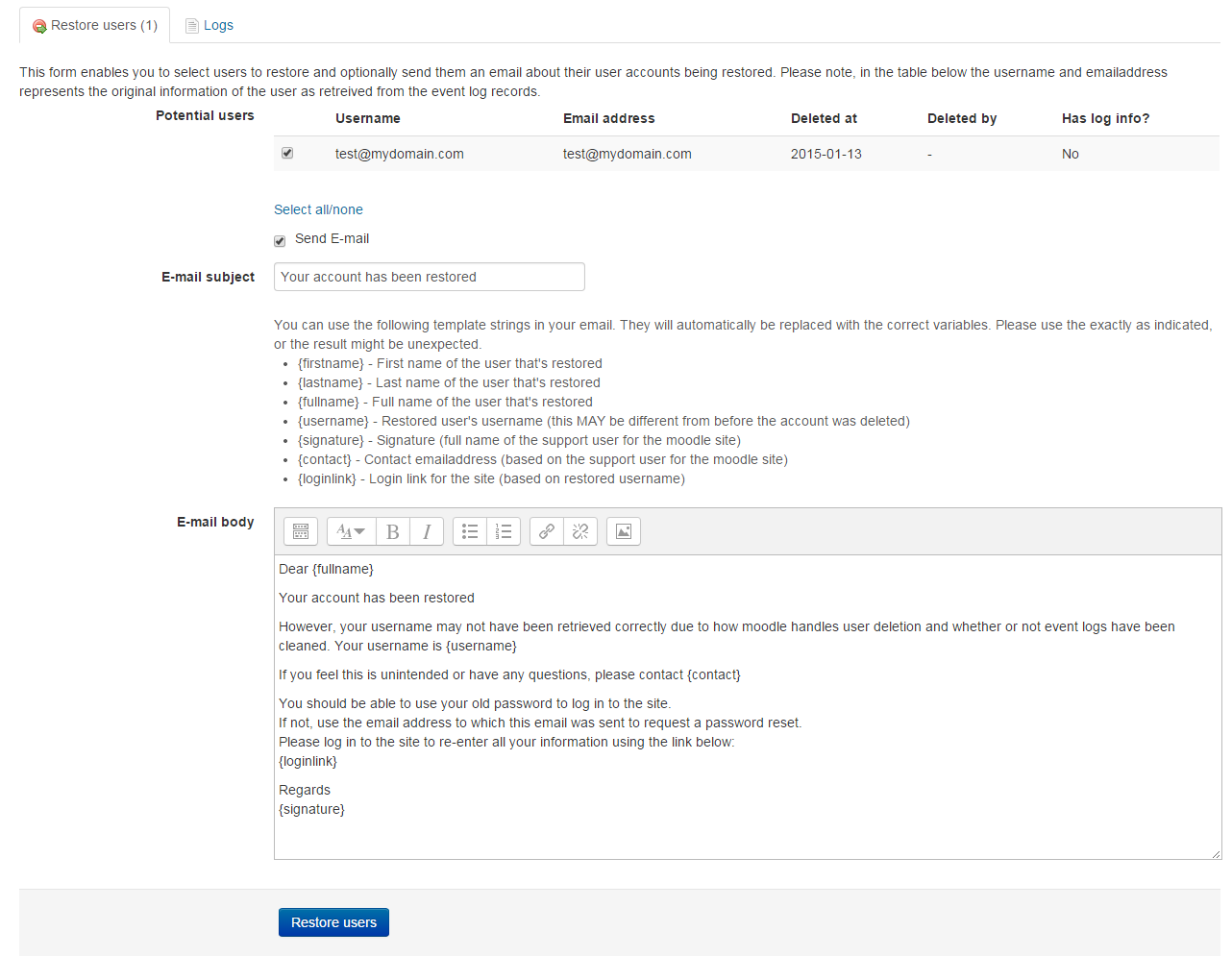
The Sebsoft User Restore Plugin offers you the possibility to restore user accounts
that were deleted from moodle.



Comments
Product ratings and reviews are coming to Moodle Marketplace. Until then, existing comments remain available to read, but new posts have been disabled.
Having been familiar with the caching timeouts, see the updated description above. A new strategy has been implemented.
Please be aware the initial datafecthing can still take a _significant_ amont of time, especially when the logstore is huge and/or there are many, _many_ deleted users.
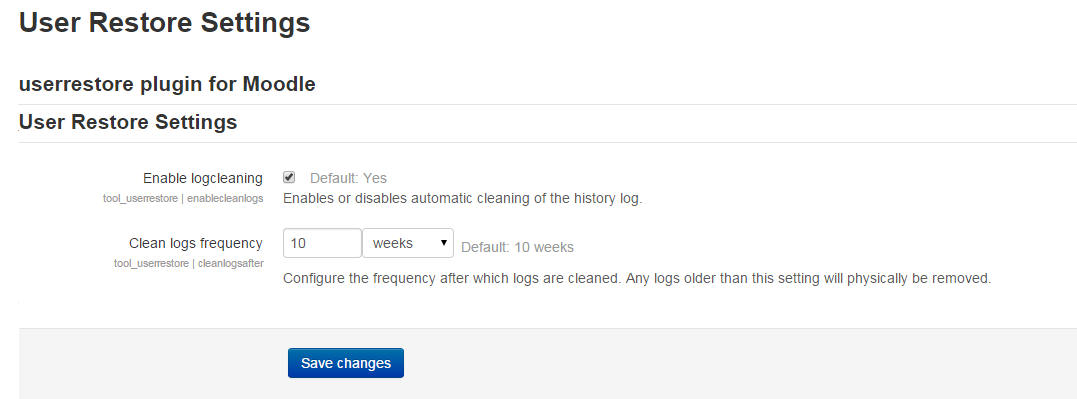
After the initial data fetch, the scheduled task _will_ be disabled (it is resettable though) and all the work will be taken over by hooking into the user_deleted event.
This new strategy makes a lot more sense even when the plugin stores the relevant data itself now.
Cheers
The only thing I can safely advise you for now is to have your systems administrator increase the timeout for MySQL.
All cases we've seen with this specific type of error were resolved when the database management system is allowed to run longer.
I've been wanting to update the process again so it's less prone to crashing due to the database dropping the connection/stopping the query but unfortunately lack the time to do so.
Because the process dives deep into Moodle's event logs; I'm suspecting your log table might be on the large side (maybe gigantic). The whole issue is within this table and the fact MySQL does not have the best optimisation. Large tables, such as the event logs, therefore might be the cause for long running queries that in turn cause timeouts.
I'm hoping I can generate some time soon to tackle this less than usable process of filling usercache and add some drop-in "instant query" methods to match userdat based on a selected user, but this also _might_ not be the best approach if any of the search variables for users are deleted through the Moodle user deletion process. In other words: a decent fix may lead to being less able to _search_ in relevant data.
Cheers
It is as you said it gives 2 error messages "MySQL server has gone away".
Its really bad we cannot do anything, i really needed those users back...
My target system only have 67 deleted users
Thanks for reply,
Cheers
That depends on what causes the error. Without information as to why this error occured (you might want to enable full on screen debugging) it could have come from anywhere.
Having said that; i think this error might be caused by the database layer itself.
I would advise you to either add a so called "debuguser" to the Moodle config; temporarily enble full debugging mode ("show all errors" and "enable display" so you can see it in your browser).
I would not be surprised if ultimately the message shown to you would be "MySQL has gone away"; which would be an indication the database server dropped/closed the connection.
In that case; there's nothing I can do in code (something I already suspect because the process does run but ultimately fails).
By the way: 67 users isn't that much. What may be more interesting to know because it highly influences the length of the "refill cache" process. How many deleted users does your target systeem have in total?
Thanks for your answer in advance,
Cheers
thanks in advance
Every now and then I think about tackling this in a different way, but one of the major challenges is that we cannot resolve things without severe impact on processing time.
The reasons for this are plenty: the log tables in Moodle, especially on MySQL, are notoriously slow due to the huge amount of records.
This makes JOIN-ing virtually impossible, hence the reason to try and implement some form of caching. However, filling the cache is also tediously slow when there are a substantial amount of users that were marked as deleted.
We might even end up doing a complete rewrite, implementing a range of ways to use this tool. For our original use cases the tool works flawlessly, but again: when there are 100's or even 100's of deleted users I agree with the process becoming rather unusable. I hope to be able to follow up on this some time soon, but it could take a while.
Cheers, Rogier
Dave
Please, help me, I have about 30,000 accounts, 1464 of them have been deleted. The plugin is installed 3.6.1 (LTS Moodle 3.5), just a week ago the plugin worked and restored users. Now he says fill the cache. I tried to append and full refill the cache, tried it the same way through CLI (--execute = tool_userrestore \ task \ filldeletedcache) I waited for a couple of hours, reinstalled the plugin .... it did not help. I see that the task is starting, but it does nothing, there is no load on the CPU. What else to try?
Checked up to Moodle 3.10.
Note the following changes:
- Decoding the event data now takes the JSON format setting of the logstore into account (decoding should hence be transparent no matter what serialisation method is used).
- user_deleted handler now no longer works by default. It must be enabled to work (reason: see Gemma's comment; bulk deletion is severely impacted)
- Cache refill can now be done 10 records at the time (apart from the full refill and smart refill that already existed).
- Added notification indicating the number of missing cache records.
Source control URL has been fixed (sorry for the massive delays; this year has been messy and chaotic indeed).
Cheers!
Rogier
Can you please provide an up to date source control url for Moodle 3.10 ?
Cheers, Rogier