eLeDia GmbH
Lead maintainer

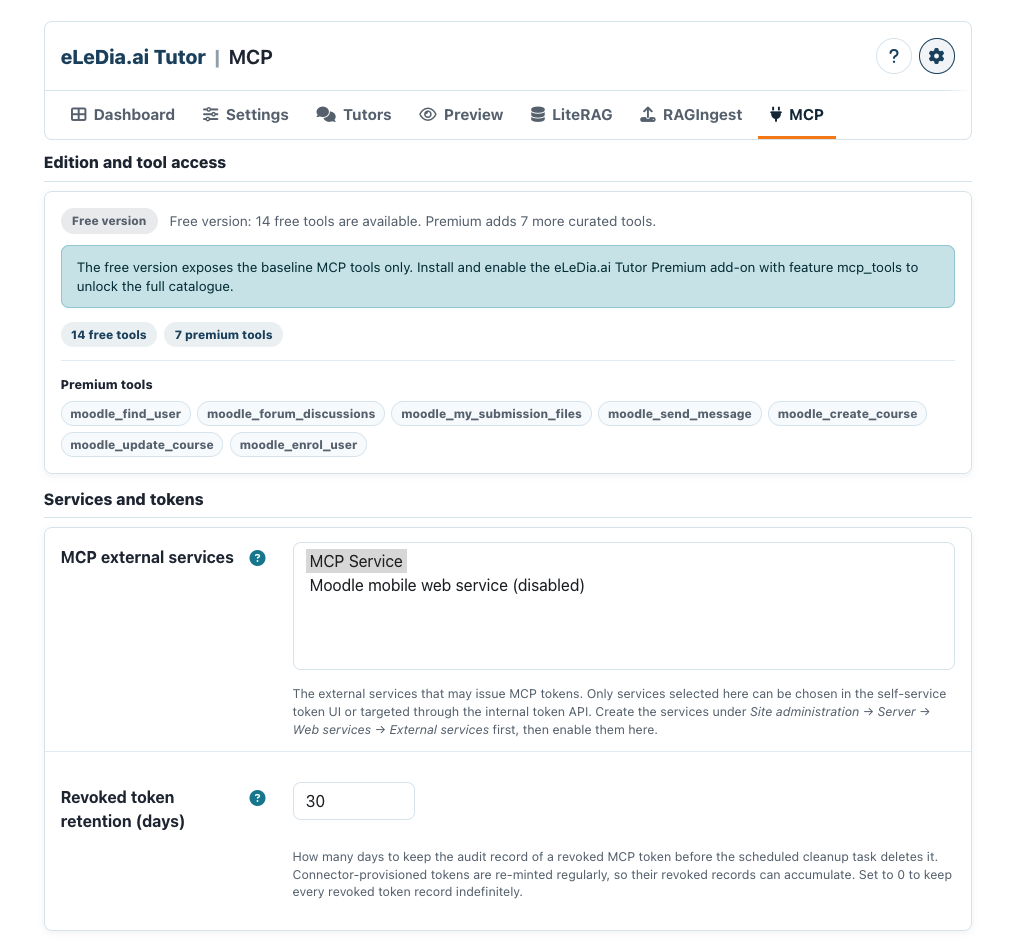
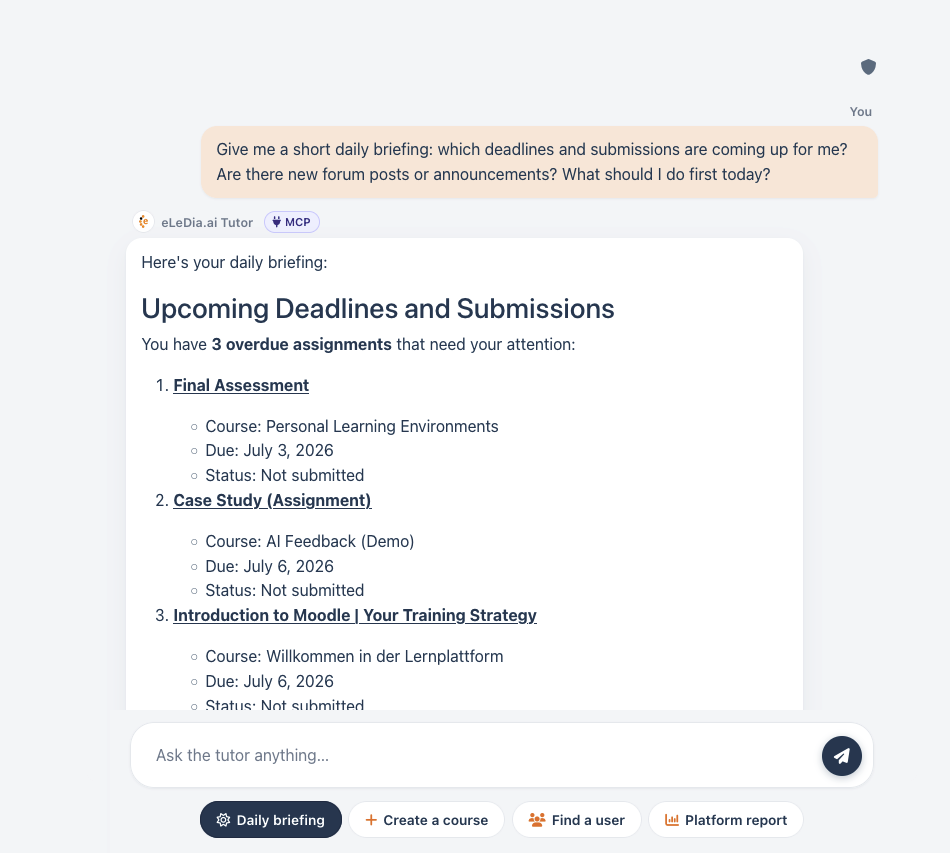
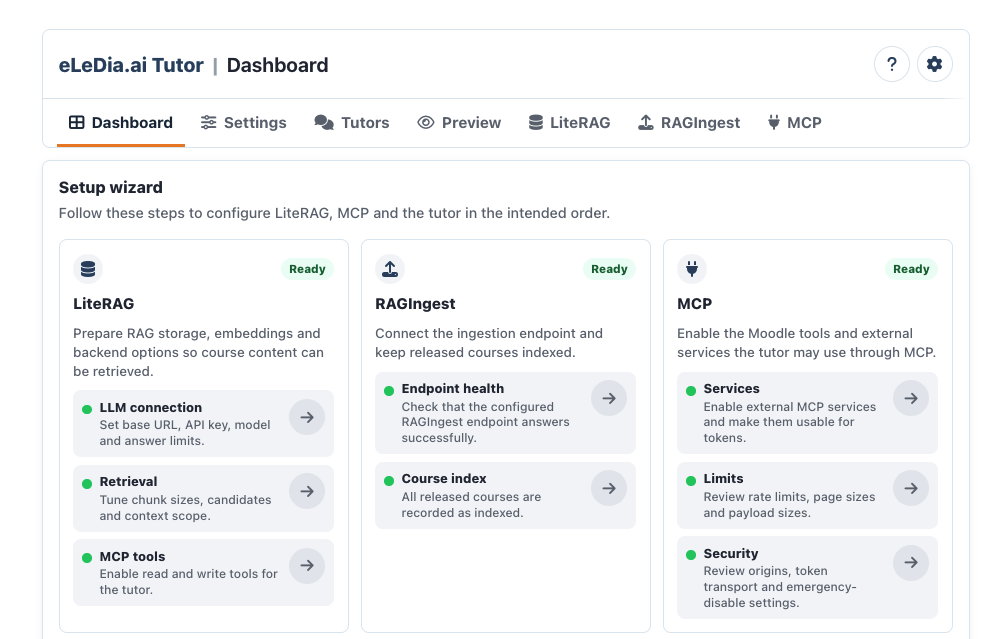
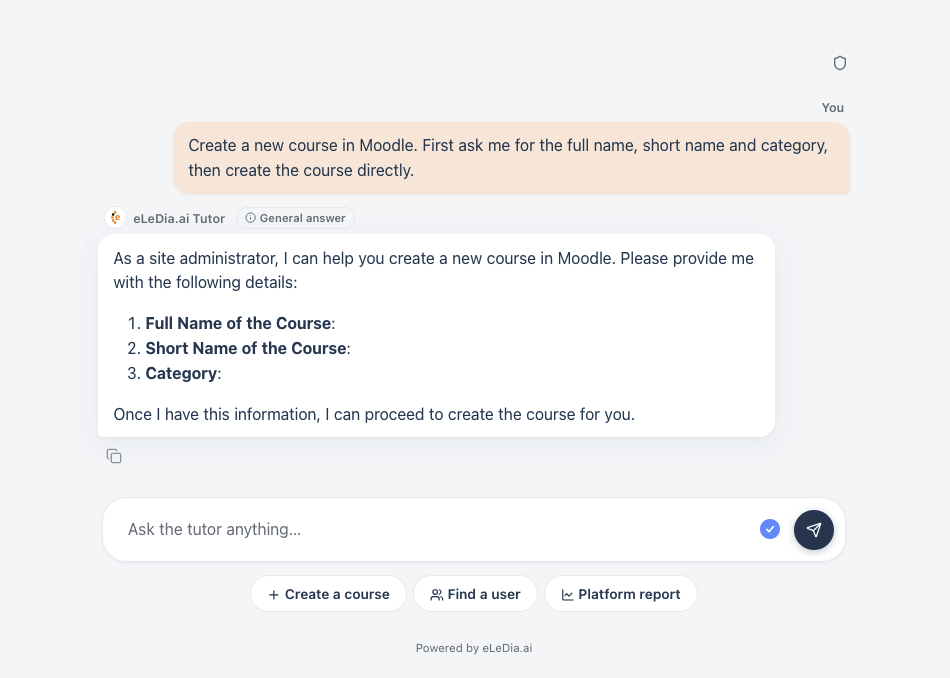
eLeDia.ai MCP brings conversational control to Moodle. The plugin provides a secure Model Context Protocol server for Moodle and connects large language models with real Moodle tools. This means an AI tutor, Moodle chatbot or external AI assistant can do more than answer questions about Moodle: it can interact with Moodle in a controlled, permission-aware and auditable way.
With eLeDia.ai MCP, Moodle becomes accessible through natural language. Users can ask questions, request Moodle data, find learning resources, check deadlines, review progress or prepare actions directly in chat. The LLM can use approved Moodle tools behind the scenes and return useful, context-aware results without forcing users to navigate through complex menus, course pages or administration screens.
Traditional Moodle interaction depends on forms, navigation structures and manual clicks. eLeDia.ai MCP adds a conversational layer on top of Moodle. The chat becomes an intelligent interface that can understand user intent, select the right Moodle tool and retrieve or process the relevant information.
Learners can ask what is due this week, which course activities are still incomplete or where they are falling behind. Teachers can ask which submissions still need grading, whether there are unanswered forum posts or how active a course has been recently. Administrators and course managers can use approved tools to search users, inspect courses or support workflows that would otherwise require multiple manual steps.
This makes Moodle easier to use for everyday tasks while preserving Moodle’s existing permission model. The LLM does not receive unlimited access. It can only use tools that are exposed by the plugin, allowed by the site configuration and permitted for the authenticated user.
The Model Context Protocol, or MCP, is designed to connect AI systems with external tools and data sources. eLeDia.ai MCP applies this concept to Moodle. It exposes Moodle capabilities as structured tools that LLMs can understand and call.
These tools can include course discovery, course contents, Moodle resources, announcements, calendar events, assignments, grades, user lookup, messages and selected write actions. The plugin describes tools in a way that helps the model understand their purpose, required parameters and safety properties.
This turns Moodle into an AI-ready learning platform. Instead of manually copying information into a chatbot, the LLM can retrieve Moodle context directly and work with the current user’s courses, roles and permissions.
eLeDia.ai MCP is designed for both internal and external AI scenarios.
Inside Moodle, it can power eLeDia.ai Tutor or another Moodle AI assistant. The tutor can use MCP tools to answer course-specific questions, check deadlines, inspect learning progress, find course materials or support teacher workflows. This transforms the tutor from a simple question-answer assistant into an actionable Moodle assistant.
Outside Moodle, the same MCP server can be used by compatible AI clients such as Claude Desktop or other MCP-enabled assistants. This allows users to control approved Moodle functions from an external chat environment while still using Moodle tokens, Moodle permissions and the site’s security configuration. For example, a teacher could ask Claude to list pending Moodle submissions, find course activity information or prepare a Moodle message, depending on the tools the administrator has enabled.
This flexibility is especially valuable for institutions that want to integrate Moodle into broader AI workflows without giving AI systems uncontrolled access to the platform.
eLeDia.ai MCP is built around controlled access. Users can create their own MCP tokens, label them, revoke them and assign expiry dates. Tokens are scoped to configured Moodle external services and represent the authenticated user, so Moodle permissions remain central.
Administrators decide which external services may issue MCP tokens and which tools are available. The plugin includes configuration for rate limits, maximum request sizes, CORS origins, token policies and service restrictions. An emergency disable switch allows administrators to temporarily shut down the MCP endpoint during incident response or maintenance.
Secrets are handled carefully. Newly created tokens are shown only once. Passing tokens through URLs is disabled by default because URL-based secrets may leak into logs, browser history or referrer headers. The recommended approach is to use the Authorization header.
A key benefit of eLeDia.ai MCP is that it does not bypass Moodle. It builds on Moodle’s established permission system. The LLM can only use tools that are available to the user and allowed by the configured service.
Read-only tools can safely retrieve information such as course content, deadlines or grades, subject to the user’s permissions. Write tools can be protected with explicit confirmation flows. For example, a message can be prepared and previewed first, then sent only after the user confirms the action.
This makes AI-driven Moodle automation practical for real educational environments. Institutions can introduce chat-based workflows without abandoning governance, accountability or role-based access control.
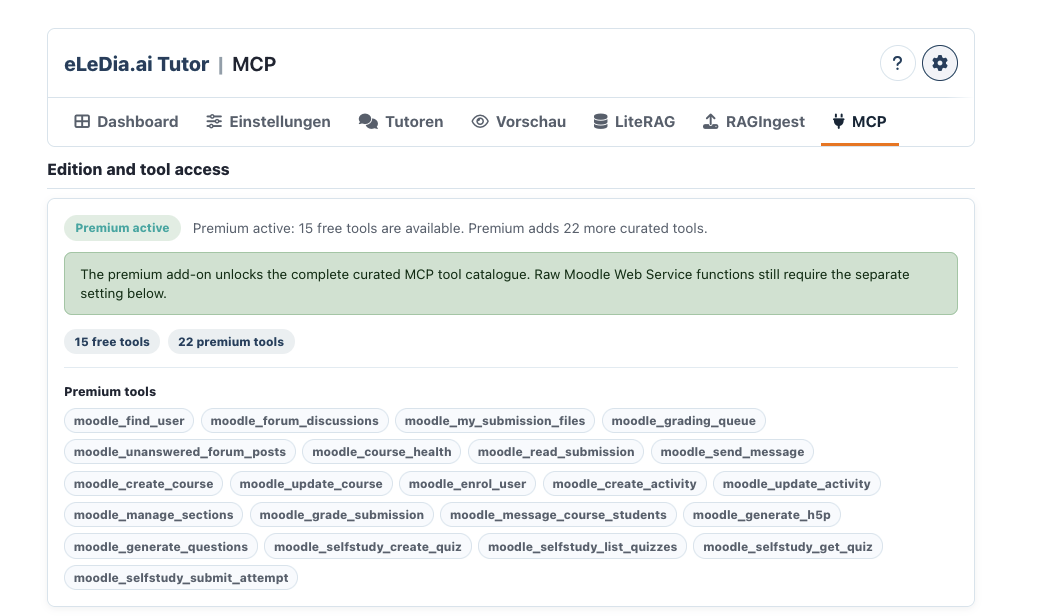
The plugin provides a curated MCP tool catalogue designed specifically for LLM use. These tools are not just raw API endpoints. They are described in a way that AI assistants can understand, with clear names, parameters and behaviour.
The curated catalogue helps the model choose appropriate Moodle actions and distinguish between read-only operations and actions that can change data. This improves reliability and safety in real chat scenarios.
For controlled testing or specialised administration scenarios, administrators may optionally expose raw Moodle Web Service functions. This greatly expands the available surface and should be used carefully. For production AI assistants, the curated AI-native tool set is the recommended approach.

