Geoffrey Rowland
Lead maintainer

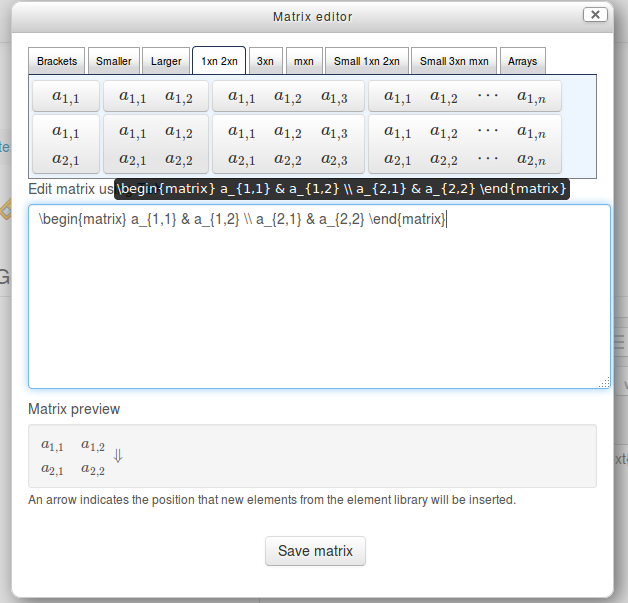
Moodle Atto Editor plugin for TeX/MathJax Matrices and Arrays.
Edit matrices and arrays in Moodle 2.7, or later, using the MathJax or TeX filter. Includes templates for 1xn 2xn, 3xn and mxn matrices and a range of brackets and braces.
Requirements:
1. The MathJax filter to be enabled (recommended) or the TeX filter enabled (or, in Moodle 2.8, both)
Administration > Site administration > Plugins > Filters > Manage filters
Don't forget to also enable the appropriate filter in the relevant course:
Administration > Course administration > Filters
2. The matrix editor button (matrix icon) to be added to the Atto editor toolbar:
Edit Administration > Site administration > Plugins > Text editors > Atto HTML editor > Atto toolbar settings > Toolbar config, to give, for example:
insert = equation, matrix, charmap, table, clear
Immediately after installation and configuration you may need to clear your Moodle server caches:
Administration > Site administration > Development > Purge all caches
and local browser cache for correct display.