
Students Tracker
Maintained by
Pierre Duverneix
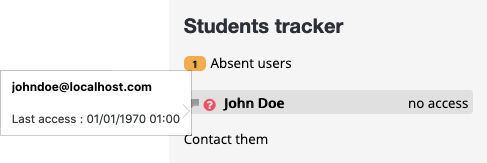
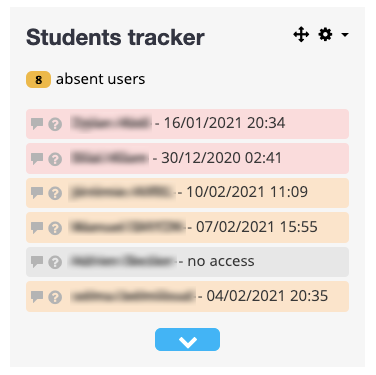
This plugin allows you to list users who have not logged into a Moodle course for several days. It lets you configure thresholds beyond which users are listed as potential dropouts. The goal is to provide teachers with a quick way to identify absent or potentially disengaged students.
It offers a quick access to the profile and messaging system of each listed user.
The roles and groups of the tracked users can be configured globally and at the level of each block instance.

Comments
Comments are no longer open for new posts. Existing comments remain available to read.
Once installed, the only way to use it is to activate the editing mode within a course and, from the navigation bar, chose "Add a block".
It will appear in the list of the available blocks on your platform.
Note that you have to do this from a course, not from the dashboard or the admin view, as the block only works in the context of a course.
You can configure some settings in Administration > Plugins > Blocks > Students tracker.
Then, simply add the block inside a course with the editor mode. It should appear in the block's section.
I forgot to write the release notes. That should be a bit more clear now !
exception 'zip_exception' with message 'Invalid structure of the zip package' in mdeploy.php:1422
Stack trace:
#0 mdeploy.php(805): worker->unzip_plugin('/home/t/theonep...', '/home/t/theonep...', '/home/t/theonep...', '/home/t/theonep...')
#1 mdeploy.php(1535): worker->execute()
#2 {main}
Any updates do Moodle v3.5?
Ricardo
Antony from at https://phonty.com/
I have new issue for Moodle version 3.3.5 and details are here https://github.com/Hipjea/moodle-block_studentstracker/issues/9.
Appreciate your help and advise. Thanks!
The Moodle way seems to be by editing the config.php file at the root of the Moodle installation folder on your server. See the official doc about the method : https://docs.moodle.org/33/en/Block_layout