Charles Fulton
Lead maintainer
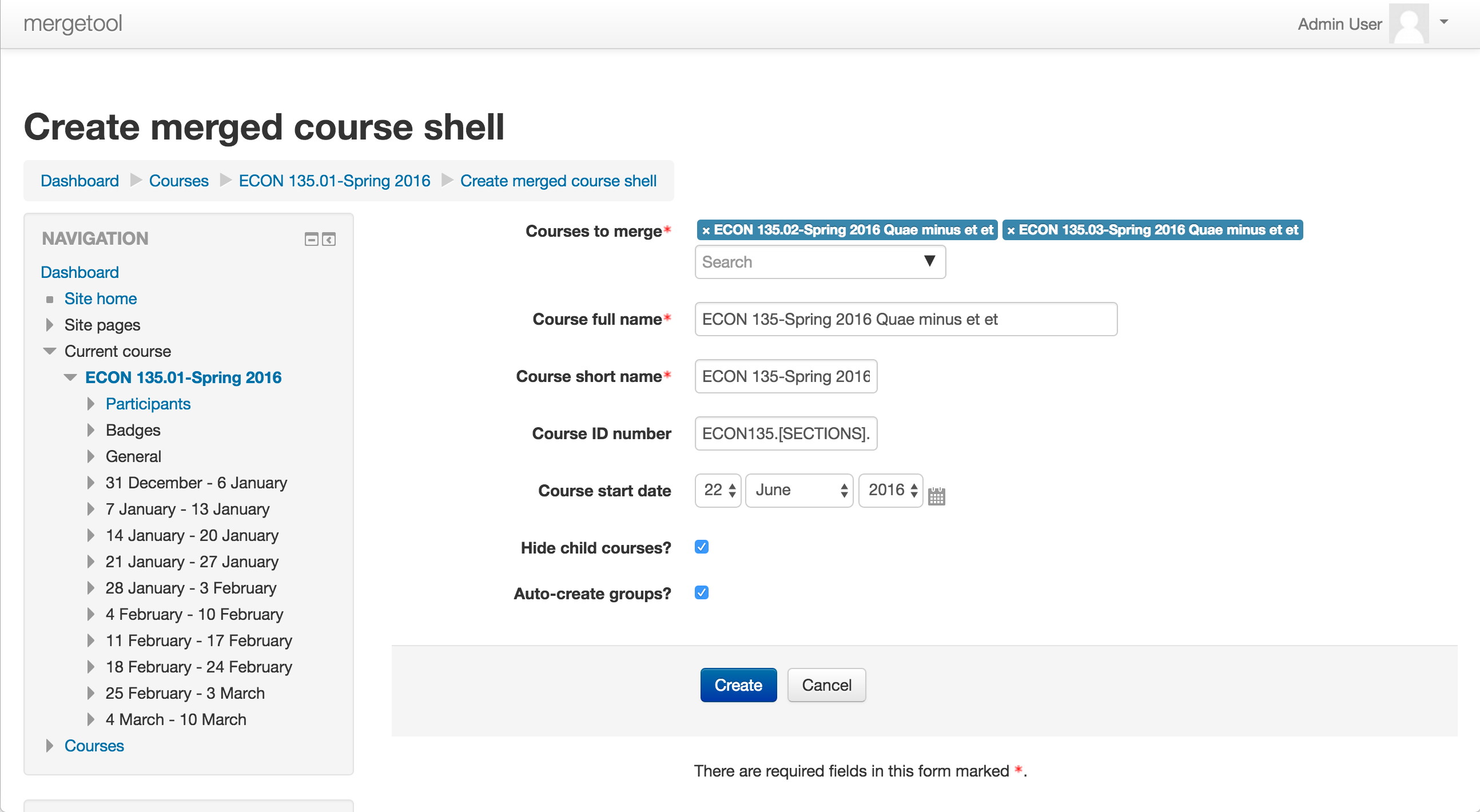
This local module allows teachers to create a new course shell from existing courses using the Course Meta Link enrollment method. The intended use case is a teacher combining multiple sections of a course into a single course while preserving the enrollments of the original courses. It does not merge the existing contents of courses.
To create a new course go to one of the source courses and click "Create Merged Course" in the Course Administration block. You'll be taken to a page where you can select the other courses to link into the new course, the name and other settings for the new course, and whether to hide the source courses (on by default). Once you've made all your selections click "Create". The plugin will do the following:


