Interactive Content – H5P icon

Interactive Content – H5P

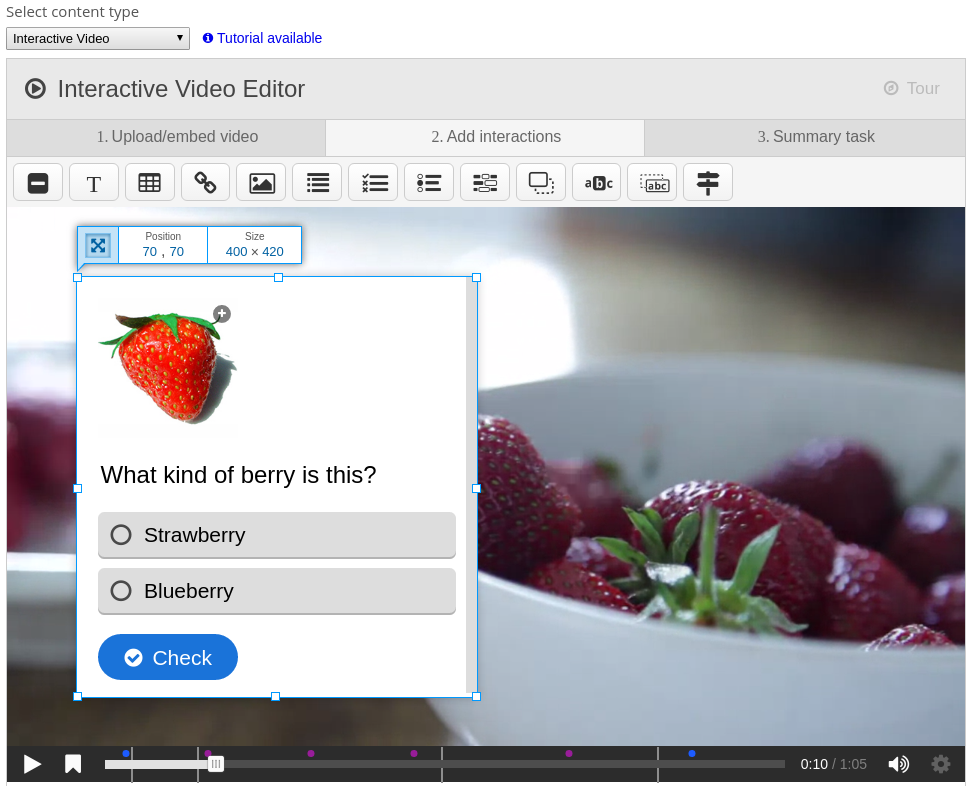
Create and add rich content inside your LMS for free. Some examples of what you get with H5P are Interactive Video, Quizzes, Collage and Timeline.

Price option: Free

Supports Moodle 2.5-4.5 See all versions
Latest release: 1 month ago
Installations: 27643
Downloads (last 90 days): 6809

Frankenstyle name: mod_hvp
Activities
Gamification

Comments

Comments are no longer open for new posts. Existing comments remain available to read.

I am using Moodle version 3.5 and Adaptable theme (version 1.7.1 (2018073000) ).
I am looking out for options/idea to pause interactive video inserted using H5P interactive content activities. While the plugin provide the option to insert the question at required location in the video, there is no way I can pause the video at that instance for user to answer the question before allowing the video to auto run.
Is there any workaround?
Hi wz, in Interactive Video you have to click the "star" on the timeline, which brings up the score screen, where you can click "Submit Answers" if you have answered questions in the Interactive Video. The score will not be saved in the xapi results table before you click this button. If you have any more questions, please ask them in the H5P.org forums (https://h5p.org/forum), which is a better suited medium for support. Thanks
@Thomas Marstrander Thank you, Thomas! I also notice this plugin created a table mdl_hvp_xapi_results, but I only found 13 rows data in it, no timestamp info.I tried answering some questions in 2 initeractive videos. But no more data generated in the mdl_hvp_xapi_results table. So I don't know how these data can be saved into database.
Hi wz, H5P does not provide logic for sending xapi events to arbitrary xapi log store servers, H5P just sends the events out so that you can catch them. You would have to build, or make use of an existing, module that catches the xAPI events, and then sends it on to your xAPI log store server. Please read our documentation for more info: https://h5p.org/documentation/for-authors/analyzing-results-and-answers. You can also see an example of how this can be implemented in JS in the moodle plugin: https://github.com/h5p/h5p-moodle-plugin/blob/stable/xapi-collector.js, where the xAPI statement is captured from the external dispatcher, then posted to the xAPIResult endpoint where it is stored in the database. Good luck smile
I'm wondering how to use the XAPI & Reporting features of this plugin. I notice there are xapi-collector.js & xapi-custom-report.css and reporting folder in this plugin. But I find nowhere to set sending logs to XAPI logs store server and find nowhere to view relevant reports.
Hi Lee,
I've tested the latest H5P version with the Fordson theme and have seen no complications. Please check your browser's console and your php error log to get a better grasp of what is going wrong on your site. If you still think it is because of H5P, please post a bug report to https://h5p.org/forum/10, which is a better medium for bug reports, together with more information about what you've found in your logs and how you are able to reproduce it, so that we may help you swiftly.
- Thomas
just updated h5p and it broke Fordson theme. kills all graphics and only leaves the text and links
@Rahul Arora Could you check the last lines of Apache's error_log file?
Hi, Have been trying to install the plugin (both via download as well as direct install from moodle plugin) but every time get following error.
--------------
This page isn’t working
localhost is currently unable to handle this request.
HTTP ERROR 500
-----------
Dev Environment: Mac, Apache, MySQL, Moodle 3.5
-----------
Thanks in advance for the help.
@Sam Mudle, please create a bug report at the H5P.org forums ( https://h5p.org/forum/9 ) with detailed steps on how to reproduce this, so we are able to help you. Thanks.
@fred hunter, For your second question, I'm not able to reproduce this. Answers are successfully registered in the gradebook when entering the result screen for Course Presentations. Note that only students' answers will appear in the gradebook, so you'll not be able to see your grades as a privileged user, this is Moodle native functionality. If you're still not able to see students' answers please make a bug report at the H5P.com forums ( https://h5p.org/forum/9 ) with detailed steps on how to reproduce this.
@fred hunter, Our content is inside an iFrame so you can not change it by just adding CSS in your theme. You have to override our plugin renderer, you can find more information about this at: https://h5p.org/moodle-customization.
@Conor I'm not able to reproduce this. Could you please make a bug report at the H5P.org forums ( https://h5p.org/forum/9 ) with steps to reproduce this ?
@MAG II, thanks for reporting this. This is a bug in embedded content. I have created an issue for resolving it at https://h5ptechnology.atlassian.net/browse/HFP-2164 where you can follow along the progress of resolving it. There's also a temporary workaround suggested there.
Please report any future bugs on the H5P.org forums.
Well, h5p latest on moodle 3.51 is not recording scores on the interactive video. The gradebook is just blank.