The E-Voting activity module enables students to vote via their smartphone or their laptop and to have the results displayed on a graph in real time.
The E-Voting activity is ideal to capture the attention of wide groups. It increases interactions between "Professors-Students". Therefore, it supports a flipped class type of activity.
E-voting can be used in class to check knowledge at the end of a course or to animate theoretical presentations.
Usage
- As a teacher, on your course, turn editing on
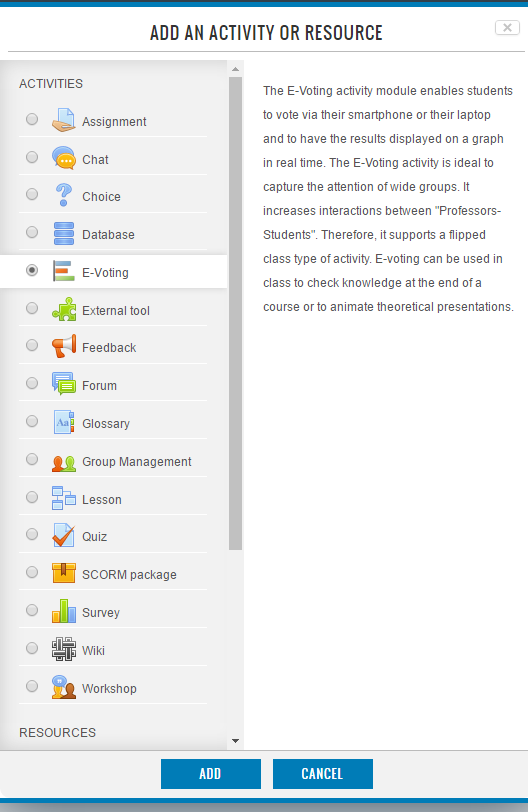
- Add an activity or resource
- Select E-Voting
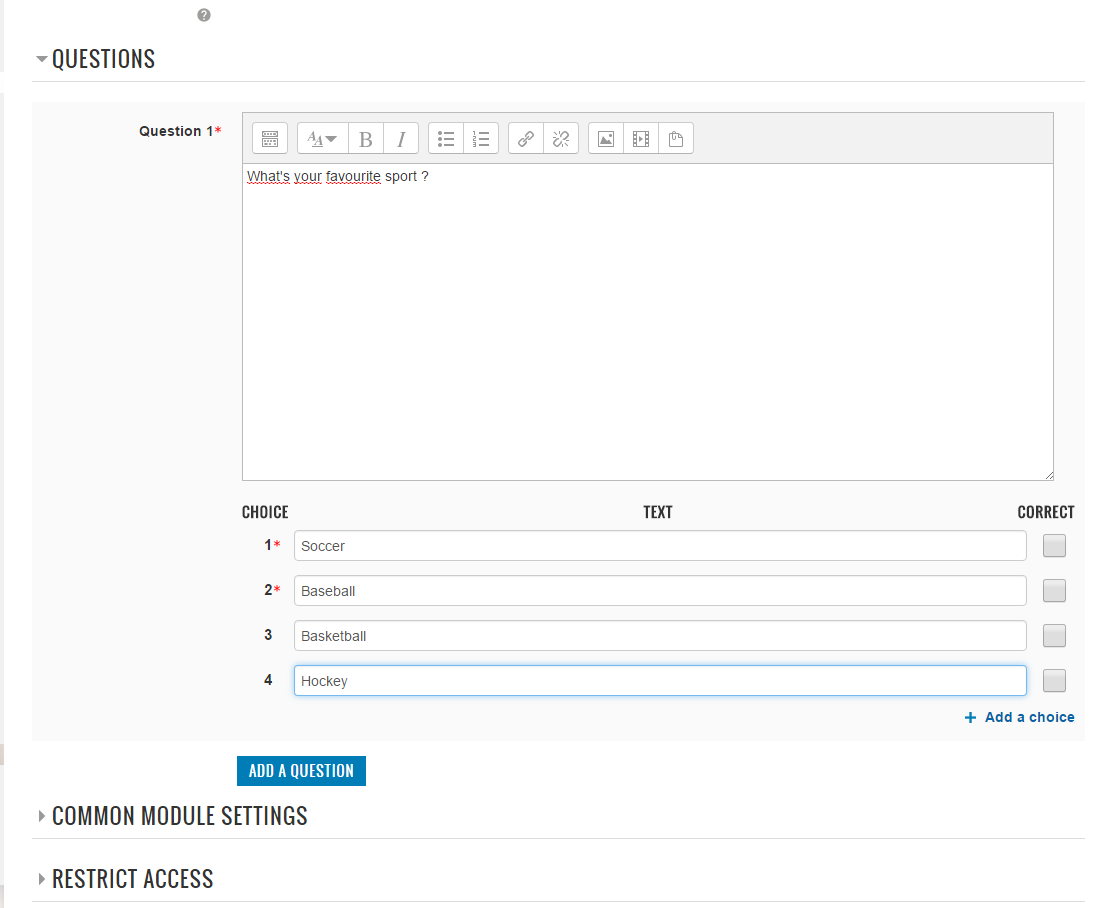
- Fill the form to create a new E-Voting poll
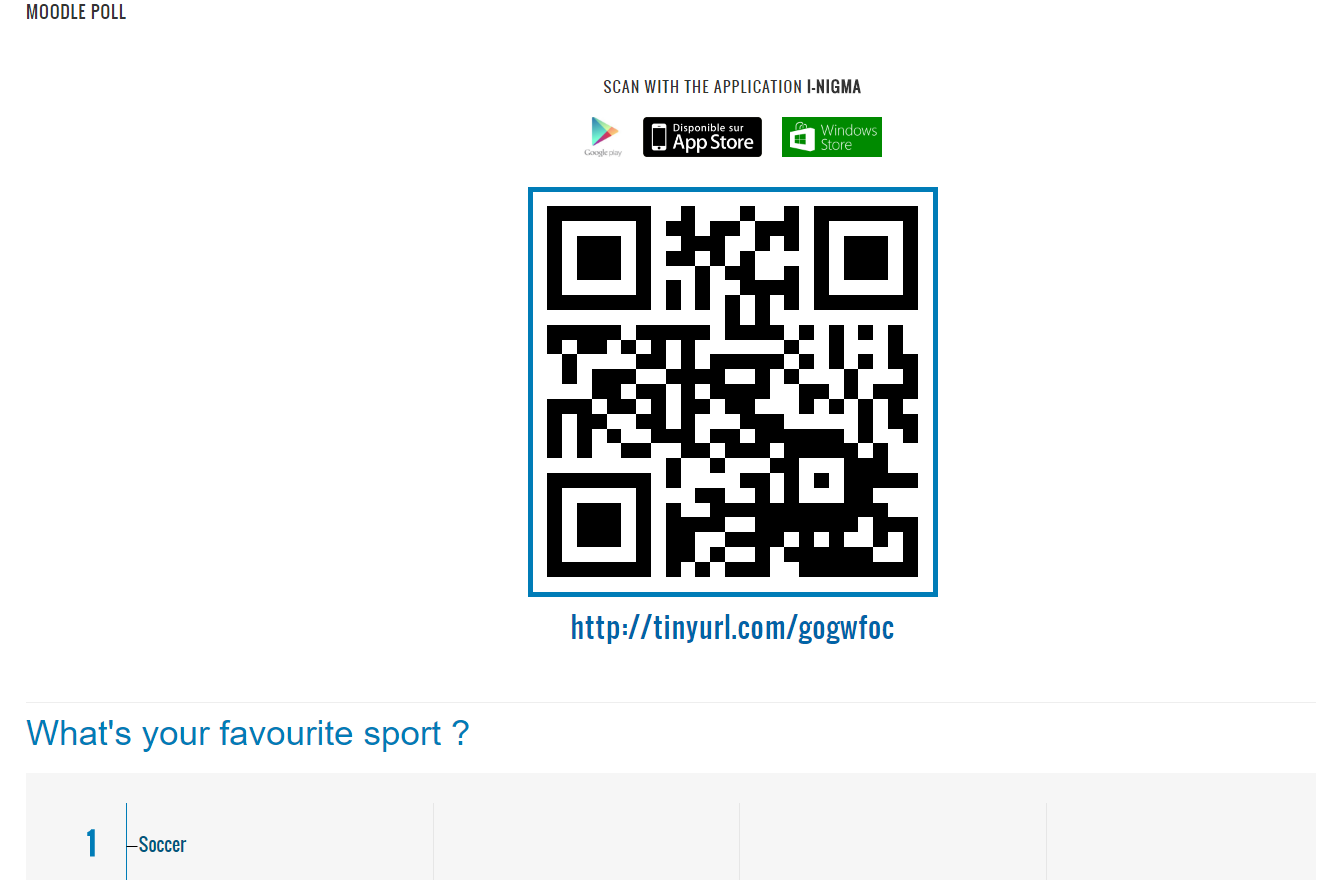
- On the E-Voting page, Click on the QR Code to show it bigger
- Your students in class shall have the option for seeing the vote panel to:
- scan this QR Code with a QR Code reader installed on their Smartphone
- access with URL above the QR Code
- click on the activity in the course page
- Click "Start button" to start the e-voting poll (you can select if you want time for voting or not)
- Only at this moment, your student can vote with Smartphone, laptop, ...
- When you want to stop the poll, click the "Stop button"