
MEDIAL Video Assignment Submission Plugin
Maintained by
MEDIAL Streaming
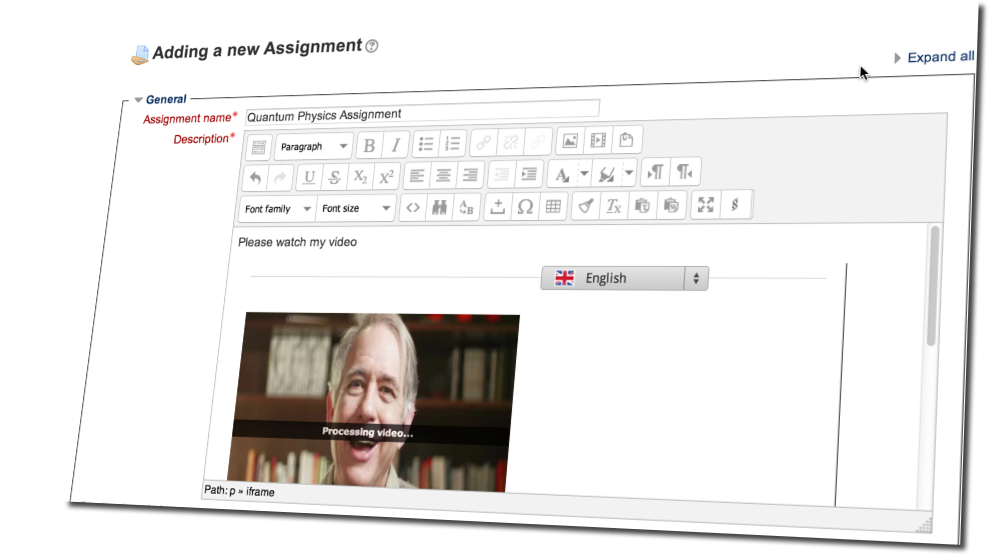
This Moodle video plugin allows Teachers and Students to create and respond to Video Assignments that are uploaded and cataloged in MEDIAL rather than Moodle itself.

Comments
Comments are no longer open for new posts. Existing comments remain available to read.
We started experiencing an issue with this plugin when students submit a video assignment in groups, with the group mode in the Assignment activity enabled.
Description:
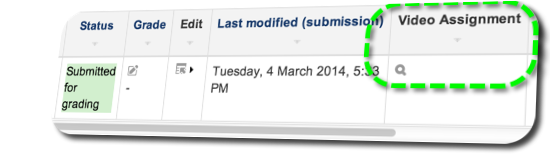
Whenever grouped students are attempting to submit a video assignment, they are guided through the necessary steps to upload a video and the video upload progress bar completes. However at the end of the process when they click Save, they get an error message on top of the page saying "Nothing was Submitted". Also, the submission status inside of the Assignment activity says that there is no submission. Finally, even though the submission status says that there is no submission, when you navigate to the Assignment activity and view all submissions, a link to the video appears in the Video Assignment column. In conclusion, it seems like the video is being uploaded but students still get the 'Nothing was Submitted' error message and the submission status says that there is no submission.
We rely on this plug-in for our formal assessment submissions so it would be great if this bug was fixed asap.
Thanks for your help!
I noticed that the recommended boilerplate was not used in the version.php file. The boilerplate is recommended at the beginning of each file and makes explicit the GPL license. You may want to review http://docs.moodle.org/dev/Coding_style#Files to learn more about the boilerplate comments.
You are mixing $plugin and $module declaration in the version.php. Please use just $plugin. Also, your plugin depends on the mod_helixmedia being installed. Please declare that dependency explicitly in order to prevent unexpected errors. Please see https://docs.moodle.org/dev/version.php for details.
I am getting the warning "Undefined property: stdClass::$version in /mod/assign/submission/helixassign/settings.php on line 23". Please use the development debugging level while working on Moodle plugins development and don't ignore the raised notices.
It is encouraged to follow Moodle’s coding style as outlined in: http://docs.moodle.org/dev/Coding_style and http://docs.moodle.org/dev/Coding The code checker plugin can be quite helpful in fine tuning your code and can be found at: https://moodle.org/plugins/view.php?plugin=local_codechecker You may wish to consider using that tool to further improve your plugin.
For now, I am going to mark this plugin as needing more work until we get these issues resolved. Thanks for your patience with the review and approval process.