
Course Announcement
Maintained by
Jan Eberhardt
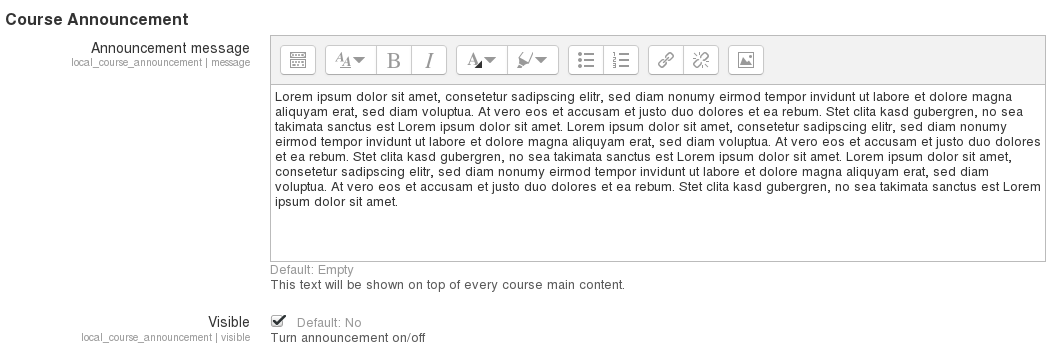
This extension allows administrators to display a message on top of every course, which can be used to reach users on an urgent matter.

Comments
Comments are no longer open for new posts. Existing comments remain available to read.
By the way, I've just installed it in Moodle 4.1 (dev) and it seems to work exactly as expected.
Thanks for your good work.
/* Change the colour of the Course Announcement box*/
.alert-info {
/*default blue: #d9edf7; */
/*light pink warning: #fad1e3; */
/*hot pink warning: #ea1d76; */
background-color: #fad1e3;
}
Unfortunately, this also changed the boxes containing each question in a quiz! Yikes! Poor students! I hear they use pink on prison walls to keep the prisoners calm, so maybe this had a positive effect! Regardless, I changed it all back as soon as it was reported to me.
It makes sense to me that this plugin uses the .alert-info class, but I don't understand why the question boxes uses that. Mind you, I'm a total CSS amateur. I know just enough to do some damage.
The plugin seems to work fine on Moodle 3.2. No error.
Best regards,
Benoit.
And as to course specific, I'd like this functionality for this use case: you want a reminder to be displayed ONCE the next time a student visits, and a click to close. Maybe like this:
"Reminder, test today is in 302 not 509". Big, green, just sitting there.
-Derek
I agree that a per course notice does not make sense, as you can just add a notice to that course and style it with bootstrap. However, it _does_ make sense to allow notices to be applied by category. In most schools, I would wager that different programmes sit under different categories. A perfect use case is if you want to remind all students in a given department about some kind of writing standard or policy change. At the moment, all you can do with this plugin is apply a notice to every course in the system.
Thoughts on this?
https://integration.moodle.org/job/Precheck%20remote%20branch/32093/artifact/work/smurf.html