Brendan Heywood
Architect

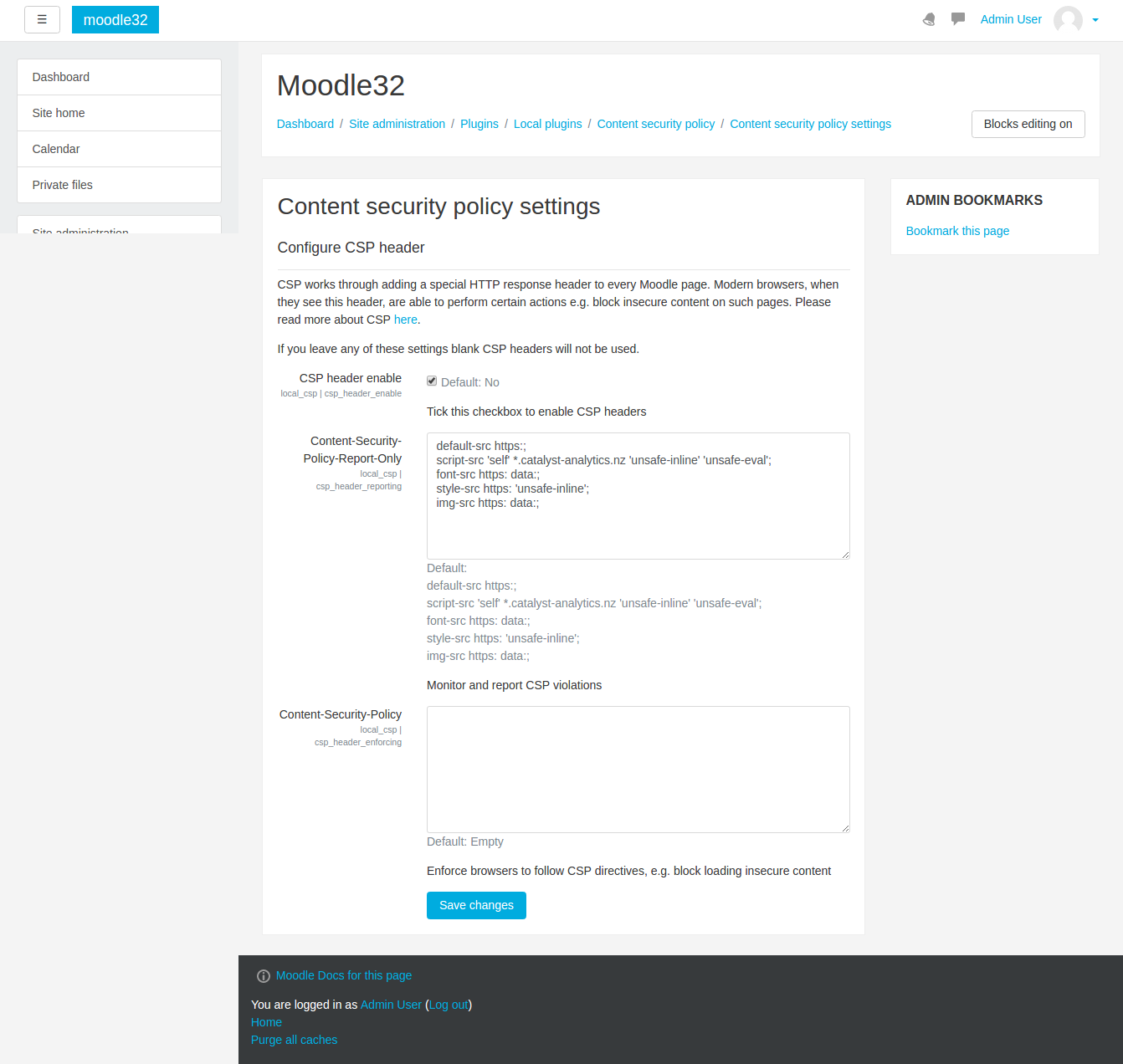
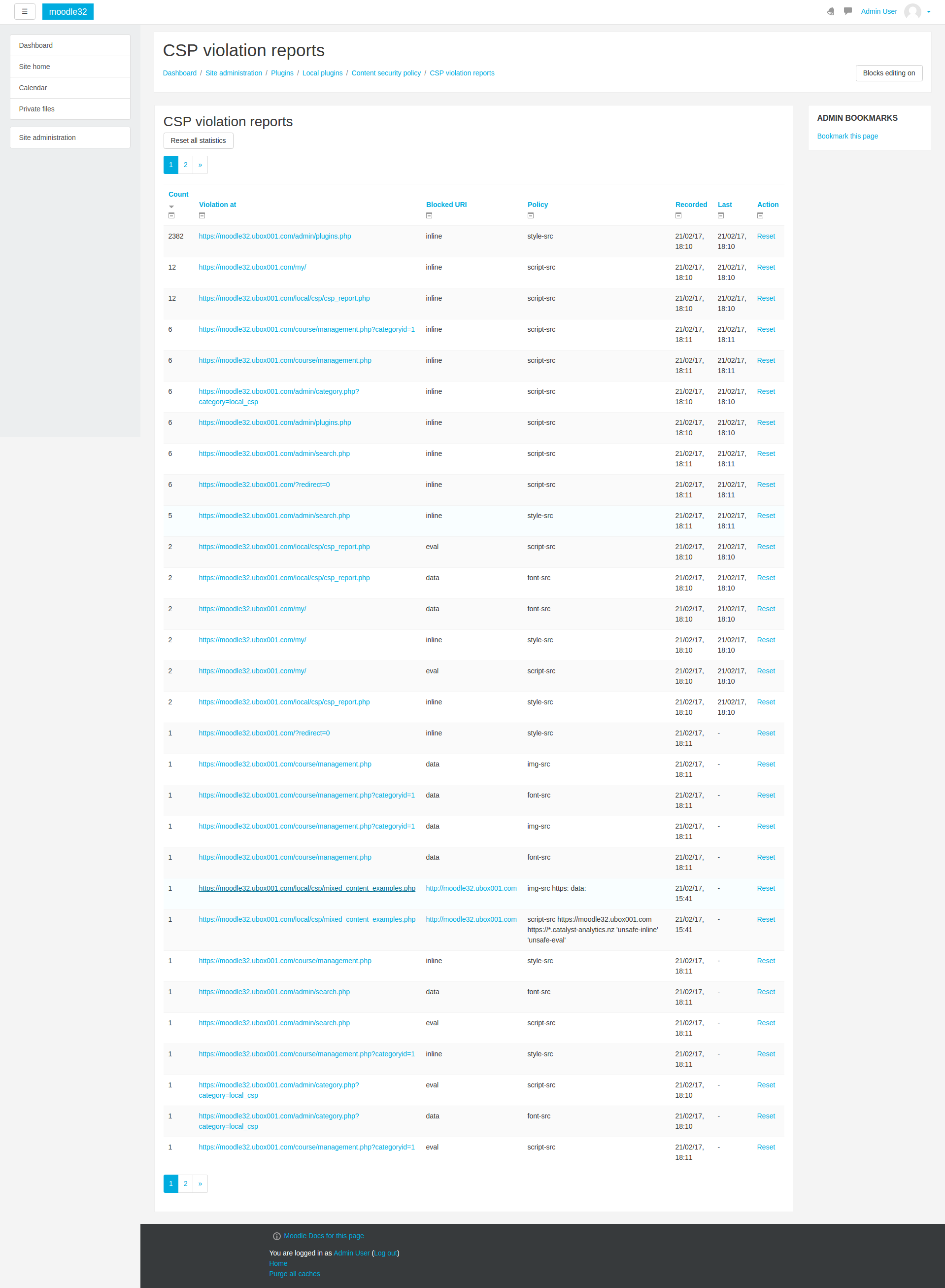
This plugin allows you to configure a Custom Security Policy (CSP) which is sent via HTTP headers. CSP headers instruct browsers to make certain actions. For example, if a website is available by HTTPS, then a CSP policy of 'default https:;' will tell the browser to prohibit loading of any sources (scripts, css etc.) via HTTP.
Learn more about CSP here:
https://developer.mozilla.org/en-US/docs/Web/HTTP/CSP
There are many other CSP rules that browsers can understand and by using them administrators can flexibly tune their website if they wanted to get rid of mixed content or classes of cross-site scripting vulnerabilities.
Any policy you wish to use can be safely tested first using 'Report only' mode, and this plugin has a built in CSP aggregator and reports all errors which are raised. You can have two different policies, one for testing and one for enforcing and gradually move each directive from 'report' to 'enforcing' after the various issues have been found and fixed.

