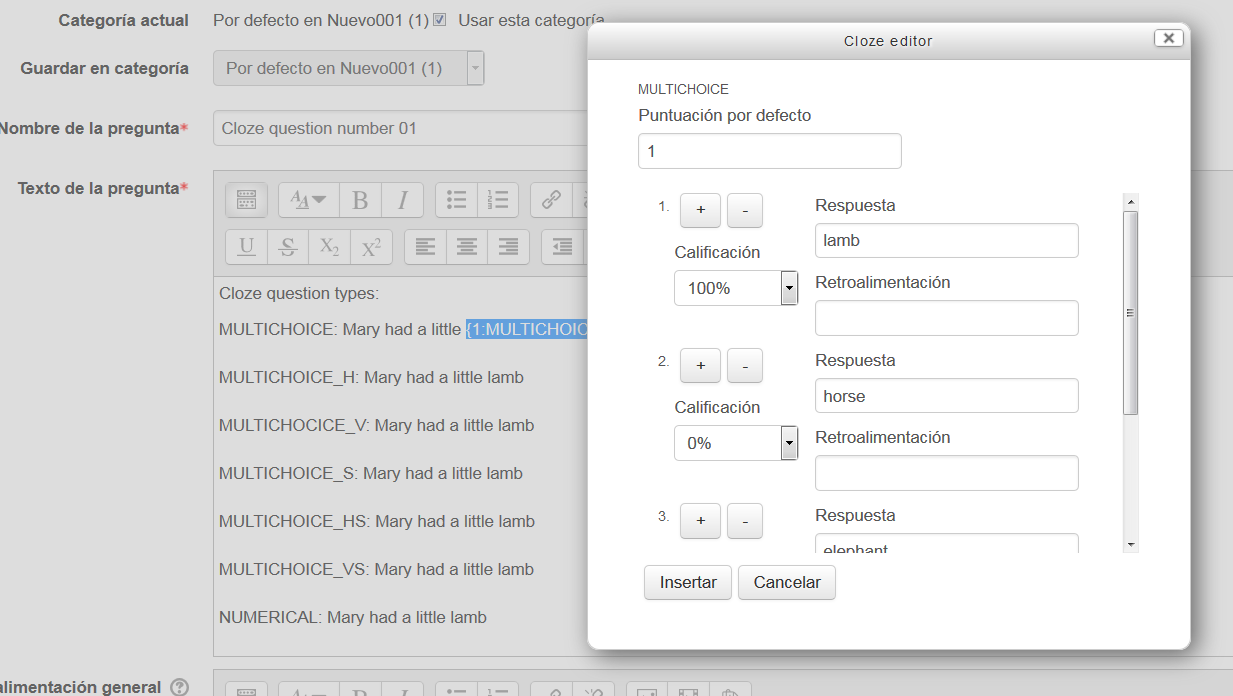
Cloze editor
Maintained by
Daniel Thies, Germán Valero
An Atto editor plugin to help create embedded answer questions
Comments
Comments are no longer open for new posts. Existing comments remain available to read.
At Moodle mootDACH in Zürich in June 2023 work on a version for the new TinyMCE (TinyMCE 6 standard editor since Moodle 4.2) startet. The current state can be found at https://github.com/srobotta/moodle-tiny_cloze
After visiting notifications and updating the Moodle database, you must add the cloze button cloze icon.gif to the Atto toolbar as described in https://docs.moodle.org/en/Text_editor#Adding_extra_buttons adding the line cloze = cloze .
The Cloze Editor button only shows if you are editing a Cloze type of question.
Question: is there a way to set the penalty factor mentioned in the Moodle documentation, or does anyone know the syntax to put in the penalty factor?
We are trying to get the CLOZE question type to work with either "Adaptive" or "Interactive with multiple tries", so that students can try a question again and earn back partial credits for correcting mistakes and encouraging learning from errors. Unfortunately, it doesn't seem like the CLOZE question type plays nice with those modes, and I was hoping someone would know how to do this or if the CLOZE editor had a way to put in the syntax properly for the CLOZE penalty factor that is supposed to fix this bug.
Thanks!
However, on the WIRIS "Cloze" type question it does not show, yet it looks like it is the same ATTO toolbar.
Have I missed a setting?
Thanks
Carl
I think that this is a bug with the cloze question type rather than this editor plugin. It does not seem to support decimal negative numbers at the moment although the syntax looks correct. I thought that this was working before so it may be a regression.
Assigning -33.333% to a wrong choice is not working properly. The grade gets displayed as a part of the option text and also, if a wrong choice is selected, the marks given are 0.
Please guide me on this.
Thanks,
Kashmira