
Enrolment Timer
Maintained by
Learning Works, Mathew May 🇳🇿, Jeremy FitzPatrick, Zander Potgieter
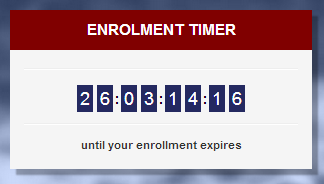
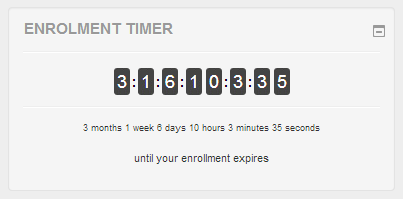
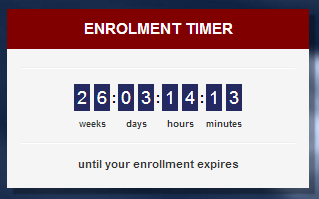
Block to show the user their remaining time enrolled in a course with live countdown and lots of settings to customise the display of this timer.
Comments
Comments are no longer open for new posts. Existing comments remain available to read.
// ****** 1 Year from today *****
$time_end = strtotime("+1 year");
But instead of showing the enrolment remaining time as 12 months from today, timer calculated 12 months and 24 hours. it means it adds 1 extra day.
if I subtract 24*60*60 (1 day) from the calculated enrolment end time, anticipating that timer will show enrolment remaining as exactly 12 months, Timer starts showing the remaining time left as 12 months 5 days.
if I convert $time_end with php date() function to test the date value, it shows the correct date exactly 12 months from today.
Is it code problem or I am doing something wrong. Any help is appreciated.
I wonder whether this plugin could fit our purpose : we would like to make sure that our participants spend at least 3 hours on their course otherwise their CPD fees might not be paid for by their sponsors. The idea would be to have a visual indication of the time one has spent on their course, while giving these people the opportunity to spend more time on the course if they wish to do so.
Thanks for helping,
Best,
Yannick
I wonder if there is a way to connect the timer to different activities within a course?
Thank you
Adib
Please ensure you’re logged in as a student to see the timer appear.
There’s also a plugin setting that determine if anything is shown when there is no end time set which may affect it - it’s called ”Hide block (No End Date Set)”.
Hope that helps!
Thanks,
Zander
The plugin have been updated to support Moode 3.5+ versions - including the Privacy API.
Thank you for your support.
Thanks,
Zander
~Jamie
There are no current plans to include that functionality yet. We are however currently implementing the privacy api so it is 3.5+ compliant. We are open to pull requests for functionality if you wish to see it in the block.
Mathew
Your plugin is great. However, is there a way to make it work with the course end date?
We are still investigating how to best implement the privacy API within the block, until that time there will not be an release for 3.5.
We appreciate your understanding.
Mathew
Any update for Moodle 3.5 or with privacy api intregated?
Deependra
Any update to Moodle 3.4?
Ricardo
While setting up Alert Email Notifications in Enrolment Timer settings, is it possible to set a different number of days (‘Days to alert on’) in different courses? The setting seems only one specific number of a day for all the courses.
Also when we enable ‘Enable Time Warning Email’ setting, Is there way to control which courses will receive this particular email? What if we want only send a message to a few courses but not all?
Regards,
Hiro
The Javascript issue you were encountering should be fixed in the latest version
Regards,
Mathew