
Enrolment Timer
Maintained by
Learning Works, Mathew May 🇳🇿, Jeremy FitzPatrick, Zander Potgieter
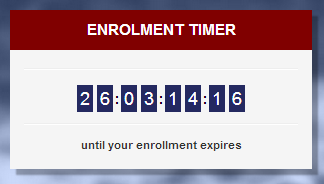
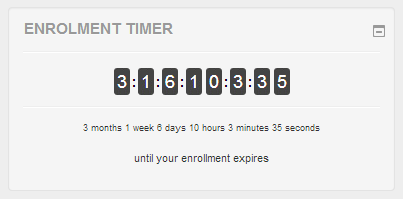
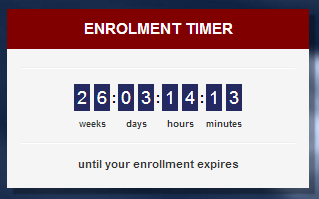
Block to show the user their remaining time enrolled in a course with live countdown and lots of settings to customise the display of this timer.
Comments
Comments are no longer open for new posts. Existing comments remain available to read.
What version of Moodle did you install the plugin on? We will look into this error and try to find a solution.
Regards,
Mathew
I have just installed the plugin but noticed that it is throwing a console error. The plugin still seems to work as expected but because of this error it starts to impact other plugins that are also dependent on javascript. The error that is being generated is
Uncaught Error: Mismatched anonymous define() module: function ($){var options=[],arrayKeys=[],timestamp=0,forceTwoDigits=false;$(document).ready(function(){function getDisplayedOptions(){var children=$('.block_enrolmenttimer .active .timer-wrapper').find('.timerNum');for(var i=children.length-1;i>=0;i--){var arrayKey=$(children[i]).attr('data-id');arrayKeys.push(arrayKey)}}
function populateWithData(){for(var i=arrayKeys.length-1;i>=0;i--){var option=$('.block_enrolmenttimer .active .text-desc .'+arrayKeys[i]).text();options[arrayKeys[i]]=option}}
function makeTimestamp(){for(var i=arrayKeys.length-1;i>=0;i--)switch(arrayKeys[i]){case'seconds':timestamp+=parseInt(options[arrayKeys[i]],10);break;case'minutes':timestamp+=parseInt(options[arrayKeys[i]],10)*60;break;case'hours':timestamp+=parseInt(options[arrayKeys[i]],10)*3600;break;case'days':timestamp+=parseInt(options[arrayKeys[i]],10)*86400;break;case'weeks':timestamp+=parseInt(options[arrayKeys[i]],10)*604800;break;case'months':timestamp+=parseInt(options[arrayKeys[i]],10)*2592e3;break;case'years':timestamp+=parseInt(options[arrayKeys[i]],10)*31536e3;break}}
function updateMainCounter(counter,time){var html='';if(forceTwoDigits===true&&time.toString().length==1){html+='0';html+=''+time.toString()+''}else for(var i=0;i'+time.toString().charAt(i)+'';$('.block_enrolmenttimer .active .timer-wrapper .timerNum[data-id="'+counter+'"]').html(html);$('.block_enrolmenttimer .active .text-desc .'+counter).html(time)}
function updateLiveCounter(){timestamp--;var time=timestamp,tokens=['years','months','weeks','days','hours','minutes','seconds'],units=['31536000','2592000','604800','86400','3600','60','1'];for(var i=0;i=units[i]){var count=Math.floor(time/units[i]);updateMainCounter(tokens[i],count);time=time-(count*units[i])}else updateMainCounter(tokens[i],0)};if($('.block_enrolmenttimer .active').length>0){getDisplayedOptions();populateWithData();makeTimestamp();window.setInterval(function(){updateLiveCounter()},1e3)};if($('.block_enrolmenttimer .timer-wrapper[data-id=force2]').length>0)forceTwoDigits=true})}
http://requirejs.org/docs/errors.html#mismatch
at B (require.min.js:12)
at J (require.min.js:27)
at Object.g [as require] (require.min.js:27)
at requirejs (require.min.js:27)
at footer:1
Should I create a ticket on the repo for this? Is this something that has been noticed by others?
I am using the latest version 3.3.0 2017051200. Issue in both firefox and chrome.
We have changed the logic so that the plugin will email anyone with an enrollment end date where the end date minus days to alert occurs between the current date and the next cron run. This means a user should only be mailed once per course.
Regards, Mathew.
Can anyone please tell me if using this plugin creates a Java dependency on the end users browser? If so, are there any particular Java / JRE versions it needs?
Cheers
Alan W.
When a participant clicks on a link to open a course, the page that is opened contains the following extraneous text, located in the page immediately after the line starting with "
I note that the time at the end of that string is the current time displayed as if it were in am/pm format. In other words, when the local time is 14:10:09, then 02:10:09 is displayed, as in the example above, but without any the "pm".
When the plugin is disabled, or when a user with admin rights is connected, that string is not displayed. I further note that the problem occurs with a variety of different themes.
That gets rid of the output at the top of the page.
Then I edited the "style.css" file to add a background-colour to the numbers.
I hope that helps people, until an update is released.