Stash

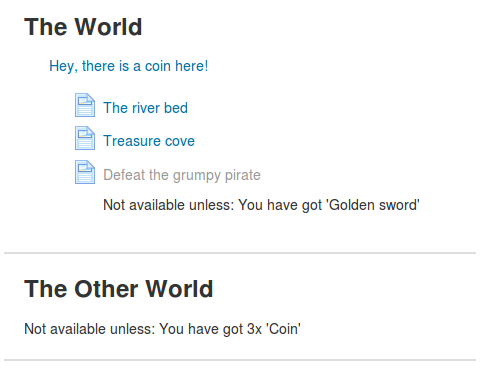
Add an inventory of items to your course and let your students find items by exploring the activities. #game #gamification
Price option: Free

Supports Moodle 2.9-5.2 See all versions
Latest release: 1 month ago
Installations: 2059
Downloads (last 90 days): 559

Frankenstyle name: block_stash
Blocks
Stash, Gamification

Comments

Comments are no longer open for new posts. Existing comments remain available to read.

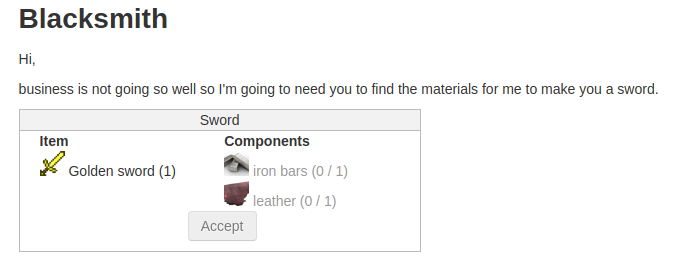
Hi Stuart, thanks for your interest. Yes, you're absolutely right that feature is needed. Adrian and I already discussed it and plan to implement "trading/crafting/buying" the next time we get an opportunity to work on this plugin.
A needed update to this plugin would be a feature to subtract items conditionally. For example, students can lose 5 gold coins to "buy" a sword (click on the sword, 5 gold coins go away), or exchange component pieces to make a sword or something. It would make an item-based system/economy for gamification much more interactive and dynamic.
will do - sorry
Hi Mike,
This is not an ideal place to report bugs. Please follow-up at https://github.com/FMCorz/moodle-block_stash/issues/9
Cheers,
Fred
hi, looks really interesting - i'm getting a testing error at installation. Using Moodle 3.0.5 plugin version 2016082601 / 1.1.0
error output below:
core_questionlib_testcase::test_altering_tag_instance_context
Static function block_stash\restore_decode_rule::encode_content() should not be abstract
/opt/data/go-agent/pipelines/Moodle_Test/moodle/blocks/stash/classes/restore_decode_rule.php:68
/opt/data/go-agent/pipelines/Moodle_Test/moodle/lib/classes/component.php:96
/opt/data/go-agent/pipelines/Moodle_Test/moodle/blocks/stash/backup/moodle2/backup_stash_block_task.class.php:71
/opt/data/go-agent/pipelines/Moodle_Test/moodle/backup/moodle2/backup_xml_transformer.class.php:125
/opt/data/go-agent/pipelines/Moodle_Test/moodle/backup/moodle2/backup_xml_transformer.class.php:88
/opt/data/go-agent/pipelines/Moodle_Test/moodle/backup/util/xml/xml_writer.class.php:273
/opt/data/go-agent/pipelines/Moodle_Test/moodle/backup/util/xml/xml_writer.class.php:211
/opt/data/go-agent/pipelines/Moodle_Test/moodle/backup/util/structure/backup_structure_processor.class.php:110
/opt/data/go-agent/pipelines/Moodle_Test/moodle/backup/util/structure/backup_final_element.class.php:38
/opt/data/go-agent/pipelines/Moodle_Test/moodle/backup/util/structure/backup_nested_element.class.php:97
/opt/data/go-agent/pipelines/Moodle_Test/moodle/backup/util/plan/backup_structure_step.class.php:97
/opt/data/go-agent/pipelines/Moodle_Test/moodle/backup/util/plan/base_task.class.php:181
/opt/data/go-agent/pipelines/Moodle_Test/moodle/backup/util/plan/base_plan.class.php:177
/opt/data/go-agent/pipelines/Moodle_Test/moodle/backup/util/plan/backup_plan.class.php:120
/opt/data/go-agent/pipelines/Moodle_Test/moodle/backup/controller/backup_controller.class.php:320
/opt/data/go-agent/pipelines/Moodle_Test/moodle/lib/tests/questionlib_test.php:242
/opt/data/go-agent/pipelines/Moodle_Test/moodle/lib/phpunit/classes/advanced_testcase.php:80
any help appreciate - cheers.
Hi Stuart, in fact, "Level UP" should already reward students for picking up an object, the event triggered is '\block_stash\event\item_acquired'.
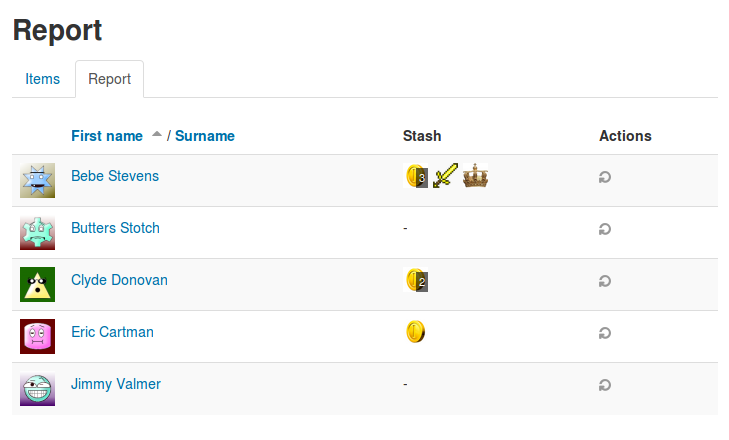
Does obtaining an item in Stash trigger an event? If so, could I add XP to such an action using the Level UP! plugin? If so, that indirectly allows teachers to give XP from student achievement by restricting access to item-containing resources based on achievements.
Don and I figured out that the problem he was having was due to the use of the TinyMCE editor. Using the Atto editor fixed the problem.
I'm having the same problem Don Hinkelman describes above. It was working a couple of weeks ago, but now new instances that I add have this problem. I'm on 3.1, and I haven't updated the plugin or anything. I can't figure out what could have changed.
When I click on the button under the image, it does *not* disappear. Just nothing happens. I changed the setting to allow ulimited supplies and 1 second intervals, but still no change. As a student, in the Stash block, it says "Your inventory is empty" which stays the same. I am using Moodle 3.0.3+, block_stash 1.0.0 2016072100 enabled.
Hi Adrian, Thanks for the quick response. I am giving a presentation on Stash in three weeks at a regional conference and am thrilled that you have taken gamification to another level. As you know, Pokemon Go is the rage, and this same kind of hunt-and-collect gaming leads to innumerable language learning tasks. We even have a plan to make 5-6 images connected so they can be combined to make a story or solve a mystery, that students create after they have collected the pieces. But to do those tasks, students have to see the dialogue in the images (we use short balloons that students copy and match with other images and texts). So 100x100 pixals is too tiny to read. Perhaps, I can send you some screenshots. However, if you are convinced, then I hope you can at least put something editable into the code snippet that I can change manually. But the click and popup to something 4x as large may work as well. The more serious problem is that the stash is not working at all despite logging in as a student, placing the image in several teacher-only spots, and refreshing/logging in/out. Any more suggestions I can do to get it working? If it is better to work via email, contact me here: hinkel at sgu.ac.jp Thanks so much!
Hello Mr Hinkelman,
It's nice to hear from you again. Thank you for taking the time to check out and comment on our plugin.
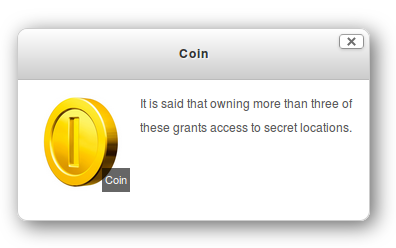
1) At the moment the image size for the items is set. Fred and I always had the idea that clicking on the image would pop up a larger image and it would have further detail. Unfortunately we have not implemented this addition yet.
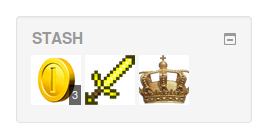
2) I am guessing that you have clicked the image and it has disappeared, but you have not refreshed the page, and this is why there is nothing in the stash area. This could also be compounded with the fact that if you are a teacher clicking on the image, it will never move the item into the stash. I think it would be nice to see the item immediately show in the stash block when it is collected. We will see if this is possible in the future.
We are heading into a project week next week, so we may be able to implement some of these features then.
Thanks again for your input.
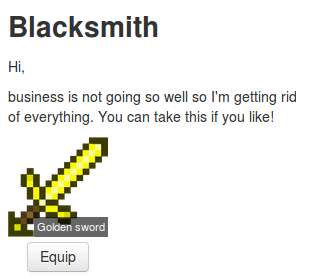
I love the idea, but cannot get it to work. 1) the image is too small for students to understand it, so how do I edit the image size? I have searched all possible ways, and it appears there is no size parameters in the code snippet; 2) when I press or when my student presses the "Pick up" button, nothing happens. I expected the image to pop into the Stash block. I tried logging in as several students but nothing worked. I inserted the code into a teacher-only place--the heading of a course section.
This is amazing! Thank you for contributing! I couldn't get the availability plugin to install properly on 3.1 yet, but maybe it's not ready? This will be an incredible combo!
Thanks!!