Stash
Maintained by
Adrian Greeve, Frédéric Massart ⭐
Add an inventory of items to your course and let your students find items by exploring the activities. #game #gamification

Comments
Comments are no longer open for new posts. Existing comments remain available to read.
Ah yes--a teacher could reset the stash manually for each student, but as you pointed out not practical at all!!
Follow up question: I was actually trying to see if there was a way when a Course Reset is done at the end of the semester when a teacher is clearing out a course to be a "fresh" instance for the start of a new semester in which Moodle unenrolls students, clears out the gradebook, course completion logs, etc. if Stash could also reset and clear out old students.
This would be important especially for "scarce / rare" items, since that is a cool gamification feature you implemented that actually motivates some students!!! For example, I hid some scarce / rare "unicorn cheetahs" throughout my first unit that only the first few students to get over 90% on certain core assignments and earning a "golden certificate" could also snatch one of the rare cheetahs! One of my students was annoyed that his friend got one during his lunch, and was motivated to beat his friend for the next unit!!
Thanks again for sharing your great work with the Moodle community and supporting student learning around the world!!
Thanks for your kind words about our plugin.
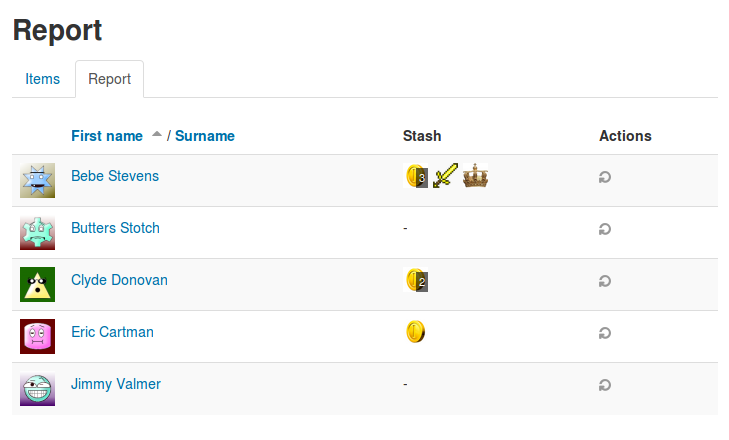
I'm sorry to say that we don't currently have a way to reset the stash. I take it that you only want to remove all of the items that students have collected? You can reset each users stash individually in the report page, but this does become impractical with any meaningful number of students in a course.
The scarce, limited, "rare" item feature is AWESOME--finally implemented it in my course and students are motivated to be the first to unlock and find the rare items in a fun, competitive way!
Question: I was wondering if there is a way to "reset" the Stash for a course so that we can reset the gamification for another semester?
It looks like Course Reset won't clear out the Stash, and I'm thinking that would also effect the scarce/rare items not being available to future students since they were already claimed (workaround would be for the classroom teacher to just add to the scarce count, but that would get potentially very confusing!).
Thanks again for sharing your FANTASTIC work with the Moodle community!
I hope you are well, it's been ages. Stash appears to work on Moodle 5. Could you update the supported extension on your end to Moodle 5 so that it installs automatically each week when we update our Moodle instance? It saves us so much time. Cheers.
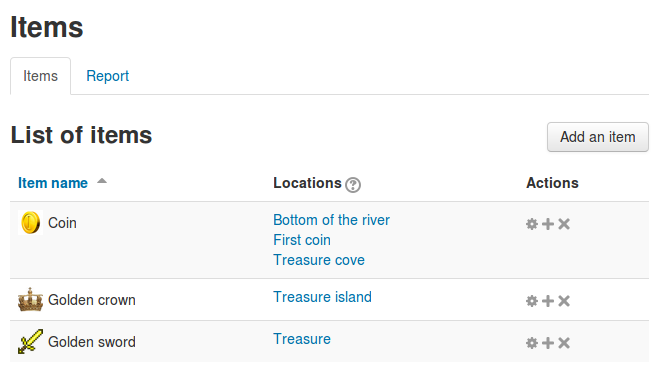
It's possible change the image of a object if any students has already been picked up.
Thanks in advanced.
PS: Thanks for the last answer Adrian Greeve.
For example, if I put:
Supplies: 5 and I put unlimited and, in recurrence, I put 1 day.
This means that:
(a) Each day a maximum of 5 appear and there is no limit?
b) Every day one appears and there is no limit?
Thanks in advance
After some thought, I don't remember how I did it.
I have restored the course but I am sure I will replicate the error again. I think it was actually when creating a trade store.
I'll keep you posted when it happens to me and again, thanks for the excellent plugin.
Regards
Thanks for the message, can you tell me how you managed to add the block twice in your course? I'd like to be able to replicate the problem and find a fix.
I have installed this wonderful plugin but I make a mistake and add two blocks in a course.
Now I can't acces to the course if this block is activate.
How can I delete one of the block of the course.
Thanks in advanced