
RecordRTC for Atto
Maintained by
Jesus Federico
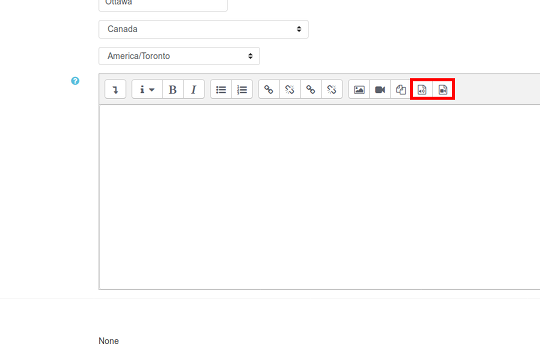
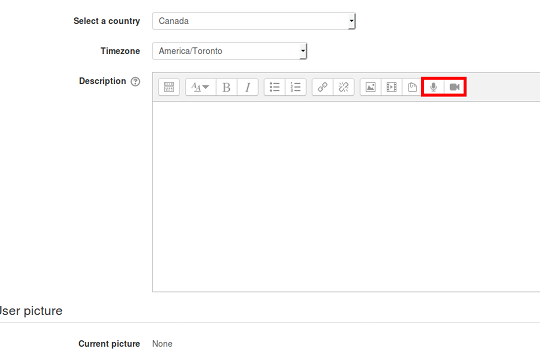
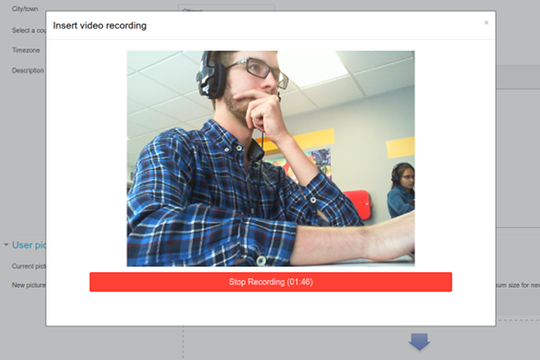
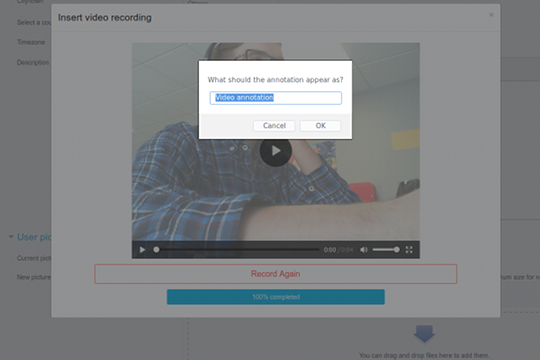
Add audio and video annotations to text, anywhere an Atto text editor is present. This plugin adds buttons for recording audio or video (with audio) to the editor's toolbar. Using WebRTC technologies, all recording is done instantly in the browser. After recording, users can embed the annotation directly into the text they are currently editing. The recording will appear as an audio or video player in the published writing.
Comments
Comments are no longer open for new posts. Existing comments remain available to read.
Has anyone else experienced this?
I'd like to add new setting in this plugin.
In our school, we use this plugin to upload speech voice for English learning classes.
I want to setup different upper limit time of recording in each question for control students speech speed.
y no me deja hacer nada...no puedo avanzar a la pagina de inicio....que debo hacer...necesito ayuda urgente por favor...
hello .... i have this problem when trying to install plugins on my server ...
and it won't let me do anything ... I can't go to the home page .... what should I do ... I need urgent help please ...
"COMPROBACIÓN DE PLUGINS
Esta página muestra los plugins que pueden requerir su atención durante la actualización, como por ejemplo los plugins nuevos a instalarse, plugins para actualizar, plugins faltantes, etc. Los plugins adicionales son mostrados si hubiera una actualización disponible para ellos. Se recomienda que Usted revise si hay versiones más reciente disponibles de plugins, y que actualice sus códigos fuentes antes de continuar con esta actualización de Moodle.
La última revisión se hizo el 4 de mayo de 2020, 15:48
PLUGINS QUE REQUIEREN SU ATENCIÓN
Plugins que requieren su atención 1Todos los plugins 451
Nombre del plugin / Directorio Versión actual Nueva versión Requiere Origen / Estatus
Editor Atto HTML / Plugins Atto
RecordRTC (GrabarRTC)
/lib/editor/atto/plugins/recordrtc
2019111800 2017080104
Moodle 2015051100
Estándar Una versión mayor ya está instalada"
Cannot downgrade atto_recordrtc from 2019052000 to 2017080104.
Debug info:
Error code: cannotdowngrade
Stack trace:
line 672 of /lib/upgradelib.php: downgrade_exception thrown
line 1869 of /lib/upgradelib.php: call to upgrade_plugins()
line 694 of /admin/index.php: call to upgrade_noncore()
What can I do??? I'm not longer able to use my Admin Moodle account!! I only have access to the experimental tools at admin/tool/xmldb/ that allow me to edit my files on the server.
Any recommendations?? I'm so desperate.... Thanks a ton.
'Regarding to the ability to annotate comments, again this is a Moodle issue. My understanding is that for security reasons it is not possible to annotate external media files there. The buttons were originally there but not working so we decided to remove them to be consistent with what Moodle has for that use case. We'll keep an eye on that one too'
Any updates on this? I have noticed that Poodll does allow for audio and video feedback. We discontinued Poodll because now we have RecordRTC. But we just found out that RecordRTC doesn't have the ability to give audio or video feedback, where Poodll did.
Any chances that you can put the buttons back and get this fixed? For us the most important place to use RecordRTC *is* the feedback...
Thank you for your work on this plugin. I am trying to install it on Moodle 2.9, Atto toolbar. I have a live version of Moodle and a local based test site using MAMP on Mac OS 10.13. It worked briefly on the local version. but now I cannot get the buttons to appear in the Atto toolbar on either live or local instals (Plugins/text editor/Atto HTML Editors/toolbar configuration). I'm pretty sure I've set the configuration is as it should be. Any ideas? Is it true it won't work with Mac OS?
The Plugin currently is not supported in Mac OS . Is there any plans to create another alternative for mac user?
Thanks
I read your message from Mi, 13. Sep 2017, 21:53, Is it right, that the plugin is still not working on annotating comments? Now, when your Plugin is standard in Moodle 3.5, this would be sooo nice to have as a real game-changer! Please, let us know about your : "We'll keep an eye on that one"
Would it be possible to have somewhere (in the docs page ?) a clear indication of minimal browser versions (by browser) supporting it?
Because some institution keep using old browser versions, to be compatible with older applications/programs.
It seems it doesn't work with Firefox 45.9.0, nor IE 11.0.96. It works OK with Firefox 60.
But i'd like to know the minimal Firefox version (and same for other browser) to have it work well, so that we can investigate and see which browser to upgrade, to which version...
Indeed, we may. Although I am personally not a fan of doing things in the hacky way. Not for this plugin anyways.
We just came back from the MootCA18. There is some interest on this topic and can bee seen here https://tracker.moodle.org/browse/MDL-60848.
The only thing I can promise right now is to put this on the table again in a few weeks in the MootIEUK18. Also, the goal right now is to keep it as simple as possible and for that to happen, the less plugins the better. Believe me, it is not a trivial effort to keep them all updated