Syntax Highlighter

Maintained by Mark Sharp
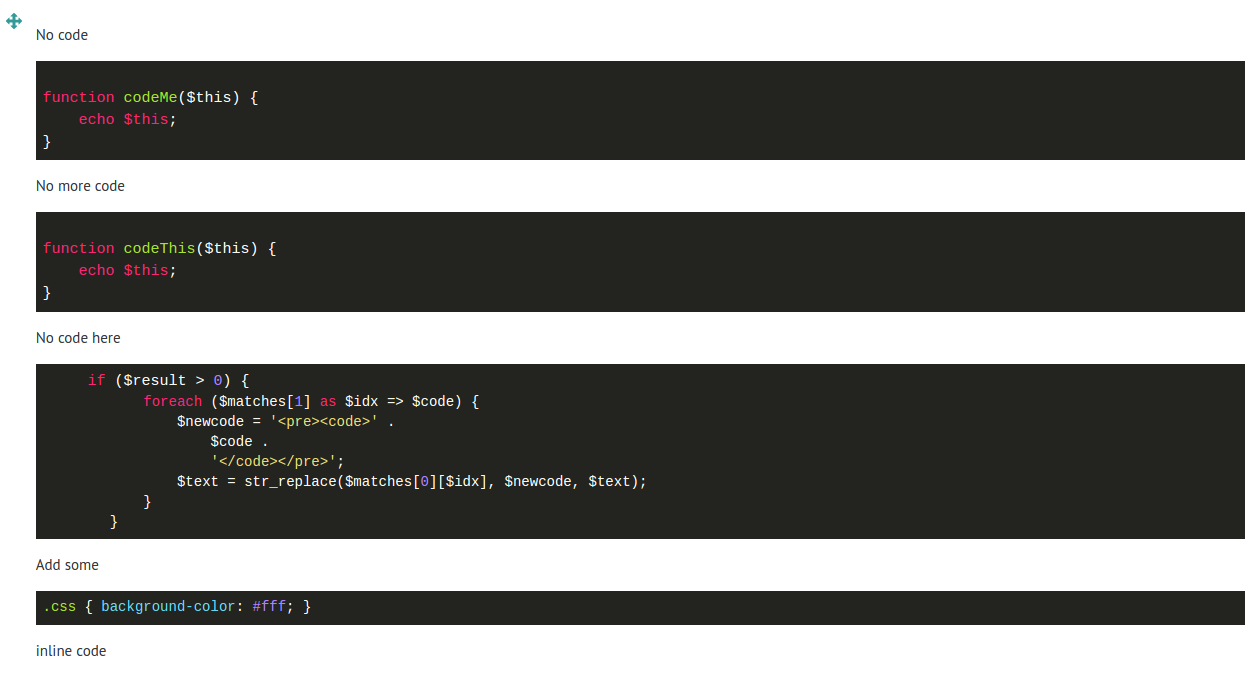
This is a filter plugin that uses a 3rd party Javascript module called highlight.js to make your code look like something you'd see in an IDE.
Price option: Free

Supports Moodle 3.2-4.5 See all versions
Latest release: 1 year ago
Installations: 796
Downloads (last 90 days): 169

Frankenstyle name: filter_syntaxhighlighter
Filters

Comments

Comments are no longer open for new posts. Existing comments remain available to read.

Thanks a lot Mark! My bad not to explore READMEmd in github ;)
Hi Martin, yes you can force the language by using the following syntax:
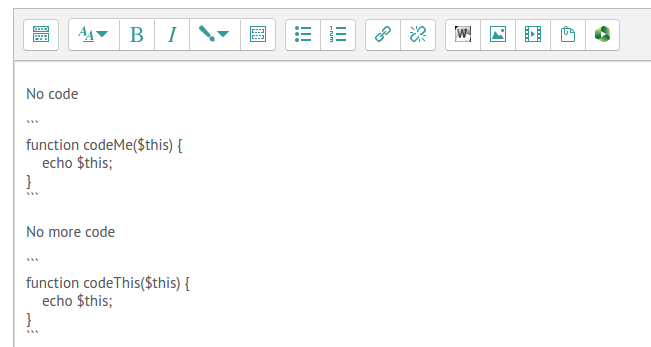
```lang:php;;
echo "Hello world!";
```
At the moment I've not included maxima, but there might be something that's similar.
The list of languages and help on the syntax is in the readme file which you can also read on the github page: https://github.com/sharpchi/moodle-filter_syntaxhighlighter/blob/master/README.md
Hi Mark is there any possibility to force an specific syntax? Im posting wxmaxima code and sometimes renders fine others dont. Thanks!
I tested it on 3.10.0, it works fine with the triple backticks.
I would like to display code including html tags. Could this plugin be made to replace the "<" and ">" signs? Or is there maybe another trick to accomplish this?
I succesfully test it on Moodle 3.9.1 using the tripple backticks.
Unfortunatly we use Moodle 3.8. When will this great Plugin available for Moodle 3.8?
Hi Jean-Pierre, I tend to only confirm it works for versions of Moodle I have personally tried, but between versions shouldn't massively change, so it should work. Thanks for the confirmation, I'll update the plugin info to say it works on 3.7.
Mark
Forget it
I took the zip and it seems to work on 3.7.5
What's about M3.7?
Hi Piotr,
unfortunately there isn't. If you think there's a way to do it, and can contribute some code, that would be fab. Feel free to head over to the github page. Thanks.
I can change a style of Syntax Highlighter in plugin's settings only globally. Is there any way to use different styles in different context ex. courses?
Hi Jan, it isn't, though it does need updating, and it's on my loooong todo list. It does work on M3.6 because that's what we're currently using. I've changed the settings to you should be able to download it from the site.
thanks
Mark
Is this plugin obsolete? The highlight version hljs.js is old and the plugin will not install on moodle 3.6 from this plugin site.
Can you show me an example? Perhaps, if you're using the ``` style of embedding, you don't need the <pre><code></code></pre>. You'll be able to add a screen shot of your text editor and output code at the Bug Tracker link above.