DualCube Team
Lead maintainer

MY Courses
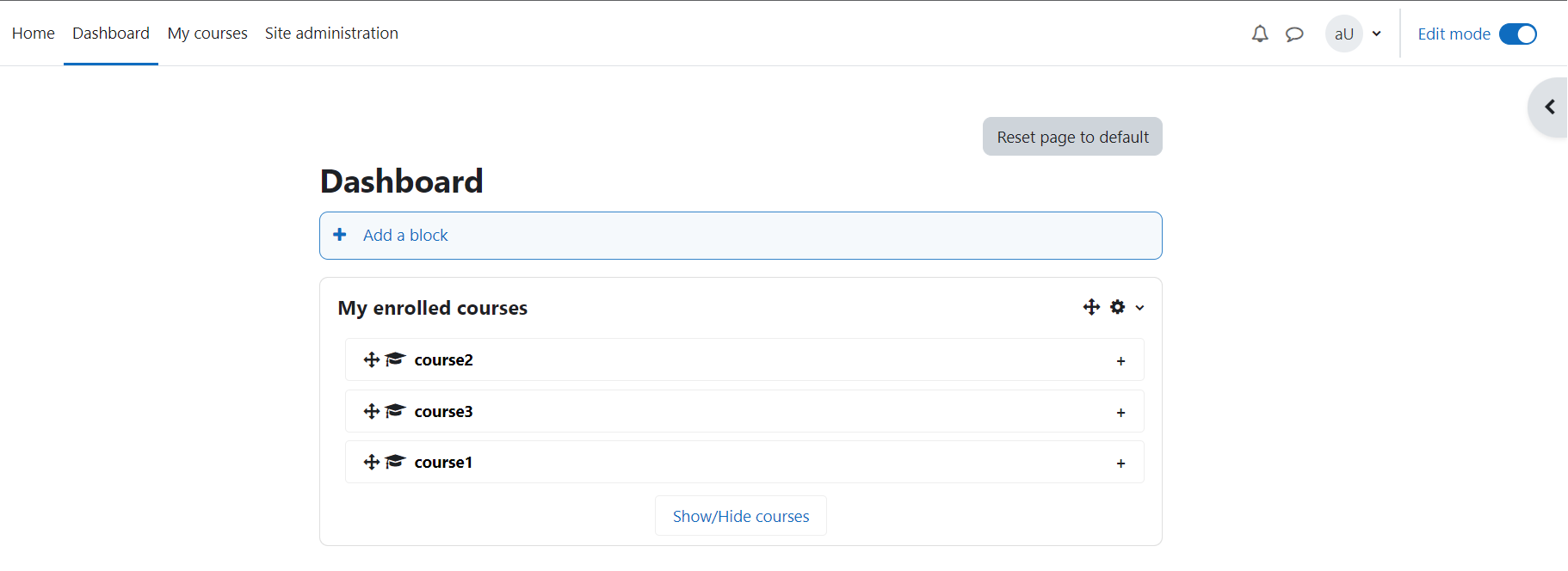
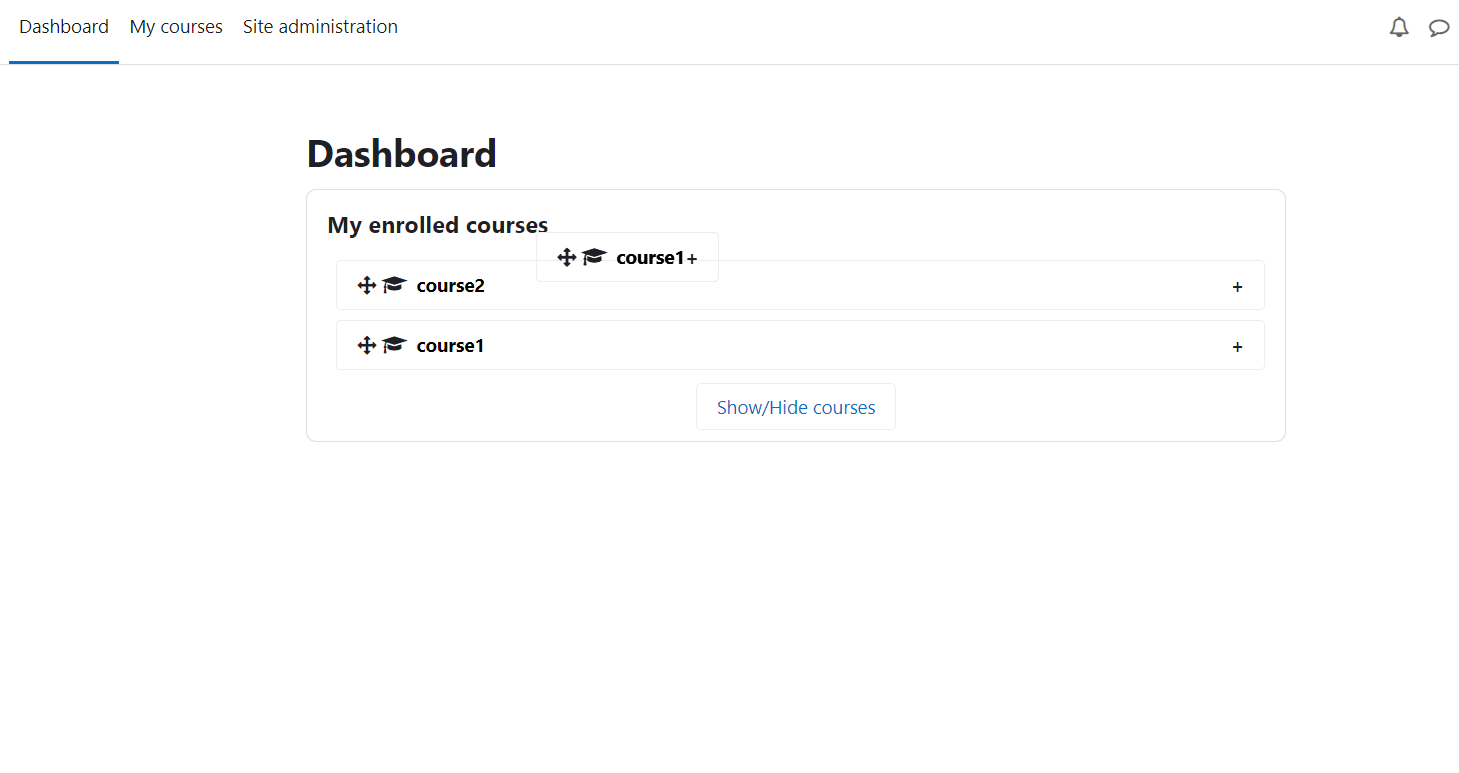
My Enrolled Courses block enables users to show or hide the courses they are enrolled in. The block contains links to the courses enrolled, the visibility of which can be changed from the settings panel, as per requirement. You can hide the ones you are done with and change their visibility again, if need be. One click on a course link will redirect to that particular course page.
This block can be added to any page of a Moodle site. It is perfectly compatible with Moodle versions 3.2 - 4.2
How to access the settings page of the block?
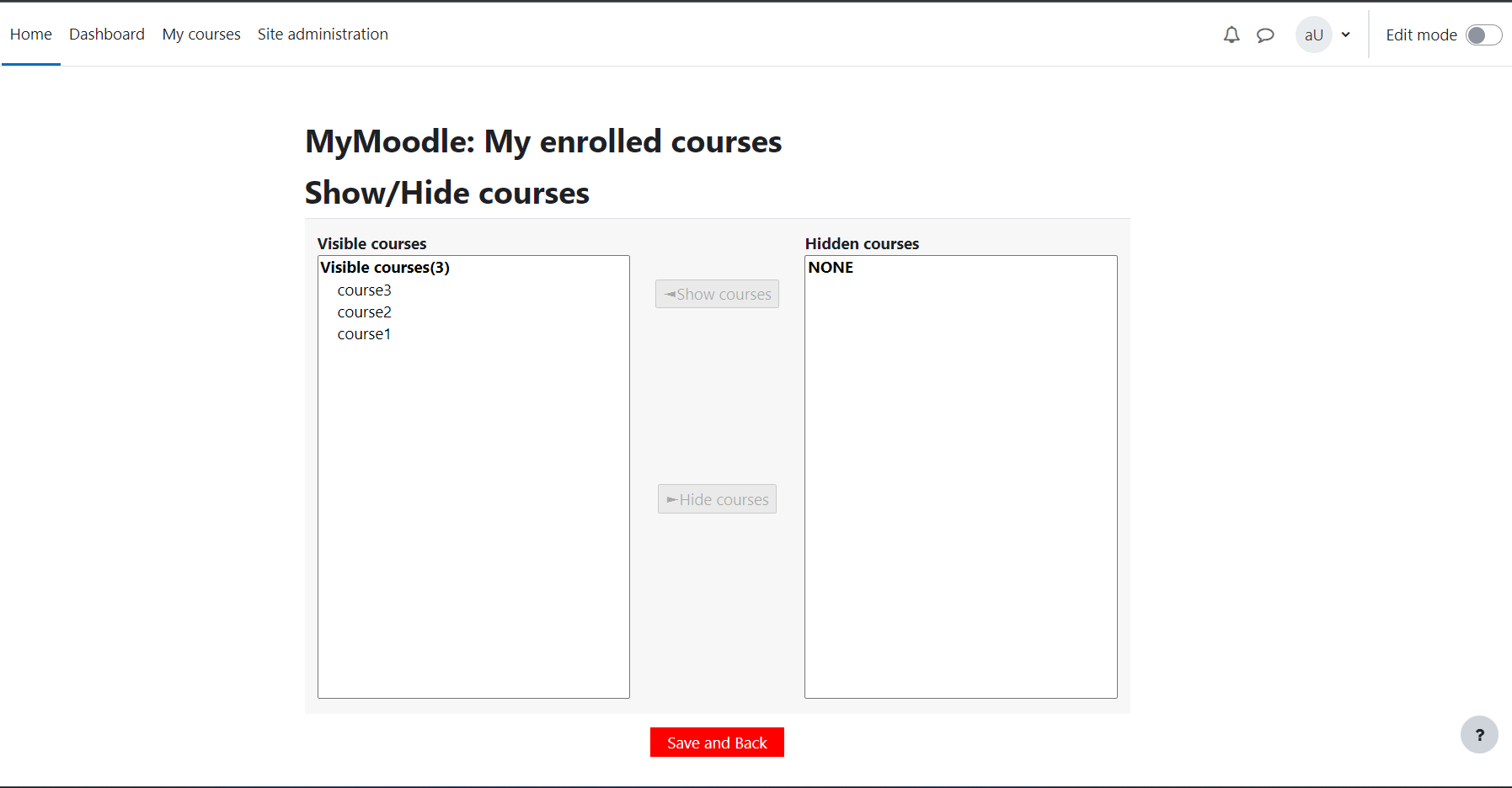
Go to My Enrolled Courses block, click on Show/Hide and you'll land on the Settings panel of the block.
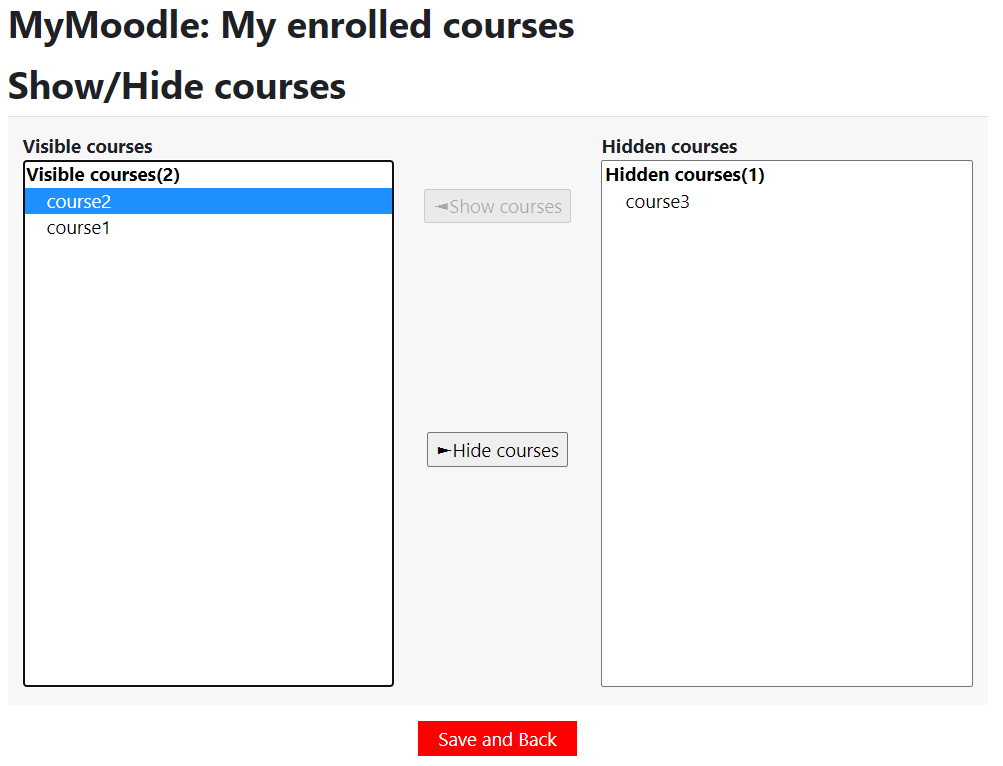
On settings page, the left column - 'Visible courses'- contains all the enrolled courses and the ones you want to see in the block. The right column i.e. 'Hidden courses' contains the courses you don't wish to see in the list of courses in the block.
How to hide a course?
To make a 'visible' course 'hidden', select Courses from the 'Visible courses' list, and then click 'Hide courses'.
How to make a course Visible?
To make a course 'visible' again, the user have to select courses from the 'Hidden courses' list and then click 'Show courses'. Your 'Hidden' course will reappear in the block.
