Courses to Calendar
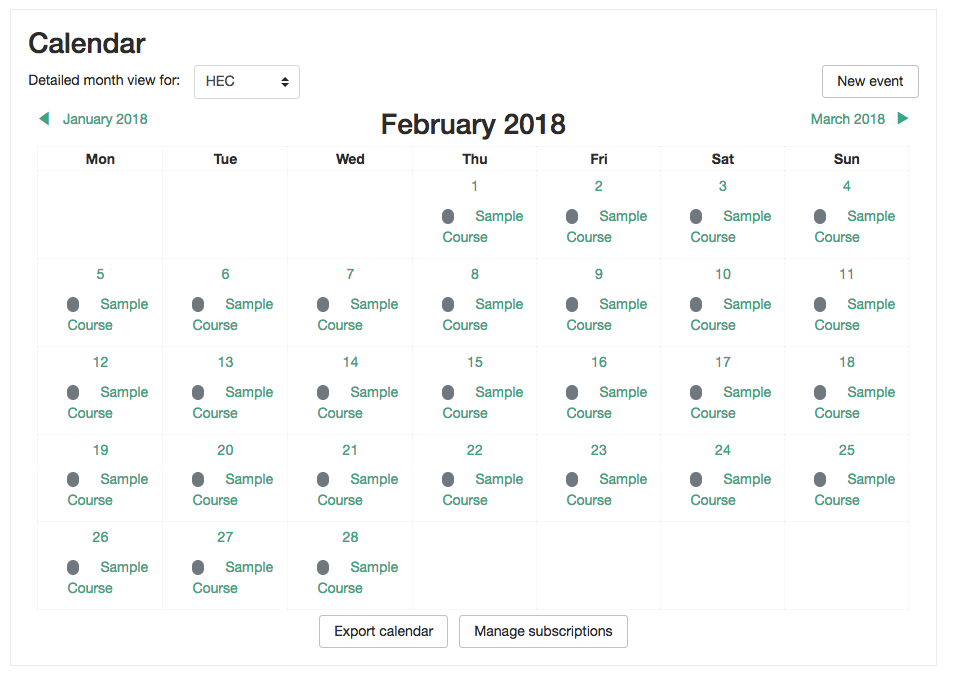
This simple Moodle plugin allows you to display the courses dates in the Calendar as Site Events. Some times and for some reasons you want to display to all users when courses are being executed in the Calendar and this is exactly what this plugin does.
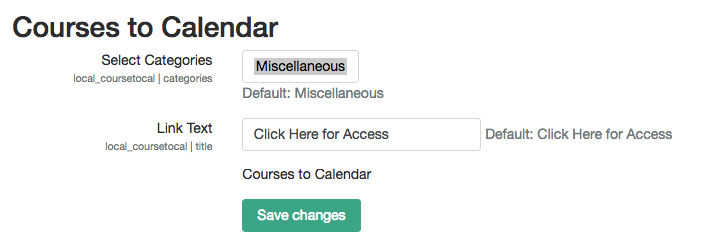
You are able to decide what categories of courses can be displayed as site events in the Moodle Calendar.
This plugin has the following features.
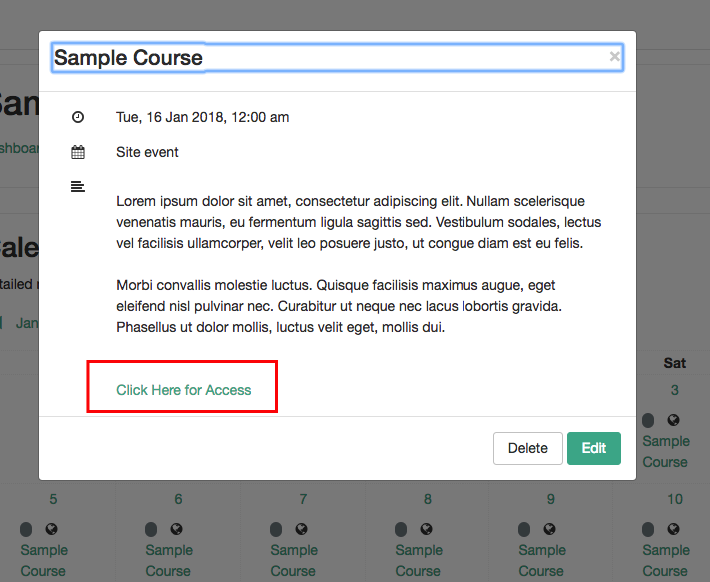
- From the calendar users can access to a course through a Link.
- As an admin, you can update the course's date directly from the calendar. It supports drag and drop functionality so it automatically updates the course with the new dates.
- You can change the text link that takes the user to the course from the calendar.
- You can change the courses categories that will display the courses in the calendar as Site Events.
This plugin was sponsored by ECBOCES www.ecboces.org and developed by LMS Doctor www.lmsdoctor.com
Version 4.0 Release Notes:
- Event sync
- Events are now identified by component='local_coursetocal' + uuid instead of a legacy type=-99 marker.
- Uses the standard type=1 (calendar event).
- Sync creates/updates events first, then prunes stale ones safely inside a DB transaction, instead of deleting all events and then adding them back in (which caused issues if something timed out leaving calendar with no events at all).
- Null-safe lookups in get_eventid() and update_event()
- ICS export
- exportcal.php updated to use require_login(), token generation, and proper exceptions.
- Language string issues added.
- Scheduled task
- Added a scheduled task for coursetocal sync so sites can keep calendars up to date automatically.
- Upgrade path
- One-time DB migration normalizes legacy events:
- Converts type=-99 to type=1.
- Stamps component='local_coursetocal' on older rows.
- No manual SQL needed from admins.