Cross XML format

Maintained by Daniel Thies
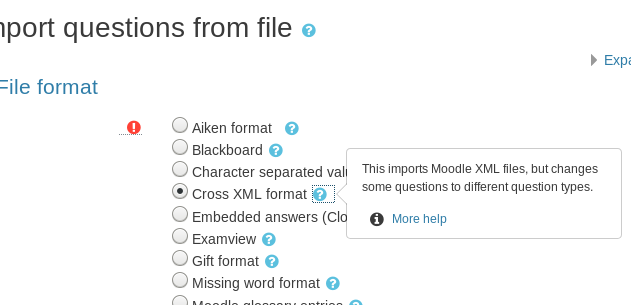
This input format plugin is a handy utility that converts questions from one question type to another.
Price option: Free

Supports Moodle 3.2-5.2 See all versions
Latest release: 3 months ago
Installations: 187
Downloads (last 90 days): 115

Frankenstyle name: qformat_crossxml
Question formats

Comments

Comments are no longer open for new posts. Existing comments remain available to read.

Thanks, Daniel. I'll look into these options soon smile
Hi Przemek,
If you want to prevent converting the matching questions you can change import_match to return null or modify the switch statement in import_question to return null.
Daniel
PS2. My "fix" appears to do the trick in the sense that it forces Cross XML not to convert the Matching question into ddmatch, but it imports such questions as ordinary Matching, which may lead to needless duplicates of questions. Of course, I can take measures to be sure to only first export to the Moodle XML format those questions and types I really want to be converted, but this could be prone to human error and it would be nice to be able to restrict the use of Cross XML only to the cases that actually do convert, and avoid duplicating the regular Moodle XML import usage.
HTH & kind regards,
Przemek
PS. I'd think my custom solution would be to comment the entire function
public function import_match($question)
in /question/format/crossxml/format.php
?
I will give this a try.
Hello Daniel. I'd like to be able to block auto-conversion of Matching to Drag-and-Drop Matching, since we are gently phasing out the latter, though still keeping it installed (but unavailable) for some time. Is this possible? It seems to work like this with the All-or-Nothing MC format, where you only mention the import option via another plugin? Let me quote from your description:
"If All-or-Nothing Multiple Choice is installed those questions will be converted to regular multichoice with more that one response. If it is not installed, they will be skipped. Each will be marked with percentage of possible correct responses checked or zero if an incorrect response is selected. You can create All-or-Nothing Multichoice questions from the standard ones using Import all or nothing format."
In other words, there's apparently only one-way traffic that your plugin provides: All-or-Nothing MC => MC , but not the other way round.
I'd like to achieve the same with Matching & Drag-and-Drop Matching - only from Drag-and-Drop to regular Matching, never the opposite.
I will try to see if I can adjust the code for myself, but maybe you will have some suggestions?
As a feature, in general, being able to control the conversions (which ones really apply and in which directions only) could be a valuable admin setting.
Many thanks for any help. Best regards, Przemek
Thank you, Daniel. What a great update ! Just tested the new version smile .
Actually that was easy. Those two were actually develop together by OU so the conversion is trivial.
Thank you Przemek for the suggestion I will try that when I get the chance.
I'd love to be able to convert between "Drag-and-drop into text" and "Select missing words", which are almost identical in editing (except for the "Unlimited" feature that can be activated in the former type). If the "Cross XML format" plugin continues to be developed, maybe this proposed new conversion option could be added..
"If OU multiple response is installed those questions will be converted to regular multichoice with more that one response. If it is not installed, they will be skipped. The new standard multichoice questions will be marked the same as the original OU Multiresponse questions would be." - this is only partially true. One of the main points of OUMR is how it awards partial credit when using 'interactive with multiple tries' behaviour. No other qtype can replicate that.
Approval issue created: CONTRIB-7215