Gopal Sharma
Lead maintainer
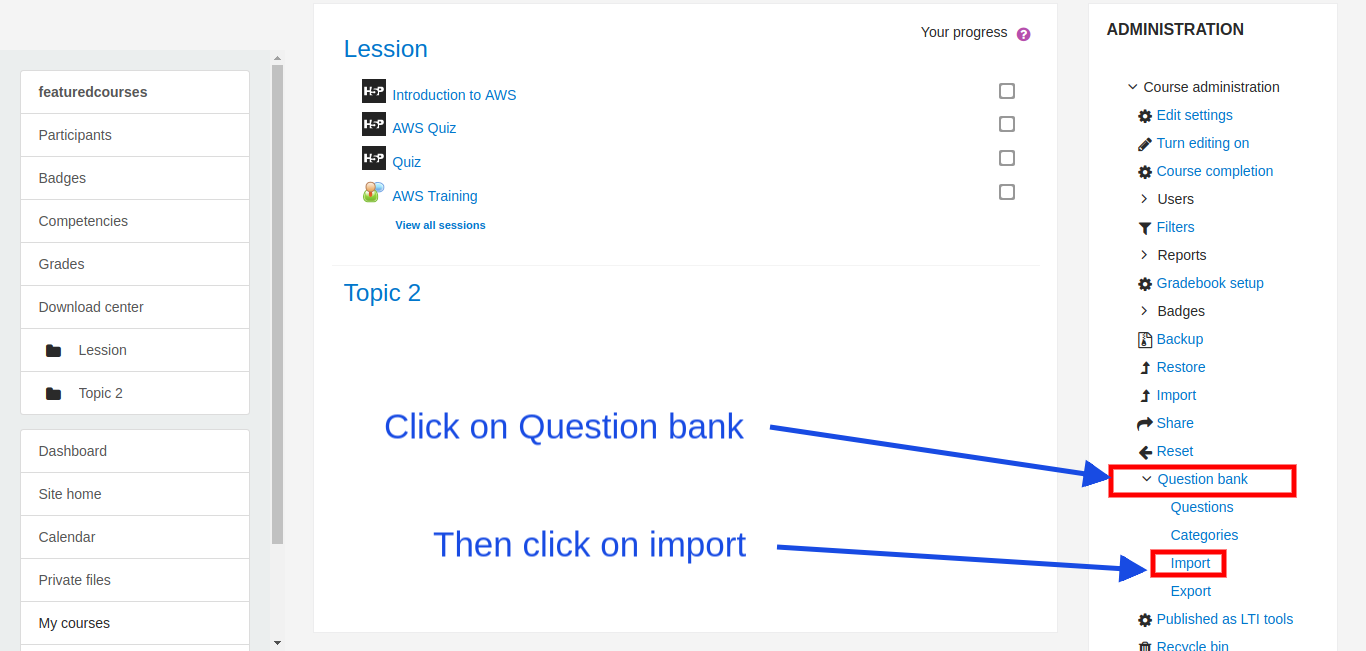
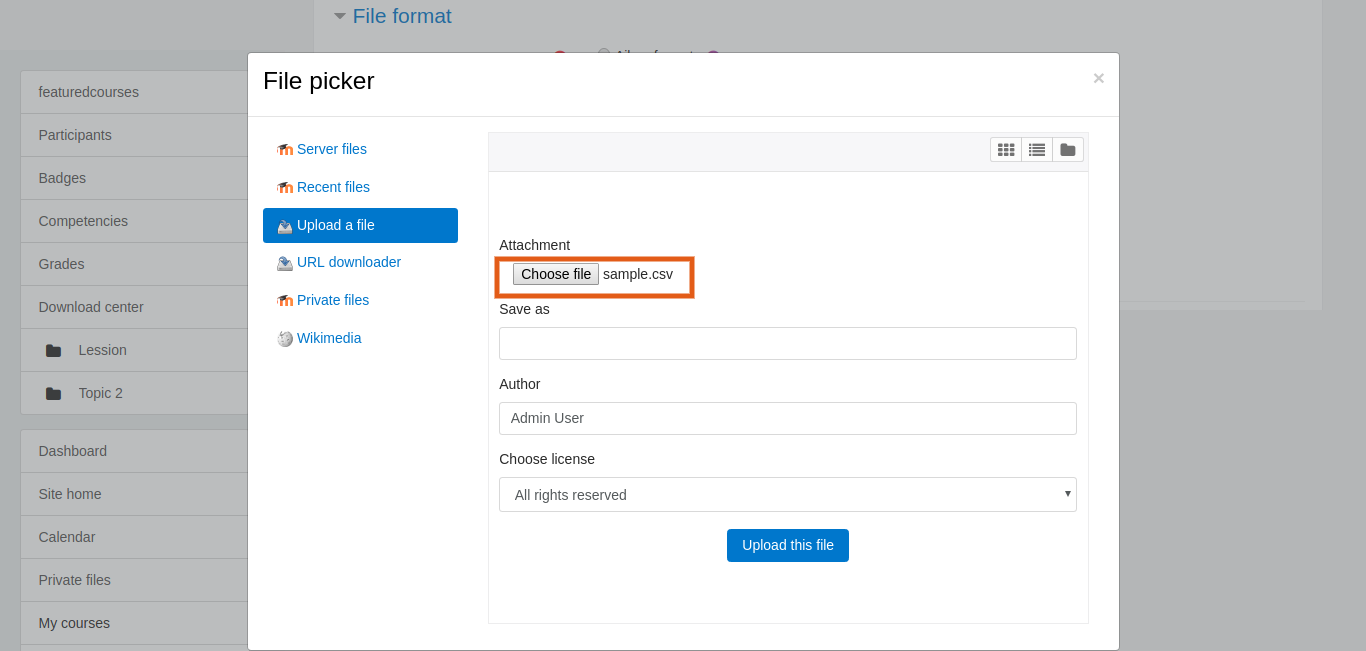
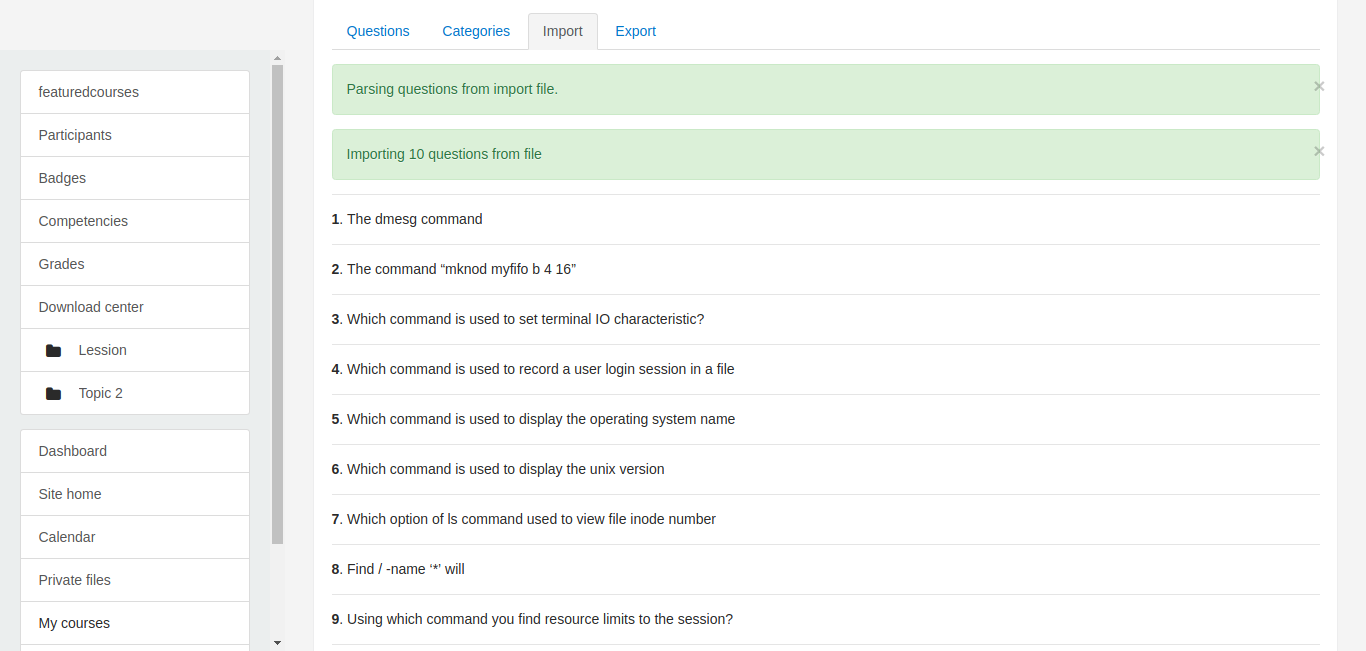
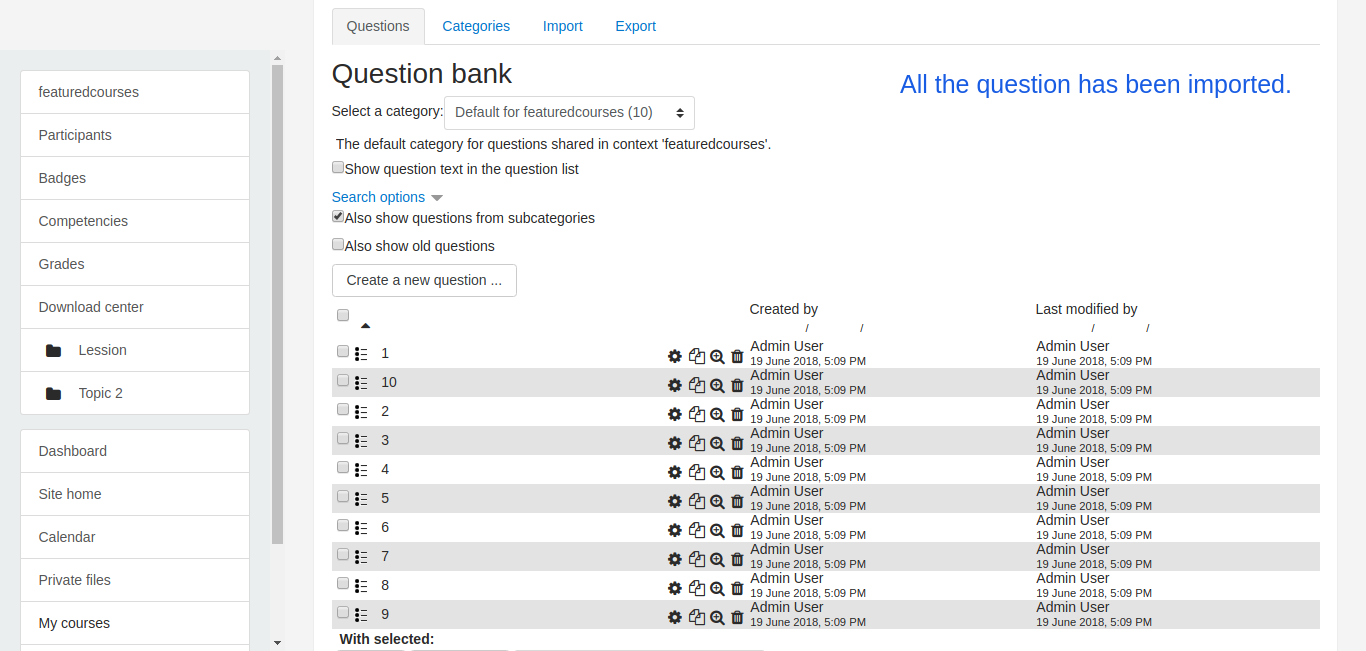
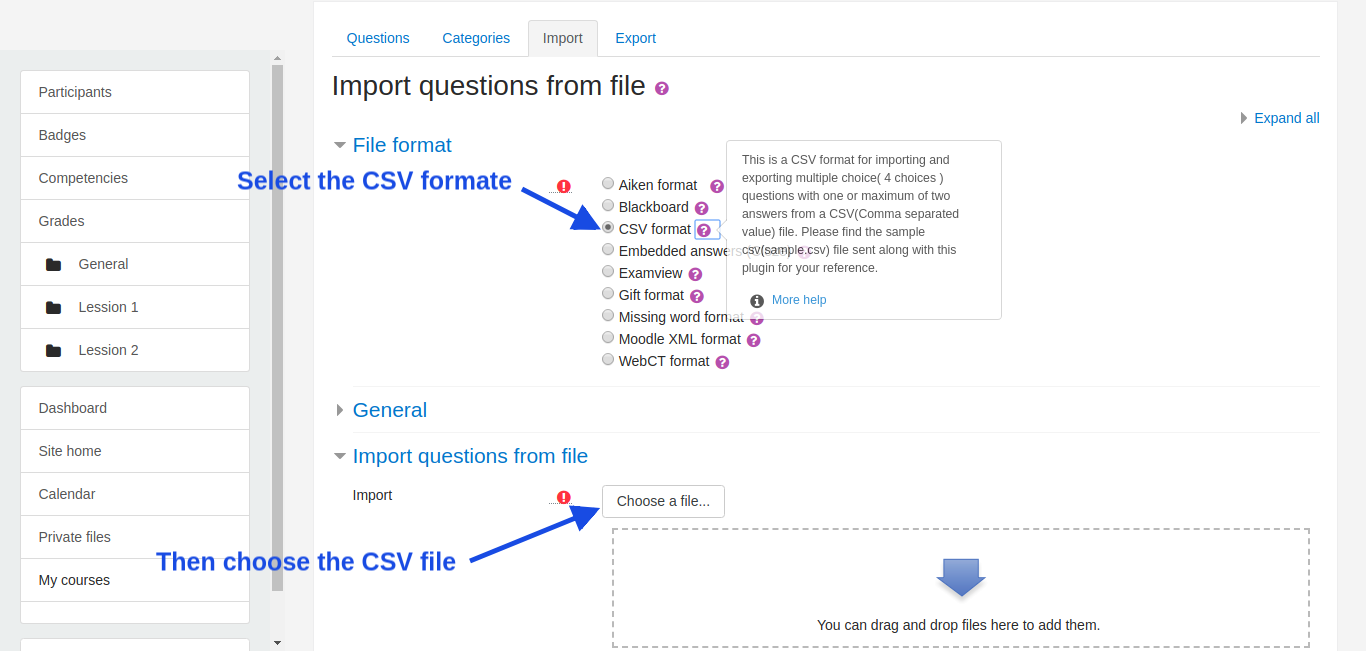
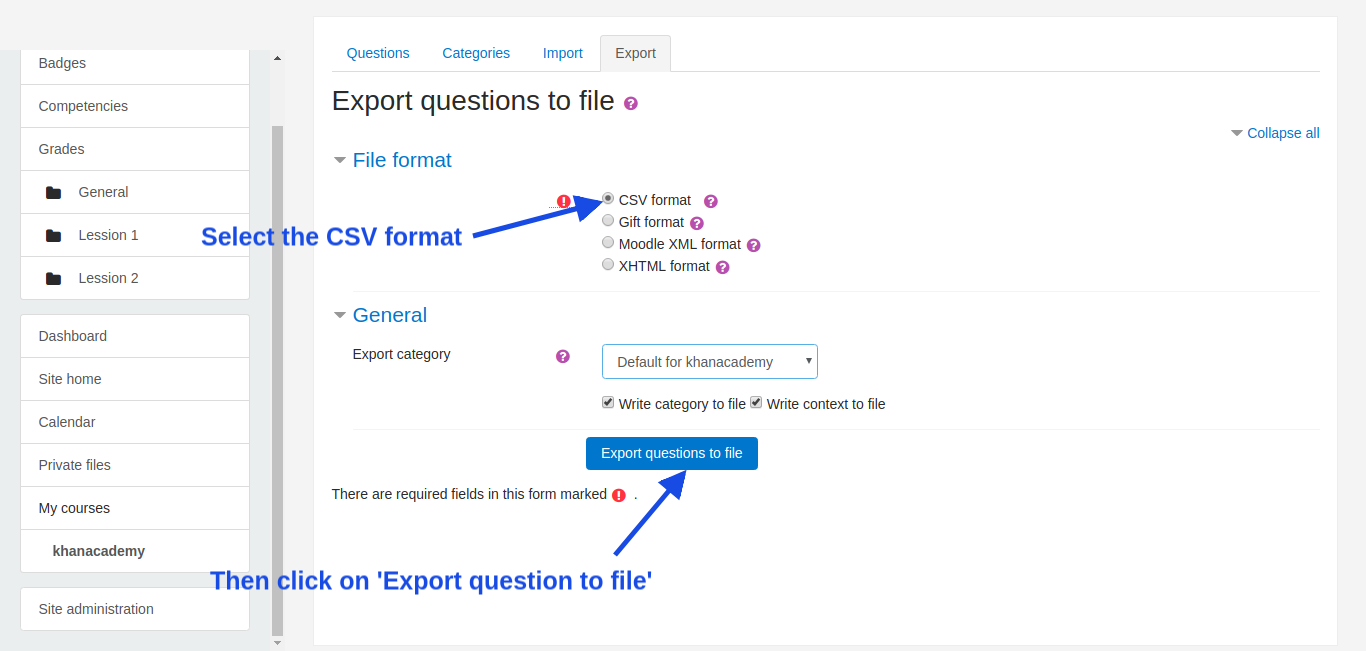
This plugin contains support for importing and exporting of multichoice( 4 choices ) questions having one or two answers from CSV format into the question bank.
Now, There can be two types of CSV files that can be used : ( Simple CSV and Extended CSV )
Only difference between Simple and Extended CSV files is, number of fields/columns
1. Simple CSV :
The Simple CSV file used for import should have the following structure :
- A CSV file with all questions in comma separated value form with a .csv extension
- You can find a sample CSV file in the following location -> moodle/question/format/csv/sample.csv
- The first line contains the headers separated with commas. For example:
questionname,questiontext,A,B,C,D,Answer 1,Answer 2
- Next lines contain the details of the question, each of the lines contains one question name, question text, four option, and either one or two answers, again all separated by commas.
- Each line contains all the details regarding the one question ie. question name, question text, options, and answer.
- You can also download the sample csv file for your reference. Type yourmoodlesite/moodle/question/format/csv/sample.csv in the URL of the browser.
For example, if your site is moodle.com then in browser URL, type:
http://moodle.com/question/format/csv/sample.csv
or
https://moodle.com/question/format/csv/sample.csv
2. Extended CSV :
-A CSV file with all questions in comma separated value form with a .csv extension
- You can find a sample CSV file in the following location -> moodle/question/format/csv/extended_sample .csv
-The first line contains the headers separated with commas for example
questionname,questiontext,A,B,C,D,Answer 1,Answer 2,answernumbering,correctfeedback,partiallycorrectfeedback,incorrectfeedback,defaultmark
-Next lines contain the details of the question,
each line contains one question name, question text, four option, answer1, answer2, answernumbering, correctfeedback, partiallycorrectfeedback, incorrectfeedback, and defaultmark, again all separated by commas.
-Each line contains all the details regarding the one question ie. question name, question text, four option, answer1, answer2, answernumbering, correctfeedback, partiallycorrectfeedback, incorrectfeedback, and defaultmark.
- You can also download the Extended sample file for your reference. Type yourmoodlesite/moodle/question/format/csv/extended_sample .csv in the URL of the browser.
For example, if your site is moodle.com then in browser URL, type:
http://moodle.com/question/format/csv/extended_sample.csv
or
https://moodle.com/question/format/csv/extended_sample.csv
* Questions imported in question bank can also be imported when creating a quiz from the question bank.
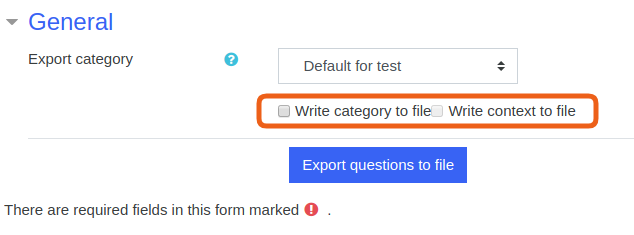
Export:
Installation
Please don't report bugs here
If you experience an error with this plugin or would like to request a feature, please use the "Bug Tracker" link below.

