CSV format
Maintained by
Gopal Sharma
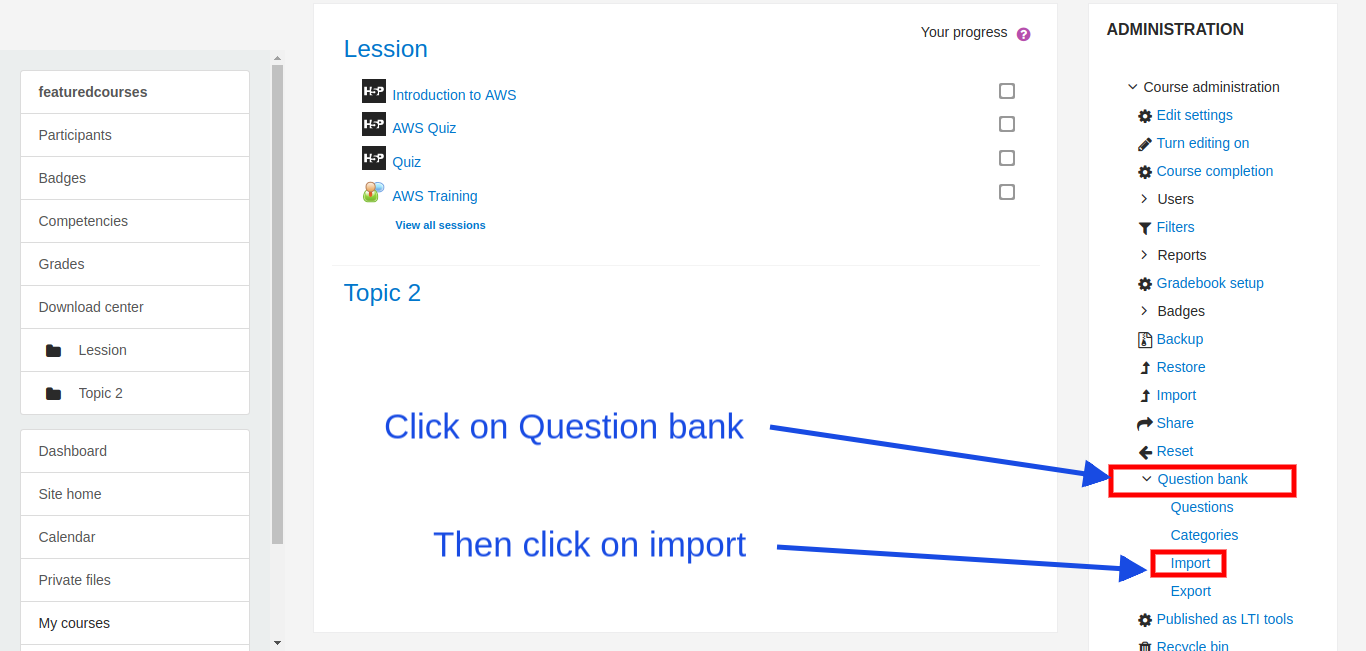
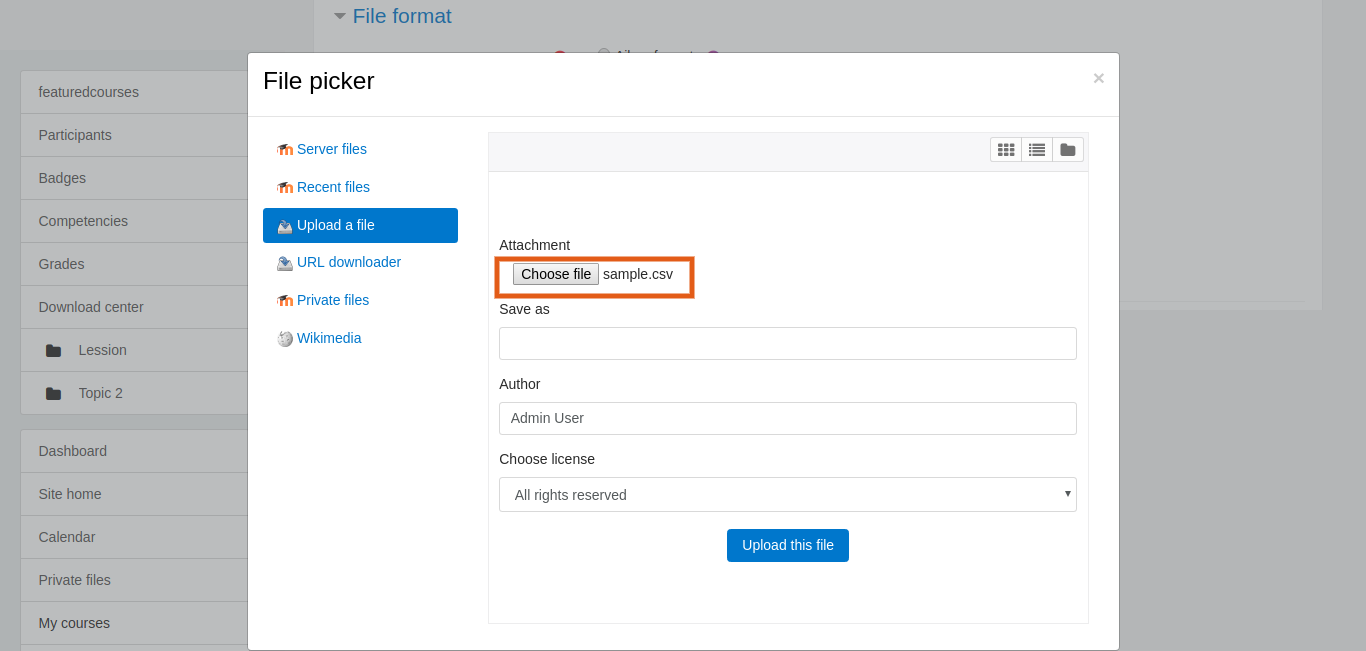
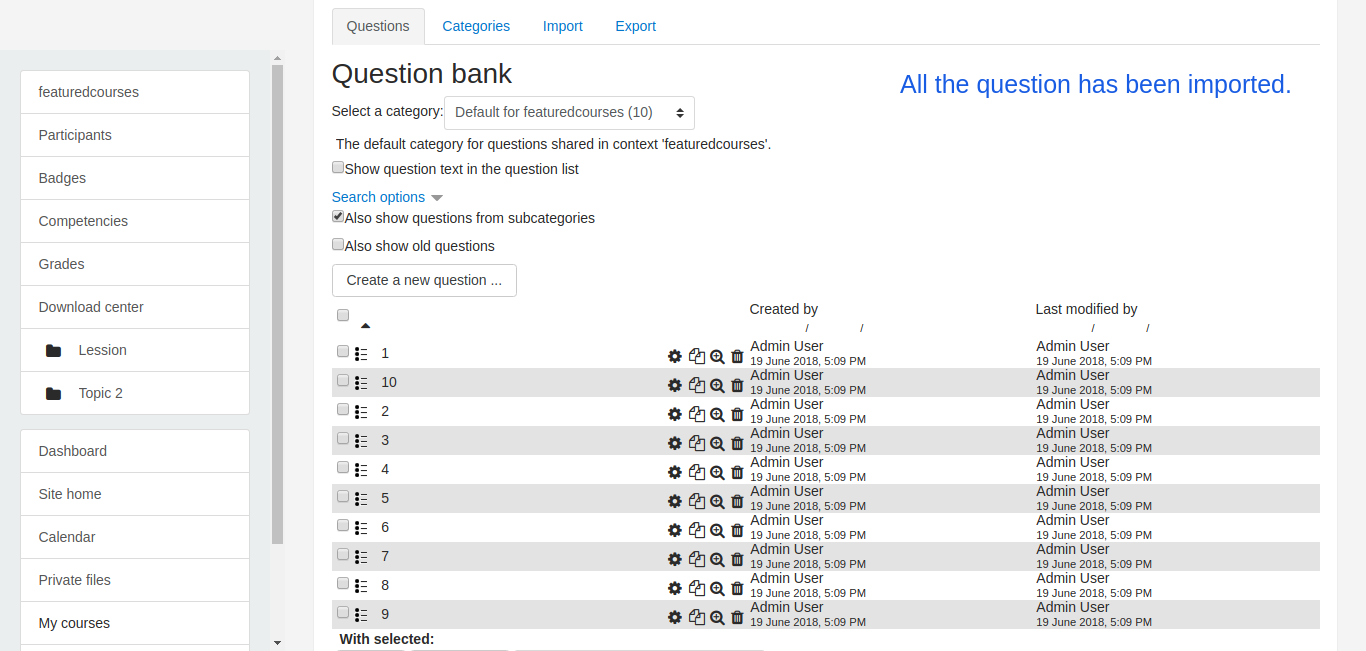
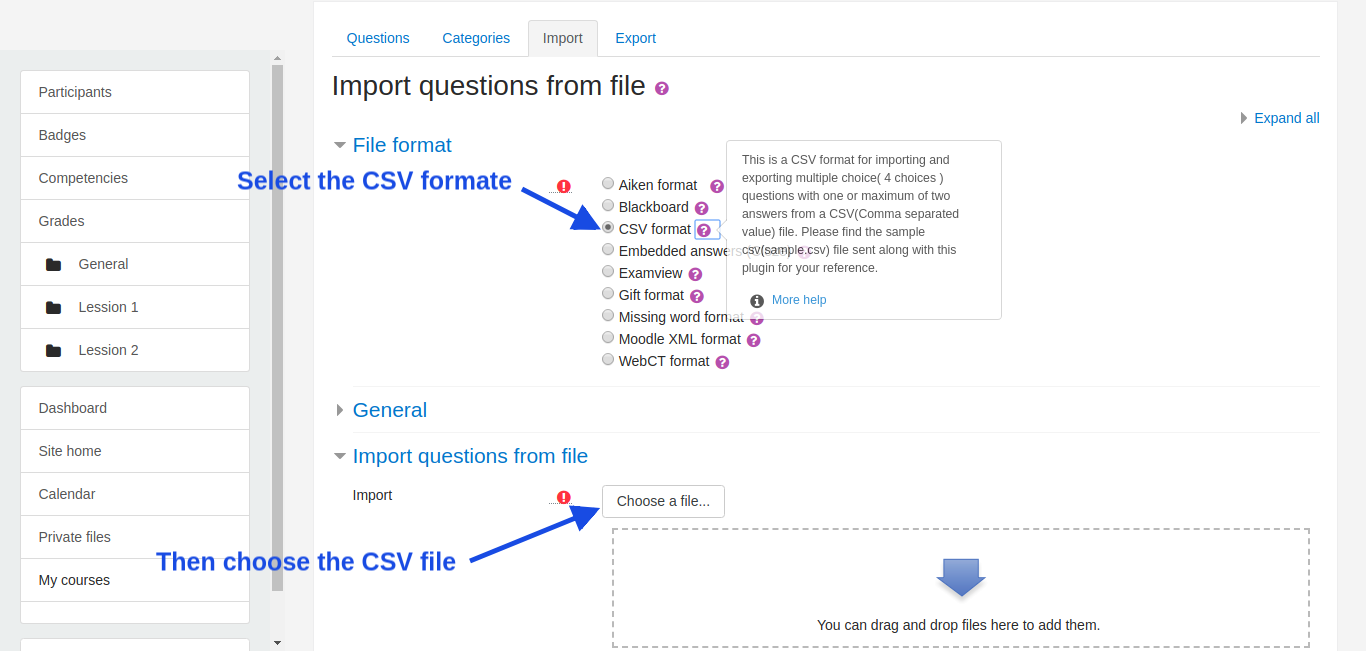
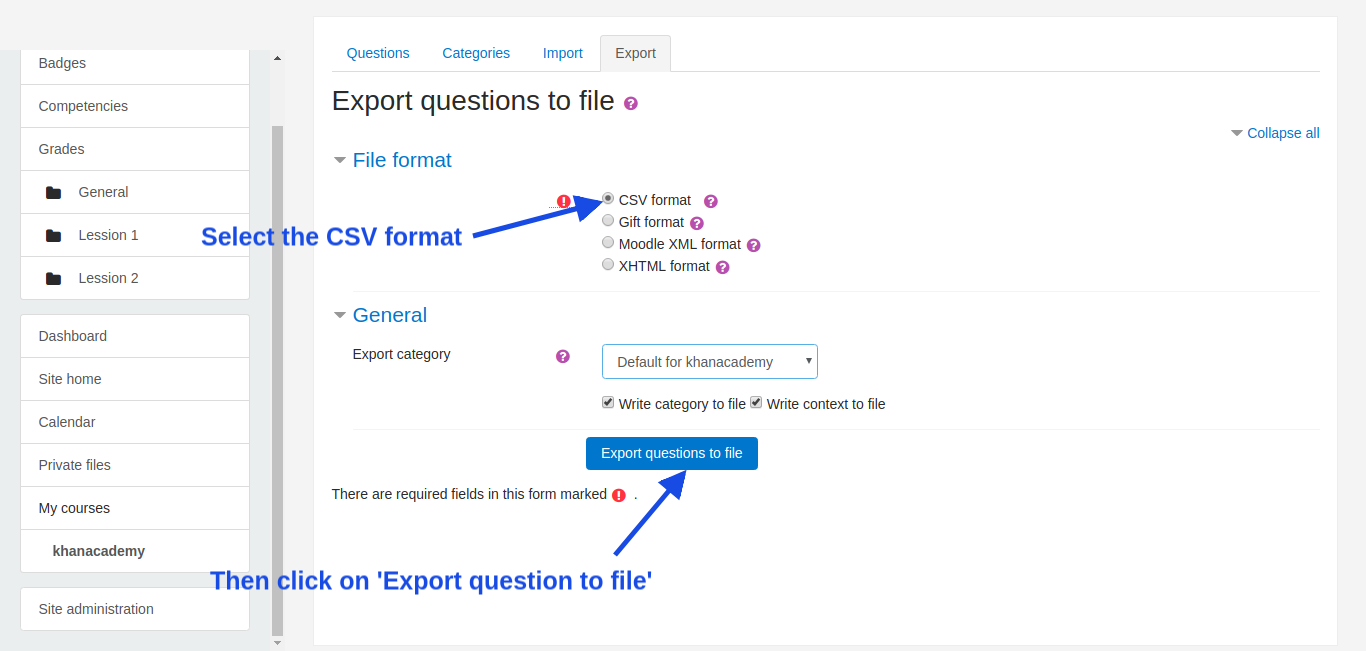
This plugin will be used to import and export multichoice( 4 choices ) questions having one or two answers from a CSV(Comma separated value) file into the question bank.
Note: Only multichoice questions are supported as of now.
Comments
Comments are no longer open for new posts. Existing comments remain available to read.
Questionname,Numbering,Feedback,Mark
That's COMPLETED request.
Thanks a LOT.
USING in my Moodle and Translated in AMOS to PT-PT
1. As of now, you can not add a name to a question.
2. NUMBERING choices are set to default "abc" ---> a., b., c., ...
But in the upcoming update, I will put up 2 sample CSV files.
One sample CSV with very few columns, similar to what we have now.
And second, will have extended columns with many other columns including NUMBERING Choices,
For example, a user can put up the values in "answernumbering" Columns in CSV file as follows for NUMBERING Choices,
"abc" for-> a., b., c., ...
"ABCD" for-> A., B., C., ...
"123" for-> 1., 2., 3., ...
"iii" for-> i., ii., iii., ...
"IIII" for-> I., II., III., ...
"none" for->No numbering
I hope this is what you are expecting.
Cheers.
Is it possible have a chance to choose NOT NUMBERING choices?
GREAT plugin.
Following are a few options which you can try out
1. Are you able to download a sample CSV file? if yes, then replace your question's text and options and answer in the same file itself.
2. Open your CSV files and see if the structure is same as found in the sample csv file.
3. Headers and Questions along with options and answer should be on the different line.
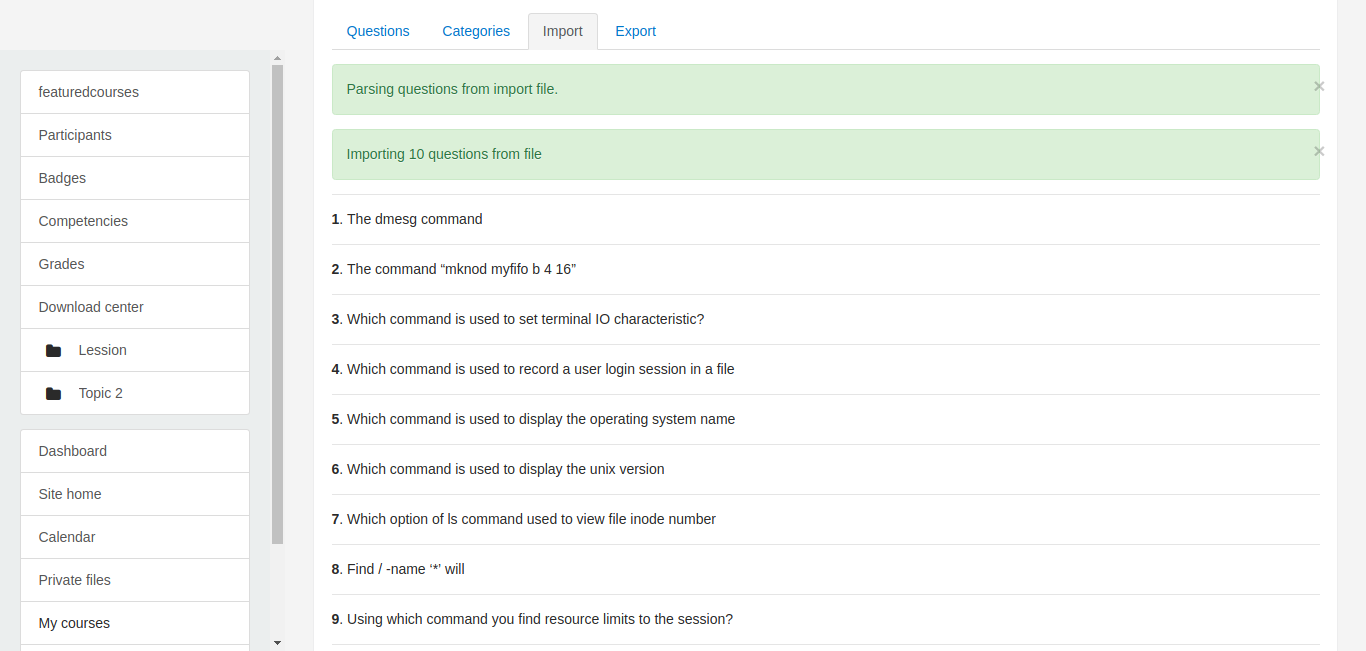
Parsing questions from import file.
Upload failed. New Line found in Question 1 . Make sure that entire question with choices and answers are in one line itself.
Please correct this question and try importing again.
No Question has been improted.
× There are no questions in the import file
Thank's for your answer. Best regards
Mon idée était de les garder aussi peu que possible sur le champ pour être efficaces pour l'utilisateur final.
Merci beaucoup pour la suggestion, j'apprécie vraiment.
It doesn't matter which question comes first and which comes second because at the time of quiz all question are randomized but my concern is, if someone import more question in the very same Quiz then there will be like 2 question with the same name like question 1 or question 2 and so on, I will make an update soon for this to add the question name and another answer field.
My idea was to keep them as minimum as possible field yet to be effective for the end user.
Thank you so much for the suggestion, I really appreciate.
D'avance merci.