Learnweb – University of Münster
Lead maintainer


The Moodleoverflow activity provides users the ability to create discussion forums that are not strictly linear or chronological.
It has similarities to the Moodle _forum_, but it is more intended for question-and-answer style discussions and provides additional features that support meaningful interaction. Moodleoverflow features
are highly customizable to ensure that it fits the needs of all users. A Moodleoverflow instance represents a forum that contains multiple discussions with posts.
Clone the content into {your/moodle/dirroot}/mod/moodleoverflow and complete the installation in
_Site administration > Notifications_ or run $ php admin/cli/upgrade.php in your cli.
The main features of Moodleoverflow are the rating and reputation system, subscription and read tracking, the anonymous mode and other forms of moderation.
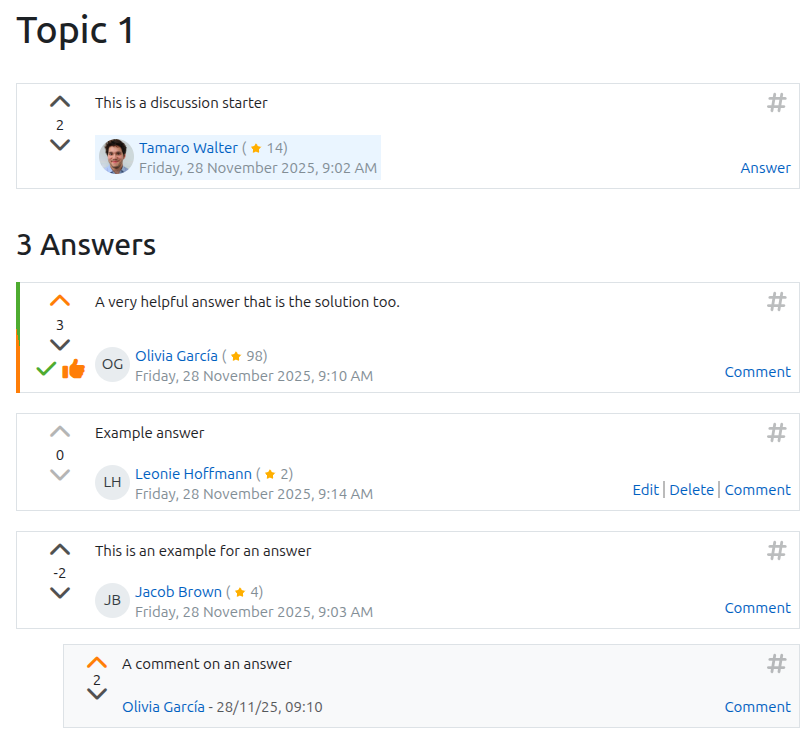
Like in _Stackoverflow_, users can rate posts with up- and downvotes, which rank the posts in a discussion. Additionally, the user that started the
discussion can mark posts as _"helpful"_(orange) and course teachers can mark a post as _"solution"_(green).
If enabled, Moodleoverflow tracks the users activity within a single course with a *reputation* score. Activities like voting or getting upvotes and helpful/solution marks
increase the reputation, while downvotes decrease it. A user's reputation is displayed when they write a post. Detailed explanation as well as instructions on how
to tailor the reputation system to your own needs can be found here.
What a typical discussion looks like:
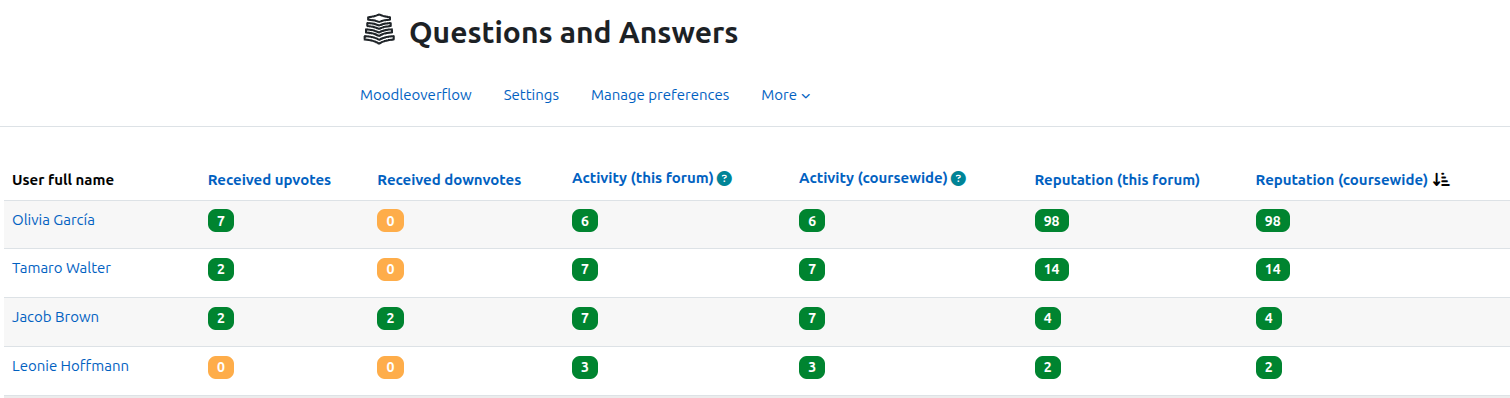
Moodleoverflow offers the ability for teachers to show the user statistics for a single course. Teachers can then see which students are particularly active in Moodleoverflow forums:
Users can subscribe to individual discussions or entire forums to receive notifications via email. Teachers have the ability to enforce subscriptions for important forums.
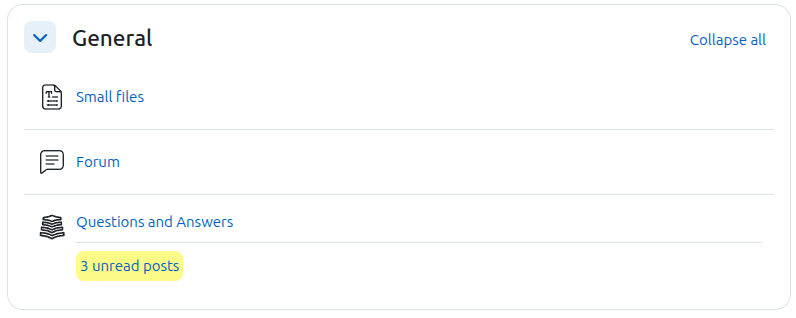
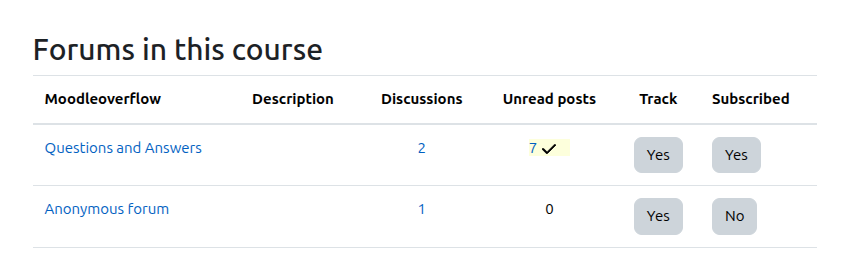
Moodleoverflow can track unread discussions and display a visual hint. All users can control their personal moodleoverflow settings in the overview:
A forum with unread posts:
Teachers can restrict certain features in a forum. With the anonymous mode certain users (the discussion starter or all users) are anonymous within a forum. This can motivate users
to interact with other students and increase their activity in discussions. Especially in Q&A this can be an ice breaker.
If teachers want to limit the time users can post replies, the limited answer mode can be activated when creating a moodleoverflow. The teacher sets a time frame in which
the students can write posts. This can be used to collect questions before answers are allowed, or to enforce a posting deadline.
The global settings allow administrators to enable or disable core features or to set the boundaries of what the teachers can customize in the local settings.
With the local settings in each moodleoverflow teachers can specify the use case of a forum and make use of the core features A detailed explanation of the settings can be found here.
This plugin was initially implemented by Kennet Winter and is further developed and maintained by the Learnweb development team (University of Münster).
No support in the comments section on this page
Please note that we don't provide any support for this plugin in the comments section on this page anymore.
We appreciate your commendation and reviews for this plugin in the comments. For bug reports and support requests create a ticket in the bug tracker which is linked below.
Thanks for your cooperation.


