Stripe Payment with SCA and Coupon icon

Stripe Payment with SCA and Coupon

Maintained by DualCube Team
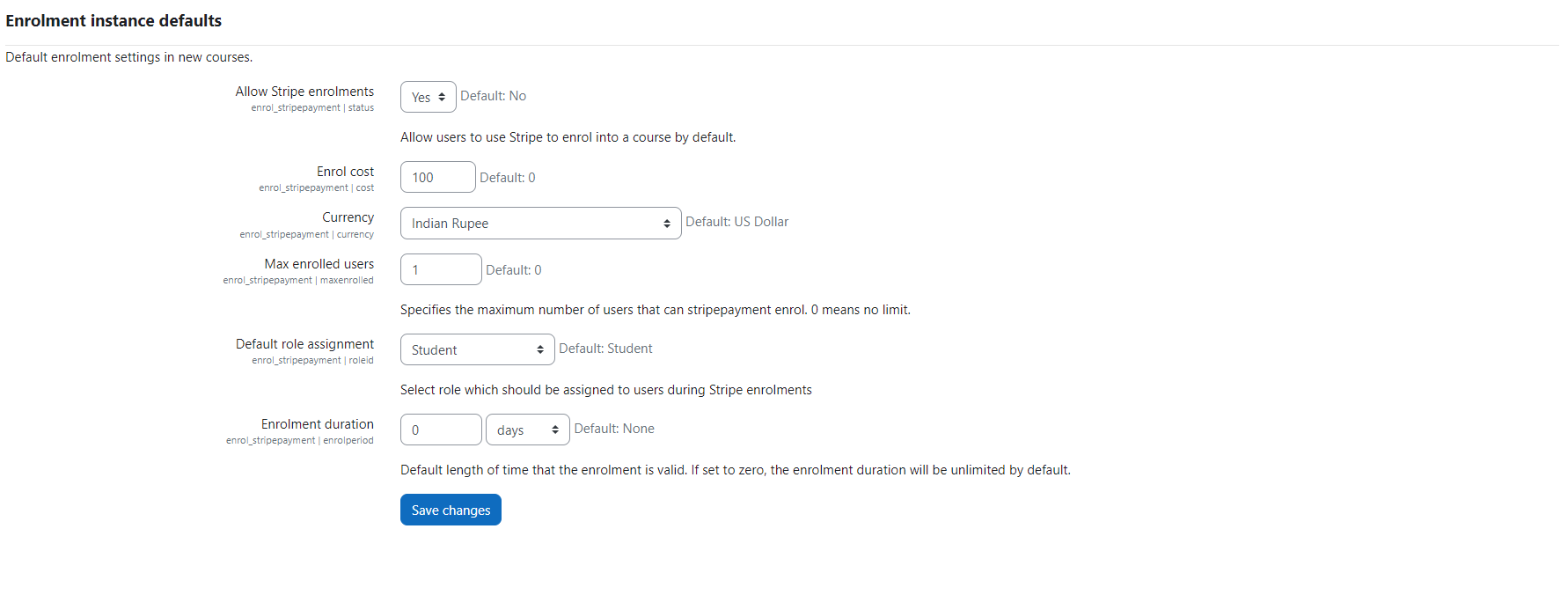
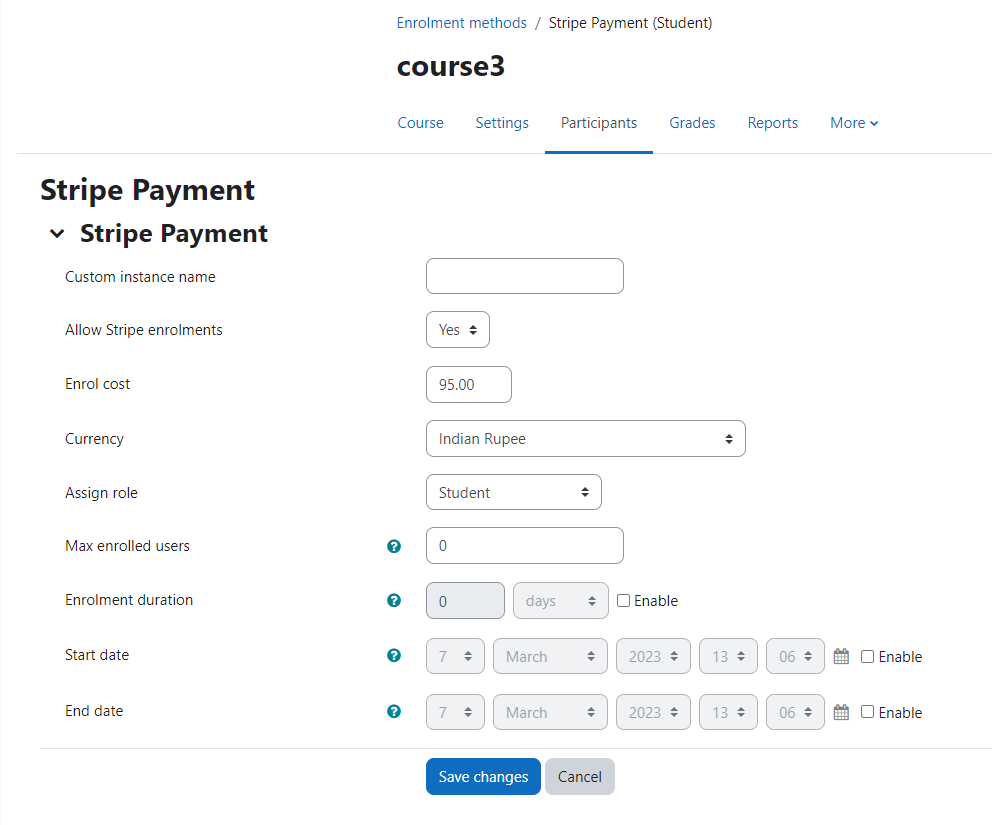
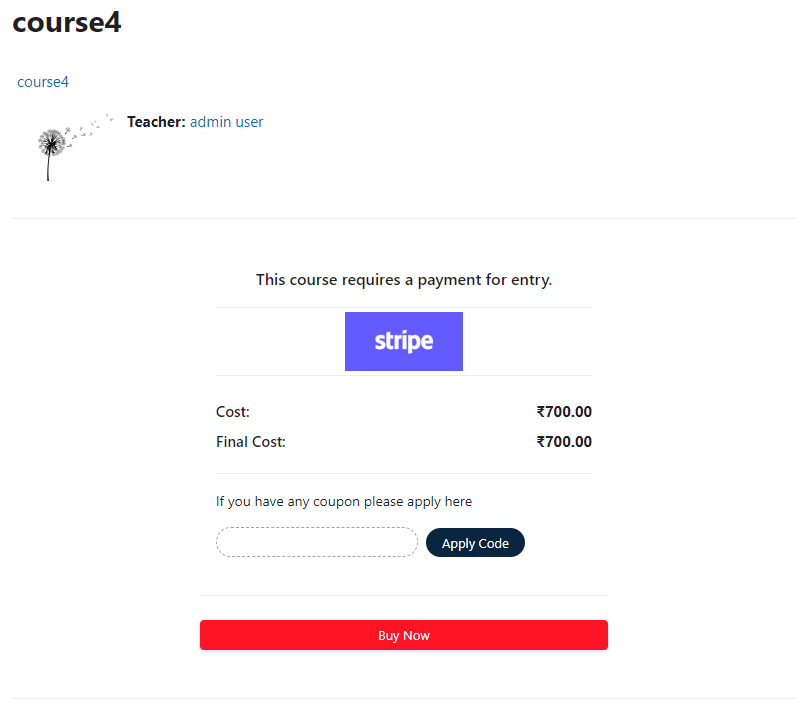
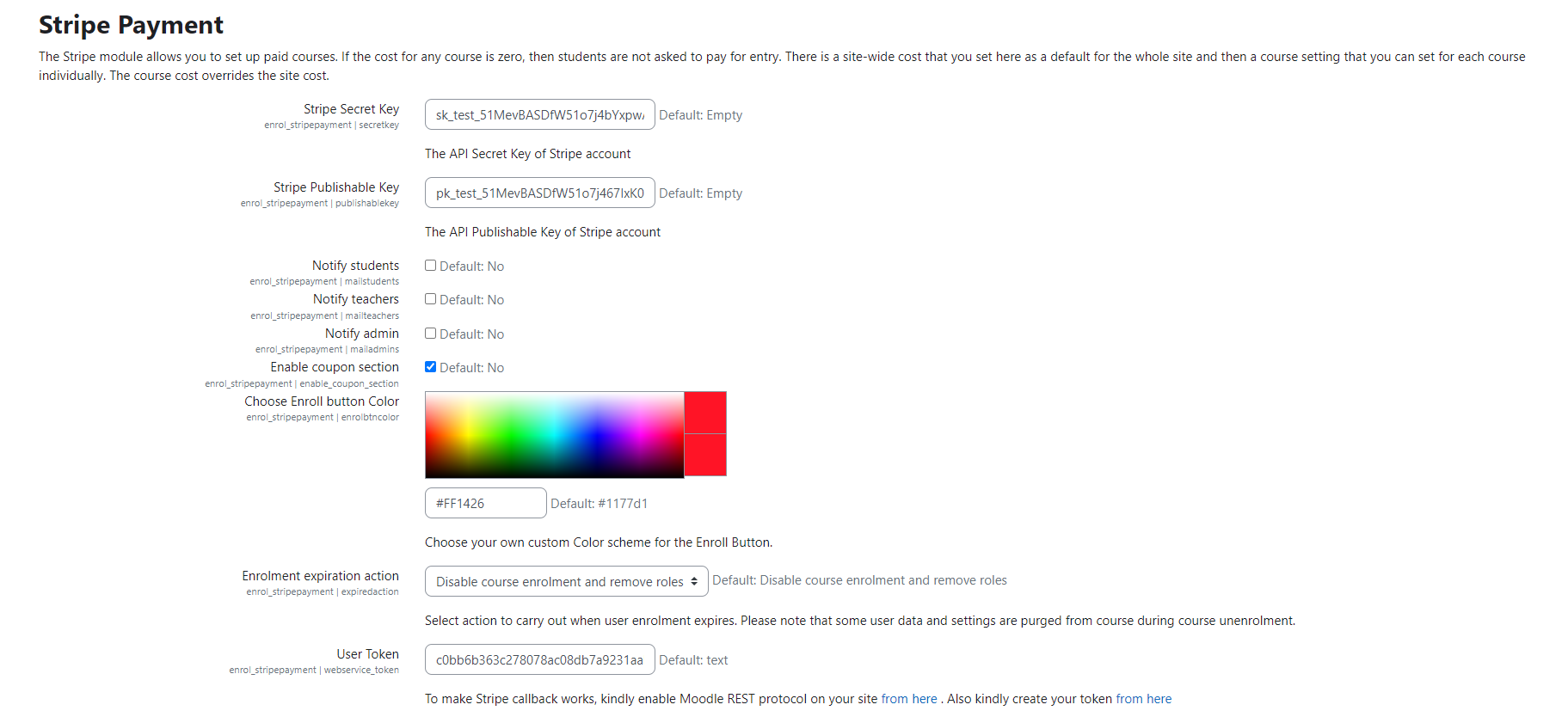
Add a price to your courses and check out quickly with Stripe Payment. Stripe is a user-friendly payment solution that allows for secure transactions. This plugin includes a number of payment processing services, including the ability to accept credit card payments. You can also offer various discounts to learners looking to purchase your courses.
Price option: Free

Supports Moodle 2.5-5.0 See all versions
Latest release: 11 months ago
Installations: 1387
Downloads (last 90 days): 273

Frankenstyle name: enrol_stripepayment
Enrolment

Comments

Comments are no longer open for new posts. Existing comments remain available to read.

I'm seeing the same issue as P H.
I'm currently running Moodle 3.11 on a test server. Upgraded Moodle and every plugin except Stripe (still on 3.2.1 (Build: 2020013100)), and that seems to work OK, old version of Stripe works with Moodle 3.11.
Let us know if there is a fix or alternate install procedure to get the latest version of the plugin working on Moodle 3.11
Sorry to hear that you have faced this issue, We will release an update tomorrow with the fix.
Hello,
For your information, when I try to update to version 3.3.2 (on Moodle 3.11) I get the following error message:
Downloading enrol_stripepayment ... OK
Validating enrol_stripepayment ... Error
[Error] Extracted file not found [{"file":"stripepayment\/.git\/refs\/tags\/"}]
Installation aborted due to validation failure
The plugin is working great now. Thanks for your help Jim and DualCube Team. One final question. Every time a payment goes through users get the message "Thank you for your payment! Unfortunately your payment has not been fully processed..." Is there any way to change the wording of this? It just seems to me that using the word "Unfortunately" gives people the impression that something has gone wrong, when in fact it just takes a minute to process. I don't think I can change this text (please correct me if I'm wrong about that). So maybe something to consider for the next update. Thanks again for the plugin.
Thank you Jim! That's working.
This plugin doesnt use the stripe promotion codes. Instead you have to set the ID of the coupon to the name you want to use.
apologies. I jumped the gun there without reading other posts in this thread. I added the token as outlined in these instructions https://dualcube.com/docs/stripe-payment-with-sca-and-coupon/ and it worked as expected. I'm still having an issue with the coupon. Stripe doesn't seem to be recognising the promotion codes and keeps coming back with "resource_missing - coupon". I'm sure I'm missing something obvious. New to Stripe. If anybody has an idea I'd love to hear it.
Got the updated plugin installed today. Although the coupon still isn't working I can see it going through to stripe, the plugin is also accepting it and telling me Invalid Coupon Code. I've obviously set it up wrong.
I've another problem now however. I put a test payment through and was brought to a blank page with the following error:
{"exception":"moodle_exception","errorcode":"invalidtoken","message":"Invalid token - token not found"}
The money was taken but the account wasn't enrolled.
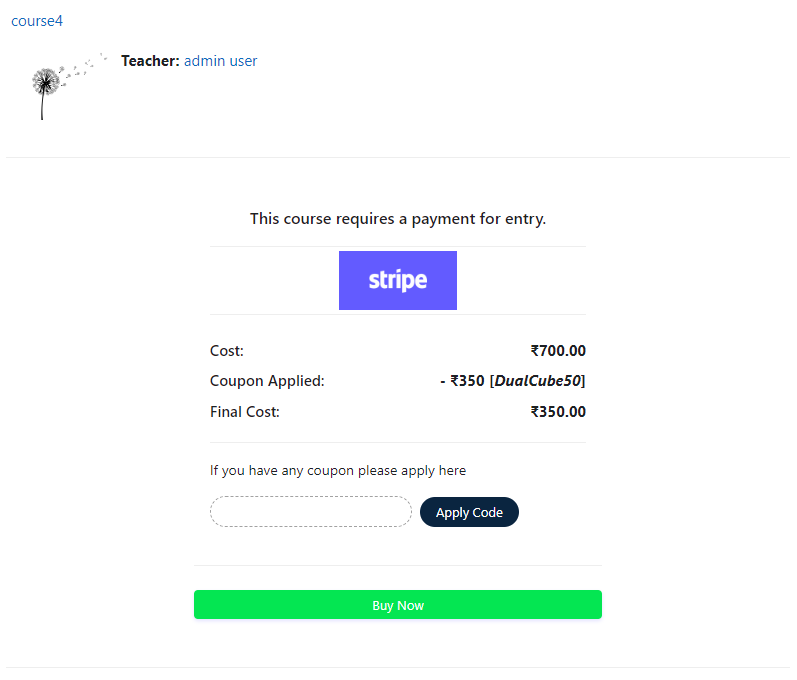
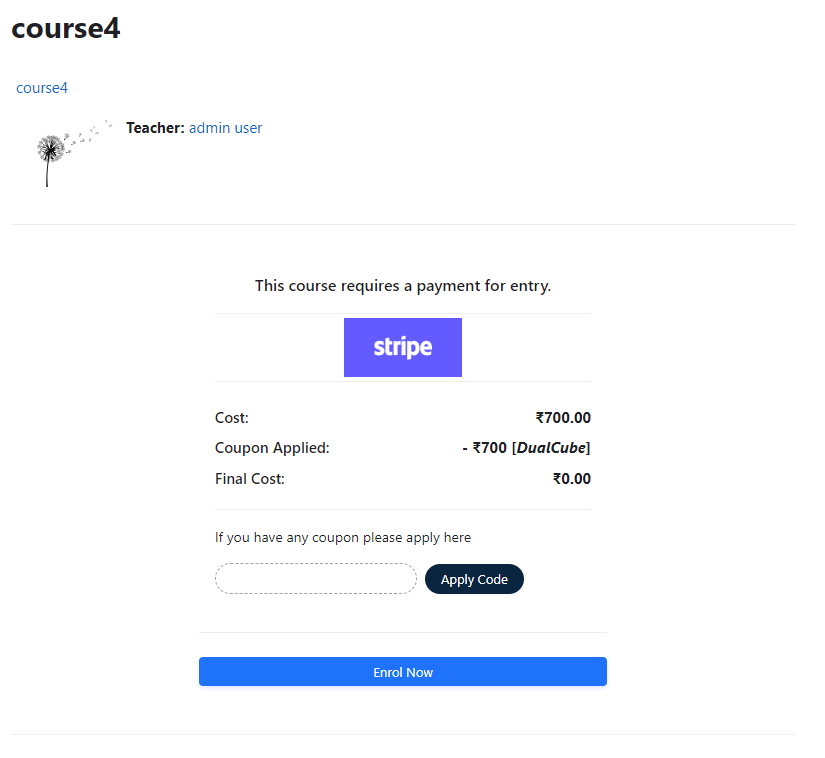
Hello - also having the same issue as @Karl O'Keeffe above. Uploaded the latest version of the plugin today (3/27/2022) and you can enter the coupon code, but the "Enrol" button won't work for a 100% discount. Page refresh also does nothing. Any ETA on a fix?
Thanks Jim. From what I can see it's not getting as far as stripe. Seems to be failing in the Moodle side somewhere.
Thanks for the screen recording DualCube Team. It's good to know how it should work. I raised a ticket with our Moodle host. Apparently there's a new version of your Plugin available. They are going to update to it and I'll test again. As it is at the moment there is no response from the button. The page doesn't refresh and the amount stays the same.
Thanks for the help
Hi Karl, we checked this on our end. As you can see it is working fine https://watch.screencastify.com/v/3HgMi09iIGYAm4S3F7MQ
Can you please check the coupon configuration from your stripe account.
Karl, if you go to your stripe account and look at the log messages that will tell you why it failed. Not sure which version of this stripe plugin you are using. The previous version was not good at catching all the exceptions and would thus just do nothing, for example if the coupon was expired or used up.
just to update the above comment. I'm getting the following error:
/enrol/stripepayment/validate-coupon.php:1
Failed to load resource: the server responded with a status of 404 (Not Found)
Hi DualCube Team,
Thanks for making this plugin, it's perfect for our needs. I have it installed and the test payment worked as expected. I can't seem to get the Coupon working. It seems to be set up correctly in Stripe but when I enter the code when enrolling, the Apply Code button does nothing. Moodle 3.9.13 (Build: 20220314)
Any ideas?
Thanks,
Karl
This has been discussed before (in the previous version of this plugin). I assume nothing has changed in this area. If you go to your stripe account and look at the log messages that will give you an idea if it is the same problem. Once this plugin does a transaction with a test key, it saves the generated customer key into the moodle database. Once you switch to production keys, if you try a transaction with the same user it will fail because it says the customer id is associated with the test keys. You either have to try it with a user that you havent used with test keys or you have to manually delete the entries in the enrol_stripepayment for the problem user(s).